
Many people love their Roomba for cleaning floors without effort. But one question comes up for almost every owner: do Roomba batteries need to be replaced? With daily use, you may notice your robot slows down or stops working before finishing its job. Is it time for a new battery, or is something else wrong? Understanding battery life, replacement needs, and best practices helps you keep your Roomba running smoothly and avoid unexpected breakdowns.
How Roomba Batteries Work
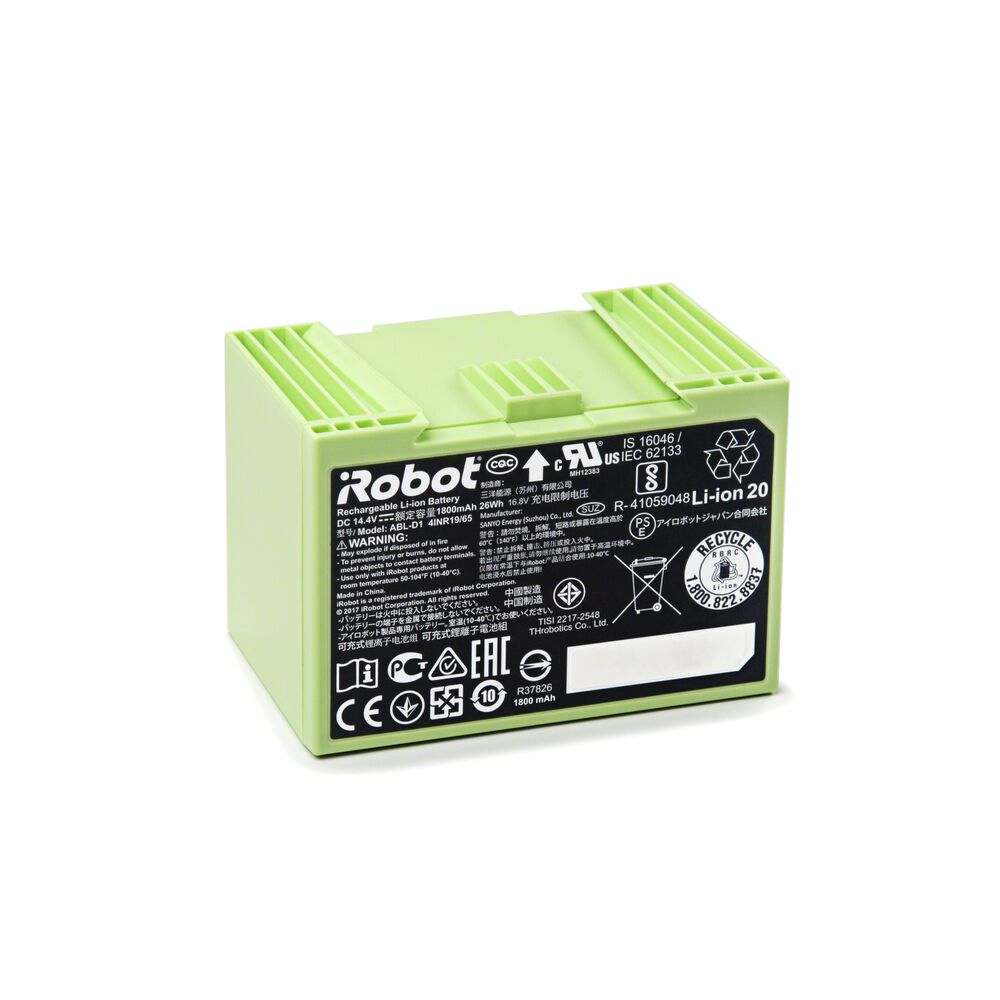
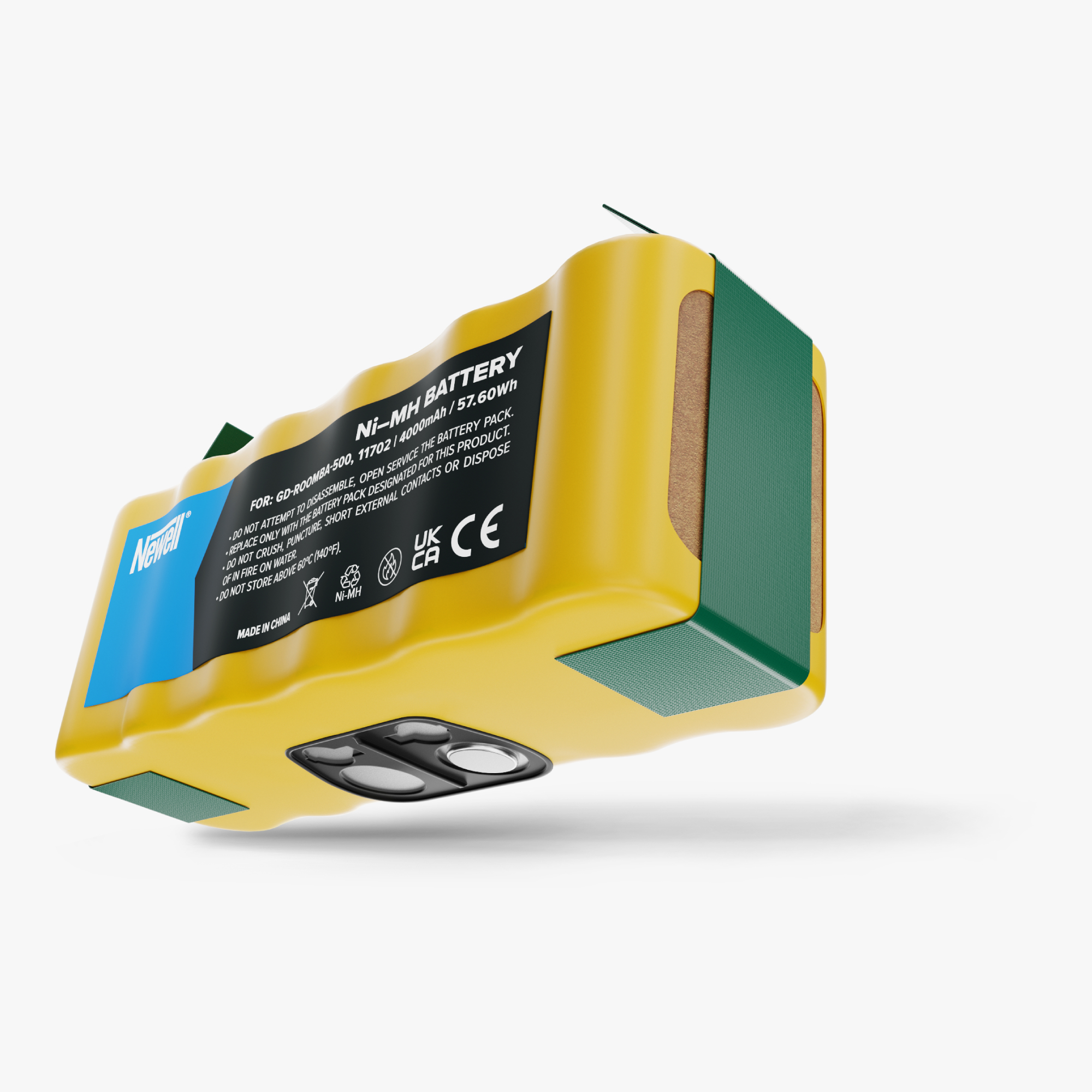
Roombas are powered by rechargeable batteries. Most modern models use lithium-ion batteries, while older units often rely on nickel-metal hydride (NiMH). These batteries store energy for the robot to operate, charge quickly, and support multiple cleaning cycles before needing replacement.
Roomba batteries have a limited charge cycle lifespan. This means they can be recharged a certain number of times usually around 300 to 400 cycles for lithium-ion, and 150 to 300 cycles for NiMH. After reaching this limit, the battery will not hold as much charge and performance drops.
Battery Types Comparison
Here is a quick comparison between the two main battery types found in Roombas:
| Battery Type | Typical Lifespan (cycles) | Charging Time | Memory Effect |
|---|---|---|---|
| Lithium-ion | 300-400 | 2-3 hours | No |
| NiMH | 150-300 | 4-5 hours | Yes |
Lithium-ion batteries are generally better for longevity and convenience. They charge faster and do not suffer from the “memory effect,” which can reduce capacity in NiMH batteries if they’re not fully discharged before recharging.
Signs Your Roomba Battery Needs Replacement
Roomba batteries don’t last forever. But how can you tell when it’s time to replace your battery? Here are the key signs:
- Short Cleaning Time: If your Roomba used to clean for over an hour but now stops after 10–20 minutes, the battery may be failing.
- Difficulty Charging: Sometimes the battery won’t charge at all, or charging takes much longer than usual. If the charging dock is working, this points to battery trouble.
- Erratic Behavior: The Roomba may start, then suddenly stop, or beep with error codes related to the battery.
- Physical Battery Swelling: If you notice the battery is swollen or misshaped, stop using it. Swelling can be dangerous and means immediate replacement is needed.
- Battery Age: If your Roomba is over 2–3 years old and used regularly, the battery is probably near the end of its life, even if symptoms aren’t obvious yet.
Typical Battery Lifespan Data
Most Roomba batteries last 18–24 months with normal use. Heavy daily use can shorten this to a year. If you only use your Roomba once a week, the battery may last up to three years.
How To Maximize Roomba Battery Life
Replacing the battery is not the only option. Proper care helps you get more life from your Roomba’s battery. Here are practical tips:
- Keep contacts clean: Dirt on charging contacts prevents the battery from charging fully. Clean these contacts monthly with a dry cloth.
- Charge after each use: Avoid leaving the battery drained for long periods. Always return Roomba to its charging dock after cleaning.
- Avoid extreme temperatures: Don’t store or use your Roomba in very hot or cold places. Batteries last longest at room temperature.
- Let it run fully sometimes: For NiMH batteries, allow Roomba to run until empty every few months to prevent the memory effect.
- Update firmware: Sometimes battery issues come from software errors. Check for firmware updates through the iRobot app.
Battery Maintenance Schedule
| Action | Frequency | Benefit |
|---|---|---|
| Clean contacts | Monthly | Improves charging |
| Charge after use | Every time | Prevents battery drain |
| Run full discharge | Every 3 months (NiMH only) | Reduces memory effect |
| Check firmware | Quarterly | Fixes software bugs |
How To Replace A Roomba Battery
If your battery shows signs of failure, replacement is straightforward. Here’s how to do it safely:
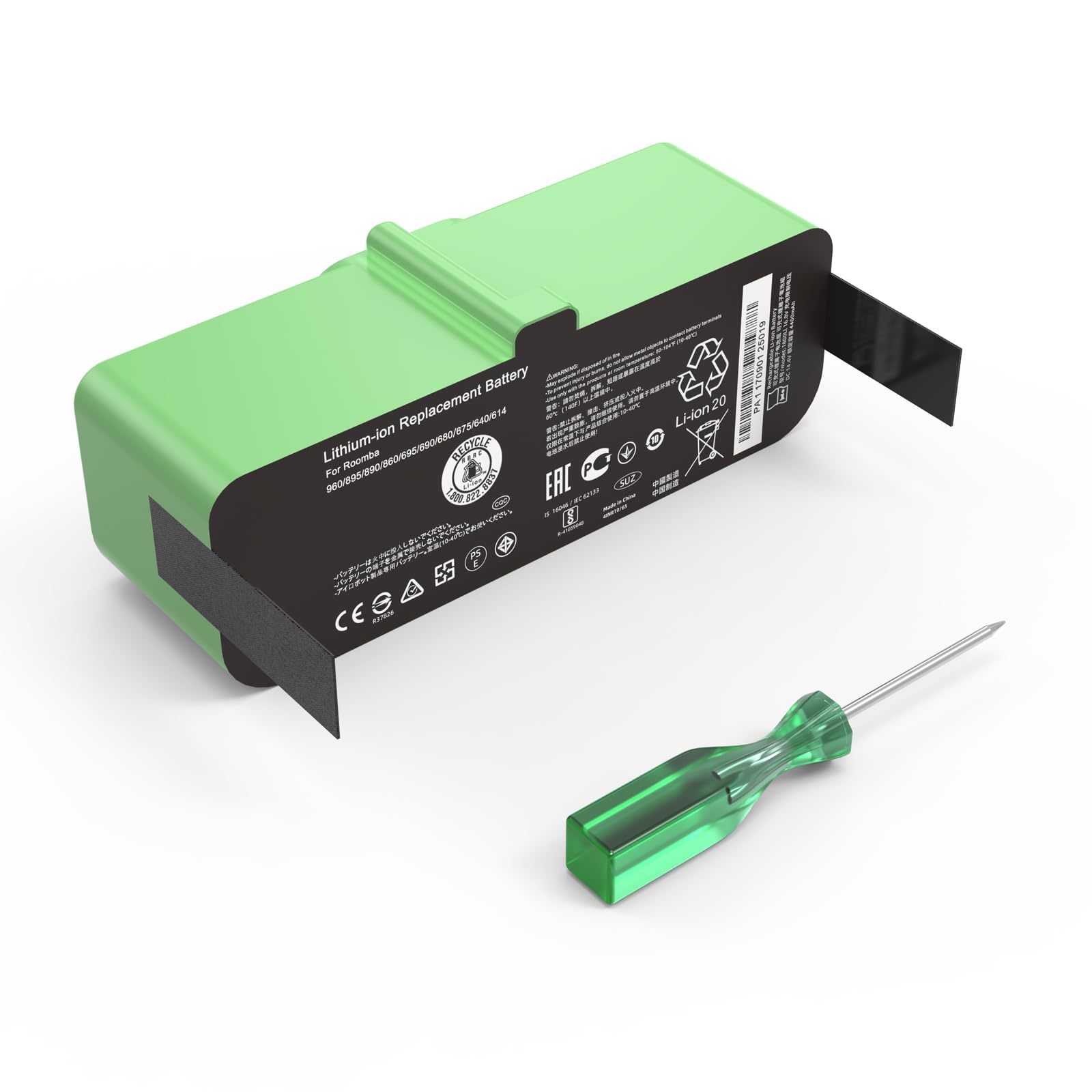
- Buy a compatible battery: Check your Roomba model number and get the correct battery type. Using the wrong battery can damage your robot.
- Turn off Roomba: Unplug from the charger and power down.
- Open the battery compartment: Usually, this means flipping Roomba over and removing a few screws.
- Remove old battery: Lift out the old battery gently.
- Insert new battery: Place the new battery in the compartment, making sure contacts line up.
- Close compartment and turn on: Screw the cover back on, turn on Roomba, and place it on the charger.
Example: Roomba 600 Series Battery Replacement
For the Roomba 600 series:
- Flip robot upside down.
- Remove two screws from the battery cover.
- Lift cover and pull out old battery.
- Insert new battery, replace cover, and screw back.
- Charge for at least 2 hours before first use.
Most new batteries come partially charged, but a full charge ensures best performance.
Original Vs. Third-party Roomba Batteries
When replacing your battery, you can choose between official iRobot batteries and third-party alternatives. Each option has advantages and drawbacks.
Comparison Table: Original Vs. Third-party Batteries
| Battery Source | Price Range | Warranty | Performance | Risk |
|---|---|---|---|---|
| iRobot Original | $50–$80 | 1 Year | Reliable, optimized | Low |
| Third-Party | $25–$60 | Varies | Mixed, sometimes higher capacity | Potential compatibility issues |
Original batteries are designed for Roomba and offer the best reliability. Third-party batteries can be cheaper and sometimes offer more capacity, but may not last as long or work as smoothly. Always check reviews and make sure the battery is certified for your Roomba model.
Common Mistakes When Replacing Roomba Batteries
Many people make simple mistakes that hurt performance or safety. Here are some to avoid:
- Wrong battery type: Not all Roombas use the same battery. Check your model number before buying.
- Forgetting to reset Roomba: Some models need a reset after installing a new battery, usually by holding the CLEAN button.
- Ignoring battery warnings: If a battery is swollen, leaking, or smells odd, do not use it.
- Mixing old and new batteries: Never combine old and new batteries in the same unit (rare, but some third-party packs require multiple cells).
A non-obvious insight: Some third-party batteries advertise higher mAh (capacity), but Roomba may not use the full extra capacity due to firmware limits. So, bigger numbers do not always mean longer cleaning times.
Environmental Impact And Battery Disposal
Roomba batteries contain chemicals that can harm the environment if not disposed of properly. Never throw used batteries in the trash. Instead:
- Take old batteries to a local recycling center.
- Many electronics stores accept rechargeable batteries for safe disposal.
- IRobot provides battery recycling information on their official site.
Proper disposal helps avoid pollution and meets local regulations. Lithium-ion batteries are especially important to recycle, as they contain valuable metals and can cause fires if mishandled.
Cost Of Roomba Battery Replacement
Replacing a Roomba battery is not expensive compared to buying a new robot. Costs vary by model and battery type:
- IRobot Original batteries: $50–$80
- Third-party batteries: $25–$60
Labor is free if you do it yourself. Some service centers offer replacement for an extra fee, usually $20–$40.
A new battery can restore your Roomba’s cleaning power for another year or more, making it a smart investment.
When To Replace Vs. When To Repair
Sometimes battery issues are confused with other Roomba problems. If your robot stops working, ask:
- Is the battery old or swollen?
- Does Roomba charge normally but still not clean well?
- Are error codes related to the battery?
If yes, replacement is best. If Roomba still struggles after a new battery, the problem may be with the charging dock, wheels, or main board. Repair is needed in those cases.
An often-missed detail: Firmware glitches can mimic battery failure. Try updating Roomba’s software before buying a new battery.
Frequently Asked Questions
How Long Do Roomba Batteries Usually Last?
Most Roomba batteries last 18–24 months with regular use. Using Roomba daily may shorten battery life to around one year. If you use it less often, batteries can last up to three years.
Can I Use Any Battery In My Roomba?
No. You must use a battery that matches your Roomba model. Using the wrong battery can damage your robot or void the warranty. Always check compatibility before buying.
Is It Safe To Use Third-party Batteries?
Many third-party batteries are safe if certified and well-reviewed. However, some may not fit perfectly or may not deliver the same performance as original iRobot batteries. Choose trusted brands and check user feedback.
What Happens If I Don’t Replace A Failing Battery?
A failing battery can cause your Roomba to stop mid-clean, not charge, or even damage internal components. If the battery is swollen or leaking, it can be dangerous. Always replace batteries showing clear signs of failure.
Where Can I Recycle My Old Roomba Battery?
You can recycle old Roomba batteries at most electronics stores, battery recycling centers, or through local waste programs. For more information, see Call2Recycle, which offers locations across the US.
Keeping your Roomba running well means knowing when and how to replace its battery. With proper care, most batteries last nearly two years. If your robot slows down or stops working, check the battery first. Choosing the right replacement and disposing of old batteries responsibly gives your Roomba a new lease on life and keeps your home clean with less effort.