
You can fix a Comcast Remote Xr2 Not Working by replacing the batteries and resetting the pairing connection to your set-top box. The most common cause for this issue is exhausted battery power or a signal blockage preventing the remote from communicating with the receiver. If you’re experiencing this, start by checking the battery compartment for corrosion and ensuring the batteries are fresh, as this solves most connectivity problems.
Reasons your remote isn’t working
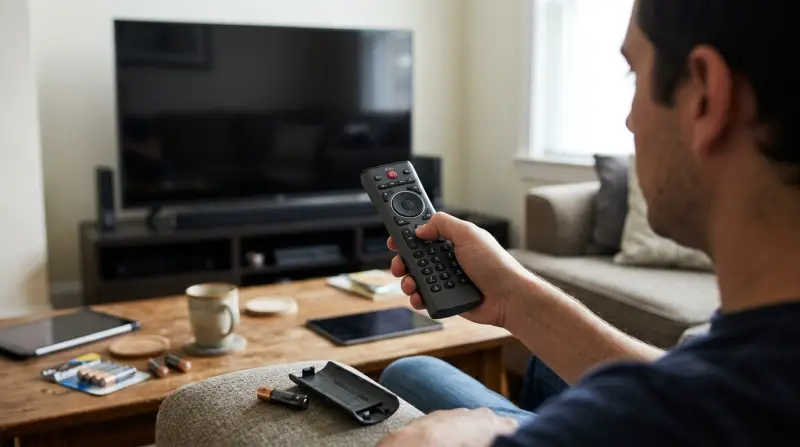
Remote controls often stop responding because the infrared or radio frequency signal is blocked, or the internal pairing state has become corrupted. If you have moved your set-top box inside a closed cabinet or placed large objects in front of it, the signal may not reach the receiver. This is a common physical limitation; if your remote uses radio frequency (RF), it can pass through thin wood, but thick glass or metal will often block the signal entirely.
Another frequent cause is a loss of sync between the remote and the Xfinity box. Every remote of this model must maintain an active handshake with the hardware to send commands. If the box reboots or the remote sits idle for a long period, this link can drop. You can verify the current status of your equipment by visiting the Xfinity support guide for remotes. This resource helps you identify if your specific hardware version requires a physical reset or a software update through the television menu. If the remote light flashes when you press buttons but the screen doesn’t respond, the issue is likely a software mismatch rather than a hardware failure. This varies by model — check the label inside the battery cover to see your specific version, as older units may have different pairing requirements than newer ones.
Refresh the pairing connection
This fix is for users whose remote lights up but fails to change channels or volume. If you see the status light blink when you press buttons, the remote has power but has lost its digital “handshake” with your Xfinity box.
To reset this connection, point the remote directly at the set-top box. Press and hold the “Setup” button until the status light at the top changes from red to green. If the remote is still not responding, enter the three-digit pairing code that appears on your TV screen. If no code appears, press the “i” button to force the box to display the menu.
This process is safe for your equipment and won’t delete your saved recordings or personal settings. Who this isn’t for: if your remote status light doesn’t blink at all, even after you install brand-new batteries, you likely have a broken internal circuit. In that case, don’t attempt to pry open the plastic shell, as you’ll likely snap the tabs and void any remaining support options. If you reach this point, contact your local service provider to request a replacement unit.
Replace the power source
This fix is for users whose remote shows no lights at all when buttons are pressed. Even if the batteries seem fine, they may have enough voltage to power a small indicator light but not enough to send a wireless signal to the box.
Remove the back cover and take out both AA batteries. Look inside the battery compartment for any white or green powdery residue. If you see this, it’s battery acid; use a dry, clean cloth to wipe the terminals. If the metal springs look rusted, the remote is likely at the end of its life. Insert two fresh, name-brand alkaline batteries. Don’t mix old and new batteries, as this causes uneven voltage and can cause the remote to act erratically.
The trade-off here is time versus cost; if you spend more than five minutes cleaning terminals and it still fails, it’s usually more efficient to simply swap the remote for a new one. A common mistake is using rechargeable batteries that have a lower voltage output than standard alkaline ones. This often causes the remote to act “laggy” or stop working after only a few days of use. If you have tested fresh alkaline batteries and the remote still shows no light, the internal components have failed. At this stage, you shouldn’t attempt to solder parts or use household tools to force a connection, as this can cause a short circuit.
Use the mobile application

If the physical buttons remain unresponsive, you can use the Xfinity TV Remote app on your smartphone as a temporary bridge. This is worth the effort if you need to access your settings or watch television immediately while waiting for a replacement remote.
Download the official application from your phone’s app store and sign in with your account credentials. Ensure your phone is connected to the same Wi-Fi network as your set-top box. Once the app finds your receiver, you can use your phone screen as a virtual remote to navigate menus and change channels. This is an excellent way to determine if the problem is the remote itself or the set-top box. If the app can control the box perfectly, you know for certain that your Xr2 remote is the faulty piece of hardware. If even the app can’t control the box, the problem lies with the receiver, and you should perform a manual power cycle by unplugging the box from the wall for sixty seconds. This is a simple step, but it often clears hidden software errors that prevent external signals from being processed. If the issue persists after a power cycle, contact your service provider’s technical support team, as they can run a remote diagnostic test on your box to see if the internal receiver chip has failed.
What not to do
- Don’t submerge the remote in water or cleaning chemicals to “wash” the buttons, as liquid will permanently ruin the circuit board.
- Don’t hit or drop the remote against a hard surface to “shake” the parts back into place, as this often breaks the fragile plastic clips holding the housing together.
- Don’t use metal tools like screwdrivers to scrape the battery contacts, as you may permanently bend the metal and prevent the batteries from making a solid connection.
- Don’t leave the remote near high-heat sources like radiators or direct sunlight, as heat degrades the infrared transmitter and causes the plastic buttons to become sticky.
How to stop it happening again
To keep your remote functioning, manage your hardware environment and power sources carefully.
| If you’re doing this | Do this instead | Why |
|---|---|---|
| Hiding the box in a cabinet | Place in an open area | Ensures clear signal transmission |
| Mixing battery brands | Use identical new pairs | Keeps voltage levels consistent |
| Using a crowded shelf | Keep clear of other electronics | Reduces signal interference |
Most users mistake a sluggish remote for a dead one. If the buttons feel mushy or unresponsive, check for internal corrosion first. If you see white, chalky residue on the battery contacts, clean them with a cotton swab dipped in isopropyl alcohol.
If your remote works from three feet away but fails at ten, the issue is likely signal blockage rather than power. Move your receiver box at least six inches away from metal surfaces or Wi-Fi routers. If the remote still fails, test it by pointing it at a smartphone camera. If you see a flickering light on the screen, the remote is fine and the receiver is the culprit.
Frequently asked questions

Can I use a universal remote with my Xfinity box?
Yes, you can use most universal remotes if they’re programmed with the specific code for your Xfinity set-top box. Check your remote’s manual for the correct manufacturer code. Note that some universal remotes may not support Xfinity devices and will be unable to navigate the menu system.
Why is my remote light flashing red?
A red flashing light indicates an error state or weak batteries. Replace your batteries with fresh, high-quality alkaline ones first. If the light continues to flash after a battery swap, the remote has likely suffered an internal hardware failure and must be replaced.
How long should batteries last in an Xr2?
Batteries in an Xr2 remote last based on how often you use voice commands and the backlight. If you find yourself changing them regularly, check to ensure no buttons are physically stuck in the “down” position. A stuck button keeps the remote transmitting, which drains power much faster than normal use.
Is it safe to open the remote casing?
No, it isn’t safe or recommended to open the remote casing. The internal components are fragile and designed to be sealed; opening the housing will almost certainly break the plastic locking tabs. Once these tabs are broken, the remote won’t snap back together properly and may become unusable. Furthermore, attempting to modify or repair the internal circuitry can cause a short circuit, which could potentially cause the batteries to overheat.
What happens if I lose the pairing code?
You can trigger a new pairing code by holding the “Setup” button until the light blinks red. If no code appears, restart your set-top box by unplugging it for one minute. The box will then automatically attempt to re-establish a connection with nearby remotes.
How do I know if the remote is broken?
You can confirm if the remote is broken by pointing it at a smartphone camera lens while pressing a button. If you see a flickering light on the phone display, the remote is working correctly. If you see nothing, the infrared transmitter is dead and needs replacement.
Final Thoughts
If these simple fixes don’t restore your connection, don’t worry. You should reach out to your provider’s support team or visit their website to request a replacement device. They’ll help you get back to your favorite shows quickly, so you won’t have to deal with the frustration of a broken remote anymore.
Related guides