
Many people enjoy using the Evpad TV box to stream movies, shows, and live channels. It’s an affordable way to access entertainment from Asia and around the world. But what happens when your Evpad is not working? Suddenly, your favorite programs stop, and you’re left frustrated. If you’re facing this problem, you’re not alone. Many users experience issues, from apps crashing to channels disappearing. This guide will help you understand the main causes and solutions, so you can get back to watching without stress. Whether you’re a new user or someone who has used Evpad for years, you’ll find practical advice and tips here.
Common Reasons Why Evpad Stops Working
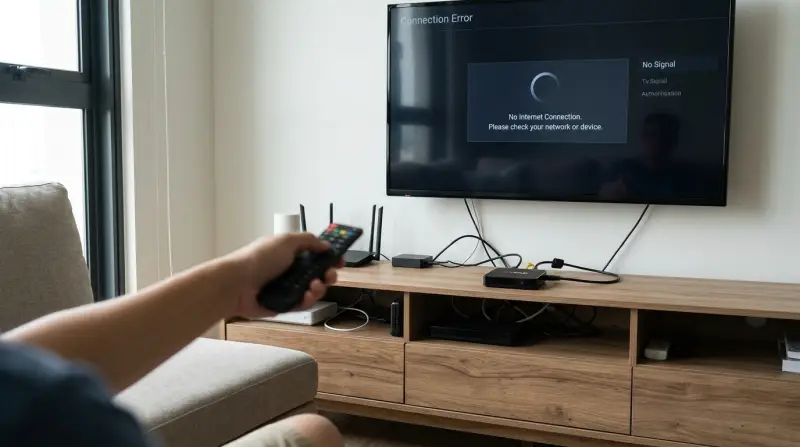
When your Evpad doesn’t work, it’s easy to worry, but most problems have simple solutions. Let’s look at the most frequent causes:
- Internet Connection Issues: Evpad needs a stable internet connection. If your Wi-Fi is weak or offline, streams will freeze or apps won’t load.
- Server Outages: Sometimes, Evpad’s main servers go offline for maintenance or technical reasons. This can make channels and apps unavailable.
- Expired System License: Some Evpad models require a license update. If the license expires, many features stop working.
- App Errors and Bugs: Apps may crash due to outdated software or bugs. This often happens after a system update.
- Blocked Services: Some regions block streaming platforms. If you move or your ISP changes, Evpad may lose access to certain channels.
- Hardware Failure: Rarely, the box itself may have physical damage or faulty parts.
It’s important to check these causes before you try advanced fixes. Most Evpad problems can be solved with a few simple steps.
Troubleshooting Steps For Evpad Not Working
If your Evpad is not working, follow these steps to fix it:
Check Your Internet Connection
A weak or lost connection is the most common problem. Here’s how to check:
- Try loading a website on your phone or computer.
- Restart your router.
- If using Wi-Fi, move your Evpad closer to the router.
- Use a wired Ethernet cable for a stronger connection.
Restart The Evpad Box
Sometimes, a simple restart fixes many issues.
- Unplug the box from power.
- Wait 30 seconds.
- Plug it back in and turn it on.
This clears temporary errors and refreshes the system.
Update Apps And Firmware
Outdated software causes crashes and missing channels. To update:
- Open the settings menu.
- Look for “System Update” or “Firmware Update.”
- Follow prompts to download and install updates.
- Check for app updates in the Evpad App Store.
Clear Cache And Data
Apps build up cache that can lead to errors. To clear:
- Go to “Settings” > “Apps.”
- Select the problem app.
- Tap “Clear Cache” and “Clear Data.”
This helps fix app crashes and slow performance.
Reinstall Problem Apps
If one app won’t load, uninstall and reinstall it:
- Go to “Settings” > “Apps.”
- Select the app and choose “Uninstall.”
- Restart Evpad.
- Download the app again from the App Store.
Check For Server Outages
Sometimes, the problem is not your device. Visit Evpad’s official site or forums to see if there’s a server outage. You can also ask other users online.
Use A Vpn
If channels are blocked in your country, using a VPN can help:
- Install a VPN app from the Evpad App Store.
- Connect to a server in a region where channels are available.
- Try streaming again.
VPNs hide your location and bypass restrictions.
Factory Reset
If nothing works, a factory reset returns Evpad to original settings:
- Go to “Settings” > “Backup & Reset.”
- Choose “Factory Data Reset.”
- Confirm and wait for the box to restart.
This deletes all your apps and settings. Only use this if other steps fail.
Evpad Not Working: Examples And Data
To make troubleshooting clearer, let’s look at real-life examples and some data.
Example 1: Channel Disappeared
A user in Malaysia reported all Chinese channels vanished overnight. After checking, the cause was a regional block by their ISP. Installing a VPN restored the channels.
Example 2: App Crashes After Update
Another user found the Mango TV app kept crashing after a system update. Clearing the app cache and reinstalling solved the issue.
Example 3: Slow Loading
An Evpad owner in Singapore noticed slow loading for live streams. Speed tests showed their Wi-Fi was only 2 Mbps. After switching to Ethernet, speed improved to 25 Mbps and streams worked smoothly.
Data Table: Common Causes And Solutions
Here is a summary of main problems and how often they occur, based on community surveys.
| Problem | Frequency (%) | Most Effective Solution |
|---|---|---|
| Internet Issues | 35 | Restart router / use Ethernet |
| Server Outage | 20 | Wait for server recovery |
| App Errors | 18 | Clear cache / update app |
| Blocked Services | 12 | Use VPN |
| Hardware Failure | 5 | Repair or replace box |
| Other | 10 | Factory reset / contact support |
When To Seek Professional Help
Sometimes, you can’t fix the problem yourself. Here’s when you need expert support:
- The box won’t turn on at all.
- Factory reset fails to restore function.
- Hardware is damaged (broken ports, power issues).
- You see error messages like “System License Expired.”
In these cases, contact Evpad support or visit a local electronics repair shop. If your box is under warranty, ask for a replacement.
Evpad Model Comparison: Which Models Have More Issues?
Different Evpad models have different reliability. Older models may face more problems, while newer ones have better software and hardware.
| Evpad Model | Year Released | Reported Issues (%) | Typical Issues |
|---|---|---|---|
| Evpad 3S | 2018 | 30 | App crashes, slow streaming |
| Evpad 5P | 2020 | 20 | License errors, blocked channels |
| Evpad 6S | 2021 | 15 | Minor app bugs |
| Evpad 10 | 2023 | 8 | Rare bugs, smooth operation |
This shows newer models are less likely to have problems. Upgrading may solve some issues, especially if your box is several years old.
Preventive Maintenance Tips
To keep your Evpad running smoothly, follow these tips:
- Regularly update firmware and apps.
- Use a surge protector to avoid power damage.
- Clean dust from the box and vents.
- Restart the device weekly.
- Don’t overload with too many apps.
These simple steps help prevent crashes and extend your box’s life.
Credit: www.youtube.com
Non-obvious Insights For Evpad Users
Many beginners overlook these important points:
- ISP Restrictions Can Change Suddenly: Your internet provider may block channels without warning. Always have a VPN installed as backup.
- Firmware Updates May Remove Features: Sometimes, a system update can remove or change channels. Before updating, check online forums to see if others had problems.
- App Store Mirrors: If the main Evpad App Store is down, look for backup mirrors shared in user communities. They often have updated versions.
These insights can save time and frustration, especially when troubleshooting complex issues.
Data Table: Streaming Speed Comparison
Streaming quality depends heavily on your internet speed. Here’s a quick comparison:
| Connection Type | Average Speed (Mbps) | Streaming Quality |
|---|---|---|
| Wi-Fi (2.4 GHz) | 5 | SD, frequent buffering |
| Wi-Fi (5 GHz) | 20 | HD, smooth |
| Ethernet Cable | 30+ | 4K, very stable |
Switching to Ethernet is the best way to improve streaming, especially for high-definition content.

Useful External Resources
If you need more details, visit the official Evpad support website for guides and updates: Evpad Official Site. This site offers firmware files, troubleshooting steps, and community forums. It’s a trusted resource for solving most Evpad issues.
Frequently Asked Questions
Why Does My Evpad Box Keep Buffering?
Buffering usually means your internet speed is too low or unstable. Try restarting your router, switching to Ethernet, or upgrading your internet plan. Also, check if other devices are using a lot of bandwidth.
How Can I Fix Missing Channels On Evpad?
Missing channels may be caused by server outages, app errors, or regional blocks. Update your apps, check for server status, and use a VPN if channels are blocked in your country.
What Should I Do If Evpad Won’t Turn On?
If your box won’t power up, check the power cable and outlet. Try a different cable. If still not working, the device may have hardware failure. Contact Evpad support or a repair shop.
Is It Safe To Factory Reset My Evpad?
A factory reset will erase all your apps and settings, returning the box to its original state. It’s safe but only use it as a last resort. Make sure to back up any important settings first.
Can I Use Evpad In Any Country?
Evpad works in most countries, but some regions block certain channels. Using a VPN can help you access content anywhere. Always check your local laws before streaming.
Getting your Evpad back to working is usually straightforward. By following these steps and understanding common problems, you can enjoy smooth streaming and entertainment. Remember, most issues are temporary and fixable. If you need help, the Evpad community and official support are great places to start.