
If you use a Moultrie game camera for hunting, wildlife watching, or security, you know how helpful they can be. These cameras capture animals and activity in places you cannot always be present. But sometimes, things go wrong. Your camera stops working, photos come out blurry, or you lose important data. Many people face these problems, even after following the manual. Understanding common issues and knowing how to fix them can save time and frustration. This guide will help you solve the most frequent Moultrie game camera problems, so you can get back to capturing the moments that matter.
Common Moultrie Game Camera Problems
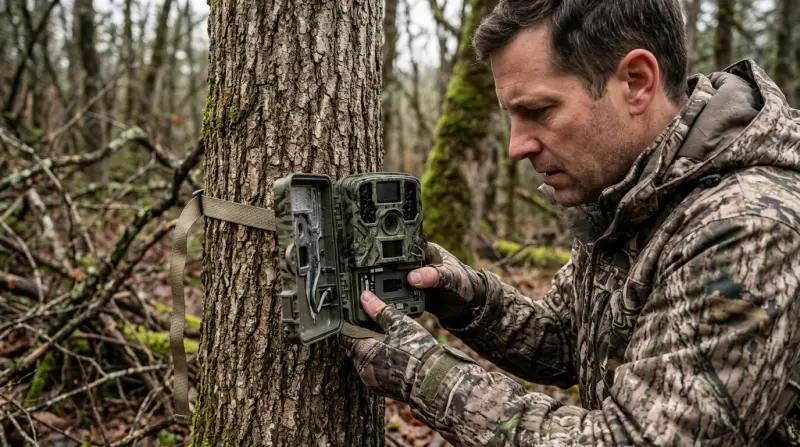
Power Issues
Many users complain their Moultrie camera will not turn on or loses power quickly. This problem often happens for these reasons:
- Dead batteries: Game cameras use a lot of power, especially if left in cold weather or if used often.
- Wrong battery type: Some cameras require alkaline, others need lithium. Using the wrong kind may cause failures.
- Loose battery contacts: If the battery compartment is dirty or contacts are bent, the camera cannot get enough power.
To fix these problems, always use fresh, high-quality batteries. Clean the battery contacts with a cotton swab. Make sure you use the recommended battery type. Also, avoid mixing new and old batteries. Most Moultrie cameras need eight AA batteries. If your camera still will not turn on, try a reset or check the power switch for damage.
Sd Card Problems
Game cameras rely on SD cards to store images and videos. But SD card errors are very common:
- Camera does not recognize SD card
- Card fills up too quickly
- Photos not saved or corrupted
First, check if your card is compatible. Moultrie cameras usually support SD cards up to 32GB. Some models do not accept SDHC or SDXC cards. Format the card in your camera, not on a computer, for best results. If the card fills up fast, lower photo resolution or set the camera to overwrite old files.
For corrupted files, try a different card or replace with a new one.
Here’s a quick comparison of SD card compatibility for popular Moultrie models:
| Camera Model | Max SD Card Size | Supported Card Types |
|---|---|---|
| Moultrie A-40 | 32GB | SD, SDHC |
| Moultrie M-8000 | 32GB | SD, SDHC |
| Moultrie XA-6000 | 32GB | SD, SDHC |
Blurry Photos And Poor Image Quality
If your camera takes blurry photos, the problem might be:
- Dirty lens: Dust, rain, or fingerprints can blur the image.
- Incorrect focus: Some models allow manual focus. If set wrong, all photos will look unclear.
- Low batteries: Weak batteries reduce flash power, causing dim or blurry night photos.
- Movement: If wind shakes the camera or mounting is unstable, photos will not be sharp.
Clean the lens gently with a microfiber cloth. Check the camera’s mounting—use a sturdy strap or bracket. If your camera allows, adjust the focus. Also, make sure batteries are new so the flash works at full strength.
False Triggers And Missed Shots
Sometimes, your camera takes too many photos—of nothing. Other times, it misses animals passing by. These problems are caused by:
- Sensitivity settings: Too high, and wind or leaves trigger the camera. Too low, and it misses animals.
- Sunlight or heat sources: Direct sunlight or hot rocks confuse the sensor.
- Wrong placement: Placing the camera facing east or west causes false triggers at sunrise/sunset.
Adjust the PIR sensitivity (Passive Infrared Sensor) to match your environment. Place the camera facing north or south to avoid sun glare. Clear away branches or grass in front of the sensor.
Wireless And Cellular Problems
Moultrie offers cellular game cameras that send photos to your phone or email. These are useful, but users often face:
- Poor signal: If you place the camera in a remote area, cellular signal may be weak.
- Data plan issues: Wrong SIM card or expired data plan stops transmission.
- App sync failures: Photos do not appear in the Moultrie app.
Use a signal tester before placing your camera. Choose a spot with strong cellular coverage. Make sure your SIM card is active and compatible. Update the Moultrie app regularly. If photos do not sync, restart both the camera and your phone.
Firmware And Software Glitches
Some cameras freeze, shut down, or behave strangely. Often, this is a firmware issue. Firmware is the software inside your camera.
- Old firmware: New bugs are fixed with updates.
- Corrupted firmware: Power loss during update can damage software.
- Factory reset needed: Sometimes only a reset can fix strange behavior.
Go to the Moultrie website and download the latest firmware for your camera model. Follow instructions carefully. If the camera acts up, perform a factory reset (see your manual). Always update firmware with fully charged batteries.
Troubleshooting Steps For Each Problem
Fixing Power Problems
- Replace all batteries with new ones.
- Clean battery contacts with alcohol.
- Check for corrosion.
- Try powering the camera with an external battery pack.
- If it still fails, contact Moultrie support.
Solving Sd Card Errors
- Format the SD card in the camera menu.
- Use only cards recommended by Moultrie.
- Do not use damaged or worn-out cards.
- Remove and reinsert the card firmly.
- If errors persist, test with a new card.
Improving Image Quality
- Clean the lens and sensor window.
- Secure the camera to prevent movement.
- Adjust focus if possible.
- Replace weak batteries.
- Check night settings for flash power.
Reducing False Triggers
- Lower PIR sensitivity.
- Remove any objects in front of the sensor.
- Avoid placing the camera near heat sources.
- Face the camera north or south.
- Test with a walk-by to confirm detection.
Wireless And Cellular Fixes
- Test cell signal before setup.
- Confirm your SIM card and data plan.
- Update the camera’s firmware.
- Restart the camera and your phone.
- If the app does not sync, reinstall it.

Credit: www.ebay.com
Real-life Examples And Data
Many hunters share their experiences online. For example, one user reported his Moultrie M-8000 camera drained batteries in less than two weeks during winter. He switched to lithium batteries, and the camera lasted six weeks. Another user found his camera took hundreds of empty photos because it was pointed at moving grass. After clearing the area and lowering sensitivity, the problem stopped.
A survey of game camera users shows:
- 40% report battery issues in cold weather
- 25% face SD card errors monthly
- 15% experience frequent false triggers
These numbers show most users will face some problems, but solutions are available.
Maintenance Tips To Prevent Problems
Regular Cleaning
Dust and water cause many issues. Clean the lens, battery compartment, and sensor every month. Use a soft cloth, avoid harsh chemicals.
Check Battery Life Often
Do not wait for batteries to die. Check battery levels before each trip. For longer life, use lithium AA batteries.
Update Firmware
Check the Moultrie website for updates at least twice a year. Updates fix bugs and improve performance.
Inspect Sd Cards
After each use, check the SD card for errors. Replace cards that are over two years old.
Proper Camera Placement
Place your camera away from direct sunlight, heat sources, and moving objects. Face the sensor north or south for best results.
Comparing Moultrie Cameras To Other Brands
How do Moultrie cameras stack up against other brands for reliability? Here’s a quick comparison:
| Brand | Battery Life | SD Card Support | False Trigger Rate |
|---|---|---|---|
| Moultrie | 4-6 weeks | Up to 32GB | Medium |
| Browning | 6-8 weeks | Up to 64GB | Low |
| Stealth Cam | 3-5 weeks | Up to 32GB | High |
Moultrie offers reasonable battery life and SD card support. False triggers are more common than with Browning but less than Stealth Cam.
Non-obvious Insights Beginners Miss
- Cold weather drains batteries fast: Many new users do not realize that low temperatures cut battery life by half or more. Using lithium batteries solves this problem.
- Formatting SD cards in the camera matters: Formatting on your computer can cause errors. Always format in the camera menu for best performance.
- Camera placement affects detection: Pointing the camera slightly downward and away from direct sunlight greatly reduces false triggers and missed shots.
Credit: www.trailcampro.com
When To Contact Support
If your camera still fails after trying all the above, contact Moultrie support. Have your camera model, purchase date, and a description of the problem ready. Moultrie’s support team can walk you through advanced solutions or help with warranty claims.
For official troubleshooting guides, visit the Moultrie Support Center.
Frequently Asked Questions
Why Does My Moultrie Camera Drain Batteries So Quickly?
Low temperatures, high photo frequency, and weak batteries cause fast drain. Use lithium batteries and avoid leaving the camera in freezing weather. Check for battery contact corrosion.
What Sd Card Should I Use With My Moultrie Camera?
Use SD or SDHC cards up to 32GB. Avoid SDXC or microSD cards with adapters, as they may not work reliably.
How Can I Fix Blurry Night Photos?
Clean the lens, replace batteries, and check the flash settings. Secure the camera to prevent movement. Use higher-quality batteries for brighter flash.
My Camera Takes Photos Of Nothing. How Do I Stop False Triggers?
Lower the PIR sensitivity, clear objects from the sensor’s path, and avoid placing the camera facing sunrise or sunset. Test detection with a walk-by.
Why Are My Wireless Photos Not Showing In The App?
Check cellular signal, confirm your SIM card and data plan, update the app, and restart both camera and phone. If problems persist, reinstall the app or contact support.
Solving Moultrie game camera problems takes patience and smart troubleshooting. With these tips, you can fix most issues yourself and capture great wildlife moments. Remember to maintain your camera regularly, update software, and place your camera carefully. If problems remain, Moultrie support is always available to help.