
If your Fios volume is not working, it can be both confusing and frustrating. You may be ready to watch your favorite show, but instead, you hear nothing. This problem is more common than you might think, and it can happen for several reasons.
Sometimes the issue is with your remote, other times with your TV or sound system, and occasionally, the Fios box itself is to blame. The good news is that most volume issues with Fios can be fixed at home, often without needing a technician.
In this guide, you’ll learn the main causes of Fios volume problems, how to troubleshoot step by step, and some non-obvious solutions that beginners miss. You’ll also see how to check cables, adjust settings, and what to do if your equipment needs a reset. If you’re not sure where to start, don’t worry: each section gives clear instructions to help you find and solve the problem quickly.
Common Reasons For Fios Volume Not Working
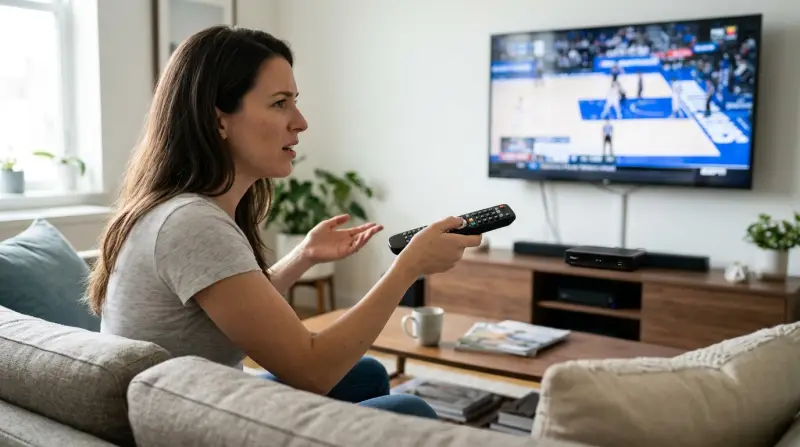
When the volume on your Fios setup stops working, it usually falls into a few main categories. Understanding these will help you target the right fix.
- Remote control issues – Sometimes the remote isn’t sending the right signal, or the volume is locked.
- TV audio settings – The TV might be set to the wrong audio output or muted.
- Sound system problems – If you use a soundbar or receiver, these can block or misroute the audio.
- Loose or damaged cables – Worn cables can cut off sound without warning.
- Fios box settings – The box might be set to a low volume, or the audio output is wrong.
- Software glitches – Updates or errors in the Fios box software can cause silent playback.
- External device conflicts – DVD players, game consoles, or other HDMI devices can sometimes interfere.
Many people focus only on one area, like the remote, but often the problem is a combination. For example, a TV set to external speakers but no soundbar connected will give silence, even if the Fios box and remote are working perfectly.
Quick Checks Before Troubleshooting
Before diving into deeper steps, try these quick checks. They solve the problem for about 25% of users.
- Make sure the TV is not muted (use both the TV and Fios remote)
- Check the volume on both remotes (Fios and TV)
- Look for loose cables at both the TV and Fios box
- Switch to another channel to see if the problem is only with one show
- Restart your Fios box by unplugging it for 30 seconds
These simple fixes are often missed, especially by beginners, but they can save you time.

Step-by-step Troubleshooting Guide
If the quick checks didn’t help, go through these steps in order. This will help you find the real cause without missing anything important.
1. Test Other Devices And Inputs
Start by checking if the problem is with the Fios system or your TV/sound setup.
- Switch the TV to another input (like a Blu-ray player or streaming stick)
- If sound works on other devices, the issue is likely with the Fios box or its settings
2. Inspect All Cables And Connections
A surprising number of volume issues come from HDMI or audio cables that are loose or broken. Even a partly unplugged cable can cut sound.
- Unplug and firmly reconnect all cables from the Fios box to the TV and any sound system
- Check for frayed or bent cables
- Try a different HDMI port on your TV
Non-obvious tip: Some TVs have one HDMI port with special audio features (like ARC or eARC). Using the wrong port can stop sound from working if you use a soundbar.
3. Check Fios Box Audio Settings
Go to your Fios box menu and review these settings:
- Press the Menu button on your Fios remote
- Navigate to Settings > Audio & Video > Audio
- Look for options like Audio Output, Volume Control, or Dynamic Range
Some Fios boxes have a setting called STB Volume (Set-Top Box Volume). If it’s set too low, you might not hear anything, even if your TV volume is high.
Fios Audio Settings Comparison
Here’s a quick look at common audio settings and how they affect sound:
| Audio Setting | Effect | When to Use |
|---|---|---|
| Stereo | Standard left and right sound | Most TVs and headphones |
| Surround | Multi-channel sound (for home theaters) | Soundbars or AV receivers |
| Mono | Single-channel sound | Older TVs or hearing aids |
| Auto | Box chooses best mode automatically | Mixed setups |
If you’re not sure, try setting the audio to Stereo for testing.
4. Reset The Fios Remote
The Fios remote can sometimes lose sync with your TV or box, especially after a battery change or update.
- Remove the batteries from the remote for 10 seconds, then reinsert
- Try using the Volume button again
- If it still doesn’t work, reprogram the remote using Fios support instructions
Some remotes have a Mute Lock or Volume Lock feature that forces the remote to control only one device’s volume (TV or Fios box). Check your remote’s manual if you suspect this is the problem.
5. Restart All Equipment
A full power cycle can clear temporary software glitches.
- Unplug your Fios box, TV, and any sound system from power
- Wait 30–60 seconds
- Plug everything back in and turn on
This step is more effective than just pressing the power button, as it resets the internal memory.
6. Check For Software Updates
Outdated firmware on your Fios box or TV can cause audio compatibility problems.
- Go to the Fios box menu, look for System Updates
- On your TV, check the manufacturer’s support page for the latest software
Real-world example: In 2023, some Samsung TV owners found that an update fixed a sound issue with Fios boxes that wasn’t present before.
7. Test With And Without External Sound Systems
If you use a soundbar or AV receiver, try disconnecting it and playing sound through the TV speakers only.
- If the TV speakers work, the problem is likely in your sound system setup (wrong input, mute, or cable issue)
- If there’s still no sound, the issue is probably with the Fios box, cables, or TV settings
Non-obvious insight: Many modern TVs automatically mute their speakers when a soundbar is connected, even if the soundbar is off. Unplug the soundbar’s HDMI or optical cable to test this.
8. Try A Different Hdmi Cable
Not all HDMI cables are the same quality. Some older cables cannot handle newer audio formats, leading to dropped or missing sound.
- Replace the HDMI cable between your Fios box and TV with a newer, high-speed cable
This step is often skipped, but it solves many mysterious audio dropouts.
When To Contact Fios Support
If you’ve tried all the steps above and still have no sound, it may be time to contact Verizon Fios support. Persistent issues could mean a hardware failure in the Fios box, a bad port on your TV, or a deeper software issue.
You should contact support if:
- No sound comes from any channel or input, and you’ve tested all cables and settings
- The Fios box is unresponsive or shows error messages
- You see a red X or error code on your Fios box display
- You suspect your equipment is damaged (visible cracks, burnt smell, etc.)
Fios support can run remote diagnostics and may send a technician if needed.

Credit: www.reddit.com
Fios Volume Issues: Tv Vs. Sound System
It’s important to figure out whether the problem is with your TV, your Fios box, or your sound system. The symptoms can look the same, but the solutions are different.
Here’s a quick way to compare:
| Symptom | Likely Cause | Best Solution |
|---|---|---|
| No sound on any channel, all devices | Fios box or TV speakers muted | Check mute, volume, Fios settings |
| Sound works for TV apps, not Fios | Fios box audio output issue | Adjust Fios audio settings, check cables |
| Sound works for Fios, not for other devices | TV input or sound system issue | Check TV input settings, reconnect cables |
| Volume changes but stays low | STB Volume set low, wrong remote control | Raise box volume, program remote |
This can help you avoid going in circles with the wrong troubleshooting steps.
Advanced Tips That Beginners Miss
Some fixes are less obvious but can save you hours:
- CEC/Anynet+ Conflicts: Modern TVs and Fios boxes use HDMI-CEC (Consumer Electronics Control) to send volume and power commands. Sometimes these settings fight each other. Try turning off CEC on your TV or Fios box and see if sound returns.
- Audio Format Compatibility: Some TVs or sound systems cannot handle certain audio formats (like Dolby Digital). Set your Fios box audio to PCM or Stereo to maximize compatibility.
- Factory Reset: As a last resort, a factory reset on the Fios box can clear hidden errors. Just remember this will erase your preferences and recordings.
- Closed Captioning Audio: Some users report that turning closed captioning on or off changes the sound output, depending on the TV model.
How To Prevent Future Fios Volume Problems
To avoid repeating this problem, consider these best practices:
- Use high-quality HDMI cables, replaced every few years
- Keep your Fios box and TV firmware up to date
- Avoid stacking devices, which can overheat and cause glitches
- Don’t overload power strips with too many electronics
- Learn how to program your remote for both the TV and Fios box
Even simple habits like checking for loose cables during cleaning can prevent surprise outages.
Useful Resources
If you want more technical details, Verizon Fios’s official support page offers step-by-step guides and the latest troubleshooting tools. For deeper technical explanations, the CNET HDMI guide explains how cables and audio formats interact with TV and cable boxes.

Credit: www.youtube.com
Frequently Asked Questions
Why Does My Fios Volume Only Work On Some Channels?
Some channels use different audio formats, or may broadcast in stereo while others use surround sound. If your TV or sound system can’t handle the format, you might get silence on certain channels. Try setting your Fios box to Stereo audio mode.
My Fios Remote Changes The Channel But Not The Volume. What Should I Do?
This usually means the remote is programmed to control only the Fios box and not your TV. Reprogram the remote using the instructions that came with it, or visit the Fios support site for remote control codes.
Is There A Reset Button On The Fios Box For Audio Problems?
There is no dedicated audio reset button, but you can reset the whole box by unplugging it from power for 30 seconds. This often fixes hidden audio glitches.
Why Do I Get Sound With My Tv Apps But Not With Fios?
This means the TV’s speakers are working, but the Fios box is not sending audio correctly. Check your Fios box’s audio output settings and make sure all cables are securely connected.
Should I Use Optical Audio Or Hdmi For The Best Sound With Fios?
HDMI is usually best for both sound and picture, as it supports newer audio formats and keeps things simple. Optical audio can work well, but it may not support advanced surround sound formats.
If you follow these steps and tips, you’ll solve most Fios volume problems without waiting for a technician. Understanding the common causes, using clear troubleshooting steps, and knowing when to get help will keep your home entertainment sounding great.