
Many people rely on Kirkland hearing aids every day to improve their hearing and quality of life. But when your Kirkland hearing aid charger stops working, it can feel frustrating and confusing. You may worry about missing important conversations or not being able to use your device. This article explains why your charger may not work, how to fix common problems, and when to seek help. It’s written in simple English, with practical advice and clear explanations, so you can quickly find answers and get your hearing aids working again.
Understanding Kirkland Hearing Aid Chargers
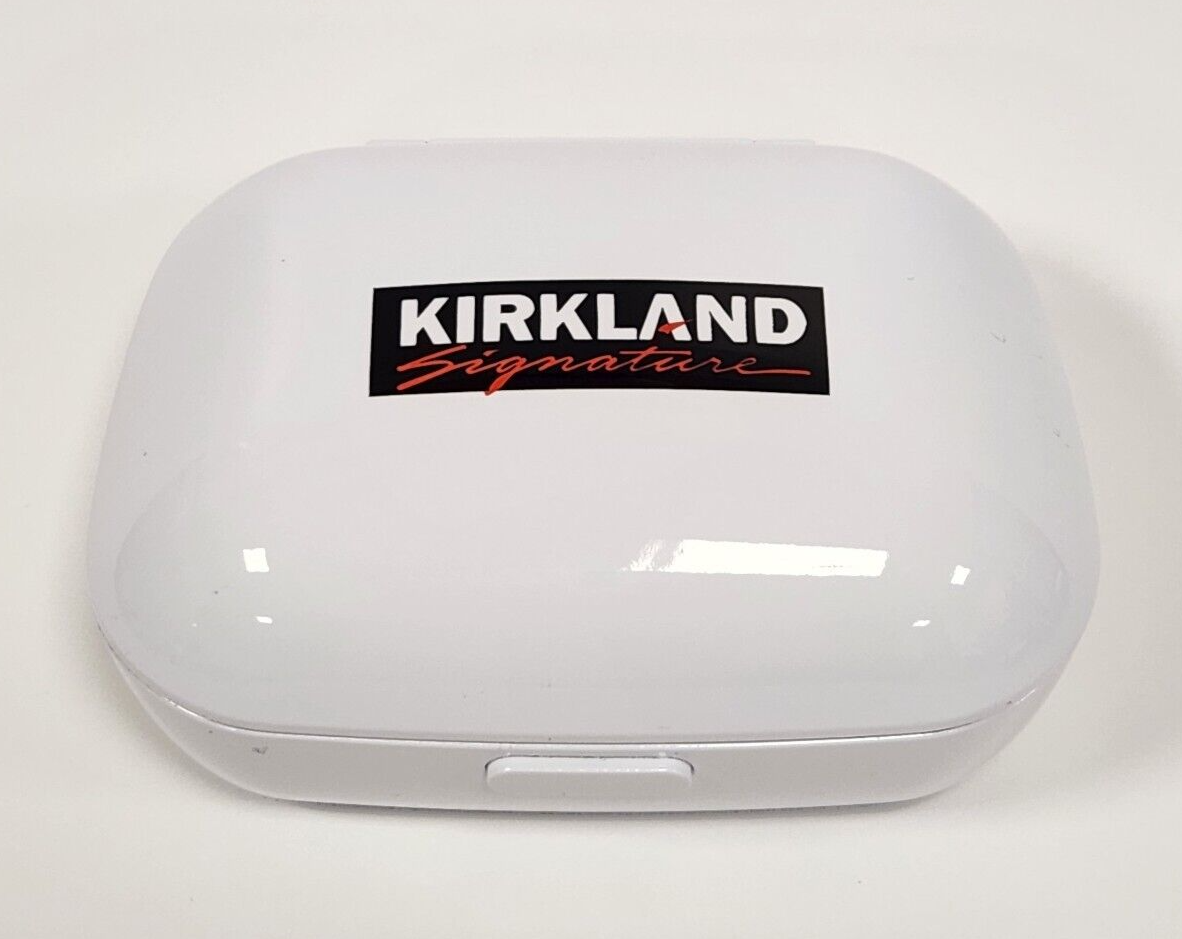
Kirkland hearing aids, sold at Costco, are popular because they offer good performance and value. The charger is a small device that powers up your hearing aids, usually overnight. Most Kirkland models use a rechargeable lithium-ion battery, which means you don’t have to change batteries often. Instead, you place your hearing aids in the charger, and they charge automatically.
But like any electronic device, the charger can sometimes fail. Problems can range from the charger not turning on, to the hearing aids not charging, or strange lights appearing. Let’s look at how the charger works and what might go wrong.
How The Charger Works
The charger connects to a power source using a cable and adapter. You place your hearing aids in the charger’s slots. Small contacts touch the hearing aids and send power to the batteries. Most chargers have indicator lights to show charging status:
- Green light: Charging or fully charged
- Red light: Error or problem
- No light: Not charging or no power
Understanding these lights helps you quickly spot issues.
Kirkland Charger Models
There are different Kirkland hearing aid charger models. The two main types are:
- Kirkland Signature 9.0
- Kirkland Signature 10.0
Each model may look a bit different, but the charging process is similar. If you’re not sure which model you have, check your receipt or ask Costco’s hearing aid center.
Common Reasons Your Charger Is Not Working
If your Kirkland hearing aid charger is not working, several things could be causing the problem. Here are the most common reasons:
- Power source issues: The charger may not be plugged in properly, or the outlet may have no power.
- Cable or adapter problems: The cable or adapter could be damaged or faulty.
- Dirty charging contacts: Dirt or wax on the contacts can block charging.
- Hearing aid battery issues: The batteries in your hearing aids may be faulty or dead.
- Charger malfunction: The charger itself may have a technical problem.
- Incorrect placement: Hearing aids may not be placed correctly in the charger.
- Overheating or moisture: Chargers can fail if exposed to heat or water.
Let’s look at each problem in more detail and how to solve it.
Troubleshooting Steps For Kirkland Hearing Aid Charger
Step 1: Check The Power Source
Make sure your charger is plugged into a working outlet. Try plugging in another device, like a phone charger, to confirm the outlet works. If you use a power strip, check it’s turned on.
Step 2: Inspect The Charger Cable And Adapter
Look closely at the cable and adapter for signs of damage, like cuts or bent pins. Try using a different cable or adapter if you have one. Sometimes, the cable is the weak point.
Step 3: Clean The Charging Contacts
Both the charger and hearing aids have metal contacts. Dirt, dust, or earwax can block the connection. Use a dry, soft cloth to gently wipe the contacts. Do not use water or chemicals.
Step 4: Place Hearing Aids Correctly
Put your hearing aids in the charger slots so the contacts touch. You should feel a slight click. If the hearing aids are not seated properly, they won’t charge.
Step 5: Check Indicator Lights
Watch the lights on the charger. If you see a red light, remove the hearing aids, wait a few seconds, then try again. If the lights don’t turn on, check the power and cable.
Step 6: Try Charging Overnight
Sometimes, batteries need a longer charge. Leave your hearing aids in the charger overnight. If they still don’t work, the batteries may be dead.
Step 7: Reset The Charger
Some Kirkland chargers have a reset button. Press and hold it for a few seconds to restart the charger. If your model doesn’t have a reset button, unplug the charger and plug it back in.
Step 8: Test With Another Hearing Aid
If you know someone with the same Kirkland hearing aid model, try charging their hearing aids in your charger. If their hearing aids charge but yours don’t, the problem is likely with your hearing aids.
Step 9: Avoid Moisture And Heat
Keep your charger away from water and direct sunlight. Moisture can cause short circuits, and heat can damage the charger.
Comparison Of Kirkland Hearing Aid Charger Models
Understanding the differences between charger models can help you troubleshoot more effectively. Here’s a quick comparison:
| Model | Battery Type | Charging Time | Indicator Lights | Reset Button |
|---|---|---|---|---|
| Signature 9.0 | Lithium-ion | 3-4 hours | Green/Red | No |
| Signature 10.0 | Lithium-ion | 3-4 hours | Green/Red/Amber | Yes |
If your charger has an amber light, it’s likely a Signature 10.0. Each model may respond differently to errors.

Signs You Need Professional Help
Sometimes, simple troubleshooting is not enough. Here are signs you should ask for expert help:
- The charger is hot, smells strange, or makes noises.
- Lights flash or stay red, even after cleaning and resetting.
- Your hearing aids do not charge after overnight charging.
- The charger will not turn on at all, even with different cables or outlets.
- You notice physical damage, like cracks or broken connectors.
If you see any of these signs, contact Costco’s hearing aid center or the manufacturer for support.
Warranty And Replacement Options
Kirkland hearing aids and chargers often come with a warranty. The standard warranty is 3 years for hearing aids and 1 year for chargers. If your charger fails during this period, Costco may replace it free of charge.
Here’s a breakdown of warranty details:
| Device | Warranty Length | Coverage | Replacement Process |
|---|---|---|---|
| Hearing Aid | 3 years | Defects, battery failure | Visit Costco, show receipt |
| Charger | 1 year | Defects, malfunctions | Visit Costco, show receipt |
Always keep your purchase receipt. If your charger is out of warranty, you may need to buy a new one or pay for repairs.

Preventing Charger Problems
Taking care of your charger can help prevent future issues. Here are some practical tips:
- Clean regularly: Wipe contacts with a dry cloth once a week.
- Avoid moisture: Keep charger and hearing aids dry.
- Store safely: Place charger on a flat surface, away from pets or children.
- Use the correct cable: Only use the cable and adapter provided.
- Check lights daily: Watch for unusual signals from the charger.
- Travel carefully: Use a carrying case to protect your charger.
Following these habits can extend the life of your charger and hearing aids.
Real-life Examples And Data
Many Kirkland hearing aid users have faced charger issues. A 2022 survey by Hearing Tracker found that 18% of rechargeable hearing aid users experienced charging problems at least once in the first year. The most common causes were dirty contacts and faulty cables.
Example: Maria, age 65, found her charger stopped working after a week. She realized her cable was loose. Replacing the cable fixed her problem. Another user, John, noticed a red light and cleaned the contacts. His hearing aids charged normally after that.
These examples show that small actions can solve many charger problems.
What To Do If Your Charger Still Doesn’t Work
If you’ve tried all the troubleshooting steps and your charger still isn’t working, here’s what to do:
- Contact Costco: Visit the hearing aid center or call their support line.
- Check warranty: Bring your receipt and ask about replacement options.
- Ask for a loaner: Some Costco locations offer a temporary charger while yours is repaired.
- Order a new charger: If out of warranty, ask about buying a new charger.
Costco’s staff are trained to help with hearing aid issues. They can run tests and recommend solutions.
Comparison: Kirkland Charger Vs. Other Brands
How does the Kirkland hearing aid charger compare to other brands? Here’s a quick look:
| Brand | Charging Time | Warranty | Common Issues |
|---|---|---|---|
| Kirkland | 3-4 hours | 1 year | Dirty contacts, cable failure |
| Phonak | 2-3 hours | 1 year | Moisture damage, adapter failure |
| Oticon | 3 hours | 2 years | Battery drain, charger overheating |
Kirkland chargers are reliable, but problems like dirty contacts and cable issues are common across brands.
Advanced Troubleshooting Tips
If you want to go further, here are some advanced tips:
- Use a multimeter to check if the charger is getting power.
- Try charging in a different room to avoid electrical interference.
- Update hearing aid firmware if your model supports it.
- Avoid using third-party cables or adapters, as they may not work properly.
Many beginners miss the importance of power source testing and firmware updates. Sometimes, electrical outlets can have hidden problems, and outdated hearing aid software can affect charging.
If you are not comfortable with advanced troubleshooting, it’s best to ask for professional help.
Frequently Asked Questions
What Does A Red Light On My Kirkland Charger Mean?
A red light usually means there is a problem. It can signal dirty contacts, hearing aids not placed correctly, or a charger error. Remove the hearing aids, clean the contacts, and try again. If the red light stays, check the power source or call Costco for help.
Can I Use A Different Charger With My Kirkland Hearing Aids?
No, you should only use the charger designed for your Kirkland model. Other chargers may damage your hearing aids or not charge them properly. If your charger fails, ask Costco for a replacement.
How Long Do Kirkland Hearing Aid Chargers Usually Last?
Most Kirkland chargers last 1-3 years if cared for properly. The warranty covers defects for one year. Clean contacts and avoid moisture to extend the life of your charger.
What Should I Do If My Charger Gets Wet?
If your charger gets wet, unplug it immediately. Dry it with a soft cloth and let it air dry for at least 24 hours. Do not try to charge hearing aids until the charger is completely dry. Moisture can cause permanent damage.
Where Can I Get Help If My Kirkland Charger Is Out Of Warranty?
If your charger is out of warranty, visit the Costco hearing aid center or contact the manufacturer. You may need to buy a new charger. For more information, see the official Costco Hearing Aid Center.
A working charger is essential for your Kirkland hearing aids. By following the steps in this guide, you can solve most problems yourself and keep your hearing aids running smoothly. Small actions like cleaning contacts and checking cables make a big difference.
If your charger still isn’t working, don’t hesitate to ask for expert help. With the right care, your Kirkland hearing aids and charger will support you for years to come.