
If your Linak bed remote suddenly stops working, it can be frustrating—especially if you rely on your adjustable bed for comfort, medical needs, or better sleep. While Linak is known for reliability, remotes and control units can sometimes fail. This guide explains the most common reasons, how to troubleshoot, and what to do if your Linak remote will not respond. Along the way, you’ll discover practical tips and learn about mistakes people often make when trying to fix the problem.
How Linak Bed Remotes Work
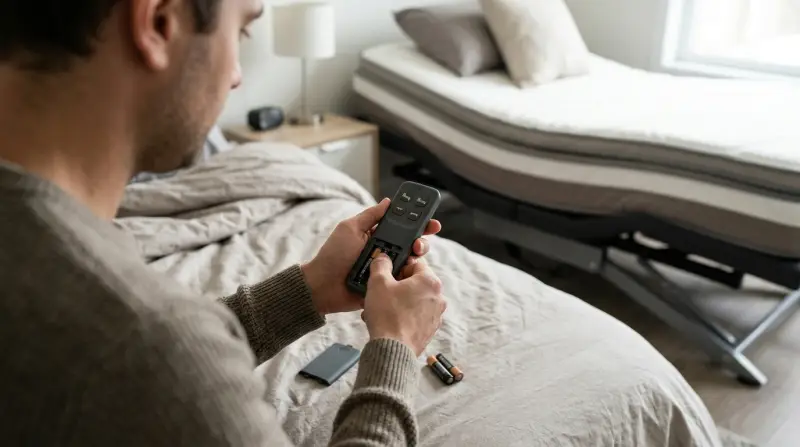
A Linak remote sends signals to the bed’s control box, telling the motor to move up, down, or adjust different sections. Most models use either a wired connection or wireless technology (usually infrared or Bluetooth). Knowing how your remote communicates with the bed helps you spot where things go wrong.
For example, a wired remote relies on a physical cable, so any break or loose plug can cause failure. A wireless remote depends on batteries, signal range, and paired connections. Understanding this helps you focus your troubleshooting.
Main Causes Of Linak Bed Remote Problems
When a Linak remote does not work, the reason is often simple. Here are the most common causes:
- Dead or weak batteries (wireless models)
- Disconnected or damaged cables (wired models)
- Loss of pairing between remote and control box
- Physical damage to the remote or buttons
- Obstructions blocking the signal (for IR remotes)
- Faulty control box or bed electronics
- Software glitches or firmware errors
New users sometimes ignore the basics, like checking for loose cables or weak batteries. Many also overlook the importance of signal range and clear line-of-sight for wireless models.
Quick Troubleshooting Steps
Before calling for repair, try these steps. Many Linak remotes return to normal after basic checks.
Check The Power Source
- For wireless remotes, remove the batteries and test them in another device.
- Replace with fresh, high-quality batteries. Weak batteries can cause intermittent issues.
- For wired remotes, make sure the bed’s power cord is firmly plugged in and the outlet works.
Inspect Cables And Connections
- Follow the cable from the remote to the bed’s control box. Look for pinched, frayed, or loose wires.
- Gently unplug and replug the connectors. Many issues come from cables that are not fully seated.
- If you see visible damage, do not try to repair with tape—replace the cable.
Confirm Pairing (wireless Models)
- Linak wireless remotes sometimes lose their connection to the control box.
- Check the user manual for re-pairing instructions. Usually, you hold a button on the control box and a button on the remote at the same time.
- Move the remote closer to the bed—too much distance can break the connection.
Remove Obstructions
- For infrared remotes, make sure nothing blocks the path between the remote and the receiver on the bed.
- Even thick blankets or furniture can interfere with the signal.
Test The Remote On Another Bed (if Possible)
- If you have access to another Linak-controlled bed, test your remote there. This helps you see if the issue is with the remote or the bed’s control unit.
Reset The Bed System
- Unplug the bed from power for 1 minute, then plug it back in.
- This simple reset fixes many software glitches.
Look For Signs Of Damage
- Check the remote for cracked cases, stuck buttons, or water damage.
- If liquid gets inside, the remote may fail completely and need replacement.
When To Call For Professional Help
If you follow the above steps and your Linak bed remote still does not work, it’s time to reach out to a technician or Linak support. Here’s when expert help is needed:
- You see sparks, smoke, or a burning smell.
- The bed moves by itself or not at all after a reset.
- The remote is physically broken or will not respond after new batteries and pairing attempts.
- The control box shows error lights or beeps.
Trying to repair electronics without proper knowledge can be dangerous. Linak parts often require specialized tools and training.
Table: Common Linak Remote Problems And Solutions
Here’s a quick reference for symptoms and what usually causes them.
| Problem | Possible Cause | Suggested Action |
|---|---|---|
| Remote does nothing | Dead batteries, loose cable, bad control box | Replace batteries, check cables, reset bed |
| Only some buttons work | Button wear, internal fault | Try another remote, replace if needed |
| Bed moves randomly | Stuck button, interference | Inspect remote, move wireless devices away |
| Remote flashes lights, no response | Pairing lost, weak batteries | Re-pair remote, change batteries |
| Remote works only near bed | Signal interference, low battery | Remove obstacles, replace batteries |
How To Replace A Linak Remote
If you determine your Linak bed remote is faulty and not repairable, replacement is the best option. Here’s how to do it safely:
- Identify the exact model number on your current remote or the control box. Linak remotes are not universal—using the wrong one can damage your bed.
- Order from a trusted supplier or your bed manufacturer. Avoid generic remotes unless the seller guarantees compatibility.
- Follow pairing instructions for wireless models. This usually involves a button sequence on the control box and remote.
- Test every function after replacement, including all movement directions.
Don’t forget: Some beds use special remotes with extra features, like massage or memory. Always match the functions you need.
Table: Wired Vs. Wireless Linak Remotes
Choosing the right replacement means understanding your bed’s system. Here’s a quick comparison.
| Feature | Wired Remote | Wireless Remote |
|---|---|---|
| Power source | Bed electricity (no batteries) | Batteries required |
| Signal reliability | Very reliable unless cable damaged | Can suffer interference, battery issues |
| Ease of replacement | Simple plug-in swap | Requires pairing |
| Movement range | Limited by cable length | Can use from across the room |
| Common failures | Cable break, connector issues | Battery drain, loss of pairing |
Preventing Linak Remote Problems
While some failures are unavoidable, most Linak remote issues can be prevented with good habits:
- Replace batteries every 6-12 months, even if the remote still works.
- Avoid dropping the remote or spilling liquids on it.
- Do not tug on the cable when moving the bed.
- Keep remote clean using a dry, soft cloth. Do not spray cleaners directly on the buttons.
- Check cables for wear during routine cleaning.
A simple but often missed point: If your bed is in a high-traffic area, make sure no one steps on the cable or sits on the remote.

When Your Linak Remote Feels Unresponsive
Sometimes, a Linak remote seems slow, or you have to press hard for a response. This can mean:
- Internal wear: Buttons lose sensitivity over time.
- Moisture inside: If exposed to humidity or spills, contacts can stick.
- Software lag: Some control boxes can slow down after power surges.
Most of these require replacement. But before you buy a new remote, try removing batteries (or unplugging for wired models) for 5 minutes. This sometimes restores normal function.
Cost Of Replacing A Linak Remote
Prices vary by model and features. Here’s a basic comparison:
| Remote Type | Average Price (USD) | Extra Features |
|---|---|---|
| Basic wired | $30 – $60 | Up/down, head/foot only |
| Basic wireless | $50 – $90 | Same, with pairing |
| Advanced wireless | $100 – $200 | Massage, memory, Bluetooth |
Always check warranty coverage before buying a new remote. Some bed makers offer free replacements for the first year.

Common Mistakes People Make
Many users make the same errors when their Linak bed remote fails:
- Ignoring battery issues because the LED still lights up. A weak battery can send signals but not enough to trigger the bed.
- Trying random remotes from other beds. This can sometimes cause further pairing problems.
- Forcing plugs into the wrong socket.
- Opening the remote without proper tools, which can damage delicate parts.
If you’re not sure, always consult your manual or contact Linak support directly. Their official website offers guides and model-specific help: Linak Official Website.
Frequently Asked Questions
Why Does My Linak Remote Only Work Sometimes?
This often means weak batteries (wireless) or a loose cable (wired). Try replacing batteries or reseating all connections. Also, check for obstacles that might block signals.
How Do I Pair A New Linak Wireless Remote?
Most Linak systems require you to press a pairing button on the control box and remote at the same time. Check your manual for exact steps, as sequences can vary by model.
Can I Use Any Linak Remote With My Bed?
No. Linak remotes are not universal. Each bed may need a specific remote, matched by model number and features. Using the wrong remote can damage the bed or not work at all.
My Remote Lights Up But Nothing Happens. Why?
This suggests the remote has power but is not communicating with the control box. It could be a pairing issue, a faulty control box, or a broken cable.
Where Can I Find A Replacement Linak Remote?
Order from your bed manufacturer, an authorized dealer, or the official Linak website. Avoid generic remotes unless they list specific compatibility with your bed’s model.
If your Linak bed remote stops working, don’t panic. Most issues are simple and fixable with basic checks and common sense. By following the steps above, you can avoid frustration, save money, and get your adjustable bed working smoothly again. If you ever feel unsure, professional help is just a call away.