
A dishwasher is one of the most useful appliances in any kitchen. It saves time, cleans dishes better, and makes daily life easier. Maytag dishwashers are popular because they are reliable and efficient. But even the best machines can have problems. Many users report issues with the Maytag dishwasher control panel. When this part stops working, the whole dishwasher can become useless. Understanding these problems and how to fix them can save you money, time, and frustration. This article explains the most common control panel issues, their causes, and practical solutions. It also helps you decide when you can fix the problem yourself and when you need professional help.
What Is The Maytag Dishwasher Control Panel?
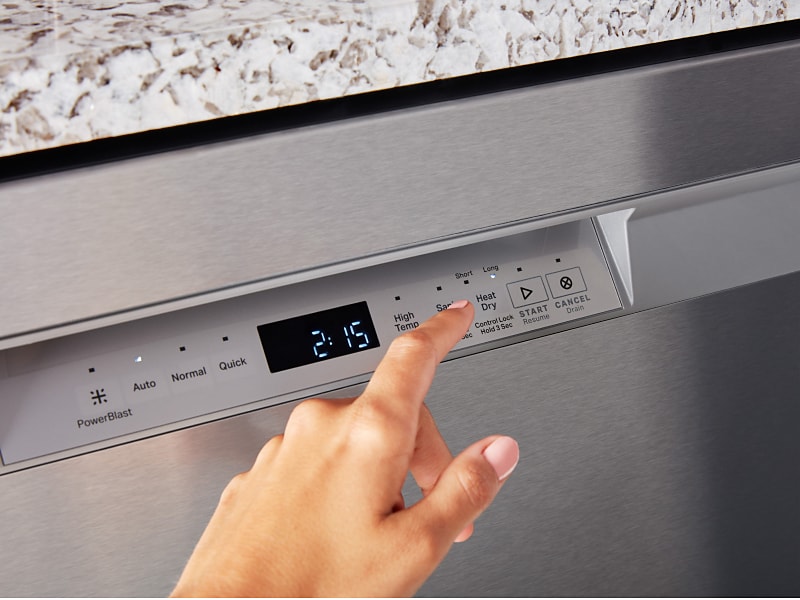
The control panel is the main interface on your dishwasher. It lets you choose wash cycles, set options, and start or stop the machine. Modern Maytag dishwashers use touch-sensitive panels or electronic buttons. The panel connects to the internal computer, which controls all functions. If the panel is faulty, you cannot use your dishwasher at all.
Maytag panels usually have:
- Cycle selection buttons
- LED display or indicator lights
- Start, pause, or cancel buttons
- Options for drying, delay, and sanitizing
Older models use mechanical buttons, while newer ones use touchpads. Problems can affect both types, but electronic panels are more sensitive.
Common Control Panel Problems
Many issues can affect the Maytag dishwasher control panel. Some are simple, others more complex. Here are the most frequent problems:
- Panel Not Responding: You press buttons, but nothing happens. No lights, no sound.
- Erratic Behavior: Panel lights flash randomly, or cycles start and stop on their own.
- Stuck Buttons: Some buttons do not work, or are stuck in one mode.
- Display Errors: Error codes appear, or the display is blank.
- Panel Not Lighting Up: The control panel stays dark, even when the dishwasher is plugged in.
These problems can appear suddenly or slowly over time.
Main Causes Of Maytag Control Panel Problems
Understanding the root cause helps you fix the issue faster. The most common reasons are:
- Power Supply Issues
- Loose plug, tripped breaker, or faulty outlet.
- Sudden power surges can damage electronics.
- Moisture and Water Damage
- Steam leaks or spilled water can seep inside the panel.
- Moisture can short-circuit sensitive parts.
- Worn-Out Touchpad or Buttons
- Frequent use wears down mechanical or touch-sensitive surfaces.
- Dirt, grease, or sticky residue can block buttons.
- Faulty Control Board
- Internal computer (control board) may fail, causing panel errors.
- Sometimes, only the panel is faulty; other times, the board itself is broken.
- Loose or Damaged Wiring
- Wiring between panel and board can loosen or break.
- Rodents can chew wires, or vibration can cause disconnection.
- Software Glitches
- Some Maytag models have software that controls panel functions.
- A software error may freeze the panel or cause strange behavior.
Troubleshooting Steps For Control Panel Issues
Before calling a professional, try these steps:
Check Power Supply
Make sure the dishwasher is plugged in, and the outlet works. Try plugging another device into the same outlet. If the dishwasher has a dedicated circuit breaker, reset it.
Reset The Dishwasher
Most Maytag dishwashers can be reset. To do this:
- Unplug the machine or turn off the breaker for 5-10 minutes.
- Plug it back in or turn the breaker on.
- This can clear minor software glitches.
Inspect The Panel For Moisture
Look for water droplets or steam marks around the panel. If you see moisture, dry it gently with a soft cloth. Let the dishwasher sit unused for a few hours.
Clean The Control Panel
Use a soft, damp cloth (not wet) to wipe the panel. Avoid harsh cleaners. For stuck buttons, gently press and release them several times.
Test All Buttons
Go through each button or touch area. See which ones work and which do not. If only one button is faulty, it may be worn out.
Check For Error Codes
If the panel shows an error code, note it down. Look up the code in your user manual or online. Many codes point to specific problems.
Inspect Wiring (advanced)
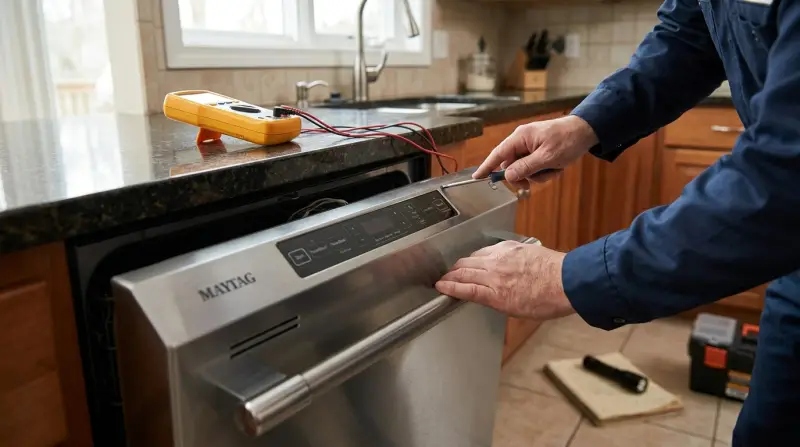
If you are comfortable, unplug the dishwasher and open the panel. Check for loose wires, corrosion, or visible damage. Only do this if you have some experience with electronics.

Diy Fixes For Common Problems
Some control panel problems can be fixed at home. Here are examples:
Replacing A Faulty Touchpad
Touchpads wear out over time. Replacement pads are available online. To replace:
- Unplug the dishwasher.
- Remove the front panel screws.
- Disconnect the old touchpad ribbon cable.
- Install the new touchpad and reconnect the cable.
- Screw the panel back on.
Most touchpads cost $30–$80. This fix takes 30–60 minutes.
Cleaning Sticky Buttons
If buttons are sticky, cleaning can help. Use isopropyl alcohol and a cotton swab. Gently clean around the button edges. Avoid letting liquid drip inside.
Resetting The Control Board
If the panel is frozen, a control board reset can help. Turn off power for 10 minutes, then turn it back on. Sometimes, the board will reboot and the panel works again.
When To Call A Professional
Some issues are too complex for DIY fixes:
- Control board failure: Replacing the board is expensive and needs skill.
- Severe water damage: If panel parts are corroded, you may need a new panel.
- Wiring problems: If wires are damaged inside the door, professional repair is safer.
- Repeated software glitches: Maytag technicians can update or re-flash software.
If your dishwasher is under warranty, do not try repairs yourself. Contact Maytag support for guidance.
Maytag Control Panel Problems Vs. Other Brands
Maytag dishwashers are known for durability, but their control panels are not immune to issues. Here is a comparison with other popular brands:
| Brand | Common Panel Problems | Repair Difficulty | Average Repair Cost |
|---|---|---|---|
| Maytag | Touchpad failure, software glitches | Moderate | $80–$250 |
| Whirlpool | Button sticking, LED errors | Moderate | $90–$240 |
| Bosch | Display blank, sensor failure | Hard | $120–$300 |
| GE | Loose wiring, keypad errors | Easy | $70–$220 |
Maytag panels are easier to find replacement parts for, but Bosch repairs are often more expensive.
Signs You Need A New Control Panel
Sometimes, repair is not enough. Here are signs that your Maytag dishwasher needs a new panel:
- Panel does not respond at all
- Multiple buttons fail
- Display is permanently blank
- Visible damage (cracks, burns)
- Frequent error codes that do not clear
If your dishwasher is over 7 years old, a new panel may be more cost-effective than repeated repairs.
Control Panel Replacement: Cost And Process
Replacing a Maytag dishwasher control panel can be expensive. Here is what you can expect:
| Part | Estimated Cost | Labor Cost | Total Cost |
|---|---|---|---|
| Touchpad | $30–$80 | $60–$100 | $90–$180 |
| Control Board | $90–$220 | $80–$140 | $170–$360 |
| Complete Panel | $120–$250 | $100–$180 | $220–$430 |
Labor costs depend on your location. Some repair shops offer discounts for older models.
Preventing Control Panel Problems
Prevention saves money and keeps your dishwasher working longer. Here are practical tips:
- Keep panel dry: Wipe off moisture after each use.
- Avoid harsh chemicals: Use mild cleaners only.
- Do not slam the door: This can loosen wiring.
- Clean regularly: Remove grease and dirt from panel and buttons.
- Check for leaks: Fix door seals if you see water dripping near the panel.
Many owners miss the importance of keeping vents clear. Blocked vents can cause steam to build up and damage the panel. Also, power surges are a hidden danger. Using a surge protector for your dishwasher can protect the control panel from sudden electrical spikes.
Real-life Example: Maytag Panel Failure
A user reported that their Maytag dishwasher stopped working after a power outage. The panel was dark, and no buttons responded. After checking power and resetting, the panel remained dead. A technician found that a surge had damaged the control board.
Replacement cost was $280, but the dishwasher worked perfectly after the repair. This case shows how power issues can lead to panel failure and why surge protection is important.
Maytag Warranty And Support
Maytag offers a warranty on most dishwashers, covering parts and labor for one year. Some models have extended warranties for electronic parts. If your control panel fails during the warranty period, contact Maytag support. They may cover repairs or replacement.
Always keep your purchase receipt and model number handy.
You can find more details on warranties and support at Maytag Official Warranty.
Frequently Asked Questions
How Do I Reset My Maytag Dishwasher Control Panel?
To reset, unplug the dishwasher or turn off the circuit breaker for about 10 minutes. Then reconnect power. This simple step can fix minor software glitches and panel freezes.
Why Does My Maytag Dishwasher Control Panel Not Light Up?
If the panel stays dark, check the power supply first. Make sure the outlet works and the breaker is not tripped. If power is fine, the panel or control board may be faulty and need repair or replacement.
Can I Replace The Maytag Control Panel Myself?
Yes, if you have basic DIY skills. Touchpads are easy to replace, but control boards require more care. Always unplug the machine before starting. Follow instructions in your user manual, and be careful with wiring.
What Are The Most Common Error Codes On Maytag Dishwasher Panels?
Common codes include F2E2 (panel not detected), F1E1 (control board failure), and E1 (water supply problem). Each code points to a specific issue. Check your model’s manual for details.
Is It Worth Repairing An Old Maytag Dishwasher Control Panel?
If your dishwasher is less than 7 years old, repair is usually worth it. For older machines, compare the repair cost to a new dishwasher. Sometimes, replacing the panel can extend life for several years.
Maytag dishwashers are built to last, but control panel problems can be frustrating. By understanding the signs, causes, and solutions, you can fix simple issues yourself and know when to get professional help. Keeping the panel clean and dry, using surge protection, and checking for leaks can prevent most problems.
If you need parts or support, Maytag’s warranty can help. With the right approach, your Maytag dishwasher will keep running smoothly for years.