
If you own a Samsung refrigerator with the Auto Fill Water Pitcher feature, you know how convenient it is to have fresh, cold water ready at all times. But when that pitcher stops working, it can quickly become frustrating. You might notice the pitcher is empty, fills too slowly, or doesn’t fill at all. This problem is common in many households and can be caused by a range of issues, from simple user errors to technical faults. Understanding why your Samsung Auto Fill Water Pitcher isn’t working—and knowing how to fix it—can save you time, money, and stress. This guide explains the possible reasons, troubleshooting steps, and when you should call for help.
How The Samsung Auto Fill Water Pitcher Works
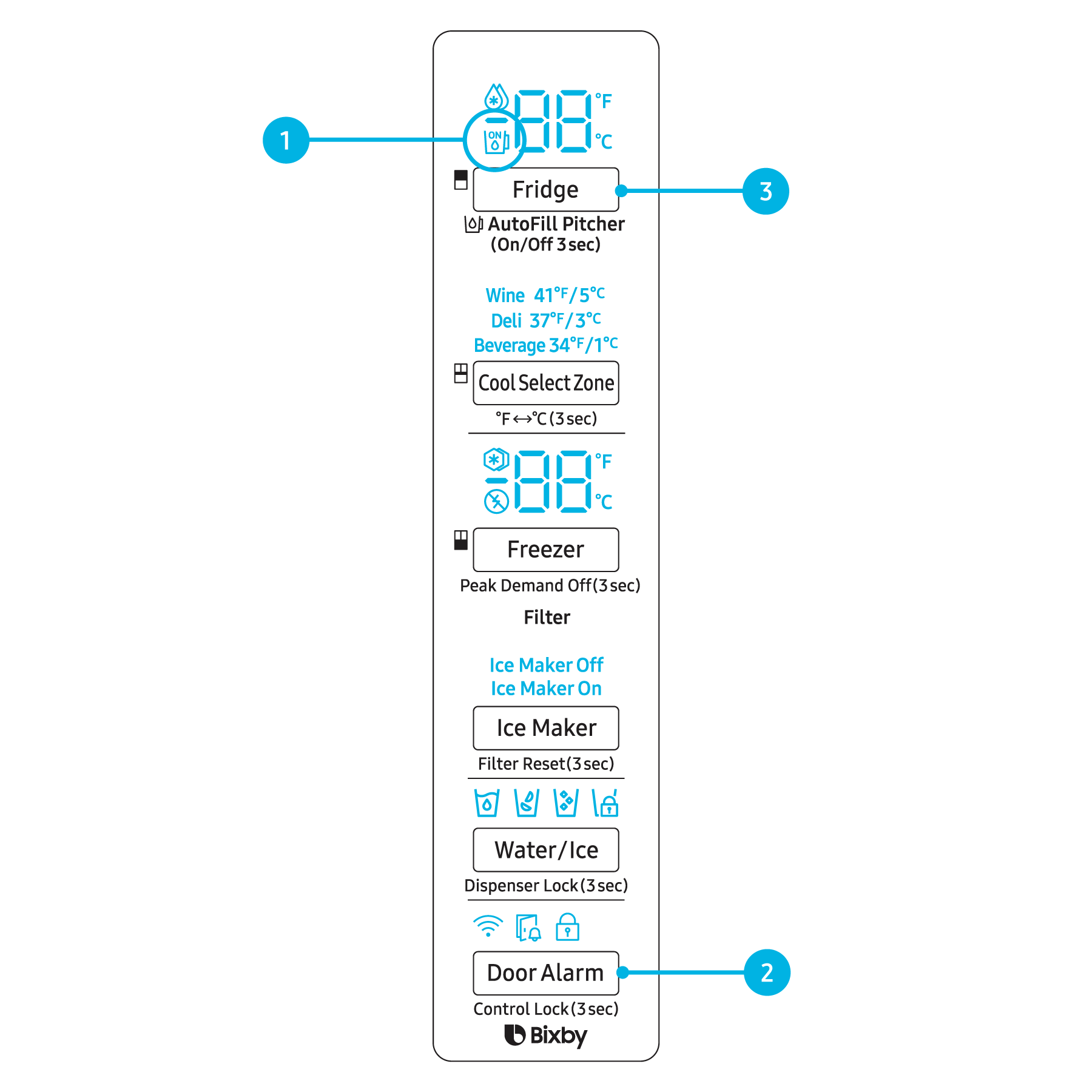
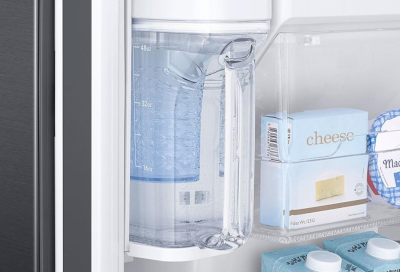
The Auto Fill Water Pitcher is a built-in feature in some Samsung refrigerators. It automatically refills with filtered water every time you return it to its compartment. This is possible because of a small water line connected to the fridge’s main supply and a sensor that detects the pitcher’s presence and water level.
Key Components
- Water reservoir: Holds filtered water for dispensing.
- Auto-fill sensor: Detects when the pitcher is in place and how much water it contains.
- Valve and tubing: Moves water from the supply to the pitcher.
- Filter: Removes impurities from your tap water.
When you slide the pitcher back into place, the sensor triggers the valve to open, filling the pitcher automatically. If any part fails, the pitcher may stop working.
Common Reasons The Auto Fill Water Pitcher Stops Working
Several issues can cause the Auto Fill Water Pitcher to malfunction. Below are the most common culprits:
- Empty or clogged water filter: A dirty filter restricts flow.
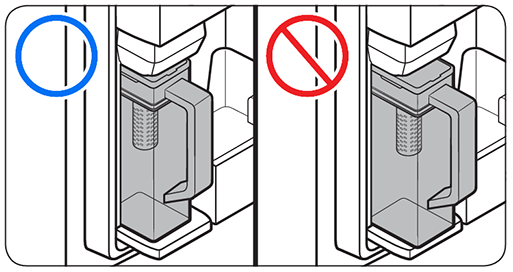
- Misaligned pitcher: If not seated correctly, the sensor can’t detect it.
- Disconnected or kinked water line: The pitcher won’t fill if water can’t flow.
- Sensor problems: Dirt or damage can stop detection.
- Valve failure: The valve may stick or break.
- Frozen water line: Extremely cold fridge temperatures can freeze the line.
- Software glitches: Rare, but sometimes the fridge needs a reset.
Let’s look at these problems in more detail and see how you can troubleshoot each one.
Troubleshooting Steps
Fixing an Auto Fill Water Pitcher that’s not working is often easier than you think. Follow these steps to identify and solve the issue.
Check The Water Filter
A clogged water filter is the most common reason for auto-fill failures. Samsung recommends replacing the filter every 6 months, but hard water or heavy use can shorten its life.
- Open the filter compartment (usually near the bottom of the fridge).
- Remove the filter and inspect it for debris or discoloration.
- If it’s dirty or older than 6 months, replace it with a genuine Samsung filter.
- After installing a new filter, run at least 2 gallons of water through the dispenser to flush air and particles.
Inspect Pitcher Alignment
The pitcher must be seated correctly for the sensor to activate.
- Remove the pitcher and check for obstructions in the compartment.
- Make sure there are no items preventing the pitcher from sitting flat.
- Wipe the sensor area gently to remove dust or sticky residue.
- Reinsert the pitcher, pushing until it clicks into place.
Examine The Water Line
A kinked or disconnected water line will prevent water flow.
- Slide the fridge out carefully and inspect the water line for bends or pinches.
- Ensure the connection to your home’s water supply is secure.
- If the line is frozen, unplug the fridge for 2–3 hours and let it thaw.
Test The Valve And Sensor
Sometimes, the valve or sensor may stop working due to wear or electrical issues.
- Listen for a soft click when you insert the pitcher. No sound could mean the sensor isn’t detecting it.
- Clean the sensor with a soft, damp cloth.
- If the problem remains, the valve may need professional replacement.
Reset The Refrigerator
Software glitches can cause the auto-fill system to malfunction.
- Unplug the refrigerator for 2 minutes, then plug it back in.
- Wait for the system to reboot and try filling the pitcher again.
- If your model has a reset button, consult your user manual for the correct steps.
Comparing Common Causes And Fixes
Here’s a quick comparison to help identify your issue:
| Problem | Symptoms | Quick Fix |
|---|---|---|
| Clogged Filter | Slow or no fill | Replace filter |
| Misaligned Pitcher | Pitcher not detected | Reseat pitcher |
| Kinked Water Line | Pitcher stays empty | Straighten line |
| Sensor Issues | No filling, no click | Clean sensor |
| Frozen Line | No water flow | Thaw line |
Signs You Need Professional Help
While many issues are easy to fix, some require a trained technician.
Call For Service If:
- The water line is damaged or leaking.
- The valve or sensor is broken.
- The pitcher still doesn’t work after all troubleshooting steps.
Attempting to repair electrical parts yourself can void your warranty or cause further damage. Always use authorized service providers for major repairs.
Preventive Maintenance Tips
Keeping your Auto Fill Water Pitcher in good condition reduces the risk of future problems.
- Change the filter regularly. Mark your calendar for every 6 months.
- Keep the sensor area clean. Wipe it weekly with a damp cloth.
- Check the water line when cleaning behind the fridge.
- Avoid overloading the pitcher compartment.
- Set the fridge temperature above 37°F to prevent freezing.
These simple steps can help you enjoy hassle-free, clean water every day.
Advanced Troubleshooting: What Beginners Miss
Some problems aren’t obvious, even for careful owners. Here are two things many people overlook:
- Air trapped in the water line: After replacing the filter, air can get stuck in the line, causing slow or uneven filling. Always run the water dispenser for a few minutes after changing the filter.
- Software updates: Some Samsung models support over-the-air updates. If your fridge has Wi-Fi, check the Samsung SmartThings app for firmware updates that might fix bugs affecting auto-fill.
Comparing Samsung’s Auto Fill Pitcher Models
Not all Samsung refrigerators have the same auto-fill mechanism. Here’s a comparison of two popular models:
| Feature | Bespoke Series | Family Hub Series |
|---|---|---|
| Pitcher Capacity | 48 oz | 48 oz |
| Sensor Type | Optical | Mechanical |
| Wi-Fi Updates | Yes | No |
| Pitcher Material | BPA-free plastic | BPA-free plastic |
| Common Problems | Sensor dust, filter clogs | Valve jams, misalignment |
Understanding your specific model helps you find the right solution faster.
Cost Of Repairs And Replacement Parts
If your Auto Fill Water Pitcher needs repair or parts, costs can vary widely. Here’s a rough guide:
| Part/Service | Estimated Cost | DIY or Professional |
|---|---|---|
| Replacement Filter | $40–$60 | DIY |
| Water Line | $20–$50 | DIY/Professional |
| Sensor/Valve | $80–$200 | Professional |
| Labor Charge | $100–$200 | Professional |
For most users, replacing the filter or realigning the pitcher solves the issue. More complex repairs should be handled by Samsung-certified technicians.
When To Replace Your Pitcher
Pitchers are built to last, but they can crack or wear out over time. Replace your pitcher if you see:
- Leaks or cracks
- Cloudy plastic that won’t come clean
- Loose fit in the compartment
Always buy an original Samsung pitcher to ensure compatibility and safe operation.
Real-world Example
Maria, a busy mom in Texas, noticed her Samsung Auto Fill Water Pitcher wasn’t refilling. She checked the filter, which was overdue for a change. After replacing it and running water through the dispenser for 5 minutes, the pitcher began working perfectly again. Her experience shows that simple maintenance can fix most issues.
Where To Find More Help
If you’re still having trouble, consult your refrigerator’s user manual or visit the official Samsung Support site for model-specific guides and contact information.
Frequently Asked Questions
Why Isn’t My Samsung Auto Fill Water Pitcher Refilling After Changing The Filter?
After replacing the filter, air can get trapped in the water line. Run the water dispenser for several minutes to flush out air. Make sure the filter clicks into place and is the correct model for your fridge.
How Often Should I Clean The Auto Fill Water Pitcher?
Clean the pitcher every week with warm, soapy water. Rinse thoroughly and let it dry completely before reinserting. This keeps the pitcher fresh and prevents mold growth.
Can I Use A Generic Water Filter In My Samsung Refrigerator?
Samsung recommends using genuine filters. Generic filters may not fit properly, could leak, or fail to filter contaminants. Using non-Samsung filters might void your warranty.
What Should I Do If The Pitcher Leaks?
Remove the pitcher and inspect for cracks or damage. If the pitcher is damaged, replace it. Also, check that it’s seated properly and that the water line isn’t leaking.
Is It Safe To Fix A Valve Or Sensor Myself?
It’s best to leave electrical repairs to professionals. Attempting to fix the valve or sensor yourself can cause further damage and void your warranty. For these repairs, call Samsung support or a certified technician.
A working Samsung Auto Fill Water Pitcher keeps your family hydrated with clean water, but it needs some care. Most problems are quick to fix with regular maintenance and a little troubleshooting. If you keep the filter fresh, the sensor clean, and the water line clear, your pitcher should work smoothly for years to come. If you ever feel unsure, don’t hesitate to get help from Samsung’s support team.