
If your Somfy awning remote suddenly stops working, it can be frustrating. Maybe you press the buttons, but nothing happens. Perhaps your awning opens halfway, or the remote feels completely dead. You’re not alone—many homeowners and businesses run into this issue. The good news is most problems can be solved without calling a technician. In this guide, you’ll learn how to troubleshoot your Somfy awning remote, fix common issues, and get your awning working again. We’ll cover practical steps, give real examples, and share tips that many beginners miss.
How Somfy Awning Remotes Work
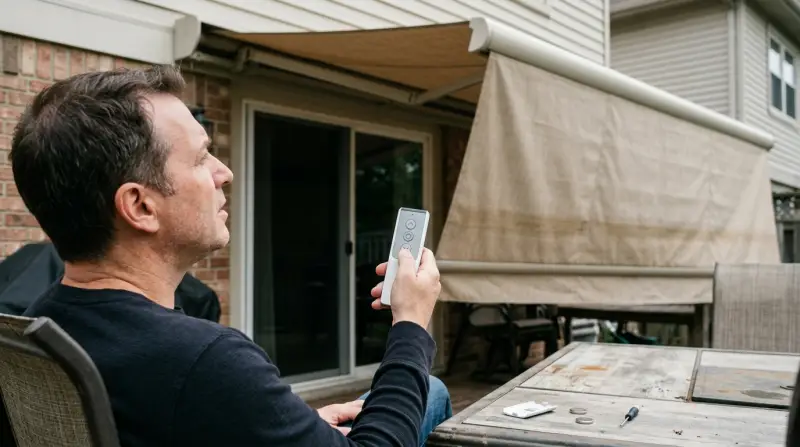
Before you start fixing, it helps to understand the basics. Somfy awning remotes use radio frequency (RF) signals to communicate with the motor in your awning. When you press a button, the remote sends a signal to the receiver, telling it to open, close, or stop. Somfy remotes are designed to be reliable, but they depend on batteries, signal strength, and correct programming.
Somfy offers several remote models, from simple one-channel units to advanced multi-channel controllers. The most common is the Telis series, which comes in both single and five-channel versions.
Common Somfy Remote Models
| Model | Channels | Features | Battery Type |
|---|---|---|---|
| Telis 1 | 1 | Basic control | CR2430 |
| Telis 4 | 4 | Multi-device | CR2430 |
| Smoove | 1 | Wall mount | CR2032 |
| Situo 5 | 5 | Advanced features | CR2032 |
Knowing your model helps when troubleshooting, since battery types and programming steps can differ.
Common Reasons Somfy Awning Remotes Stop Working
Most issues with Somfy awning remotes fall into a few categories. Understanding these can save time and prevent unnecessary frustration.
- Dead or weak batteries: The most frequent cause. Even if the remote’s LED lights up, the battery may be too weak for the signal to reach the motor.
- Signal interference: Other wireless devices, thick walls, or metal objects can block or weaken the RF signal.
- Lost programming: Sometimes the remote loses its pairing with the motor, especially after a power outage.
- Physical damage: Dropping the remote, exposure to water, or worn buttons can cause internal issues.
- Motor issues: Sometimes the problem isn’t the remote but the awning motor itself.
A non-obvious insight: remote batteries often drain faster in cold weather, which can surprise users in winter. Also, many users forget to check the receiver unit inside the awning casing; sometimes, it needs a reset.

Troubleshooting Steps For Somfy Awning Remote
Let’s walk through practical steps to diagnose and solve your remote problem. Each step includes tips and mistakes to avoid.
Step 1: Check The Batteries
Even if your remote’s indicator light turns on, the battery might be too weak to send a signal.
- Remove the battery cover and check for corrosion or rust.
- Replace the battery with a fresh one—use the exact type recommended for your model.
- Ensure the contacts are clean and the battery is installed correctly.
Common mistake: Using old or generic batteries. Somfy remotes work best with high-quality lithium cells.
Step 2: Test The Signal
Stand close to the awning (within 5 feet) and press the remote buttons. If the awning works at close range but not farther away, signal interference is likely.
- Remove any nearby electronic devices (Wi-Fi routers, cordless phones).
- Check for metal objects or thick walls between the remote and awning.
Step 3: Reprogram The Remote
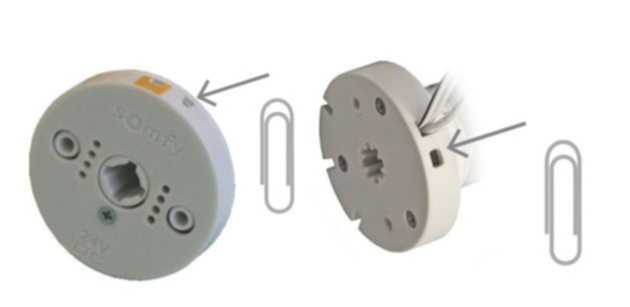
If batteries are new and the signal is clear, the remote may need reprogramming. Each Somfy remote has a program button (sometimes hidden under a cover).
- Locate the program button on your remote.
- Press and hold the button for 2–5 seconds.
- The awning motor should respond (often by moving slightly or making a noise).
- Release the button, then test normal operation.
Practical tip: Don’t hold the program button too long—this can reset all settings. Always follow your model’s instructions.
Step 4: Inspect For Physical Damage
Look for cracks, water damage, or worn buttons. If the remote was dropped or exposed to moisture, internal circuits could be damaged. Sometimes, buttons get stuck or lose sensitivity.
- Gently clean the remote with a dry cloth.
- Press all buttons to ensure they move freely.
- If you see moisture inside, leave the remote open and let it dry completely.
Step 5: Check The Awning Motor
If none of the above works, the motor or receiver may be the issue.
- Listen for any sounds when you press the remote. If the motor clicks or buzzes, the signal is reaching it.
- If the motor is silent, check power to the awning. Reset the motor by unplugging it for 30 seconds, then plugging it back in.
A detail beginners often miss: Some Somfy motors have a manual override. You can try moving the awning using this feature to see if the motor is stuck.
Somfy Remote Vs. Other Brands
How does Somfy compare to other awning remote brands? Here’s a quick comparison to help you understand if your Somfy remote is unique or similar to others.
| Brand | Range (feet) | Battery Life | Ease of Programming | Signal Stability |
|---|---|---|---|---|
| Somfy | 65–100 | 1–2 years | Easy | High |
| Nice | 80–120 | 1 year | Moderate | Medium |
| Dooya | 60–90 | 1.5 years | Easy | High |
Somfy remotes are known for long battery life and stable signals. Programming is usually straightforward, but some older models can be tricky.
Advanced Troubleshooting: What If Nothing Works?
If your remote still doesn’t work after basic steps, try these advanced solutions.
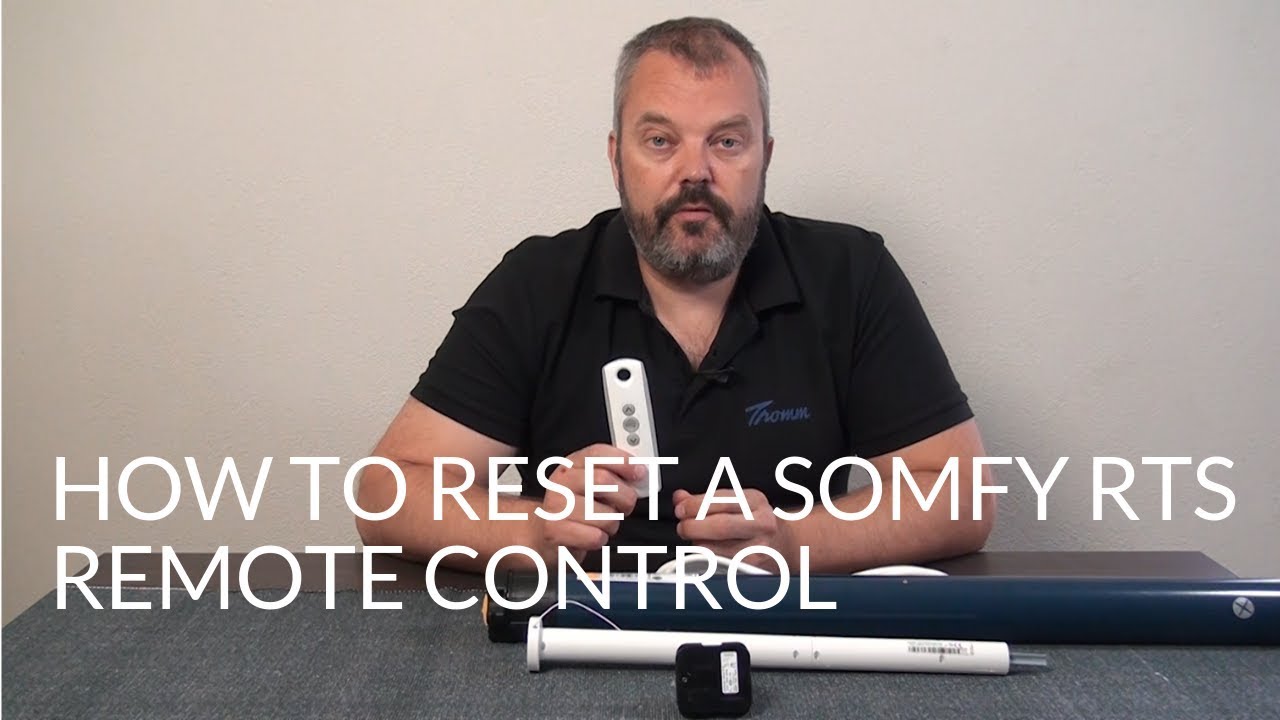
Reset The Awning Motor
Some Somfy motors require a hard reset to clear old programming.
- Cut power to the motor for at least 2 minutes.
- Restore power and wait for the motor to beep or move.
- Try programming the remote again.
Replace The Remote
If you suspect the remote is faulty, buy a new Somfy remote compatible with your model. Always check the channel count and frequency (most use 433. 42 MHz).
Update Firmware Or Software
For newer Somfy systems with smart controllers (like Connexoon or TaHoma), check for software updates. Sometimes, the issue is with the app or hub, not the physical remote.
Contact Somfy Support
If all else fails, reach out to Somfy’s official support. They can guide you through advanced diagnostics or send replacement parts.
Preventing Future Remote Problems
Solving your current issue is important, but preventing future problems is even better.
- Change batteries every 12–18 months, even if the remote works.
- Keep the remote dry and avoid dropping it.
- Store the remote away from direct sunlight and extreme heat.
- Avoid placing the remote near strong magnets or wireless devices.
A tip many miss: Label your remotes if you have multiple awnings or Somfy devices. This avoids confusion and accidental programming errors.
When To Call A Professional
Most issues can be solved at home, but some situations need expert help:
- The awning motor makes strange noises or doesn’t move at all.
- The remote works for other devices but not your awning.
- You suspect wiring or electrical issues inside the motor unit.
- Water damage has affected both the remote and the motor.
Professionals can diagnose internal motor faults, replace damaged receivers, and ensure safe operation.
Real-life Example: Solving A Somfy Remote Issue
Maria, a homeowner in Florida, noticed her Somfy awning remote worked only in the mornings. In the afternoon, nothing happened. After checking batteries and reprogramming, she discovered her neighbor’s Wi-Fi router was causing interference. Moving her router solved the issue.
This example shows that signal interference can appear at certain times, not just all the time. It’s a detail many users overlook.
Somfy Remote Maintenance Checklist
Here’s a simple checklist to keep your Somfy remote working smoothly:
- Replace batteries every 12–18 months
- Clean contacts and buttons regularly
- Keep remote dry and away from heat
- Label remotes for multiple devices
- Test signal every few months
- Update smart hubs/software as needed
Frequently Asked Questions
Why Does My Somfy Awning Remote Work Only Sometimes?
This usually happens due to weak batteries or signal interference. Try changing the battery and removing other wireless devices from the area. If your awning works only at certain times, check for nearby electronics that might be causing interference.
How Do I Reprogram My Somfy Awning Remote?
Find the program button on your remote, press and hold for 2–5 seconds, and wait for the awning motor to respond. Release the button and test normal operation. Always check your remote’s manual for exact steps, as some models require double-pressing or longer holds.
Can I Use A Universal Remote With My Somfy Awning?
Most Somfy awnings use a proprietary frequency (433.42 MHz), so universal remotes are usually not compatible. Only Somfy-branded or officially licensed remotes will work reliably.
What Should I Do If My Awning Motor Doesn’t Respond At All?
First, check the power supply to the motor. Try unplugging for 30 seconds and reconnecting. If the motor remains silent, contact a professional, as there may be internal wiring or motor faults.
Where Can I Find Official Somfy Support Or Manuals?
You can visit the official Somfy website for manuals, troubleshooting guides, and customer service: Somfy Official Site.
Final Thoughts
A non-working Somfy awning remote can be annoying, but most problems are simple to fix. Start with battery checks, test the signal, and try reprogramming. Don’t overlook interference or physical damage, and remember to maintain your remote for long-lasting performance. If basic steps don’t help, consider advanced troubleshooting or professional support. With these practical tips, your Somfy awning should be back to smooth operation in no time.