
If you use your LG microwave every day, a blank display can be frustrating. You might wonder if it’s a minor problem or something serious. This guide will help you understand why your LG microwave is not showing display, and what you can do to fix it safely. Whether you use your microwave for reheating or cooking, a working display is important for all settings and timers. Don’t worry—you don’t need to be an expert to troubleshoot most display issues.
Why Lg Microwaves Lose Display
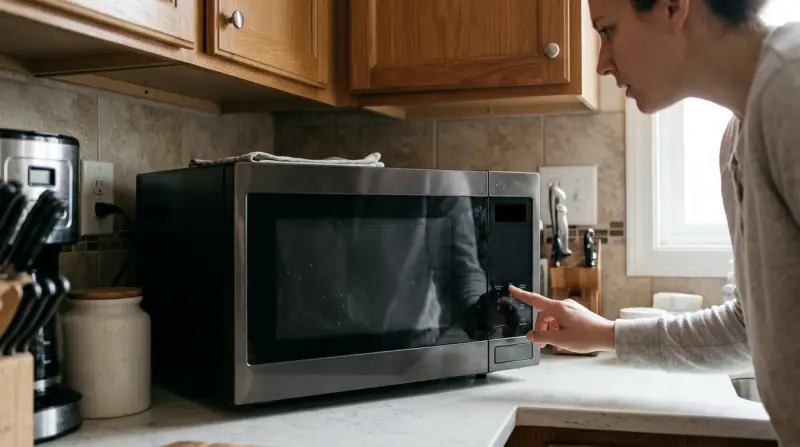
Microwaves from LG are known for reliability, but like all electronics, they can have issues. The display is the small screen that shows the time, cooking options, or error codes. When it goes blank, you can’t set the timer or use special features. The most common reasons for a microwave display not working include:
- Power supply problems
- Internal fuse issues
- Faulty control board
- Display panel failure
- User errors like child lock
Each cause has its own solution, and some are easier to fix than others. Let’s look at each one in detail.
Initial Checks Before Troubleshooting
Before opening your microwave or calling for service, check these simple things:
- Power outlet: Plug another device (like a phone charger) into the same outlet. If it doesn’t work, the problem is with your home’s power supply, not the microwave.
- Circuit breaker: Make sure the breaker for your kitchen is ON. Sometimes, too many appliances can trip the breaker.
- Microwave door: LG microwaves have safety switches. If the door isn’t fully closed, the display might not come on.
- Child lock: Some models have a child lock feature. If this is on, the display may seem “dead” or only show a lock symbol.
These steps solve many cases where the microwave display is not working. If everything checks out, it’s time to dig deeper.
Common Causes And Fixes For Lg Microwave Display Not Showing
Power Supply Problems
A microwave needs a steady power supply. If the voltage is too low, the display may not light up, even if the microwave is technically “on. ”
- Loose plug or damaged cord: Inspect the cord for cuts, bends, or burns. Replace if needed.
- Surge protectors: If you use a surge protector, try plugging the microwave directly into the wall.
Non-obvious insight: Some homes have outlets with a “reset” button (GFCI outlets). Press the reset button to restore power if tripped.
Internal Fuse Issues
LG microwaves have an internal fuse to protect against short circuits and surges. If this fuse blows, the display will be blank, but the light inside may still work.
- What to do: Unplug the microwave. If you have basic DIY skills, remove the outer cover (screws at the back), find the fuse (usually glass or ceramic), and check if it looks burned or broken. Never replace it with a higher-rated fuse—always use the same type.
Fuses blow for a reason. Replacing the fuse can help, but if it blows again, you need a professional.
Control Board Failure
The control board is the “brain” of your microwave. It sends signals to the display. If it fails, the display won’t work even if the rest of the microwave does.
- Signs of board failure: Microwave doesn’t beep, buttons don’t work, display is blank.
- Solution: Control boards can be replaced, but it’s not a simple DIY job. Compare the cost of repair with a new microwave. Sometimes, it’s cheaper to replace than repair.
If your microwave is more than 7 years old, investing in a new one might make more sense.
Display Panel Failure
The LED or LCD panel can fail due to age, moisture, or electrical surges. If only the display is affected (microwave heats food, buttons work), the panel itself may be the issue.
- Professional help is usually needed to replace the display panel.
- Some LG models use standard panels that are easy to find; others require special ordering.
User Settings And Error Modes
LG microwaves may enter special modes that turn off the display:
- Demo mode: Used in stores to show features without heating. Check your manual to exit this mode.
- Error codes: Sometimes, the display is off to indicate a serious error. Listen for beeping patterns and check your manual.
Non-obvious insight: Static electricity can sometimes “freeze” the display after a power outage. Unplug the microwave for 5 minutes, then plug it in again to reset it.
Comparing Causes And Fixes
Below is a quick comparison of the main causes of LG microwave display not showing, symptoms, and possible solutions.
| Cause | Symptoms | DIY Fix? |
|---|---|---|
| Power supply issue | No display, no lights | Yes, check outlet/circuit |
| Blown fuse | No display, may have light | Maybe, if comfortable |
| Control board fault | No display, no response | No, needs technician |
| Display panel failure | Microwave works, no display | No, needs replacement |
| User error (lock, mode) | Display off or locked | Yes, reset settings |

How To Reset Lg Microwave Display
If your LG microwave is not showing a display but has power, a reset can help. Here’s how:
- Unplug the microwave from the wall.
- Wait 5 minutes to allow all power to drain.
- Plug it back in.
- Test the display.
This simple reset fixes many glitches, especially after power surges or outages.
Don’t use the reset if you smell burning or see sparks—call a technician.
When To Call For Professional Help
Not all display problems can be solved at home. Call a professional if:
- You replaced the fuse, and it blew again immediately.
- You see or smell burning inside the microwave.
- The control board or display panel needs replacement.
- The microwave is still under warranty (don’t open it or you may void the warranty).
LG has official service centers and a support website. Always use certified technicians for electrical repairs.
Cost Of Repair Vs. Replacement
Should you repair or replace your LG microwave if the display is not working? Consider the following:
| Issue | Estimated Repair Cost | Typical Replacement Cost |
|---|---|---|
| Fuse replacement | $20–$50 | N/A |
| Control board | $100–$180 | $120–$350 |
| Display panel | $80–$150 | $120–$350 |
| Labor cost | $60–$100 | N/A |
| New microwave | N/A | $120–$350 |
Practical insight: If the total repair cost is over 50% of a new microwave, replacement is usually the smarter choice.
How To Prevent Future Display Issues
A few simple habits can help keep your LG microwave display working for years:
- Use a surge protector to prevent electrical damage.
- Keep the microwave dry—moisture inside can damage internal parts.
- Clean the control panel with a soft, damp cloth, never harsh chemicals.
- Don’t slam the door, as this can loosen wires over time.
- If you have frequent power cuts, unplug the microwave when not in use.
Did you know? A microwave display can last over 10 years with proper care, but average lifespan for the full appliance is 7–10 years.
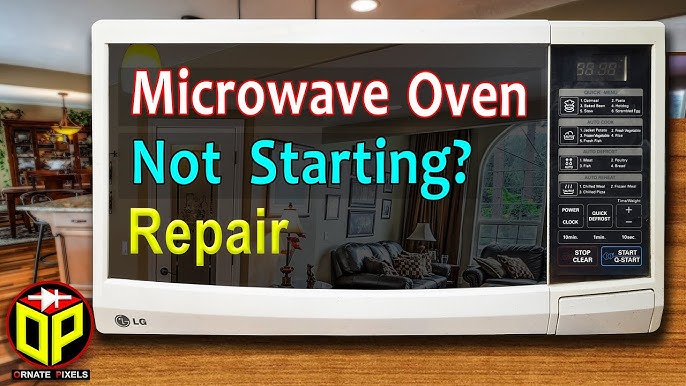
Example: Real-world Case Study
Maria, a busy mom, noticed her LG microwave display was suddenly blank after a thunderstorm. She checked the outlet—her coffee maker worked fine. The microwave light came on when she opened the door. After unplugging it for 10 minutes, the display still didn’t come back. She called a technician, who found a blown fuse inside. After replacing the fuse, the display worked again. The technician also advised using a surge protector to avoid future problems.
Always check simple fixes first, but don’t risk your safety with internal parts if you’re unsure.
User Mistakes To Avoid
Many people make these common mistakes when their LG microwave display stops working:
- Continuing to use a microwave with a blank display: This can be dangerous if there’s an internal fault.
- Using the wrong fuse type: Always match the original rating.
- Ignoring error codes: These can warn you about bigger problems.
- Opening the microwave while plugged in: Microwaves store high voltage even when unplugged.
When Is A Blank Display Not A Problem?
Some LG models have an energy-saving mode that turns off the display after a few minutes of inactivity. Try pressing any button or opening the door to “wake up” the display. Check your manual for model-specific features.
Additional Support
If you need more guidance, LG’s official support page offers model-specific manuals and troubleshooting steps. You can also find service centers near you.
For more details about microwave technology and safety, you can visit the Wikipedia page on microwave ovens.

Frequently Asked Questions
Why Did My Lg Microwave Display Suddenly Go Blank?
This usually happens due to a power surge, blown fuse, or control board issue. Start by checking your outlet and circuit breaker. If those are fine, a technician may need to check the internal parts.
Can I Fix A Microwave Display Myself?
You can try basic checks—outlet, breaker, child lock, or unplugging and resetting. For anything inside the microwave (like fuses or boards), it’s safer to call a professional unless you have electrical experience.
Is It Dangerous To Use An Lg Microwave With No Display?
It can be. A blank display may mean there’s an internal electrical problem. Using the microwave without fixing it could risk further damage or safety hazards.
How Much Does It Cost To Repair An Lg Microwave Display?
Simple fuse repairs may cost $20–$50. Control board or display panel replacements can be $80–$180 plus labor. If the repair cost is more than half the price of a new microwave, consider replacing the appliance.
Does The Warranty Cover A Blank Display?
If your LG microwave is still under warranty and you haven’t opened it, display issues are often covered. Contact LG support for details and always keep your proof of purchase.
A blank display on your LG microwave doesn’t always mean disaster. With the right steps, you can often solve the problem or know when to call for help. Remember, safety comes first—don’t take risks with electrical repairs. With good care, your microwave can keep serving you well for years to come.
1 thought on “LG Microwave Not Showing Display? Easy Fixes to Try Now”