
Many DoorDash drivers depend on the app for income and flexibility. But there’s a frustrating problem that can stop you from working: selfie verification not working. This feature is meant to protect accounts, but it can sometimes fail, blocking you from dashing. If you’re stuck on this step, you’re not alone. Let’s break down why it happens, how to fix it, and what you should know to keep your account safe.
Why Doordash Uses Selfie Verification
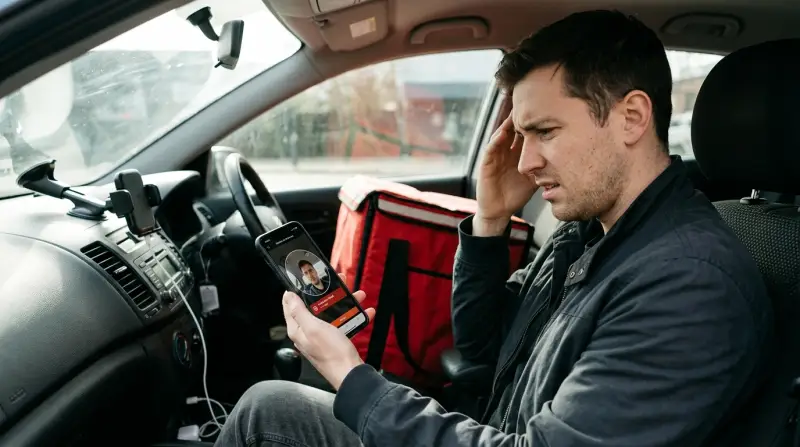
DoorDash started using selfie verification to fight fraud and protect driver accounts. The idea is simple: the app asks you to take a photo of yourself to confirm you’re the account owner. This prevents people from sharing accounts, using fake profiles, or letting someone else dash for you.
This step helps DoorDash keep the platform safe for drivers, customers, and restaurants. But, like any technology, it doesn’t always work perfectly. Sometimes, drivers get stuck, unable to pass the selfie check, which can cost them time and money.
Common Reasons Selfie Verification Fails
If you’re having trouble, it’s usually because of one or more issues. Here are the most frequent causes:
- Poor lighting – If your surroundings are too dark or too bright, the app may not recognize your face.
- Camera issues – Dirty lenses, low-resolution cameras, or hardware problems can block the verification.
- App glitches – Outdated apps, bugs, or software conflicts may stop the selfie from uploading.
- Internet connection – Weak or unstable Wi-Fi or mobile data can prevent the photo from reaching DoorDash servers.
- Face mismatch – If your appearance changes a lot (beard, glasses, hairstyle), the app might not recognize you.
- Obstructed face – Wearing masks, hats, or sunglasses can confuse the system.
- Account errors – Sometimes, DoorDash’s servers have temporary issues, or your account may be flagged by mistake.
Understanding these issues can help you troubleshoot faster and avoid repeating mistakes.
Quick Fixes For Doordash Selfie Verification Problems
Most drivers just want a solution, not a long explanation. Here’s what you can do if selfie verification isn’t working:
1. Improve Your Lighting
Stand in a well-lit area. Natural light is best, but a bright overhead light can work too. Avoid standing in front of windows during the day, as backlighting can make your face appear dark.
2. Clean Your Camera Lens
Wipe the lens gently with a clean cloth. Even small smudges can make your photo blurry and unrecognizable.
3. Update The Doordash App
Go to your app store and check for updates. Using the latest version can solve many bugs and security issues.
4. Restart Your Device
Restarting your phone clears temporary glitches. It’s a simple step that often fixes app problems.
5. Check Your Internet Connection
Move to an area with strong Wi-Fi or switch to mobile data. If your connection is unstable, the photo may not upload properly.
6. Remove Obstructions
Take off hats, sunglasses, and masks. Make sure your whole face is visible to the camera.
7. Try Again With A Neutral Expression
Smile gently or keep a neutral face. Don’t exaggerate your expressions; the system may not recognize you.
8. Contact Doordash Support
If none of these steps work, reach out to support through the app or website. Explain your problem and the steps you’ve tried. Sometimes, a manual review or reset is needed.
9. Use A Different Device
If possible, try completing verification on another phone or tablet. Some drivers find success this way, especially if their main device has camera issues.
10. Wait And Retry
DoorDash’s servers sometimes go down for maintenance or technical reasons. Waiting a few hours and trying again can solve temporary problems.
Doordash Vs. Other Gig Apps: Selfie Verification Differences
How does DoorDash’s selfie verification compare to other platforms? Here’s a look at three major apps:
| App | Selfie Frequency | Tech Used | Common Issues |
|---|---|---|---|
| DoorDash | Random, sometimes weekly | Facial recognition | Lighting, camera, app bugs |
| Uber Eats | Frequent, after login or during account changes | Facial match, liveness check | Face mismatch, connectivity |
| Instacart | Occasional, mainly at account setup | Simple photo check | Camera quality, upload errors |
DoorDash uses a more advanced facial recognition system than some competitors. This helps reduce fraud but can lead to more false positives—meaning drivers are blocked even if they haven’t done anything wrong.
Real-world Examples: Drivers Facing Verification Issues
Many drivers share their experiences online. For example, one driver in Los Angeles reported that his selfie verification failed after he grew a beard. He had to contact support and send extra photos to get his account unlocked.
Another driver in Dallas had trouble after updating his phone’s operating system. The camera app permissions changed, causing the DoorDash app to crash during verification. He fixed it by granting the app camera access again.
Data from driver forums show that about 12% of DoorDash drivers report selfie verification problems each month. Most issues are solved in less than 24 hours, but about 3% take longer, sometimes requiring manual review.
How To Prevent Selfie Verification Problems
Prevention is always easier than fixing problems. Here are some tips to avoid getting stuck:
- Keep your app updated at all times.
- Regularly check camera permissions in your phone settings.
- Avoid making big changes to your appearance suddenly (like shaving a beard or changing hair color).
- Take selfies in consistent lighting—try to use the same spot each time.
- Save important photos and documents in case you need to prove your identity.
- Don’t use filters or beauty modes—these can confuse the facial recognition system.
These steps can help you stay active and avoid delays.

Credit: www.youtube.com
What To Do If Your Account Is Locked
If you can’t pass the selfie verification and your account gets locked, follow these steps:
- Check your email for a DoorDash message. They often send instructions.
- Go to the DoorDash Help Center and submit a support ticket.
- Attach any requested documents, like a driver’s license or extra selfies.
- Explain your issue clearly and mention the steps you’ve already tried.
- Wait for a response—most cases are solved within 48 hours.
If you don’t hear back, try calling DoorDash support or reaching out on social media. Persistence helps, but stay polite and clear in your communication.
Comparing Doordash’s Selfie System With Other Security Methods
DoorDash uses facial recognition, but other apps may use different ways to verify identity. Here’s a quick comparison:
| Verification Method | Security Level | Driver Hassle | False Lockouts |
|---|---|---|---|
| Selfie Verification | High | Medium | Occasional |
| ID Document Upload | Medium | Low | Rare |
| Two-Factor SMS | Medium | Low | Rare |
| App Password | Low | Low | Very Rare |
Selfie verification is more secure, but it can be more annoying for drivers. Some apps, like Uber Eats, combine selfies with ID checks, while others rely mostly on passwords.
How Doordash Handles Privacy And Data
Many drivers worry about their privacy. DoorDash claims that all selfie photos are encrypted and stored securely. They say only authorized staff can access these images, and they’re used only for security purposes.
DoorDash follows US privacy laws and tries to keep your data safe. However, mistakes can happen. If you’re concerned, you can ask DoorDash to delete your data after leaving the platform.
You can read more about data privacy on DoorDash’s official site or see government guidelines at Federal Trade Commission.
When To Avoid Dashing Until The Problem Is Solved
If your selfie verification isn’t working, don’t keep trying over and over. Repeated failed attempts can trigger a security lockout, making things worse. Instead, follow these steps:
- Try the basic fixes listed above.
- Wait at least 30 minutes between attempts.
- If you’re blocked, contact support right away.
Patience and careful troubleshooting can save you time and stress.
Non-obvious Insights And Tips
Here are a few things many drivers don’t know:
- Phone cases can block the camera’s view. Remove your case if you have trouble.
- Low battery mode may slow down the app and cause upload errors. Charge your phone before starting verification.
- Background apps can interfere with DoorDash. Close other apps before starting.
These small details can make a big difference.
Frequently Asked Questions
Why Does Doordash Ask For Selfie Verification?
DoorDash uses selfie verification to prevent fraud, protect accounts, and make sure drivers are who they say they are. It’s a security measure, not a punishment.
Can I Skip Selfie Verification?
No, you cannot skip it. If you refuse or fail selfie verification, you won’t be able to dash until you pass the check.
What If My Appearance Changes?
If your appearance changes (like growing a beard or changing hairstyle), the app may not recognize you. Contact DoorDash support and explain your situation. You may need to submit extra photos or documents.
How Long Does It Take To Fix Selfie Verification Issues?
Most problems are solved within 24–48 hours. Simple fixes (like better lighting or updating the app) can work instantly. More complicated cases may require manual review.
Is My Photo Safe With Doordash?
DoorDash says your selfie photo is encrypted and stored securely. Only authorized staff can access it, and it’s used only for account security. For more on privacy, visit FTC Privacy Guide.
Final Thoughts
DoorDash selfie verification is important for safety, but it can cause headaches for drivers. By understanding the common causes and knowing how to fix them, you can get back to dashing quickly. Keep your app updated, check your camera, and follow the steps above if you run into trouble.
Remember, most issues are temporary and can be solved with patience and clear communication. If you ever feel stuck, reach out to DoorDash support and stay calm. This way, you can protect your account and keep earning without long interruptions.