
When your Simplisafe Base Station stops working, it’s more than just an inconvenience—it can leave your home unprotected. Many people rely on this device to keep their families safe. So, when the base station fails, you need answers fast. This guide will help you understand why your Simplisafe Base Station might not be working, how to diagnose the problem, and how to fix it. You’ll also learn when it’s time to call for extra help. Let’s get your security system running smoothly again.
What Is The Simplisafe Base Station And Why Is It Important?
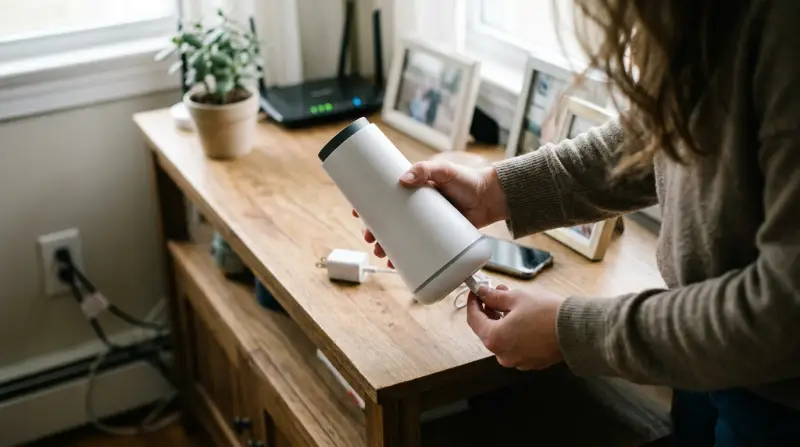
The base station is the brain of your Simplisafe home security system. It connects all the sensors, keypad, and monitoring services together. If the base station fails, your alarms, sensors, and remote controls can stop working. That means your whole security system is at risk.
Think of the base station like a Wi-Fi router. If your router goes down, your devices lose internet. When the base station fails, doors, windows, and motion sensors can’t send alerts. This is why solving base station problems quickly is so important.
Common Reasons Your Simplisafe Base Station Is Not Working
Several issues can cause your base station to stop working. Here are some of the most common problems:
1. Power Issues
If your base station has no power, it won’t work at all. This can happen if the power cord is unplugged, the outlet is faulty, or the backup battery is dead.
2. Internet Or Cellular Connection Problems
The base station needs a strong connection to communicate with the Simplisafe service. If Wi-Fi or cellular signals are weak or lost, alerts won’t reach you or the monitoring center.
3. Firmware Updates Or Glitches
Like any smart device, the base station needs updates. If an update fails or the device freezes, it may stop working.
4. Sensor Or Device Interference
If the base station can’t talk to sensors due to distance, walls, or other devices, parts of your system may not work.
5. Physical Damage
Spills, drops, or exposure to heat can damage the base station’s internal parts, leading to failure.
6. Incorrect Setup
If the system is not set up properly, the base station might not connect with sensors or the app.
Understanding these causes helps you troubleshoot faster and avoid common mistakes.
How To Diagnose Your Simplisafe Base Station Problem
Before fixing the problem, you need to find out what’s wrong. Here’s a step-by-step approach:
1. Check The Power
Look for glowing lights on the base station. No lights mean no power. Try another outlet or check the power adapter.
2. Test Internet And Cellular Connection
Use the keypad or app to check your connection status. If it says “offline,” try moving the base station closer to your router or window (for cellular).
3. Inspect For Physical Damage
Look for cracks, dents, or water marks on the base station. Even small damage can cause issues.
4. Listen For Error Messages
The base station may say “no link to dispatcher” or “keypad out of range. ” These clues can help you narrow down the problem.
5. Review Recent Changes
Did you move the base station, add new devices, or install updates? Sometimes changes create unexpected problems.
Here’s a comparison of symptoms and what they usually mean:
| Symptom | Likely Cause | What to Check |
|---|---|---|
| No lights or sounds | Power failure | Outlet, power cord, battery |
| Offline in app | Connection issue | Wi-Fi, cellular signal |
| Some sensors not working | Interference | Sensor range, barriers |
| Repeating error messages | Firmware glitch | Restart, update firmware |
Step-by-step Fixes For A Non-working Simplisafe Base Station
If your base station isn’t working, try these solutions in order:
1. Power Cycle The Base Station
Unplug the power cord and remove the backup battery. Wait 15 seconds, then reconnect everything. This simple step clears most glitches.
2. Check The Power Source
- Try plugging the base station into a different wall outlet.
- Make sure the outlet is not controlled by a light switch.
- If the outlet works for other devices but not the base station, the power adapter may be faulty.
3. Replace Or Recharge The Backup Battery
If your area has power outages, the backup battery is essential. Replace it if it’s older than 3–5 years or shows signs of wear.
4. Test Internet And Cellular Signals
- Move the base station closer to your Wi-Fi router or a window.
- Make sure your Wi-Fi password is correct (re-enter it if needed).
- If using cellular, check for cell coverage in your area. Some homes have “dead spots.”
5. Update Firmware
- Open the Simplisafe app.
- Go to the base station settings and check for firmware updates.
- Follow on-screen instructions to install updates.
Interrupting a firmware update can freeze your base station. Always let the update finish before unplugging.
6. Minimize Interference
- Keep the base station away from microwaves, cordless phones, and thick walls.
- Don’t hide it inside cabinets or metal boxes.
7. Reset To Factory Settings
If nothing else works, try a factory reset. This erases all settings, so you’ll need to re-pair sensors and devices.
- Unplug the base station and remove the battery.
- Hold the reset button (usually on the bottom) for 20 seconds.
- Reconnect power and battery, then set up your system again.
8. Reconnect Devices
If sensors or keypads are not working, remove and re-add them using the app or keypad. Follow the instructions carefully—incorrect pairing is a common mistake.
9. Test The System
After each step, test your security system. Arm and disarm it, check alerts, and make sure the app is showing the correct status.
When To Contact Simplisafe Support
If you’ve tried all the steps above and your base station still isn’t working, it’s time to reach out to Simplisafe support. Here’s when you should call:
- The base station is completely dead (no lights or sounds)
- You see error messages that won’t go away, even after resets
- The app says your system is “offline” for more than an hour
- Physical damage (water, fire, cracked case)
Simplisafe offers phone and online support. Be ready to share your device’s serial number, recent changes, and what troubleshooting steps you’ve already tried. This helps support staff help you faster.
Comparing Simplisafe Base Station Models
There are different versions of the Simplisafe base station. Knowing your model can help you find the right solution.
| Model | Release Year | Main Features | Power Backup |
|---|---|---|---|
| Original (Gen 1) | 2012 | Basic alarm, limited smart features | 24-hour backup |
| Gen 3 (Current) | 2018 | Smart home support, voice prompts, Wi-Fi/cellular | 24-hour backup |
Older models may need different batteries or have different reset methods. Always check your user manual or the Simplisafe website for model-specific guidance.

Preventing Future Base Station Failures
Keeping your base station healthy is easier than fixing problems later. Here are some ways to prevent future issues:
- Plug into a surge protector to shield against power spikes.
- Test the backup battery every six months.
- Update firmware when prompted to avoid software glitches.
- Keep the base station in a central location for strong sensor signals.
- Avoid moving the base station unless you’re troubleshooting.
- Check connections after storms or power outages.
- Don’t expose the base station to moisture or extreme temperatures.
Many users forget about battery health and firmware updates. These two simple steps can prevent most problems and extend the life of your system.
Real-world Example: A Common Simplisafe Base Station Failure
Imagine Sarah, who lives in a two-story home. One day, her Simplisafe app says “system offline. ” She checks the base station—no lights. Sarah realizes she accidentally turned off the power strip during cleaning. After plugging it back in, the base station lights up, but some sensors still don’t work.
She moves the base station back to its central location, then reboots the system. Everything works again.
This example shows why it’s important to check the basics first, then look for more complex issues.

Data: How Often Do Simplisafe Base Stations Fail?
According to online reviews and user reports, less than 5% of Simplisafe users report serious base station failures in the first three years. Most problems are linked to power outages, Wi-Fi changes, or battery issues—not hardware defects.
Here’s a quick comparison of the top causes of base station failure, based on user feedback:
| Cause | Percentage of Reports | Preventable? |
|---|---|---|
| Power outage/battery | 45% | Yes |
| Wi-Fi/cellular loss | 30% | Yes |
| Firmware glitches | 15% | Yes |
| Physical damage | 10% | Partially |
The good news is, most failures can be prevented with regular checks and updates.
Extra Tips Most People Miss
- Don’t hide the base station. Many users place it in closets or behind furniture. This weakens sensor signals and cellular reception. Keep it out in the open, but not in direct sunlight.
- Label your power adapter. If you have many devices, it’s easy to mix up cords. Using the wrong adapter can damage your base station or cause it to underperform.

Credit: www.youtube.com
Frequently Asked Questions
Why Are There No Lights On My Simplisafe Base Station?
If you see no lights, the most likely reason is a power issue. Check that the power cord is firmly plugged into a working outlet. If the outlet works, try a different power adapter or replace the backup battery.
How Do I Reset My Simplisafe Base Station?
To reset, unplug the base station, remove the backup battery, and hold the reset button for 20 seconds. Reconnect the battery and power, then set up your system again. This method works for most models, but always check your user manual.
Will My Simplisafe System Work During A Power Outage?
Yes, if the backup battery is charged and working. The system can operate for up to 24 hours on battery power and will try to use the cellular connection if Wi-Fi goes down.
How Can I Improve The Cellular Signal For My Base Station?
Place the base station near a window or in a higher spot. Avoid thick walls or metal objects that can block signals. If you live in a low-signal area, consider adding a cellular signal booster.
Where Can I Find Official Support For Simplisafe Problems?
For the latest guides and troubleshooting, visit the Simplisafe Support Center. They provide step-by-step instructions and live chat help.
Getting your Simplisafe Base Station working again doesn’t have to be hard. By following the steps above and staying proactive with updates and maintenance, you’ll keep your home protected and your system reliable for years to come.