
A Hisense TV that plays sound but shows no picture can be frustrating. You press the remote, hear voices or music, but the screen stays black. This issue is common for many TV owners and can happen suddenly. Whether you use your TV for movies, gaming, or news, a blank screen ruins the experience.
The good news? Most causes are easy to check, and some fixes can be done at home. This guide explains why your Hisense TV has no picture but sound, how to solve it, and what to do if nothing works.
Understanding The Problem
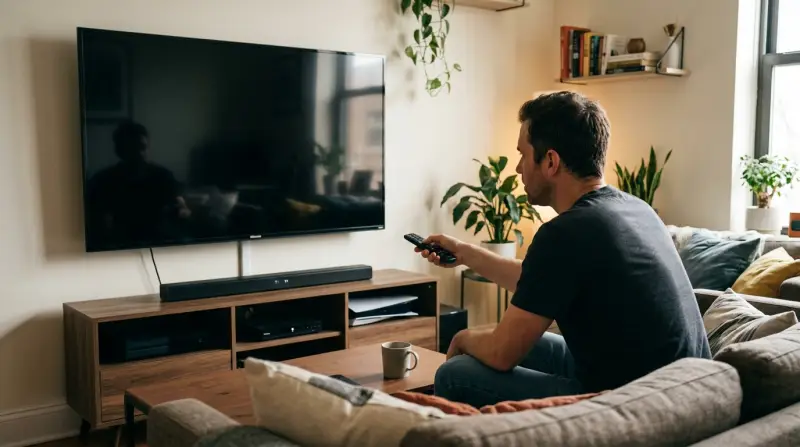
When a Hisense TV gives sound but no picture, it means the audio system works, but something blocks the video. This can happen to any TV brand, but Hisense models have some unique patterns. The issue might be with the screen itself, the internal circuits, the power supply, or settings. Sometimes, a simple mistake like a loose cable is the culprit. Other times, it’s a sign of hardware failure.
Key Symptoms
- TV turns on, but the screen is black or blank
- Sound plays through speakers or headphones
- Remote works (volume changes, channel changes)
- Backlight may or may not be visible
- No error message on screen
A TV with no picture but sound can look like it’s off, but you know it’s running because you hear audio. Before you worry about repairs, it’s important to diagnose the problem step by step.
Common Causes Of No Picture In Hisense Tvs
Several things can cause a Hisense TV to lose its picture. Some are simple, while others need professional help.
1. Backlight Failure
Modern TVs use LED backlights behind the LCD panel. If the backlight breaks, the TV shows sound but the screen stays black. You may see faint shapes if you shine a flashlight at the screen.
2. Loose Or Faulty Cables
HDMI, power, or video cables can loosen or break. If the TV’s input is not connected well, video may not appear.
3. Wrong Input/source Selection
If you select the wrong input (like HDMI2 instead of HDMI1), sound from one device may play, but the picture comes from another (or none).
4. Picture Settings Problem
Extreme settings (like brightness, contrast, or energy-saving modes) can make the screen too dark to see.
5. Software Or Firmware Errors
Sometimes, a bug in the TV’s software causes the screen to go blank. Updates can fix this.
6. Panel Or Mainboard Failure
Rarely, the TV’s main circuit board or display panel fails, causing a blank screen.
7. Power Supply Issues
If the TV’s power board is damaged, it may supply enough power for sound, but not for the screen.
Step-by-step Troubleshooting
Before calling a technician, try these steps. Many owners can solve the problem themselves.
1. Check The Power And Cables
- Unplug the TV for 30 seconds, then plug it back in.
- Check all cables, especially HDMI and power.
- Try different HDMI ports and cables.
- Make sure the TV’s power indicator is on.
2. Test The Backlight
- Turn on the TV.
- Shine a flashlight at the screen from 2 inches away.
- If you see faint images, the backlight is likely broken.
3. Adjust Picture Settings
- Press the Menu button on the remote.
- Navigate to Picture settings.
- Increase brightness and contrast.
- Turn off energy-saving or eco modes.
4. Change Input Source
- Press the Input or Source button.
- Switch to different HDMI, AV, or TV modes.
- Make sure the correct device is selected.
5. Restart And Update Tv
- Unplug the TV, wait one minute, and plug it back in.
- If possible, update the TV’s firmware:
- Go to Settings > About > System Update.
- Restart after updating.
6. Perform A Factory Reset
- Press Menu > Settings > Device Preferences > Reset.
- Follow on-screen instructions.
- Warning: This deletes all custom settings.
7. Test External Devices
- Connect a DVD player, game console, or streaming box.
- Switch to the device’s input.
- If picture appears, the TV panel is fine.
8. Contact Support
If none of the above works, contact Hisense support or a repair shop. Some issues need parts replacement.
Comparing Common Tv Problems
To help you understand where “no picture but sound” fits among TV issues, here’s a comparison:
| Problem | Sound | Picture | Possible Causes | DIY Fix? |
|---|---|---|---|---|
| No picture, sound works | Yes | No | Backlight, cables, settings, mainboard | Sometimes |
| No sound, picture works | No | Yes | Speakers, audio settings, mute | Often |
| Both picture and sound missing | No | No | Power, mainboard, display panel | Rarely |
| Picture flickers | Yes | Yes (unstable) | Cables, settings, panel | Often |
Hisense Tv Models And Picture Issues
Some Hisense TV models are more likely to experience no picture but sound problems. Older models with CCFL backlights fail more often, while newer LED models can have issues with the power supply. Smart TVs may have software glitches, while basic TVs rarely see firmware errors.
| Model Series | Type | Common Issue | Fix Difficulty |
|---|---|---|---|
| H6 Series | LED Smart TV | Backlight failure, software bugs | Medium |
| R7 Series | Roku TV | Power board, firmware | Medium |
| U8 Series | ULED TV | Panel failure | Hard |
| Older LCD | Basic TV | Backlight, mainboard | Medium |
Practical Tips For Preventing Picture Loss
While some issues are random, many can be prevented. Here are some useful tips:
- Keep the TV in a dry, cool place to avoid overheating.
- Use a surge protector to protect against power spikes.
- Update firmware regularly to prevent software bugs.
- Handle cables gently to avoid breaking connectors.
- Clean the TV vents to prevent dust buildup.
Non-obvious Insights
Many beginners miss these points:
- Silent Backlight Failures:
Sometimes, the backlight fails without warning. The TV may work fine for months, then suddenly lose picture. If you hear sound and see the power light, but the screen is black, the backlight is often the problem.
- HDMI Handshake Errors:
Some Hisense TVs have trouble switching between devices. If you change HDMI inputs too quickly, the screen may stay black. Unplugging and replugging the device often helps.
When To Seek Professional Help
You can fix basic issues yourself, but some problems need experts:
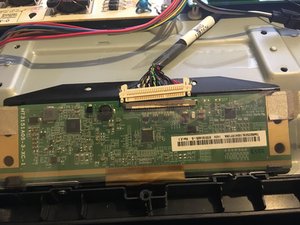
- If the backlight or panel is broken, replacement is complex.
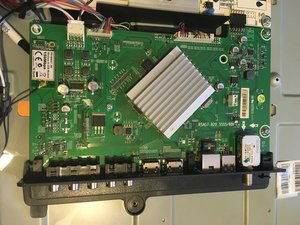
- If the TV’s mainboard fails, only skilled technicians can repair it.
- Power board issues are dangerous; avoid opening the TV unless you know what you’re doing.
Replacement parts for Hisense TVs cost between $50 and $200, depending on the model. Labor can add $100 or more. Sometimes, buying a new TV is cheaper than repairing an old one.
Credit: www.ifixit.com
Cost Comparison: Repair Vs. Replacement
Let’s compare average costs for fixing a Hisense TV with no picture but sound:
| Fix Type | Estimated Cost | Time Needed | Success Rate |
|---|---|---|---|
| Backlight replacement | $80–$150 | 2–4 hours | High |
| Mainboard replacement | $120–$200 | 2–5 hours | Medium |
| Firmware update | Free | 10–30 minutes | High |
| Buying new TV | $200–$600 | Instant | Very High |
How Hisense Support Helps
Hisense offers customer support through their website and phone. They can guide you through basic troubleshooting and arrange repairs. For warranty issues, they may replace parts or the whole TV. Keep your purchase receipt and model number handy. Learn more at the official Hisense Support page.
Credit: www.ifixit.com
Frequently Asked Questions
Why Does My Hisense Tv Have Sound But No Picture?
This usually means the backlight is broken, cables are loose, or the TV is on the wrong input. Sometimes, software bugs or panel failures are the cause.
Can I Fix A Hisense Tv Black Screen Myself?
Many issues can be fixed at home, like resetting the TV, checking cables, or updating firmware. If the backlight or mainboard is broken, you need a technician.
How Do I Check If The Backlight Is Working?
Turn on the TV and shine a flashlight close to the screen. If you see faint images, the backlight is broken. If not, the panel or mainboard may be the issue.
Is It Worth Repairing A Hisense Tv With No Picture?
If the TV is new or under warranty, repair makes sense. For older TVs, repair costs may be high. Compare the price of repair to buying a new TV.
Will A Factory Reset Fix The Black Screen Issue?
A factory reset helps if the problem is caused by settings or software bugs. It will not fix hardware failures like a broken backlight or panel.
A Hisense TV with no picture but sound is a common problem that can often be solved with simple steps. By checking cables, testing the backlight, and updating software, many owners can fix the issue themselves. For complex problems, professional help may be needed.
Knowing when to repair or replace saves money and stress. Always follow safety advice and keep your warranty information ready. With careful troubleshooting, your TV can get back to showing clear, bright images.