
If you own an Oculus VR headset, you probably set a pattern lock to protect your device and account. This pattern helps keep your games, apps, and personal data safe. But what happens if you forget that pattern? It can be frustrating and even prevent you from using your headset.
The good news is, there are ways to reset your Oculus pattern. In this guide, you’ll learn step-by-step how to reset the Oculus pattern, what to do if you run into problems, and how to keep your device secure. Whether you’re new to VR or have used Oculus for years, these solutions can save you time and stress.
What Is An Oculus Pattern Lock?
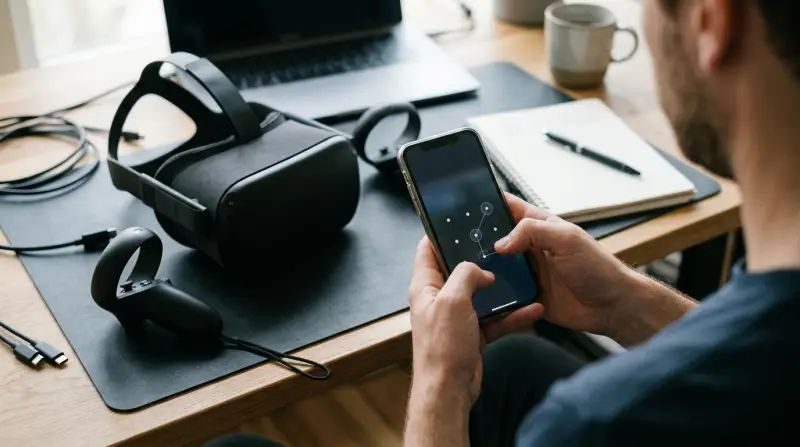
The Oculus pattern lock is a security feature for Meta (formerly Facebook) Oculus devices. When activated, you must draw a specific pattern on the screen to unlock your headset or access certain apps. This is similar to the pattern locks on Android phones. The purpose is to prevent unauthorized access to your VR content and settings.
Pattern locks are popular because they are easy to use and quick to set up. However, they can be tricky to remember, especially if you change your pattern often or don’t use your headset regularly. If you forget your pattern, Oculus doesn’t offer a direct “Forgot Pattern” button on the headset itself.
That’s why it’s important to know the available reset options.
Reasons For Resetting Your Oculus Pattern
People need to reset their Oculus pattern for several reasons:
- Forgot pattern: The most common reason is simply forgetting the pattern you set.
- Device sharing: If you share your headset with family or friends, you may want to change the pattern for privacy.
- Security concerns: If you think someone else knows your pattern, resetting improves security.
- Account changes: Changing your Meta account or email may require resetting security settings, including the pattern.
A forgotten pattern can lock you out of your headset. But don’t worry—the steps below can help you regain access.

Credit: www.youtube.com
Methods To Reset Oculus Pattern
There are several ways to reset your Oculus pattern. Each method depends on your device model and whether you remember your account credentials. Here’s how you can reset your pattern:
1. Reset Pattern Through The Oculus App
Most Oculus users manage their pattern lock through the Oculus mobile app. This method works for Oculus Quest, Quest 2, and newer devices.
Steps:
- Open the Oculus app on your smartphone (Android or iOS).
- Log in with your Meta account.
- Tap the Devices tab.
- Select your headset from the list.
- Tap Pattern Lock.
- Choose Reset Pattern or Remove Pattern.
- Follow the prompts to set a new pattern or remove the lock.
If you have trouble finding these options, make sure your app and headset firmware are updated. Updates often improve security features.
2. Reset Via The Oculus Website
If you don’t have access to the app, you can use the Meta Quest website:
- Go to the official Meta Quest website and log in.
- Navigate to Account Settings.
- Find Security and then Pattern Lock.
- Select Reset Pattern.
- Enter your account password and follow the instructions.
This method is useful if your phone is unavailable or the app isn’t working.
3. Factory Reset Your Oculus Headset
If you can’t access your account or app, a factory reset will remove the pattern lock. However, this deletes all apps and data from your headset. Use this only as a last resort.
Steps:
- Turn off your Oculus headset.
- Hold the power and volume down buttons together.
- When the boot menu appears, use the volume buttons to select Factory Reset.
- Press the power button to confirm.
- Follow the onscreen instructions.
After the reset, your headset will be like new. You’ll need to set it up again and re-download your apps.
4. Contact Oculus Support
If the above steps don’t work, or you run into errors, you can contact Oculus Support for help. They may ask for proof of purchase or account details to verify ownership.
Support can guide you through advanced recovery steps or unlock your device remotely in some cases. This is rare, but helpful if you’re truly stuck.
Comparison Of Reset Methods
To help you decide which reset method is best, here’s a comparison:
| Method | Ease | Data Loss | Device Required | Success Rate |
|---|---|---|---|---|
| Oculus App | Easy | No | Smartphone | High |
| Website | Moderate | No | Computer/Phone | Medium |
| Factory Reset | Difficult | Yes | Headset Only | High |
| Oculus Support | Variable | No | Any | Depends |
As you can see, the Oculus app is usually the easiest and safest method. Factory reset works but wipes your data.

Common Mistakes When Resetting Oculus Pattern
Beginners often make mistakes when trying to reset their Oculus pattern. Avoid these errors:
- Trying random patterns repeatedly. Too many failed attempts can lock your device and delay recovery.
- Not updating the Oculus app. Old versions may not have pattern lock features or can cause glitches.
- Forgetting account credentials. You need your Meta account email and password to reset the pattern.
- Skipping backup. Factory resetting deletes everything. Back up your data first if possible.
- Ignoring headset battery. If your headset battery is low, the reset process may fail or cause errors.
If you avoid these mistakes, you’ll have a smoother experience.
How To Back Up Your Oculus Data
Before factory resetting, it’s smart to back up important data. While Oculus doesn’t offer built-in backup for all files, you can save some content.
Ways to back up:
- Cloud saves: Many games automatically store progress on the cloud. Check game settings.
- Account sync: Your purchases and downloads are linked to your Meta account. You can re-download after reset.
- Screenshots and videos: Transfer these to your computer with a USB cable before resetting.
Backing up gives peace of mind and helps you recover faster.
Security Tips After Resetting Your Pattern
Once you’ve reset your Oculus pattern, keep your device secure:
- Choose a strong pattern. Avoid simple shapes like straight lines or squares.
- Don’t share your pattern. Keep it private to protect your content.
- Change pattern regularly. Update your pattern every few months.
- Enable two-factor authentication. This adds an extra layer of security to your Meta account.
- Monitor device access. Check who uses your headset and update security settings as needed.
These steps help prevent future lockouts and keep your VR experience safe.
Oculus Pattern Lock Vs Other Security Methods
Oculus offers other security features besides pattern lock. Here’s how pattern lock compares:
| Feature | Type | Strength | Ease of Use | Common Use |
|---|---|---|---|---|
| Pattern Lock | Visual | Medium | High | Device Unlock |
| PIN Code | Numeric | High | Medium | Purchases |
| Password | Text | High | Low | Account Access |
| Two-Factor Auth | Code/SMS | Very High | Medium | Account Security |
Pattern locks are fast and easy but not as strong as PINs or two-factor authentication. For best protection, use more than one security feature.
Real-life Example: Oculus Pattern Reset Success
Consider Sarah, a new Oculus Quest 2 user. She set a pattern lock but forgot it after a month. She tried random patterns and got locked out. Sarah used the Oculus app to reset her pattern, following the steps above.
She chose a new, unique pattern and enabled two-factor authentication. Sarah’s experience shows how a simple reset can solve big problems.
If you’re in a similar situation, don’t panic. Follow the methods described and you’ll likely regain access quickly.
Data On Oculus Pattern Lock Usage
According to Meta, over 30% of Oculus users activate pattern lock for device security. Among these, about 12% report forgetting their pattern at least once a year. Factory resets are rare, with only 5% of users performing them due to lockouts. Most users recover through the app or website.
These numbers show pattern lock is useful but also easy to forget. Making a backup plan is smart.

Extra Insights Beginners Miss
- Oculus pattern lock only protects device access—not purchases or account details. For full security, set up PINs and strong passwords.
- Some apps can bypass pattern lock if installed before the lock was set. Always update your security settings after adding new apps.
Many users don’t realize factory reset is not reversible. Once you wipe your headset, all local files are gone. Always double-check before choosing this option.
Frequently Asked Questions
How Often Can I Reset My Oculus Pattern?
You can reset your pattern as often as needed, but too many resets may trigger account security checks. If you reset frequently, consider using a password manager to store your pattern.
Will Resetting The Pattern Affect My Games And Apps?
Resetting your pattern through the app or website won’t affect your games or apps. Only factory reset deletes all data. Your purchases stay linked to your Meta account.
What If I Don’t Have Access To My Meta Account?
If you can’t access your Meta account, try account recovery on the Meta website. You’ll need your email or phone number. If that fails, contact Oculus Support for help.
Can I Set A Pattern Lock On All Oculus Devices?
Pattern lock is available on most newer Oculus devices, like Quest and Quest 2. Older models may not support this feature. Always check your device settings.
Is Pattern Lock The Most Secure Option?
Pattern lock is convenient but not the most secure. For stronger protection, combine pattern lock with PIN codes and two-factor authentication.
Resetting your Oculus pattern can seem daunting, but it’s usually a quick process. The key is to stay calm, follow the correct steps, and protect your device with strong security choices. For more official guidance, check the Meta Quest Help Center. With these tips, your VR experience stays smooth and safe.