
When you expect protection from a security feature like Active Armor, it is frustrating when it stops working. Many users depend on Active Armor to block spam, stop dangerous calls, and keep their devices safe. If you notice that Active Armor is not working, you might worry about your privacy and security. Understanding why it happens, how to fix it, and what mistakes to avoid can help you regain confidence and safety.
What Is Active Armor?

Active Armor is a security tool offered by AT&T for smartphones. It helps block unwanted calls, filter spam, and protect your device from threats. The app uses both automatic systems and user controls. It scans calls, texts, and sometimes websites, alerting users when something is suspicious.
Some features include:
- Spam call blocking
- Caller ID
- Fraud alerts
- Safe browsing
- Personal data protection
Most users install Active Armor to reduce scam calls and protect their information. When the app stops working, these protections are lost. Knowing how it works helps you spot problems faster.
Why Does Active Armor Stop Working?
There are several reasons why Active Armor not working becomes an issue. Some are technical, while others relate to settings or user actions.
1. App Not Updated
Active Armor depends on frequent updates. If the app is outdated, it might miss new threats or stop functioning. Updates fix bugs, improve performance, and add new security rules.
2. System Compatibility
Active Armor works best on supported devices and operating systems. If you recently changed phones, updated your software, or use an unsupported model, the app may fail.
3. Incorrect Permissions
The app needs certain permissions, like access to your contacts, call logs, and notifications. If you deny permissions during setup, Active Armor cannot scan calls or block spam.
4. Network Issues
Active Armor relies on internet access to check threats in real-time. If your phone is offline or the signal is weak, the app cannot update its database or block calls.
5. Conflicting Apps
Other security or call-blocking apps may interfere with Active Armor. Running similar apps can cause conflicts, leading to missed alerts or blocked functions.
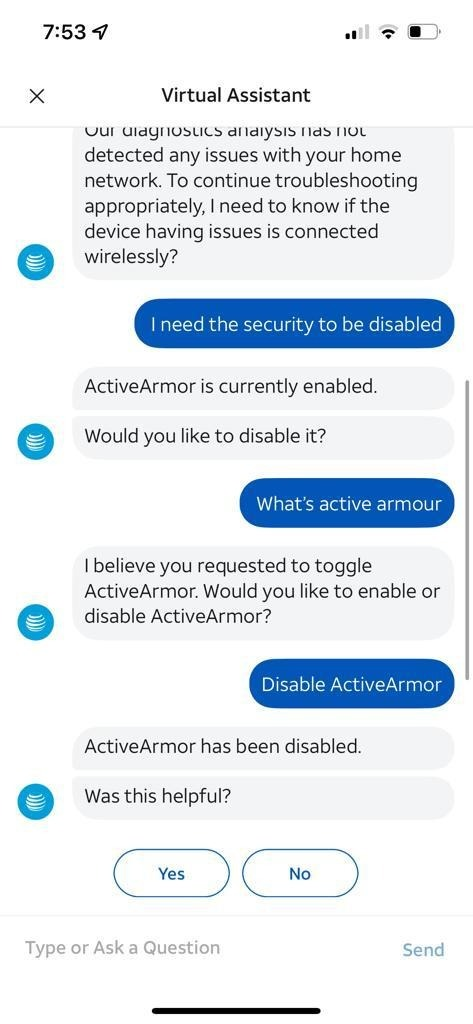
6. User Settings
Some users accidentally turn off features within the app. For example, disabling call blocking or spam alerts can make it look like Active Armor stopped working.
7. At&t Service Problems
Sometimes, the issue is with AT&T itself. Server outages or account problems can affect Active Armor’s performance.
Signs That Active Armor Is Not Working
Recognizing the symptoms helps you react faster. Here are some common signs:
- Spam calls increase suddenly
- No alerts for suspicious calls or texts
- Blocked call list is empty
- App crashes or cannot open
- Settings reset without your input
- You receive phishing links or messages
If you notice these signs, Active Armor might not be active or functioning as intended.
How To Fix Active Armor Not Working
You can often solve the problem with simple steps. Let’s look at practical solutions.
1. Check For Updates
Go to the App Store (iOS) or Google Play Store (Android). Search for Active Armor and see if an update is available. Keeping the app current is essential for security.
2. Review Permissions
Open your phone’s settings. Find Active Armor under Apps. Make sure it has access to:
- Contacts
- Phone
- Notifications
- SMS
Allow all necessary permissions for full protection.
3. Restart Your Device
A simple restart can fix temporary glitches. Turn your phone off and back on. Open Active Armor and check if it works.
4. Test Your Network
Connect to Wi-Fi or use mobile data. Active Armor needs internet to check for threats. If your network is unstable, the app cannot work correctly.
5. Reinstall Active Armor
Delete the app, then reinstall it. This often solves deeper issues like corrupted files or incomplete installations.
6. Check At&t Service Status
Visit the AT&T website or use their support app to see if there are known outages. If AT&T is down, Active Armor may not work.
7. Avoid Running Multiple Security Apps
If you have other call-blocking or antivirus apps, uninstall them. Conflicts can cause Active Armor to malfunction.
8. Adjust In-app Settings
Open Active Armor and review your settings. Make sure spam blocking and alerts are enabled.

Comparison: Active Armor Vs Other Security Apps
Let’s compare Active Armor to other call-blocking apps for clarity:
| Feature | Active Armor | Hiya | Truecaller |
|---|---|---|---|
| Spam Call Blocking | Yes | Yes | Yes |
| Caller ID | Yes | Yes | Yes |
| AT&T Integration | Yes | No | No |
| Safe Browsing | Yes | No | No |
| Personal Data Protection | Yes | No | No |
| Free Version | Yes | Yes | Yes |
This table shows that Active Armor offers some unique features, especially for AT&T users.
Common Mistakes When Troubleshooting
Many users make errors when trying to fix Active Armor. Avoid these mistakes for faster results.
- Ignoring updates: Not updating the app leaves you open to threats.
- Missing permissions: Forgetting to check permissions stops the app from working.
- Not checking AT&T status: Sometimes, the problem is with the service provider.
- Running multiple security apps: This causes conflicts and reduces effectiveness.
- Assuming settings are correct: Always review in-app settings after troubleshooting.
Data: Spam Calls And Security Trends
Spam calls are increasing every year. According to a 2023 report by Hiya, US users received over 50 billion spam calls in a single year. Security apps like Active Armor are essential, but only if they work correctly.
Here’s a quick look at the rise of spam calls:
| Year | Spam Calls (US) | Reported Losses |
|---|---|---|
| 2020 | 30 billion | $3.3 billion |
| 2021 | 40 billion | $4.5 billion |
| 2022 | 45 billion | $5.8 billion |
| 2023 | 50 billion | $8.2 billion |
The numbers show why keeping Active Armor working is so important.
Practical Tips For Reliable Protection
Here are some proven tips to keep Active Armor running smoothly:
- Schedule regular updates for your apps and phone system.
- Check permissions after every phone software update.
- Use strong passwords and enable two-factor authentication on your AT&T account.
- Test Active Armor monthly by using spam call simulators or reviewing blocked lists.
- If you travel abroad, check if Active Armor works in your new location.
Non-obvious insight: Many users think only app updates matter, but phone system updates can break compatibility. Check both!
Another overlooked tip: If you change your SIM card or phone number, reconfigure Active Armor immediately. Some features depend on your number and may not auto-adjust.

When To Contact Support
If none of the steps above work, it may be time to contact AT&T support. Prepare this information before calling:
- Your phone model and operating system version
- Active Armor app version
- Description of the issue
- Steps you have already tried
This helps support staff solve your issue faster.
How Active Armor Protects Your Data
Active Armor does more than block calls. It monitors for identity theft, scans for dangerous links, and alerts you if your personal data is found in leaks. This extra protection is vital as cyber threats grow.
Here’s how data protection compares with other apps:
| Protection Type | Active Armor | Other Apps |
|---|---|---|
| Identity Monitoring | Yes | Rarely |
| Fraud Alerts | Yes | Sometimes |
| Safe Browsing | Yes | No |
If Active Armor is not working, you lose more than call protection. Your data and privacy are at risk.
Frequently Asked Questions
Why Does Active Armor Keep Turning Off?
This usually happens due to system updates, lack of permissions, or conflicts with other apps. Check your phone’s settings and review Active Armor’s permissions. If you use other security apps, uninstall them to avoid conflicts.
Can I Use Active Armor On Any Phone?
Active Armor works best on AT&T-supported devices. It may not function on unlocked phones or devices from other carriers. Check the compatibility list on the AT&T website.
Is Active Armor Free?
There is a free version for basic protection. Advanced features, such as identity theft monitoring and safe browsing, may require a paid subscription. Review the options in the app for details.
What Should I Do If Spam Calls Continue After Fixing Active Armor?
First, confirm that Active Armor is active and permissions are set. If spam calls persist, report them to AT&T and consider updating your blocked list. Sometimes, scammers use new numbers that Active Armor hasn’t detected yet.
Where Can I Learn More About Mobile Security?
For detailed information, visit Wikipedia’s Mobile Security page. It offers a broad overview and links to more resources.
When your security app stops working, it’s easy to feel exposed. By understanding the reasons, checking your settings, and following proven steps, you can restore protection quickly. Don’t ignore signs of trouble—stay proactive, keep your apps updated, and review your settings often.
Your privacy and safety depend on it.