
If you turn on your DIRECTV and hear sound but see no picture, it’s both confusing and frustrating. This issue can show up suddenly—even when your system worked fine the day before. While it feels like a big problem, the cause is often something simple and fixable at home.
Let’s break down why this happens, what you can do to fix it, and how to prevent it in the future.
Why Does Directv Have Sound But No Picture?
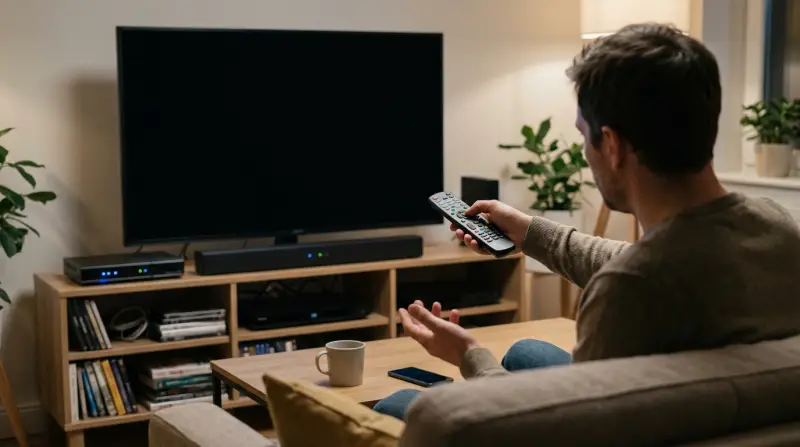
When you get audio with no video, the signal path is partly working. Your TV and DIRECTV box are communicating enough to send sound, but something is blocking the image. Here are the main reasons this happens:
- Loose or damaged cables connecting your DIRECTV box to your TV
- TV input set incorrectly
- Resolution mismatch between your TV and DIRECTV box
- HDMI handshake issues (a digital “agreement” between devices that sometimes fails)
- DIRECTV box or TV hardware problems
- Bad weather affecting signal
Understanding these causes helps you diagnose the problem faster.
Quick Checks Before Troubleshooting
Before diving into advanced steps, try these basic actions:
- Restart your DIRECTV receiver by unplugging it for 15 seconds, then plugging back in.
- Check your TV input—make sure it’s set to the same port your DIRECTV box uses (HDMI 1, HDMI 2, etc. ).
- Try a different channel to see if the issue is on all channels or just one.
- Test the volume and mute settings on both your TV and DIRECTV remote.
- Check your TV’s screen brightness—sometimes it’s set to zero accidentally.
Many users find that just restarting the receiver solves the issue. If not, move on to more detailed checks.

Common Causes And How To Fix Them
Let’s look at each typical cause and the right fix.
Loose Or Damaged Cables
The most common reason you get sound but no picture is a bad connection.
- HDMI cables: These carry both sound and picture. If the cable is loose or damaged, you may only get audio.
- Component cables: If using red, blue, and green cables, one might be unplugged or broken.
- Satellite cables: If the coaxial cable from the dish is loose, you may lose video.
What to do:
- Unplug and firmly reconnect each cable.
- Try a different HDMI port on your TV.
- If you have a spare HDMI cable, swap it and see if the picture returns.
Cheap HDMI cables can go bad easily. A small investment in a better cable often prevents future issues.
Wrong Tv Input Or Source
Sometimes, the TV is set to the wrong input. For example, you might have the DIRECTV box on HDMI 1, but the TV is set to HDMI 2.
How to fix:
- Use your TV remote’s “Input” or “Source” button to cycle through options.
- Wait 3–5 seconds on each input to see if the image appears.
Resolution Mismatch
DIRECTV boxes and TVs must agree on a display resolution. If the box is set to 1080p and your TV supports only 720p, you may get sound but no video.
To reset the resolution:
- Turn off your DIRECTV box.
- Hold down the RES or Resolution button (on the front panel) and power on.
- The box cycles through resolutions—wait for the picture to appear.
Hdmi Handshake Issues
Modern HDMI devices communicate with each other to display content. If this handshake fails, you may see a black screen with sound.
Try this:
- Power off both the TV and DIRECTV box.
- Unplug the HDMI cable from both ends.
- Wait 30 seconds, then reconnect and power on.
If you use an HDMI splitter or soundbar, remove them and connect DIRECTV directly to the TV.
Hardware Issues
If none of the above helps, the problem could be a failing DIRECTV receiver or TV. Try using the DIRECTV box on another TV. If you get a picture, the first TV may be the problem. If not, your DIRECTV box may need service.
Comparing Common Directv Picture Problems
Understanding how “sound but no picture” differs from other DIRECTV issues helps you troubleshoot more confidently.
| Issue | Sound | Picture | Likely Cause |
|---|---|---|---|
| No picture, but sound | Yes | No | HDMI/cable, input, resolution |
| No sound, but picture | No | Yes | Audio settings, mute, cable |
| No sound or picture | No | No | Power, satellite signal, hardware |
| Distorted picture & sound | Yes (distorted) | Yes (distorted) | Signal/weather, loose cables |
Step-by-step Troubleshooting Guide
Follow these steps for a systematic approach:
1. Power Cycle Your Equipment
Unplug your DIRECTV receiver and TV from the wall. Wait 30 seconds, then plug back in. This simple reset clears temporary glitches.
2. Inspect And Reconnect All Cables
Double-check every connection between the receiver, TV, and wall. Reseat each cable—sometimes they look connected but aren’t fully in place.
3. Check The Tv Input
Use your TV remote to select the correct input. Don’t trust the on-screen name—cycle through all options.
4. Try A Different Hdmi Cable Or Port
Switch the HDMI cable to another port on your TV. If you have another HDMI cable, try it.
5. Remove Extra Devices
Disconnect any soundbar, AV receiver, or splitter. Connect the DIRECTV box directly to your TV.
6. Reset The Video Resolution
Press and hold the RES button on the DIRECTV receiver until the lights flash or you see the picture.
7. Test Another Tv
If possible, move your DIRECTV box to a different TV. This helps you tell if the problem is with your box or your TV.
8. Check For Outages
Rarely, a DIRECTV service issue can cause video problems. Visit the official DIRECTV support page or call their help line to check for outages.
When To Call For Professional Help
If you’ve tried all these steps and still have sound but no picture, it’s time to call DIRECTV support. Have this information ready:
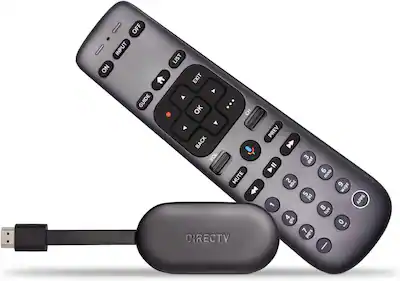
- Your receiver model (found on the box’s underside or back)
- How everything is connected (HDMI, component)
- What troubleshooting you’ve tried
A technician can walk you through advanced fixes or schedule a repair.
Credit: www.bestbuy.com
Hidden Causes Users Often Miss
Most guides skip these less-obvious reasons for DIRECTV video problems:
- Energy-saving TV settings: Some TVs turn off the screen but keep playing sound to save power. Check your TV’s power-saving settings.
- Firmware updates: If your TV or DIRECTV box is updating, the screen may go blank for several minutes. Wait for updates to finish before troubleshooting further.
- HDCP errors: This is a copy-protection issue between the box and TV. You may see a black screen with sound if your TV doesn’t support the latest HDMI security. Using a different HDMI port or cable can help.
Preventing Directv Picture Issues
Taking a few precautions can reduce the chance of sound but no picture problems:
- Use quality HDMI cables and replace them if you see any damage.
- Don’t stack electronics directly on top of each other—heat can cause connection issues.
- Avoid frequent plugging and unplugging, which wears out ports.
- Keep your DIRECTV receiver firmware up to date.
- If you have pets, check for chewed cables.
Directv And Tv Compatibility: What To Check
Not all TVs handle satellite boxes the same. Some older models may have trouble with newer DIRECTV receivers. Here’s a quick reference:
| TV Age | Best Connection | Possible Problems |
|---|---|---|
| Under 5 years | HDMI | Rare issues, usually handshake/cable |
| 5–10 years | HDMI or component | Resolution mismatch, HDMI handshake |
| 10+ years | Component or composite | Compatibility, no HDCP, resolution |
If you have an older TV, you may need a special adapter or to set the DIRECTV box to a lower resolution.
Directv Error Messages And What They Mean
DIRECTV sometimes shows error codes on-screen. If you hear sound but see an error message, here’s what it means:
- 771: Signal loss from the dish—usually a weather or cable issue.
- 722: Channel not purchased or subscription issue.
- 775: Problem communicating with your satellite dish.
If you get a blank screen with sound and no error code, it’s almost always a hardware or connection issue.
Directv Equipment Comparison
If you’re thinking about upgrading your receiver, here’s how the main models stack up for reliability and video quality:
| Model | Release Year | Common Issues | Recommended For |
|---|---|---|---|
| Genie HR54 | 2015 | Rare HDMI handshake | Large families, 4K TVs |
| H24 | 2012 | Resolution mismatch | Small households |
| HR24 | 2011 | Occasional freeze | DVR users |
Newer models handle video handshakes and resolution changes more smoothly, but any can experience the “sound but no picture” issue.
How Directv Handles Support
DIRECTV offers several ways to get help:
- Online live chat and troubleshooting guides
- Phone support
- Home technician visits for hardware swaps
Their support site also includes step-by-step guides and community forums. For more official troubleshooting steps, you can visit the DIRECTV Support Center.
Frequently Asked Questions
Why Do I Have Sound But No Picture On My Directv?
This usually means your cables, TV input, or resolution settings are not correct. It’s rare for a DIRECTV box to send sound but not video unless a cable is loose or the TV is on the wrong source.
How Do I Reset The Directv Box If I Have No Picture?
Press and hold the red “reset” button on the receiver (often inside the access card door) for 10 seconds. If you can’t find it, unplug the box, wait 30 seconds, and plug back in.
Can A Bad Hdmi Cable Cause Only Video To Fail?
Yes. HDMI cables carry both audio and video signals, but if some pins are damaged, you may lose only the picture. Swapping the cable is a quick way to test this.
Does Weather Affect Directv Video But Not Sound?
Usually, bad weather causes both sound and video to cut out. If you still have sound, the problem is more likely inside your home—cables or settings.
What Should I Do If Nothing Works?
If you’ve tried all the steps here and still have sound but no picture, contact DIRECTV support. There may be a deeper hardware fault that needs a technician.
Solving the DIRECTV sound but no picture problem is usually simple, but taking a systematic approach saves time. With these steps and insights, you’ll be back to enjoying your shows with both sound and picture.