
Driving today is easier than ever, thanks to technology. One of the most important tools in modern cars is the navigation system. Kia, a popular car brand, offers advanced navigation features in many of its models. But even the best systems can face problems. If you own a Kia or plan to buy one, understanding these issues can save time, money, and stress. This article explores common Kia navigation system problems, why they happen, how to fix them, and tips to keep your navigation working smoothly. Whether you use your Kia for city drives or long road trips, clear guidance helps you avoid getting lost and reach your destination safely.
What Makes Kia Navigation Systems Unique
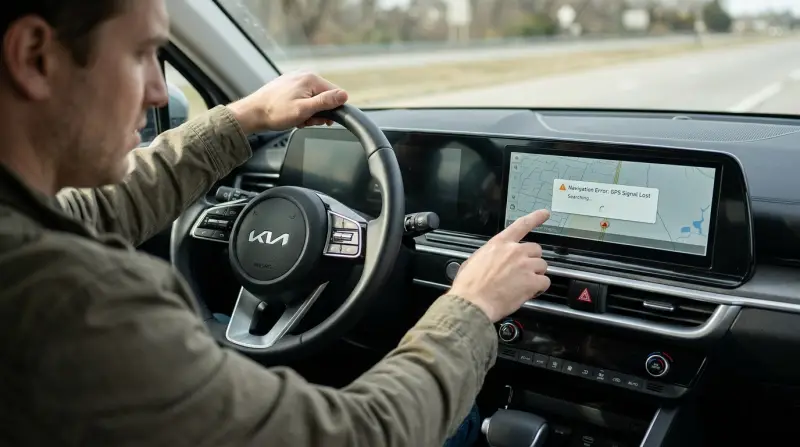
Kia vehicles use in-dash navigation systems that combine touch screens, voice commands, and real-time traffic updates. These systems help drivers find routes, avoid traffic, and locate points of interest. Some models also connect to smartphones, allowing access to apps and maps. Kia’s navigation is known for its user-friendly interface and regular software updates. However, these features also make the system complex, so more things can go wrong.
Key Features
- Touchscreen display: Easy to use and see while driving.
- Voice commands: Hands-free operation for safer driving.
- Live traffic updates: Helps avoid jams and accidents.
- Integration with smartphones: Connects with Apple CarPlay and Android Auto.
- Points of interest: Finds gas stations, restaurants, and attractions.
Why Problems Occur
Even with advanced technology, navigation problems are common. Issues can happen because of software bugs, hardware failures, or poor connectivity. Sometimes, simple mistakes like outdated maps cause navigation errors. Understanding why these problems happen is the first step in solving them.
Most Common Kia Navigation System Problems
Kia navigation systems can face several types of issues. Some are minor and easy to fix, while others require professional help. Here are the most frequent problems reported by Kia owners.
1. System Freezing Or Crashing
Many Kia drivers report the navigation screen freezing or becoming unresponsive. This usually happens during software updates, or when too many apps are running at once. A frozen system can force you to restart the car, which is unsafe while driving.
2. Incorrect Or Outdated Maps
If your navigation shows wrong directions or old maps, it’s likely because the map data is not updated. Kia releases updates regularly, but many users forget to install them. Driving with outdated maps can lead to wrong routes, missed exits, or even driving into restricted areas.
3. Gps Signal Loss
Navigation relies on GPS signals. If the system cannot find the signal, your location won’t update on the map. This can happen in tunnels, remote areas, or during bad weather. Sometimes, the GPS antenna is damaged or blocked, causing signal issues even in open areas.
4. Audio And Voice Command Issues
Some Kia owners find that the voice guidance stops working or the volume is too low. Voice commands may not recognize spoken instructions, making it hard to set destinations while driving. This is often due to software glitches or microphone problems.
5. Connectivity Failures
Kia navigation systems sometimes fail to connect with smartphones. Features like Apple CarPlay or Android Auto might not work, or apps won’t open. These issues are usually caused by compatibility problems, outdated firmware, or faulty cables.
6. Slow Response Or Lag
A slow navigation system makes driving frustrating. The screen may take seconds to update, or buttons do not respond quickly. Lag often happens because the system is overloaded or the hardware is aging.
7. Blank Or Black Screen
A sudden blank screen is a serious problem. The navigation display goes dark, making it impossible to see directions or use other features. This can be caused by electrical faults or internal hardware failures.
8. Rebooting Loop
Sometimes, the navigation system keeps restarting itself. This reboot loop prevents you from using the system and can drain the car’s battery. It usually happens after a failed software update or severe system error.
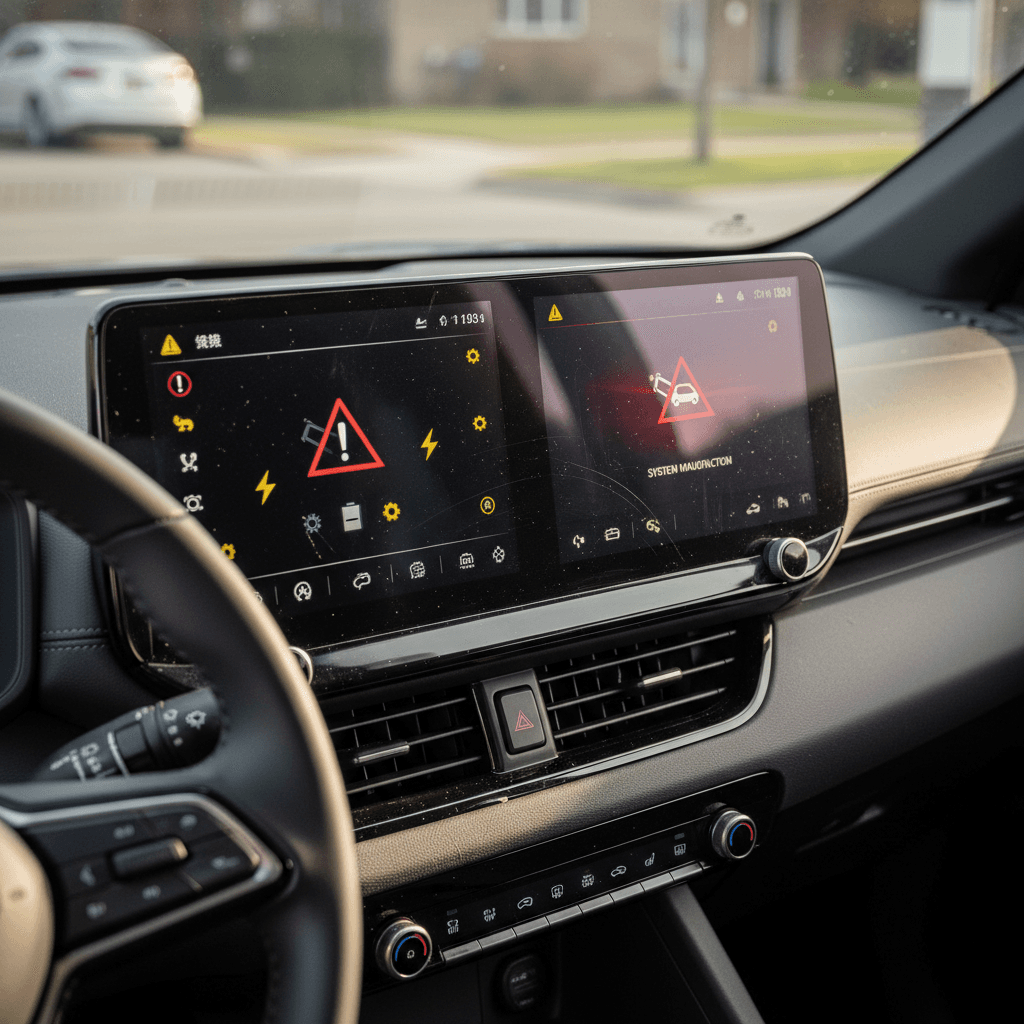
9. Error Messages
Kia navigation systems may show error codes or warning messages. These can relate to missing map files, firmware issues, or failed connections. Some errors are easy to clear, but others need technical support.
10. Touchscreen Malfunction
Touchscreens can stop responding to touch or become inaccurate. This makes it hard to enter destinations or change settings. Problems can happen because of dirt, scratches, or internal faults.
Real Data: How Common Are These Problems?
Kia navigation problems are reported in many online forums and surveys. According to a recent study from J.D. Power, about 12% of Kia owners experienced navigation-related issues within the first year of ownership. The most common complaints are system freezing (30%), incorrect directions (25%), and connectivity failures (18%).
Here’s a comparison of Kia navigation issues with those from other brands:
| Brand | % Owners Reporting Navigation Issues | Top Problem |
|---|---|---|
| Kia | 12% | System Freezing |
| Hyundai | 11% | Incorrect Maps |
| Toyota | 9% | Connectivity Failures |
| Honda | 10% | GPS Signal Loss |
These numbers show that Kia’s navigation system problems are not unusual, but the freezing issue is more common compared to other brands.
Why Do Kia Navigation Problems Happen?
Understanding the causes of navigation problems helps you fix or avoid them. These systems are complex, with both hardware and software working together. If one part fails, the whole system can have trouble.
Software Bugs
Kia navigation systems run on complex software. Bugs can cause freezing, lag, or incorrect directions. Sometimes, updates introduce new problems instead of fixing old ones. This is why it’s important to install updates only from official sources.
Hardware Failures
The navigation system uses several hardware parts: the touchscreen, GPS antenna, processor, and cables. If any part breaks, the system can stop working. Hardware faults often cause blank screens, touch problems, or signal loss.
Connectivity Issues
Smartphones, USB cables, and Bluetooth connections must work smoothly for navigation features like Apple CarPlay. If a cable is damaged or the software is outdated, these connections can fail.
Outdated Maps
Maps need regular updates to show new roads, changes, and points of interest. If you don’t update maps, you may get wrong directions. Kia recommends updating maps at least once a year.
Environmental Factors
Bad weather, tunnels, and remote areas can block GPS signals. This is not always a system problem, but can make navigation unreliable.
How To Fix Kia Navigation System Problems
Many Kia navigation issues can be fixed at home. For serious problems, you may need a technician. Here are practical steps to solve common issues.
Restart The System
If your navigation freezes, try restarting the car. This often resets the system. For persistent issues, look for a reset button on the dashboard or in the settings menu.
Update The Software
Go to Kia’s official website or your dealership to download the latest software and map updates. Follow instructions carefully, as a failed update can cause more problems.
Check Gps Antenna
If you lose GPS signal often, inspect the antenna for damage or blockage. Clean the area and make sure nothing is covering it. If the antenna is broken, a technician can replace it.
Clean The Touchscreen
For touch problems, clean the screen gently with a soft cloth. Avoid harsh chemicals. If the screen is scratched or cracked, it may need replacement.
Test Cables And Connections
If smartphone integration fails, check cables for damage. Try another USB cable or Bluetooth connection. Make sure your phone’s software is up to date.
Adjust Audio Settings
If voice guidance is too quiet or not working, check the audio settings. Increase the volume and test the microphone. Sometimes, a software reset fixes audio issues.
Remove Unused Apps
Navigation systems can slow down if too many apps run at once. Delete unused apps and clear the cache from the settings menu.
Visit A Kia Service Center
For serious problems like blank screens or reboot loops, visit an authorized Kia service center. Technicians can diagnose hardware faults and repair or replace parts.
Map Updates: Why They Matter And How To Get Them
Keeping your maps updated is critical for reliable navigation. New roads, closed routes, and changed traffic patterns are common in cities and suburbs. Kia provides map updates for free or for a small fee, depending on your car model.
How To Update Maps
- Go to the Kia navigation update website.
- Enter your vehicle’s VIN or model number.
- Download the latest map package to a USB drive.
- Insert the USB drive into your car’s navigation port.
- Follow on-screen instructions to install the update.
Benefits Of Updated Maps
- Accurate directions
- New points of interest
- Avoiding restricted zones
- Improved traffic information
Common Mistakes
Many users forget to update maps, or use unofficial sources. This can cause errors or even system failures. Always use Kia’s official update process.
Comparing Kia Navigation To Smartphone Apps
Some drivers prefer using smartphone apps like Google Maps or Waze instead of built-in navigation. Both have pros and cons. Here’s a quick comparison:
| Feature | Kia Navigation | Smartphone Apps |
|---|---|---|
| Integration | Built-in to car | Requires phone mount |
| Offline Maps | Available | Limited (some apps) |
| Live Traffic | Depends on system | Usually real-time |
| Updates | Yearly or manual | Automatic |
| Voice Commands | Integrated | App-based |
| Points of Interest | Preloaded | Searchable |
| Reliability | Depends on car system | Depends on phone signal |
Kia’s built-in navigation works offline and integrates well with the car, but updates are slower. Smartphone apps offer more frequent updates and real-time traffic, but need a strong phone signal and data plan.
Advanced Features And Their Challenges
Newer Kia models offer advanced navigation features like augmented reality, 3D maps, and adaptive routing. While these features are exciting, they also bring new challenges.
Augmented Reality Navigation
Augmented reality shows directions directly on the live camera feed. If the camera or sensors fail, the feature stops working. Calibration is important for accuracy.
3d Maps
3D maps give a better sense of surroundings but require more processing power. If the system is old or slow, 3D maps can lag or freeze.
Adaptive Routing
This feature changes routes based on real-time traffic. If data is missing or delayed, adaptive routing can send drivers on longer routes.
Common Mistakes With Advanced Features
- Not calibrating cameras or sensors
- Ignoring software updates
- Overloading the system with too many features
How Kia Owners Can Prevent Navigation Problems
Prevention is better than cure. Regular care keeps your navigation working well and reduces the risk of problems.
Tips For Reliable Navigation
- Update software and maps regularly: Set a reminder to check for updates.
- Keep the touchscreen clean: Avoid using sharp objects or harsh chemicals.
- Check cables and connections: Replace damaged cables immediately.
- Use official update sources: Don’t download maps from unknown websites.
- Restart the system after updates: This helps new features work correctly.
- Avoid running too many apps: Limit background apps for faster response.
- Test audio and voice commands: Make sure settings are correct before trips.
- Get professional help for hardware faults: Don’t try to fix complex issues yourself.
- Park in open areas when using GPS: Avoid garages or tunnels for accurate signals.
- Read your car’s manual: Many solutions are described in the official manual.
Real-life Examples: Kia Navigation Problems In Action
Stories from Kia owners show the real impact of navigation problems. Here are some examples:
- Amanda, 2022 Kia Sorento: Her navigation froze during a road trip. Restarting the car fixed it, but she later found a software update was needed.
- Ben, 2018 Kia Sportage: Lost GPS signal in the city. The problem was a blocked antenna caused by a roof-mounted accessory.
- Lisa, 2021 Kia Seltos: Voice guidance stopped working. A factory reset in the settings menu solved the issue.
- Raj, 2019 Kia Optima: Map showed outdated routes. He had not updated maps for two years. After updating, directions were correct.
These stories show that most navigation problems are fixable, but require attention and care.
The Cost Of Navigation Repairs And Updates
Fixing navigation problems can cost money. Simple issues like software updates are free or low-cost. Hardware repairs are more expensive.
Typical Costs
- Software update: Free or up to $50 (if done at dealership)
- Map update: Free for most models, up to $100 for older cars
- Touchscreen repair: $300–$700
- GPS antenna replacement: $100–$200
- Full system replacement: $1,000+
You can save money by doing software and map updates yourself, but hardware repairs usually need a technician.
When To Upgrade Or Replace Your Navigation System
If your Kia navigation system has frequent problems, it may be time to upgrade or replace it. Newer systems offer better features and reliability.
Signs You Need An Upgrade
- Frequent freezing or lag
- System is more than 5 years old
- No longer supports map updates
- Touchscreen is damaged beyond repair
- Connectivity with smartphones fails often
Upgrading can improve safety and driving comfort. Some drivers choose to use smartphone apps instead if the built-in system is too old.
Comparing Kia Navigation System Models
Kia navigation systems vary by model and year. Here’s a comparison of popular Kia navigation systems:
| Model | Screen Size | Voice Command | Smartphone Integration | Update Frequency |
|---|---|---|---|---|
| Kia Sorento (2022) | 10.25″ | Advanced | Apple CarPlay, Android Auto | Yearly |
| Kia Sportage (2018) | 8″ | Basic | Apple CarPlay | Manual |
| Kia Seltos (2021) | 10.25″ | Advanced | Apple CarPlay, Android Auto | Yearly |
| Kia Optima (2019) | 7″ | Basic | Android Auto | Manual |
Newer models have larger screens, advanced voice commands, and easier updates. Older models may need manual updates and have fewer features.
Non-obvious Insights For Kia Owners
Many Kia navigation problems are caused by simple mistakes or overlooked details. Here are two insights that most beginners miss:
- Map updates are not automatic: Unlike smartphone apps, Kia navigation needs manual map updates. Many owners think updates happen on their own, but you must download and install them.
- Accessory placement affects GPS: Roof racks or dash-mounted devices can block the GPS antenna. Always check accessory placement if you lose signal.
Another overlooked tip is to regularly restart the system after updates. This helps new features work correctly and prevents lag.

Expert Guidance: When To Seek Help
If you experience repeated navigation problems, don’t ignore them. Some issues signal deeper faults. For example, a blank screen or reboot loop is often a sign of hardware failure. Trying to fix these yourself can make the problem worse. Visit an authorized Kia service center for diagnosis and repair.
Always keep your software and maps updated, and use official sources. Avoid third-party updates, as they can cause compatibility issues.
Frequently Asked Questions
What Should I Do If My Kia Navigation System Freezes While Driving?
If your navigation freezes, pull over safely and restart the car. If the problem repeats, check for software updates or do a system reset. Persistent freezing may need professional repair.
How Often Should I Update My Kia Navigation Maps?
Kia recommends updating maps at least once a year. Check for updates before long trips or if you notice incorrect directions.
Can I Use Google Maps Or Waze Instead Of Kia’s Built-in Navigation?
Yes, you can use smartphone apps through Apple CarPlay or Android Auto. These apps offer real-time updates, but require a phone signal and data plan.
Why Does My Kia Navigation Lose Gps Signal In Certain Areas?
GPS signal loss can happen in tunnels, garages, or remote locations. Accessories or environmental factors may block the antenna. Check for blockage and park in open areas for better signal.
Is It Expensive To Repair Kia Navigation System Problems?
Software and map updates are usually low-cost or free. Hardware repairs, like touchscreen or antenna replacement, can be expensive. Check your warranty for coverage.
Driving with a reliable navigation system is essential for safety and comfort. Kia navigation systems are advanced, but can face problems just like any technology. Regular care, updates, and attention to detail help you avoid common issues. If you face persistent problems, seek expert help. For more information on navigation systems and updates, visit the official Kia website or trusted sources like Consumer Reports. With the right steps, your Kia navigation can be a helpful companion for every journey.