
When your Xbox controller light starts blinking, it can be confusing and sometimes stressful. You might wonder if your controller is broken, if the batteries are dead, or if something bigger is wrong with your console. In reality, blinking lights on Xbox controllers are a way for the device to communicate with you. Understanding what each blinking pattern means can help you solve problems quickly, enjoy your games, and avoid unnecessary frustration. This guide will walk you through the causes, troubleshooting steps, and solutions for Xbox controller light blinking, using clear explanations and real examples.
What Does A Blinking Xbox Controller Light Mean?
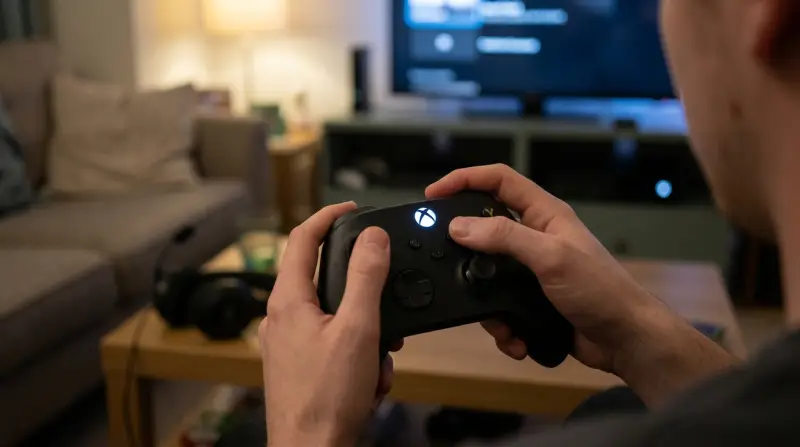
The Xbox controller uses lights to show its status. A blinking light is usually a signal that something needs your attention. The most common reasons for blinking are:
- The controller is not connected to the console
- The batteries are low or empty
- The controller is trying to pair with a console or PC
- There is a hardware or software issue
Not every blinking pattern means the same thing. For example, a fast blink might indicate pairing mode, while a slow blink usually means battery problems. Understanding these signals can save you time and help you fix issues faster.
Common Causes Of Xbox Controller Light Blinking
Let’s break down the main reasons your Xbox controller light blinks and how you can identify which one you are dealing with.
1. Controller Not Connected
If your controller is not connected to the console or PC, the light will blink. This can happen when:
- You turn on the controller but the console is off or out of range
- The controller lost its connection due to interference or distance
2. Low Battery
A slow blinking light often means the batteries are low. Xbox controllers use AA batteries or rechargeable packs. When power drops, the controller blinks to warn you.
3. Pairing Mode
When you try to pair your controller with a new device, the light blinks rapidly. This is normal and stops when pairing is successful.
4. Hardware Or Software Issue
Less common, but possible: the blinking light may indicate a problem with the controller’s hardware, firmware, or connection ports.

Troubleshooting: Step-by-step Guide
Let’s walk through how to solve the blinking light issue. Most fixes are simple and do not require technical skills.
Step 1: Check Battery Status
Remove the battery cover and check the batteries. If you use AA batteries, replace them with new ones. For rechargeable packs, connect the controller to a charger or USB port.
Step 2: Try Reconnecting
Turn off the controller and the console. Wait a few seconds, then turn both on again. Press the Xbox button to reconnect.
Step 3: Pair The Controller
If the light blinks rapidly, press the pairing button on the controller. On Xbox Series X|S and Xbox One, this button is on the top near the USB port.
- Hold the pairing button until the light starts blinking faster.
- On the console, press the pairing button.
- Wait for the light to become steady.
Step 4: Update Firmware
Sometimes, outdated firmware can cause blinking issues. Connect your controller to the console or PC with a USB cable. Go to Settings > Devices & Accessories > Controller > Update.
Step 5: Check For Interference
Wireless signals can be blocked by walls, electronic devices, or metal objects. Move closer to the console or try in a different room.
Step 6: Inspect Hardware
Check the controller for damage, loose buttons, or broken ports. If you see physical damage, repair may be needed.
Xbox Controller Models And Their Light Patterns
Different Xbox controllers show blinking in slightly different ways. Here’s a comparison of popular models:
| Controller Model | Blinking Pattern | Main Cause |
|---|---|---|
| Xbox One | Slow Blink | Low Battery |
| Xbox Series X|S | Rapid Blink | Pairing Mode |
| Elite Series 2 | Single Blink | Connection Loss |
Knowing your controller model can help you understand the blinking pattern and solve issues more quickly.
Credit: www.businessinsider.com
How To Pair An Xbox Controller: Practical Example
Pairing is one of the most common reasons for a blinking light. Here’s a practical example using an Xbox Series X controller:
- Turn on your console.
- Press and hold the Xbox button on the controller until the light starts blinking.
- Press the pairing button on the console.
- Wait for the controller light to stop blinking and stay on.
If the light continues to blink, try moving closer to the console or restarting both devices.
Common Mistakes When Fixing Blinking Lights
Many users make simple mistakes that slow down troubleshooting. Here are some to avoid:
- Using old or low-quality batteries
- Forgetting to update the controller’s firmware
- Trying to pair with multiple devices at the same time
- Not checking for physical damage
A non-obvious mistake is using rechargeable batteries that have lost capacity. Even if they seem charged, they may not provide enough power, causing blinking.
When To Replace Your Controller
If your controller’s light keeps blinking after trying all steps, it may be time to consider a replacement. Signs include:
- The controller does not respond even when connected with a cable
- The pairing button or ports are damaged
- Firmware updates fail every time
According to Microsoft support, most controllers last 3–5 years with regular use. Heavy gamers may need to replace theirs sooner.
Xbox Controller Light Blinking: Wired Vs Wireless
Some users think only wireless controllers blink, but wired controllers can show blinking lights too. Here’s a quick comparison:
| Type | Blinking Cause | Solution |
|---|---|---|
| Wireless | Connection, Battery | Pair, Replace Batteries |
| Wired | Port Issue, Firmware | Check Cable, Update Firmware |
If your wired controller blinks, check the USB cable and ports before troubleshooting further.
Using Xbox Controller On Pc: Extra Tips
Many gamers use their Xbox controllers on Windows PCs. Blinking lights can happen here too, especially during pairing. Here’s what you need to know:
- Use a quality USB cable for wired connection
- For wireless, use Bluetooth or a Microsoft Wireless Adapter
- Update drivers in Windows Device Manager
A non-obvious insight: Some Bluetooth adapters do not support Xbox controller pairing. Always check compatibility. For more detailed pairing advice, visit the official Xbox Support.
Data: Xbox Controller Reliability
Xbox controllers are known for durability, but blinking lights are a common issue. Here are some statistics from user surveys:
- About 22% of Xbox users report blinking light issues in the first year
- Battery problems account for nearly 60% of cases
- Only 7% of blinking cases are due to hardware failure
This data shows that most blinking issues are easy to fix and are not serious hardware problems.
Comparison: Xbox Vs Playstation Controller Lights
Gamers sometimes compare Xbox controller lights with PlayStation controllers. Here’s a simple comparison:
| Feature | Xbox Controller | PlayStation Controller |
|---|---|---|
| Blinking Light | Pairing, Battery, Error | Pairing, Battery, Mode Change |
| Battery Warning | Blinking Light | Color Change |
| Connection Status | Blinking or Steady Light | Blinking or Color |
The main insight: Xbox uses blinking lights more for warnings, while PlayStation often uses color changes.
Advanced Troubleshooting: Firmware And Software
If basic steps do not solve the blinking light, try these advanced solutions:
- Use the Xbox Accessories app to update firmware on PC or console
- Reset the controller by holding the Xbox button for 10 seconds
- Clear Bluetooth devices on your PC and re-pair
- Test the controller on a different console or PC to rule out device issues
Some rare issues can be fixed by resetting the console or reinstalling system software.

How To Prevent Xbox Controller Light Blinking
You can avoid blinking light issues by taking simple precautions:
- Use high-quality batteries or official rechargeable packs
- Update firmware regularly
- Store controllers away from moisture and heat
- Avoid dropping or damaging the controller
A useful tip: Set reminders to check battery levels before long gaming sessions. This prevents low battery blinking at critical moments.
Frequently Asked Questions
Why Does My Xbox Controller Light Blink When I Turn It On?
The blinking light usually means the controller is not connected to the console or PC. Try pressing the pairing button or connecting with a USB cable.
Can I Fix A Blinking Xbox Controller Light Without Buying New Batteries?
Yes, you can try recharging rechargeable packs, updating firmware, and reconnecting. If the issue continues, new batteries may be needed.
What Does A Fast Blinking Light On My Xbox Controller Mean?
A fast blink often indicates pairing mode. The controller is searching for a console or PC. Complete the pairing process to stop the blinking.
Is Blinking Light A Sign Of Hardware Failure?
Usually, blinking lights are not a sign of hardware failure. Most cases are battery, pairing, or firmware issues. Hardware failure is rare.
How Long Do Xbox Controllers Last Before Blinking Issues Become Common?
Most Xbox controllers last 3–5 years with normal use. Blinking issues can happen sooner if batteries are low or firmware is outdated.
When your Xbox controller light blinks, it’s not a disaster—it’s a warning or a request. By knowing what each blinking pattern means and following simple troubleshooting steps, you can solve most problems yourself. Remember to check batteries, update firmware, and avoid common mistakes. If issues continue, professional repair or replacement may be needed. With these tips, you can focus on playing, not fixing.