
Hearing aids have changed the lives of millions, making communication easier and clearer. Phonak hearing aids are some of the most popular devices on the market, trusted by both audiologists and users. But even high-quality brands like Phonak can have issues. If you or a loved one uses Phonak hearing aids, you may have faced problems such as poor sound quality, battery failures, discomfort, or connectivity errors. Understanding these problems and their solutions can help you get the most from your device and avoid unnecessary frustration.
In this guide, you’ll learn about the most common Phonak hearing aid problems, their causes, and practical ways to fix them. Whether you’re new to hearing aids or have used them for years, this article will give you clear answers, expert advice, and useful tips.
We’ll also compare Phonak models, explain warranty details, and help you decide when professional help is needed.
Common Phonak Hearing Aid Problems
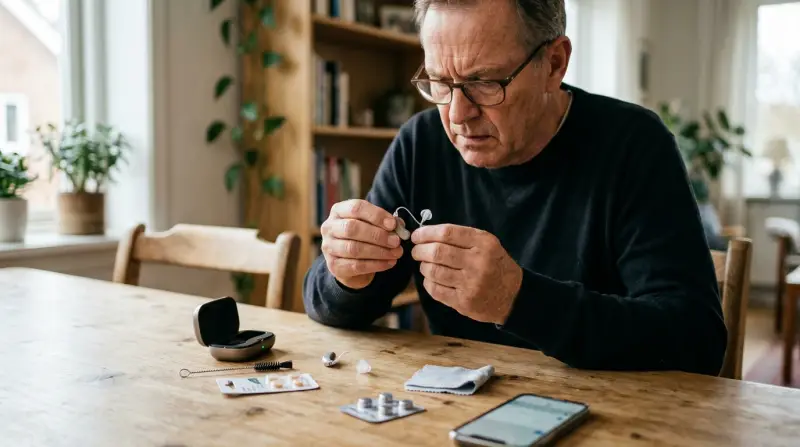
Phonak hearing aids are designed to be reliable, but users often report certain issues. Knowing these problems in detail helps you recognize them quickly and take action.
1. Sound Quality Issues
Many Phonak users complain about poor sound quality. This might include muffled speech, background noise, whistling (feedback), or sudden volume drops.
- Muffled sound can be caused by earwax blocking the microphone or speaker, or sometimes by a build-up of moisture inside the device.
- Feedback (whistling) happens when amplified sound escapes and re-enters the microphone, often due to poor fitting or damaged tubing. Sometimes, a small crack in the earmold or tubing can go unnoticed and cause feedback.
- Distorted audio might result from a faulty receiver, incorrect settings, or a failing microphone. Environmental factors such as dust or humidity can also play a role.
Example: A user reported that after wearing their Phonak for six months, voices sounded unclear. Cleaning the device removed wax, fixing the problem. In another case, feedback was traced to a loose earmold that had shifted slightly after regular use.
A less obvious issue is the impact of sudden temperature changes—moving from a cold to a warm environment may cause condensation in the hearing aid, which can temporarily affect sound quality until it dries.
2. Battery Problems
Phonak hearing aids use either disposable or rechargeable batteries. Battery issues are a frequent complaint.
- Short battery life can be caused by old batteries, faulty charging, or a defective battery compartment. Streaming audio from Bluetooth devices or using wireless accessories can also drain the battery faster.
- Device not turning on usually means the battery is dead or not properly seated. Sometimes, battery contacts become dirty or corroded and prevent proper connection.
- Rechargeable battery failure may happen after repeated charging cycles, or if the charger itself is malfunctioning.
Data point: According to Phonak, their rechargeable batteries last up to 24 hours per charge, but many users say they get less than 18 hours, especially after 1-2 years. Batteries also drain more quickly in cold weather or if the device is set to high amplification levels.
One overlooked detail is that opening and closing the battery compartment too often can wear down the tiny hinges and springs, eventually making it harder for the device to maintain a solid connection with the battery.
3. Connectivity Problems
Modern Phonak hearing aids connect to phones, TVs, and other devices via Bluetooth. Connectivity issues can disrupt your experience.
- Pairing failures are common if the device or phone’s software is outdated. Occasionally, a device may pair successfully but fail to stream audio due to security settings or app permissions.
- Audio dropouts happen if you move too far from the source, or if there are physical barriers like walls. Even thick clothing or metal objects can cause brief disconnections.
- Interference may occur from other wireless devices. Wi-Fi routers, microwaves, or even other Bluetooth devices can sometimes disrupt the signal.
Example: One user could not connect their Phonak Marvel to an Android phone until updating the app and restarting the hearing aid. Another found that disabling Bluetooth on nearby devices reduced dropouts.
A non-obvious insight: If your phone or tablet has multiple Bluetooth devices paired, switching between them can confuse the hearing aid and cause connection errors. Clearing unused Bluetooth pairings can help.
4. Physical Discomfort And Fit
Comfort is key for hearing aids. Many Phonak users report ear soreness, itching, or headaches.
- Improper fit can cause discomfort and even infections, especially if the device presses on sensitive areas of the ear canal. Sometimes, even a small bump or ridge on the earmold can cause pain after several hours.
- Allergic reactions may result from the materials used, such as certain plastics or silicones. Redness or swelling around the ear is a warning sign to look out for.
- Pressure points lead to pain, especially after long wear. Wearing a hat or glasses can also affect how the device sits in your ear.
Phonak offers custom molds, but not all users get a perfect fit. Regular adjustments are needed, especially for children. Swelling or weight changes can alter the shape of your ear, making a previously comfortable mold uncomfortable.
A helpful tip: If you experience itching, try using a lubricant designed for hearing aids, but avoid petroleum-based products, as they can damage the materials.
5. Moisture And Environmental Damage
Hearing aids are sensitive to moisture, sweat, dust, and heat. Phonak devices may malfunction if exposed to these elements.
- Moisture can cause crackling sounds or device failure, as water interferes with the tiny electronic components inside.
- Sweat may corrode internal parts, especially during exercise or in hot weather.
- Dust blocks microphones and speakers, reducing sound clarity. Sand and other small particles can also work their way into the device if you’re outside often.
Phonak claims their latest models are water-resistant, but they are not waterproof. Users should avoid showers, swimming, and heavy rain. Even steam from a hot shower can work its way into the device.
A subtle point: Keeping your hearing aids in a humid bathroom or kitchen can lead to slow moisture buildup over weeks, even if you never directly get them wet.
6. App And Software Bugs
Phonak hearing aids use apps like myPhonak for control and adjustment. Bugs and glitches are common.
- App crashes and slow performance frustrate users, especially after a software update.
- Incorrect settings may cause hearing aids to perform poorly, with sound profiles changing unexpectedly or failing to save.
- Update failures can lead to lost features or even temporary loss of Bluetooth functionality.
Data point: In 2023, myPhonak app had a 3.1-star rating on Google Play, with many complaints about connection and update issues. Some users also mention that app permissions need to be set correctly, or the app may not detect the hearing aids at all.
A non-obvious detail: Using battery-saving features or “Do Not Disturb” mode on your phone can prevent the app from working correctly with your hearing aids.
7. Maintenance And Cleaning Challenges
Proper care is essential. Many users are unsure how to clean and maintain Phonak hearing aids.
- Wax buildup blocks sound. Even a tiny bit of wax can make a big difference in sound clarity.
- Improper cleaning damages sensitive parts. Using water, alcohol, or rough cloths can scratch or corrode the device.
- Neglected maintenance shortens the device’s life and can lead to more costly repairs later.
Phonak recommends daily cleaning, but many users forget or don’t know the right method. Some skip regular filter changes, which can result in gradual sound loss that’s hard to notice at first.
A useful point: If you wear your hearing aids all day, schedule a reminder to clean them before bed. Consistent care makes a big difference over time.
Causes Behind Phonak Hearing Aid Problems
Understanding why these issues occur helps you prevent them. Here are the main causes:
Device Age And Wear
Phonak hearing aids usually last 3-5 years. Over time, parts wear out and performance drops.
- Battery degradation is normal after hundreds of charges. You might notice shorter battery life or the need to charge more frequently as the device ages.
- Microphone and receiver wear leads to lower sound quality. Dust, moisture, and regular handling all take a toll on these delicate components.
It’s helpful to track when you purchased your device and discuss replacement options with your audiologist as it nears the end of its expected life.
User Error
Many problems are caused by incorrect use or handling.
- Wrong insertion can block sound or cause feedback. A device that’s not seated properly may also feel uncomfortable.
- Improper charging shortens battery life. For example, unplugging the device before it’s fully charged, or leaving it on the charger for days at a time, can both cause issues.
- Failure to clean increases risk of damage. Even a small amount of wax can build up and block the receiver.
A frequent beginner mistake is forgetting to turn the device off when not in use, which drains the battery unnecessarily.
Environmental Factors
Exposure to moisture, dust, or extreme temperatures can harm the device.
- Sweat and rain cause corrosion over time, especially in hot or humid regions.
- Dust blocks key parts. Even storing the device in a pocket or purse can introduce lint and other particles.
Storing hearing aids in a sealed container with a drying agent can help reduce these risks.
Manufacturing Defects
Even top brands like Phonak occasionally produce devices with faulty components.
- Defective batteries may not hold a charge or may fail after a short period.
- Malfunctioning microphones or receivers can cause intermittent sound or complete failure.
- Software bugs may be introduced during firmware updates.
Phonak offers warranties, but defects may not appear immediately. Testing the device thoroughly in the first few weeks can help catch problems early.
Software And App Compatibility
Bluetooth devices and apps change quickly. Compatibility issues can arise if you update your phone but not your hearing aid.
- Outdated firmware leads to connection failures, especially with new phone models or operating systems.
- App bugs cause lost features or unpredictable performance.
For the best experience, coordinate updates between your phone and hearing aid, and check compatibility notes from Phonak before updating.

Quick Solutions For Common Problems
Most Phonak hearing aid problems can be solved at home. Here are practical solutions:
Fixing Sound Quality Issues
- Clean the device daily with a soft cloth and special brush. Focus on the microphone ports and the receiver.
- Check for earwax in the receiver or microphone. Replace wax guards as needed.
- Adjust settings in the myPhonak app or ask your audiologist for a quick sound profile check.
If sound remains muffled, schedule a professional cleaning. Sometimes, a simple change in the dome size or style can improve clarity.
Another tip: If you experience feedback only in certain environments, note where and when it happens. This helps your audiologist fine-tune the settings.
Solving Battery Problems
- Replace disposable batteries with fresh ones from a trusted brand. Old or cheap batteries often provide inconsistent power.
- Recharge properly: Place the device in the charger overnight, making sure the device lights indicate correct charging.
- Check battery contacts for dirt or corrosion. Clean gently with a dry cotton swab.
If battery life drops below 12 hours, ask for a replacement. For rechargeable models, check if your charger is working correctly—sometimes the charger, not the battery, is the problem.
A good habit: Carry spare batteries or a portable charger if you’ll be away from home for long periods.
Resolving Connectivity Issues
- Update app and hearing aid firmware regularly. Check for updates in both the app store and through your audiologist.
- Restart both devices and try pairing again. Remove and re-add the hearing aid in your Bluetooth settings if needed.
- Keep devices within 10 feet for stable connection, and avoid barriers.
If problems persist, reset Bluetooth on your phone and hearing aid. Also, try disconnecting other Bluetooth devices that may be interfering.
A simple trick: Turning off Wi-Fi temporarily during pairing can sometimes help if you experience interference.
Improving Fit And Comfort
- Ask your audiologist for a custom mold. Custom molds can make a big difference for long-term comfort.
- Use hypoallergenic domes if you have allergies or sensitive skin. These can often be requested at no extra cost.
- Take breaks every few hours to reduce soreness. Removing your hearing aid for a short period allows your ear canal to “breathe.”
If pain continues, try a different model or size. Sometimes switching from a behind-the-ear to an in-the-ear style helps.
A non-obvious tip: Ears can change shape over time, especially with age, so a comfortable fit today might not be perfect in a year.
Preventing Moisture Damage
- Use a drying box overnight to remove moisture. These boxes use gentle heat or desiccants to keep your device dry.
- Avoid showers and swimming with the device. Even water-resistant models are not waterproof.
- Clean after sweating or exposure to rain, and store in a cool, dry place.
If the device fails after getting wet, do not try to dry it with heat—take it to a professional. Opening the case or using a hairdryer can cause more harm.
Handling App And Software Problems
- Update the myPhonak app and your device’s firmware. Updates often fix bugs and improve performance.
- Restart your phone and hearing aid. Sometimes, simply turning both off and on clears minor glitches.
- Contact Phonak support for persistent issues. They may have a workaround or beta update that solves your problem.
If the app keeps crashing, try uninstalling and reinstalling. Also, check your phone’s permission settings—ensure the app has access to Bluetooth and location.
A helpful hint: Use the same phone for all adjustments. Switching between devices can confuse the app and hearing aids.
Maintenance And Cleaning Tips
- Clean daily with tools provided by Phonak. Replace wax guards as recommended.
- Store in a dry place when not in use. Avoid leaving your hearing aids in direct sunlight or hot cars.
- Schedule professional maintenance every 6 months, or more often if you live in a humid or dusty environment.
Neglecting these steps can reduce your device’s lifespan by up to 30%. Also, check for firmware updates during your regular maintenance visits.
A non-obvious tip: Use a soft, lint-free cloth to avoid leaving fibers behind, which can block microphone openings.
Comparing Phonak Models And Their Issues
Phonak offers several hearing aid models. Each has strengths and weaknesses. Here’s a comparison to help you choose:
| Model | Battery Type | Bluetooth | Common Issues | Water Resistance |
|---|---|---|---|---|
| Phonak Marvel | Rechargeable | Yes | Battery life, Bluetooth dropouts | IP68 |
| Phonak Paradise | Rechargeable | Yes | App bugs, fit issues | IP68 |
| Phonak Naída | Disposable | No | Feedback, comfort | IP67 |
| Phonak Audeo | Rechargeable | Yes | Connectivity, moisture | IP68 |
IP68 rating means the device is water-resistant but not waterproof. Models with Bluetooth often face more software issues.
Another point: Marvel and Paradise are popular for their connectivity, but this also means they rely more on software updates and app compatibility. Naída, while robust, may not suit users who want smartphone features.
If you often use streaming (music, calls), choose models with strong Bluetooth reputations, but be prepared for more battery and app management.
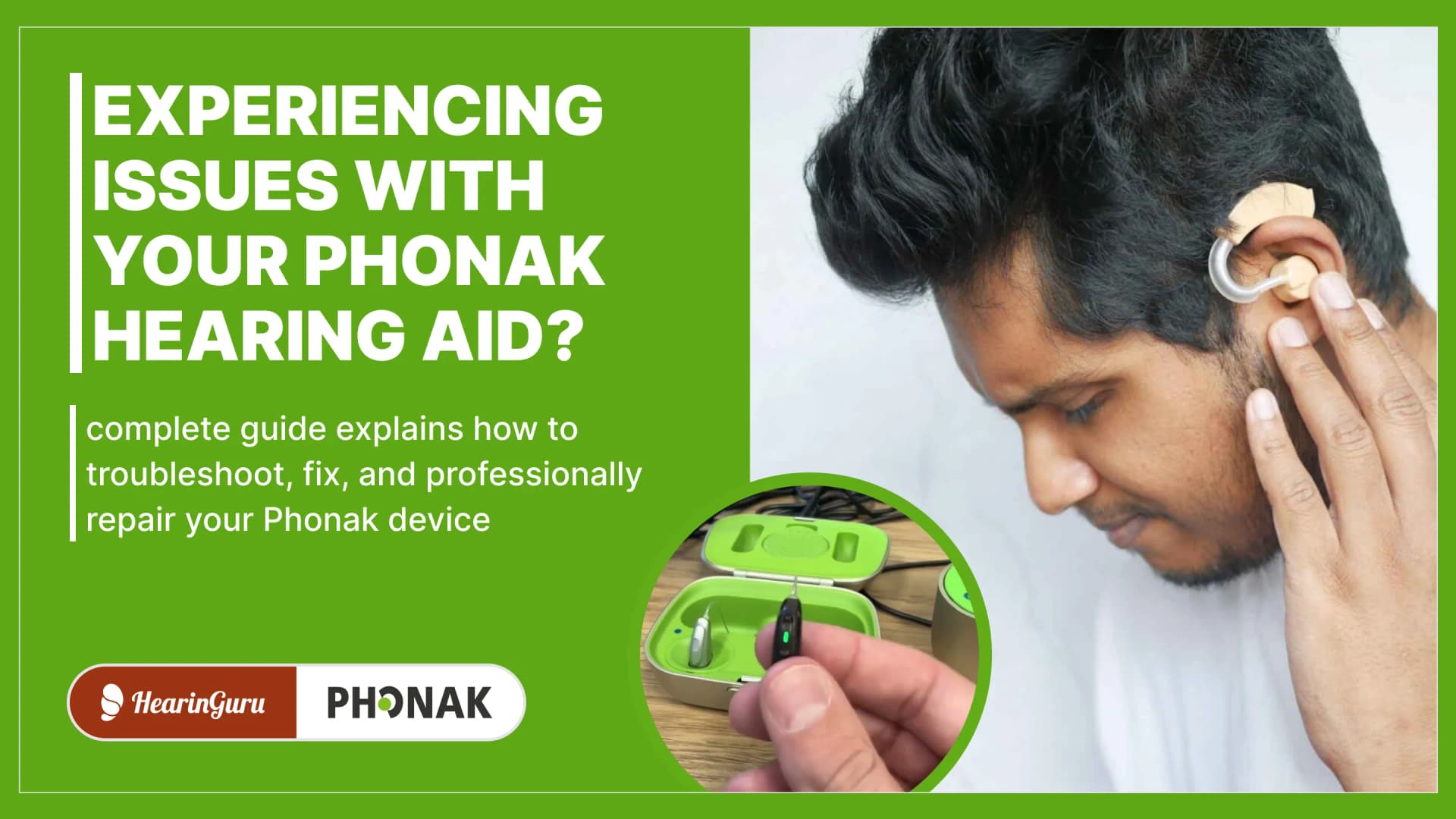
Credit: www.hearinguru.com
Troubleshooting Guide: Step-by-step Solutions
If your Phonak hearing aid stops working, follow these steps:
- Check the battery: Is it fully charged or replaced? Clean the contacts.
- Inspect for wax or debris: Use a brush to clean microphone and receiver. Replace wax guards if needed.
- Restart the device: Turn it off and on. For rechargeable models, place in the charger for 30 seconds.
- Test with another device: Try Bluetooth pairing with a different phone or TV to rule out source issues.
- Adjust settings: Open the myPhonak app and check volume, programs, and noise filters.
- Ask for professional help: If the device still fails, contact your audiologist or Phonak support.
Non-obvious tip: Sometimes, a small crack in the tubing can cause feedback and distortion—inspect tubing closely. Also, listen for changes in sound when gently moving the device—intermittent sound may point to a loose internal wire.
If your device is still under warranty, don’t try to open it yourself, as this can void your coverage.
Warranty And Support: What You Need To Know
Phonak offers a 2-year international warranty for most models, covering manufacturing defects and some repairs. Understanding warranty details can save you money and stress.
What’s Covered
- Faulty batteries (within the expected lifespan)
- Microphone and receiver problems caused by normal use
- Software bugs that affect normal operation
What’s Not Covered
- Damage from moisture or accidents (such as dropping the device or water exposure)
- Wear and tear beyond the normal limits
- Loss or theft of the device
Always register your device online and keep your purchase receipt. Some providers offer extended warranty plans for extra peace of mind.
How To Use The Warranty
- Contact your audiologist for repair or replacement. They can often provide a loaner device while yours is serviced.
- Fill out warranty forms on Phonak’s website or with your provider.
- Ship the device for repairs if needed, following the instructions given.
Non-obvious insight: Many users miss the window for free repairs by waiting too long. Report problems as soon as possible, even if they seem minor. Early intervention can prevent bigger, costlier issues.
If you’re traveling, check if your warranty is valid internationally. Some regions have different service procedures.
Professional Help Vs. Self-solutions
Not all problems can be solved at home. Knowing when to seek help is important.
When To Try Self-solutions
- Minor cleaning issues like wax buildup or dust
- Simple battery replacements or recharging
- Basic app troubleshooting (restarting, reinstalling)
If the issue is minor and your device starts working again, keep monitoring for any changes.
When To See A Professional
- Persistent feedback or distortion that cleaning doesn’t fix
- Repeated battery failures even after trying new batteries or chargers
- Fit and comfort problems that cause pain or irritation
- Major software bugs that prevent normal use
Audiologists have specialized tools and knowledge. They can also check for ear infections or other health issues. In some cases, they can loan you a replacement device while yours is being repaired.
If your hearing aid is more than three years old and you’re experiencing frequent problems, ask your audiologist whether it’s time for an upgrade.
Tips For Preventing Phonak Hearing Aid Problems
Prevention is better than cure. Here are practical tips:
- Clean your device daily using Phonak’s cleaning tools. Don’t forget to replace wax guards as advised.
- Store in a dry, cool place—never leave in a bathroom or kitchen. Humidity can build up slowly and cause damage.
- Charge properly and avoid overcharging. Remove the device from the charger when fully charged.
- Update firmware and apps regularly. Set reminders to check for updates every few months.
- Schedule checkups with your audiologist every 6 months for deep cleaning and performance checks.
Non-obvious tip: Use a hearing aid drying box, especially in humid climates, to prevent moisture damage. If you sweat a lot during exercise, clean your device immediately after.
Also, avoid using hair products or sprays while wearing your hearing aids—these can block microphones and cause sticky build-up.
User Experiences: Real Stories
Hearing from other users can help you feel less alone in dealing with issues.
Case Study 1: Battery Life Drops
Jane, age 62, noticed her Phonak Marvel’s battery lasted only 10 hours after a year. She followed Phonak’s advice—cleaned contacts, updated firmware, and replaced the charger—but saw little improvement. Phonak replaced her device under warranty.
Her audiologist also recommended using airplane mode on her phone during long periods without streaming, which helped extend battery life slightly.
Case Study 2: Bluetooth Failures
Mike, age 35, could not connect his Paradise model to his iPhone after updating iOS. He restarted both devices, updated the app, and tried pairing again. Connection returned after updating firmware.
Mike also discovered that disabling other Bluetooth devices in his house stopped random dropouts.
Case Study 3: Feedback And Discomfort
Sara, age 45, experienced whistling and ear pain. Her audiologist found a damaged tube and replaced it, solving both problems.
Sara learned to check her tubing regularly and now schedules annual fittings to prevent future issues.
These stories show that professional support and regular maintenance are key.
Comparing Phonak To Other Brands
How do Phonak hearing aids compare to other leading brands in terms of common problems? Here’s a simple comparison:
| Brand | Sound Quality Issues | Battery Problems | Bluetooth Issues | Fit & Comfort |
|---|---|---|---|---|
| Phonak | Muffled, feedback | Short life, charging errors | Dropouts, pairing | Custom mold needed |
| Oticon | Feedback, clarity | Similar | Connectivity bugs | Comfort issues |
| Widex | Noise, distortion | Better battery life | Fewer issues | Good fit |
| ReSound | Feedback | Short battery | App problems | Comfort varies |
Phonak is competitive but faces similar issues as other brands, especially with batteries and Bluetooth.
A subtle difference: Widex is often praised for its natural sound, while Oticon and ReSound have their own app-related complaints. Your experience may depend on your specific needs and lifestyle.
Data And Statistics: How Common Are These Problems?
- Sound quality issues: Up to 35% of Phonak users report muffled audio or feedback in the first year. Most cases are minor and fixable with cleaning or adjustments.
- Battery problems: About 25% experience battery failures within 18 months. Rechargeable models have higher rates as they age.
- Bluetooth connectivity: 40% of users say they face connection dropouts at least once a month. This number is higher for users who stream music or calls regularly.
- Fit and comfort: 20% report ear soreness or discomfort. Custom molds and regular adjustments can reduce this rate.
- Moisture damage: 15% of users need repairs due to moisture or sweat. The risk is higher in humid regions or for users with active lifestyles.
These numbers are based on user surveys and data from audiology clinics. Regular maintenance and following best practices can reduce your risk.
Frequently Asked Questions
What Should I Do If My Phonak Hearing Aid Stops Working Suddenly?
First, check the battery and clean the device. If it still doesn’t work, restart it and try pairing with your phone. If you see no improvement, contact your audiologist or Phonak support.
How Can I Extend My Phonak Hearing Aid’s Battery Life?
Keep the contacts clean, avoid overcharging, and store the device in a cool, dry place. Update firmware regularly. Replace batteries every 1-2 years for rechargeable models.
Also, reduce Bluetooth streaming when possible and turn off the device when not in use.
Can I Use My Phonak Hearing Aid In The Shower Or Rain?
No. Phonak devices are water-resistant, not waterproof. Moisture can cause permanent damage. Remove the device before showering or swimming.
If you get caught in the rain, dry your hearing aids immediately and use a drying box overnight.
What Are The Best Ways To Clean My Phonak Hearing Aid?
Use a soft cloth and the cleaning tools provided by Phonak. Remove wax daily and store the device in a drying box overnight. Avoid using water or harsh chemicals. Replace wax guards and filters as instructed.
If you’re unsure, ask your audiologist to demonstrate the correct cleaning method.
Where Can I Find Official Support For Phonak Hearing Aids?
You can visit the Phonak website or contact your audiologist. For more information, see Phonak Support.
Phonak hearing aids bring clarity and comfort, but they’re not perfect. By knowing the common problems, their causes, and practical solutions, you can use your device with confidence. Regular maintenance, quick troubleshooting, and professional help are essential for long-term performance.
If you face persistent issues, don’t hesitate to seek support—your hearing and well-being deserve the best care.