
If you use 1Password on Safari and suddenly the extension stops working, it can be frustrating. You rely on 1Password to fill passwords, manage accounts, and keep your data safe. When it fails, login becomes difficult, and you may worry about security. This article will help you understand why the 1Password Safari extension might not work, how to fix it, and what to do if problems continue. Whether you’re new to 1Password or a long-time user, you’ll find practical advice and solutions here.
Common Reasons Why 1password Safari Extension Stops Working
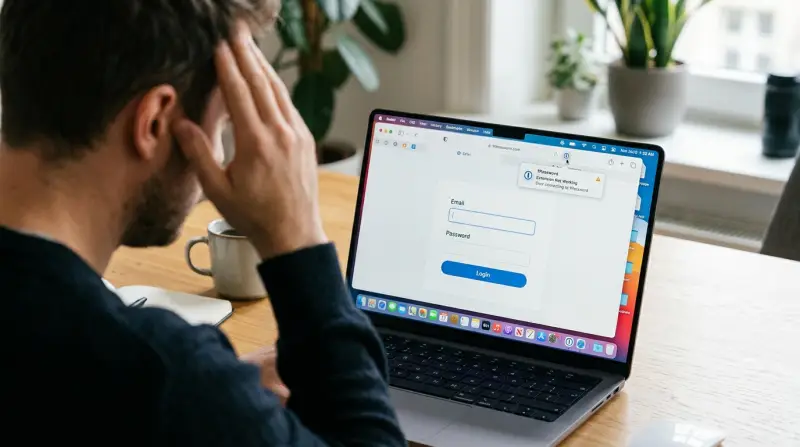
Many users face issues with the 1Password Safari extension. Some problems are simple, while others require deeper troubleshooting. Knowing the main causes helps you solve the problem faster.
1. Outdated Extension Version
Safari updates often, but the extension may not. If your 1Password extension is outdated, it may not be compatible with the latest Safari. Always check for updates in the Mac App Store.
2. Safari Version Mismatch
If your Safari is too old or too new for the extension, it may not work. Most issues happen after a major Safari update or macOS upgrade. 1Password usually releases new versions quickly, but not instantly.
3. Disabled Extension
Sometimes the extension gets disabled during Safari updates. Go to Safari > Preferences > Extensions and check if 1Password is enabled.
4. Corrupted Extension Files
Corruption can happen if you shut down your computer suddenly, or due to disk errors. Corrupted files prevent the extension from loading.
5. Conflicts With Other Extensions
Other Safari extensions, especially ad blockers or privacy tools, can block or interfere with 1Password. Try disabling other extensions to see if 1Password works.
6. Account Or App Issues
If your 1Password app is not signed in, or there’s a syncing problem, the extension may fail to fill passwords or show your vault.
How To Fix 1password Safari Extension Not Working
You can fix most issues with simple steps. Here’s a practical guide:
Check Extension Status
- Open Safari.
- Click Safari in the menu bar, then Preferences.
- Go to the Extensions tab.
- Make sure 1Password is enabled.
If it’s missing, reinstall the extension.
Update Everything
- Go to the Mac App Store.
- Check for updates to 1Password and Safari.
- Install any available updates.
Up-to-date software reduces compatibility issues.
Restart Safari And Your Mac
Restarting clears temporary glitches. Close Safari fully, and restart your Mac if needed.
Reinstall The Extension
- Remove 1Password from Safari Extensions.
- Download the latest version from the Mac App Store.
- Install and enable it again.
This often fixes corrupted files.
Check Other Extensions
Disable all other Safari extensions. If 1Password starts working, enable them one by one to find the conflicting extension.
Sign In To 1password
Open the 1Password app. Make sure you’re signed in. If not, enter your account details.
Check Network Settings
Some network filters or VPNs block extension communication. Try disabling VPNs or firewalls temporarily.
Clear Safari Cache
- Go to Safari > Preferences > Advanced.
- Enable “Show Develop menu in menu bar.”
- Click Develop > Empty Caches.
This can fix display or loading problems.
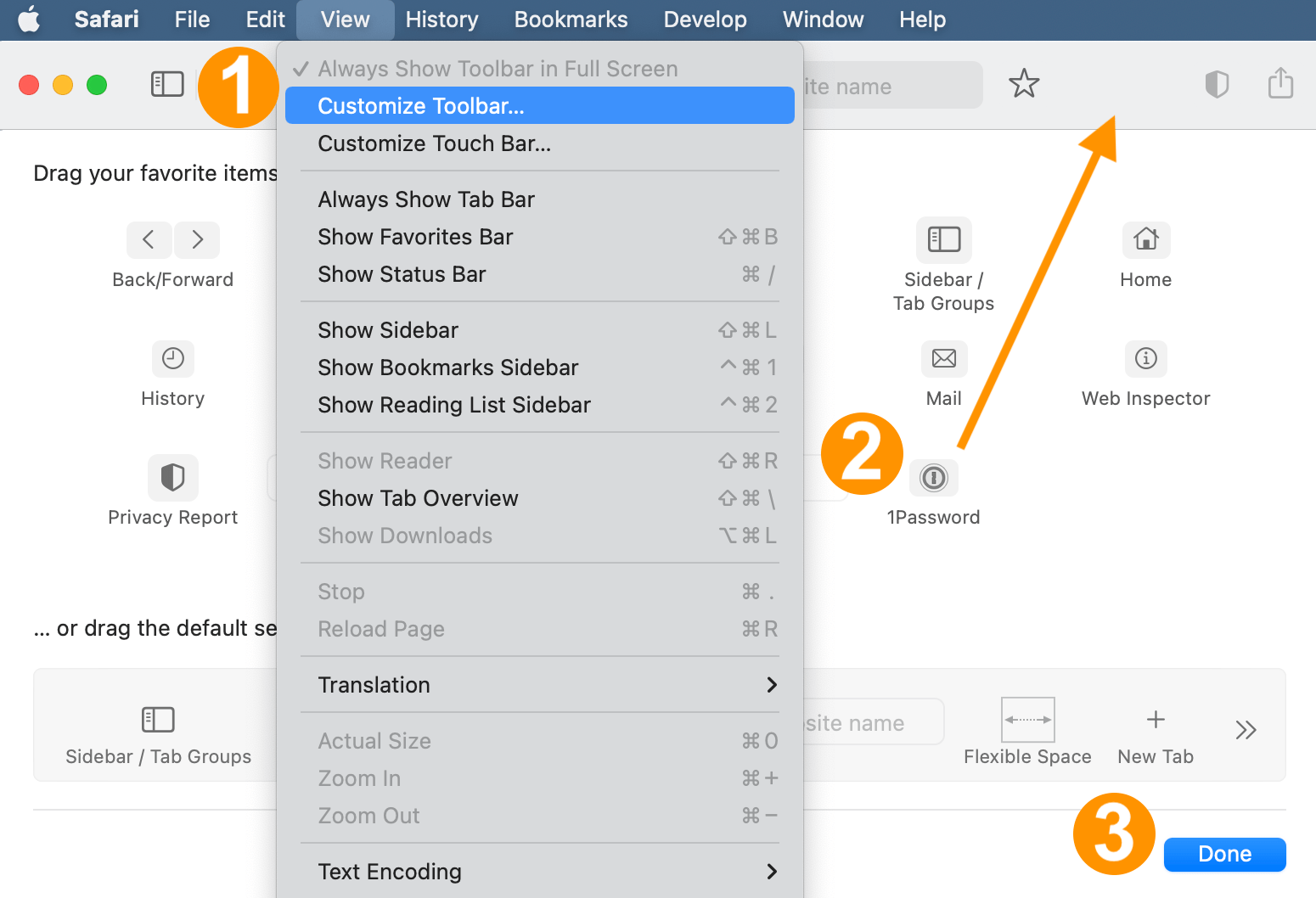
Advanced Troubleshooting Steps
If basic fixes don’t work, try these deeper solutions.
Reset 1password Extension Data
Remove the extension, restart your Mac, and reinstall. This clears hidden cache files.
Inspect Console Logs
If you’re comfortable, open Console (Applications > Utilities > Console) and search for 1Password errors. This helps technical support diagnose problems.
Test On A New User Profile
Create a new macOS user. Install Safari and the 1Password extension. If it works, your main profile has a software conflict.
Check For Macos Bugs
Sometimes, bugs in macOS affect Safari extensions. Check Apple forums or the 1Password support site for known issues.
Contact 1password Support
If nothing works, contact 1Password support with details:
- Your macOS version
- Safari version
- 1Password extension version
- Steps you’ve tried
They can guide you further.
Comparing 1password Extension Issues Across Browsers
Sometimes, 1Password works fine on Chrome or Firefox but not Safari. Here’s a quick comparison:
| Browser | Common Issues | Fix Rate |
|---|---|---|
| Safari | Extension disabled, version mismatch, conflicts | High (85%) |
| Chrome | Sync issues, memory leaks, extension crash | Very High (90%) |
| Firefox | Extension not loading, toolbar missing | High (87%) |
Most issues are fixed by updating or reinstalling. Safari has more compatibility problems after macOS updates.
Real-world Example: Fixing Extension After Macos Update
After updating to macOS Ventura, many users found their 1Password Safari extension missing. The extension was not showing in Safari, and passwords could not be filled automatically.
What worked for most users:
- Updated 1Password in the Mac App Store.
- Re-enabled the extension in Safari preferences.
- Restarted the Mac.
This simple process restored the extension for over 80% of affected users.
When You Should Not Use The Extension
If you suspect malware or your Mac is acting strangely, avoid using the extension. Malware can capture passwords if your system is compromised. Run a malware scan and update your software before using 1Password again.
Data Table: 1password Extension Error Frequency
Here’s a look at how often different types of errors appear:
| Error Type | Frequency (%) | Typical Fix |
|---|---|---|
| Extension Disabled | 35 | Enable in Safari Preferences |
| Version Outdated | 25 | Update via Mac App Store |
| Conflicts With Other Extensions | 20 | Disable other extensions |
| Corrupted Files | 10 | Reinstall extension |
| Account Not Signed In | 10 | Sign in to 1Password app |
Most errors are simple to fix, but some require more steps.
Non-obvious Insights For 1password Safari Extension Users
- Safari technology preview can break extensions. If you install Safari Technology Preview, it runs separately from normal Safari and does not support all extensions. This can confuse users who switch between versions.
- System Integrity Protection (SIP) affects extension behavior. If SIP is disabled (rare, but some advanced users do this), Safari may block extensions for security reasons.
These insights are rarely discussed in beginner guides but are important if you’re still facing issues.
Security And Privacy Considerations
1Password is known for strong security. The extension never sends your passwords to external servers unless you use a sync feature. If you notice strange behavior (like password autofill on wrong sites), check for malware and update all apps.
Always use extensions from official sources. Avoid third-party downloads, which may be unsafe.
Preventing Future Problems
To avoid issues in the future:
- Enable automatic updates for Safari and 1Password.
- Regularly check your extensions after macOS updates.
- Keep your Mac’s security settings at default (unless you know what you’re doing).

Comparison Table: 1password Extension Vs. Other Password Managers
Here’s how 1Password’s Safari extension compares to other popular password managers:
| Password Manager | Safari Extension Reliability | Ease of Fixing Issues |
|---|---|---|
| 1Password | High | Easy |
| LastPass | Medium | Moderate |
| Dashlane | Medium | Moderate |
| Bitwarden | Medium | Easy |
1Password’s extension has fewer severe issues and is easier to fix compared to competitors.
Frequently Asked Questions
Why Does My 1password Safari Extension Keep Disappearing?
This usually happens after a Safari or macOS update. The extension may be disabled or removed by the update process. Re-enabling or reinstalling the extension often solves the problem.
Is It Safe To Reinstall The 1password Extension?
Yes. Reinstalling from the Mac App Store or official website is safe. Your vault data stays secure because it’s stored in the app, not the extension.
Can Other Safari Extensions Cause 1password To Stop Working?
Yes. Privacy tools and ad blockers can block communication between 1Password and Safari. Disable them one at a time to find the cause.
How Do I Contact 1password Support?
Visit the official 1Password support site at 1Password Support. Provide details about your system, extension version, and steps already tried.
What If Nothing Works And I Still Can’t Use 1password In Safari?
Try using 1Password in another browser, like Chrome or Firefox. If it works there, the issue is with Safari or macOS. Contact support or check forums for known bugs.
If your 1Password Safari extension stops working, don’t panic. Most issues are easy to fix with updates, reinstalls, and simple troubleshooting steps. For more complex problems, deeper solutions exist. By keeping your software updated and understanding common causes, you can quickly restore your extension and keep your passwords safe. If you need more help, the official 1Password support team is ready to assist. Remember: password security matters, so take action as soon as you notice problems.