
Most people buy an LG dishwasher for its reliability and modern features. But when flashing lights start appearing on the control panel, it can be confusing or even stressful. These blinking lights are more than just a warning—they can signal a range of issues, from simple errors to serious faults. If you’re searching for answers, you’re not alone. Many owners face this problem and want clear, easy-to-understand help.
This guide will help you decode what the flashing lights mean, how to fix common problems, and prevent future issues. You’ll learn which lights are normal, which need attention, and how to reset your LG dishwasher. Along the way, I’ll share tips from real-world experience and highlight mistakes to avoid. Let’s make your dishwasher work smoothly again.
Understanding Lg Dishwasher Flashing Lights
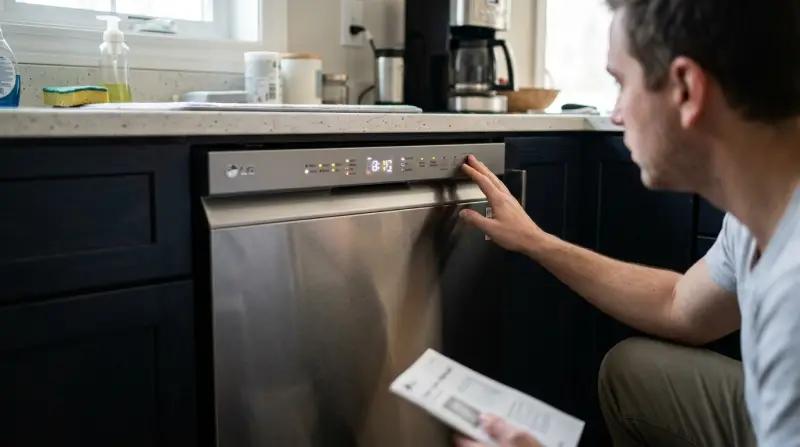
LG dishwashers use LED lights to communicate with you. These lights can blink, stay solid, or appear in patterns. Most models have lights for power, cycle status, error codes, and sometimes extra features like child lock or rinse aid.
Why Do Lights Flash?
Lights flash on your LG dishwasher for several reasons:
- Error codes: The machine has detected a problem.
- Cycle progress: The dishwasher is running, paused, or finished.
- Special modes: Features like child lock or delay start are active.
- User input: You pressed a button or tried to change settings during a cycle.
Knowing the reason helps you decide what to do next. Not every flashing light means something is wrong.
Common Types Of Flashing Lights
Let’s break down the most frequent flashing lights you’ll see:
- Power Light Blinking: Often means the dishwasher is in standby, or there’s a power issue.
- Cycle Light Flashing: Shows the current stage (washing, rinsing, drying).
- Error Light Pattern: Usually two or more lights blinking together, signaling a specific error code.
- Child Lock Light: Indicates the child lock is active, preventing button changes.
Some LG models display error codes as combinations of letters and numbers (like IE or OE). Others use blinking patterns. Always check your model’s manual for details.
How To Decode Flashing Lights And Error Codes
Understanding what the blinking lights mean is the first step to solving the problem. LG dishwashers often use a mix of LED blinking patterns and error codes.
Most Common Error Codes
Here are some frequent LG dishwasher error codes, what they mean, and their typical flashing patterns:
| Error Code | Lights Flashing | Meaning |
|---|---|---|
| IE | Cycle light blinks | Water inlet problem |
| OE | Dry light blinks | Drainage issue |
| FE | Rinse light blinks | Water overflow |
| LE | Power light blinks | Motor error |
| E1 | Multiple lights blink | Leak detected |
How To Read Light Patterns
- Single light blinking: Often cycle progress or minor alert.
- Two or more lights blinking together: Usually a system error needing attention.
- Fast blinking: Urgent issue, like water leak or electrical fault.
- Slow blinking: Waiting for input or paused cycle.
If you see a flashing pattern, note which lights are blinking and how fast. Compare them to your model’s manual or the table above.
Non-obvious Insight
Many beginners miss that some lights flash during normal operation. For example, the rinse aid or salt refill indicator may blink just to remind you—not because of a system error. Don’t panic unless other symptoms appear, like the dishwasher stopping mid-cycle.
Credit: www.lg.com
Troubleshooting Flashing Lights: Step-by-step
When your LG dishwasher flashes lights, follow these steps to diagnose and fix the issue. You don’t need advanced tools or experience—just patience and clear instructions.
Step 1: Identify The Flashing Light
- Is it the power, cycle, or a special feature light?
- Are there any error codes on the display?
- Is the dishwasher making unusual sounds?
Step 2: Check For Common Issues
- Power supply: Make sure the dishwasher is properly plugged in and the outlet is working.
- Door latch: A loose or unclosed door can trigger flashing lights.
- Water supply: Check hoses and valves for blockages or leaks.
- Drain hose: Make sure it’s not kinked or clogged.
Step 3: Reset The Dishwasher
Most LG dishwashers can be reset by:
- Turning off the power at the wall or circuit breaker.
- Waiting 30 seconds.
- Turning power back on.
This simple reset clears most minor errors.
Step 4: Address Specific Error Codes
If you see a specific error code, follow these actions:
- IE (Water Inlet Error): Check water supply, clean inlet filter.
- OE (Drain Error): Inspect drain hose, clear blockages.
- FE (Overflow Error): Check for stuck float switch or too much detergent.
- LE (Motor Error): Turn off, wait, then restart. If it returns, call a technician.
- E1 (Leak Error): Inspect under dishwasher for leaks, tighten connections.
Step 5: Test The Dishwasher
Run a short cycle after troubleshooting. If the lights stop flashing and the dishwasher works, the problem is solved. If not, you may need professional help.
Practical Example
Suppose your cycle light is flashing and the dishwasher won’t start. You check the door, water supply, and power—all are fine. After resetting, the flashing stops and the dishwasher runs. This shows how a simple reset solves many issues.
Comparing Lg Dishwasher Models And Their Light Indicators
Different LG dishwashers use various light indicators. Here’s a comparison of three popular models:
| Model | Light Indicators | Error Display |
|---|---|---|
| LG LDF5545ST | Cycle, power, child lock | Digital codes + blinking lights |
| LG LDP6810SS | Cycle, rinse aid, delay start | Digital codes + flashing |
| LG LDT7808BD | Cycle, drying, Smart Diagnosis | App-based + panel lights |
Some models have extra indicators for Smart Diagnosis, which lets you use your smartphone to read error codes. Others rely on panel lights and digital displays.
Hidden Feature
A little-known feature: On models with Smart Diagnosis, you can press a special button combination to send sound signals to your phone. This helps service centers diagnose the issue faster, even if the lights are flashing.

Preventing Flashing Light Problems
You can avoid most flashing light issues with basic care. Here are practical steps:
- Clean filters regularly: Monthly cleaning prevents blockages.
- Check hoses: Inspect supply and drain hoses every few months.
- Use correct detergent: Only use dishwasher-safe soap; too much or wrong type causes overflow.
- Don’t overload: Overloading stresses the machine and triggers errors.
- Inspect door seals: Damaged seals cause leaks and error lights.
Maintenance Schedule
| Task | Frequency | Benefit |
|---|---|---|
| Clean filters | Monthly | Prevents drainage errors |
| Check hoses | Quarterly | Stops leaks & blockages |
| Inspect door seals | Every 6 months | Prevents leak errors |
Non-obvious Insight
Many people ignore maintenance after the first year. But regular care keeps flashing lights away and extends the life of your LG dishwasher. Even small steps, like checking the door seal, can prevent costly repairs.
When To Call For Professional Help
Some flashing light issues need expert attention, especially if:
- The same error code returns after reset.
- There’s water leaking under the dishwasher.
- The machine makes loud, strange noises.
- All lights blink together, and nothing works.
Don’t try to fix electrical or internal problems yourself. You might void your warranty or make things worse. LG’s customer support and certified technicians can help. For official guidance, visit LG Support.
Frequently Asked Questions
What Does A Blinking Power Light Mean?
A blinking power light usually means the dishwasher is in standby mode or waiting for you to start a cycle. If it blinks rapidly, check the power supply or try resetting the machine.
How Do I Reset My Lg Dishwasher?
To reset, turn off the power at the wall or circuit breaker. Wait at least 30 seconds. Turn the power back on. This clears most minor errors and stops unwanted flashing lights.
Can Flashing Lights Mean A Serious Problem?
Sometimes, yes. If you see multiple lights flashing fast, or error codes like LE or E1, there may be a serious issue such as a leak or motor failure. If simple troubleshooting does not work, call a technician.
What If The Child Lock Light Is Flashing?
A flashing child lock light means the safety feature is active. To turn it off, press and hold the child lock button (or two buttons together, depending on your model) for 3–5 seconds.
Is It Safe To Use The Dishwasher When Lights Are Flashing?
If the flashing lights are for cycle progress or reminders (like rinse aid), it’s safe. But if there are error codes or the dishwasher stops working, wait until you fix the problem before using it again.
If you follow these steps and tips, your LG dishwasher should run smoothly. Flashing lights can be scary at first, but most issues are easy to fix. Regular maintenance and quick troubleshooting keep your appliance reliable for years. If you ever feel unsure, don’t hesitate to ask for expert help—your peace of mind is worth it.