
If you own a Samsung refrigerator, you probably know the importance of clean, filtered water. But after changing the water filter, you might notice the filter light still stays on. This can be confusing and annoying. Many people don’t realize that just installing a new filter isn’t enough—you also need to reset the water filter indicator.
If you skip this step, your fridge might keep warning you about a filter that’s already new. Luckily, resetting the water filter on a Samsung refrigerator is simple once you know how. In this guide, you’ll learn clear steps for all major Samsung models, why the reset matters, and tips that help you avoid common mistakes.
Why Resetting Your Samsung Refrigerator Water Filter Matters
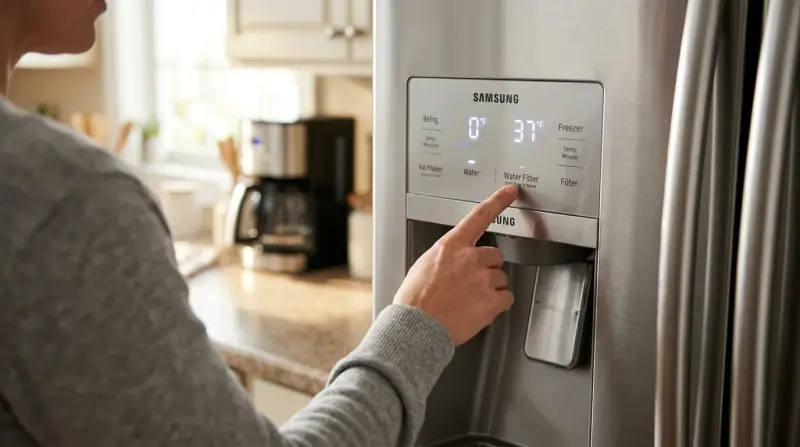
Many Samsung fridges have a filter indicator light. This light reminds you when to change the water filter—usually after about six months or 300 gallons of water use. But the light doesn’t know if you’ve actually changed the filter. If you don’t reset it, you might get unnecessary warnings.
Some reasons to always reset after changing the filter:
- Accurate reminders for future changes. The timer starts again only after you reset.
- Better water quality. You know exactly when the filter needs to be changed again.
- No false alarms. Avoid confusion about whether your water is safe.
Skipping this step can even lead to weaker water flow or odd tastes, because you might keep using an old filter longer than you should.
How The Water Filter Reset System Works
Samsung fridges track filter use with either a timer, a sensor, or both. The filter light turns red or orange when it’s time to change the filter. After replacing the filter, you reset the system, which turns the light back to blue or green. This tells the refrigerator to start counting down from zero again.
Here’s what’s happening:
- The fridge does NOT detect new filters automatically.
- The reset button or pad is a manual override.
- Some newer models have touch screens, others use physical buttons.
If you don’t reset, the fridge won’t know you replaced the filter—even if you did.
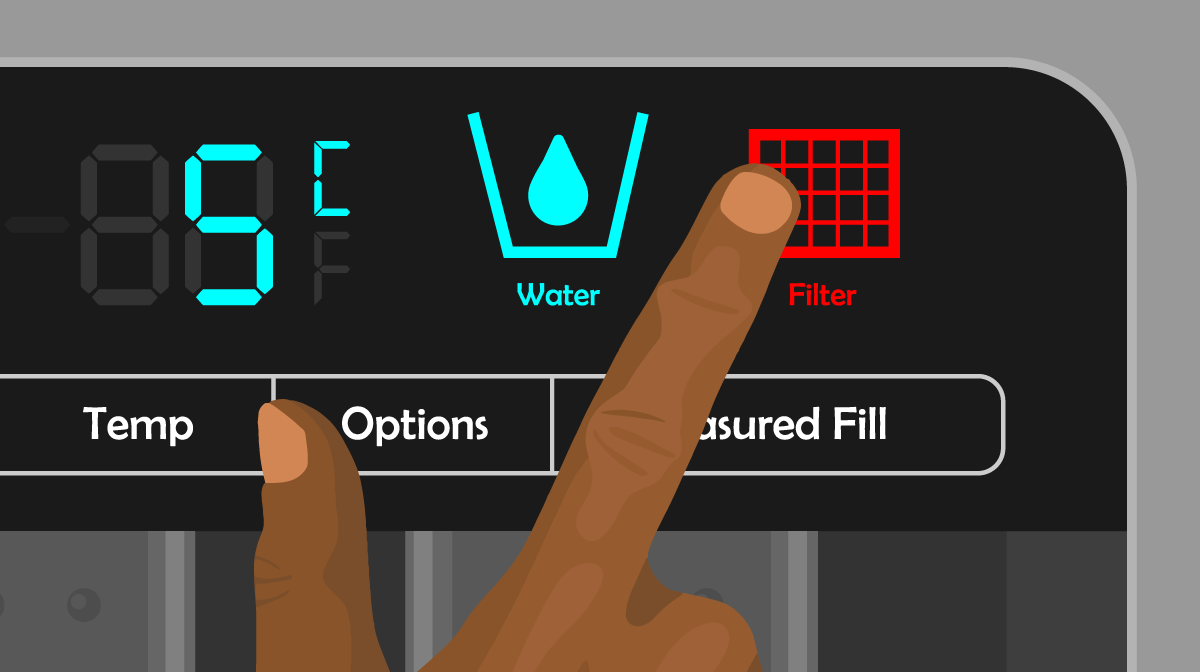
Credit: www.partselect.com
Finding The Water Filter Reset Button
The location of the reset button depends on your Samsung refrigerator model. Here are the most common places to check:
- Control Panel: Many models have a “Filter Reset” or “Ice/Water” button on the main digital panel, usually above or inside the fridge door.
- Touch Screen: Some newer French door models have a digital touch display. The filter reset option appears in the settings menu.
- Inside the Fridge: Rarely, the button is inside near the filter housing or top panel.
- Combined Buttons: On some models, you need to press and hold two buttons together, like “Alarm” and “Ice Type.”
Check your refrigerator’s user manual for the exact location. If you don’t have the manual, look for a sticker inside the door, or search for your model number on Samsung’s support site.
Step-by-step: How To Reset Water Filter On Samsung Refrigerator
Resetting the water filter takes less than a minute. Here’s what to do for most models:
- Replace the old filter. First, always swap out the used filter for a new, compatible Samsung water filter.
- Close the refrigerator door. Make sure it’s fully closed, or the control panel may not work.
- Locate the reset button. Find the button marked “Filter Reset,” “Water,” or “Ice/Water.”
- Press and hold. Press and hold the reset button for 3 to 5 seconds. You may hear a beep or see the light change color.
- Check the indicator. The filter light should turn green or blue, or disappear completely. If it stays red, repeat the step.
For Touch Screen Models
- Tap “Menu” or “Settings.”
- Go to “Water Filter.”
- Tap “Reset,” then confirm.
For Button Models
- Press and hold the “Ice Type” and “Child Lock” or “Alarm” buttons together for 3 seconds.
- Release when the indicator light changes.
If The Light Doesn’t Reset
- Try unplugging the fridge for 30 seconds, then repeat the steps.
- Double-check your model’s manual for the exact button combo.
Sometimes, the filter light takes a few seconds to respond. Wait up to 10 seconds before trying again.

Credit: www.youtube.com
Reset Instructions For Popular Samsung Refrigerator Models
Different Samsung fridges have different reset methods. Here’s a quick reference for some of the most common series:
| Model Series | Filter Reset Location | How to Reset |
|---|---|---|
| French Door (RF28 series) | Control Panel | Press and hold “Ice Type” or “Water” for 3 seconds |
| Side-by-Side (RS27, RS25) | Control Panel or Touch Screen | Press and hold “Alarm” and “Ice Type” for 3 seconds |
| Four Door Flex (RF23M, RF28K) | Touch Screen Menu | Tap “Settings” > “Water Filter” > “Reset” |
| Top Freezer | Inside Fridge | Manual button near filter |
This table covers the basic reset process for popular Samsung models. For other models, always check the control panel for labels or consult your manual.
Common Problems During Water Filter Reset
Sometimes, the filter light won’t turn off, or the fridge doesn’t recognize the new filter. These issues are common, especially with first-time filter changes.
1. Filter Light Stays On
If the light won’t reset:
- Make sure you pressed the correct button and held it long enough.
- Confirm you’re using a genuine Samsung filter. Aftermarket filters can cause problems.
- Try resetting again after unplugging the fridge briefly.
2. New Filter Not Recognized
Some fridges are picky about filter brands. If your Samsung doesn’t recognize a new filter:
- Use only official Samsung filters or those labeled as compatible.
- Check if the filter is seated correctly. Remove and reinstall if needed.
3. Water Or Ice Not Dispensing
If water doesn’t flow after the reset:
- Run at least 2 gallons of water through the dispenser to clear air.
- Double-check the filter installation.
4. Error Messages On Display
Some models might show “0” or “ERR. ” Try the reset again, or check for a stuck button.
How Often Should You Change And Reset The Water Filter?
Samsung recommends replacing your water filter every 6 months, or after 300 gallons of water use—whichever comes first. If you notice water tastes strange, or the flow is slow, change the filter sooner.
A quick comparison of filter life and cost:
| Filter Type | Average Lifespan | Typical Cost |
|---|---|---|
| Samsung OEM Filter | 6 months / 300 gallons | $40–$60 |
| Aftermarket Compatible | 3–6 months | $20–$35 |
Using a genuine filter usually provides the best fit and longest life. After changing, always reset the filter light to keep the schedule accurate.
Tips For Successful Water Filter Reset
Resetting your Samsung refrigerator’s water filter is usually simple, but a few best practices can make the process smooth:
- Read the manual for your specific model before starting.
- Press buttons firmly, but don’t use excessive force.
- Wait a few seconds after the reset for the light to respond.
- Mark your calendar with the date of your last reset.
- Flush the new filter with at least 2 gallons of water before regular use.
- Keep the fridge door closed during the process.
Some users forget that holding the reset button briefly doesn’t always work—a long, steady press is often needed. Also, using a non-Samsung filter might not trigger the light to reset, even if the filter fits.
Filter Light Colors: What Do They Mean?
Samsung uses a simple color code for the filter indicator light. Here’s what each color tells you:
| Light Color | Meaning |
|---|---|
| Blue or Green | Filter is good |
| Orange | Change soon (1–2 months left) |
| Red | Replace filter now |
If the light stays red after changing the filter and resetting, check for installation issues or try a different filter.
Two Common Mistakes To Avoid
- Not resetting after changing the filter. Many people swap the filter but forget to reset the timer, leading to unnecessary warnings.
- Using non-compatible filters. Even if a filter fits, it might not work with the reset system. Always look for “Samsung compatible” on the packaging.
A less obvious mistake is not flushing the new filter. Trapped air or loose carbon can cause cloudy water or odd tastes.
When To Call For Help
If you’ve tried all the steps and the indicator light still won’t reset, or you see error codes, it’s time to get help. Contact Samsung customer service or a certified technician. Also, check Samsung’s official support site for model-specific guides and troubleshooting tips.
For detailed model lists and manuals, you can visit the Samsung Support site.
Frequently Asked Questions
How Do I Know If My Samsung Refrigerator Filter Needs To Be Replaced?
The filter indicator light on your control panel will turn orange or red when it’s time to replace the filter. You might also notice slower water flow or a change in taste.
Can I Use Any Brand Of Water Filter In My Samsung Refrigerator?
It’s best to use Samsung-approved filters. Non-genuine filters can cause leaks, poor fit, or might not reset the filter indicator properly.
How Long Should I Press The Reset Button?
Usually, you need to press and hold the reset button for 3 to 5 seconds. If nothing happens, try holding a bit longer or check your model’s manual for the correct combination.
What Happens If I Don’t Reset The Filter Light?
Your refrigerator will keep reminding you to change the filter, even if it’s new. This can lead to confusion and missed filter changes in the future.
My Filter Light Is Still Red After Resetting. What Should I Do?
Double-check that the filter is installed correctly and that you used the right reset method for your model. If the problem continues, try unplugging the fridge for 30 seconds and repeat the reset steps.
Resetting your Samsung refrigerator’s water filter is a small task, but it makes a big difference for water quality and peace of mind. Take a minute after each filter change to do it right, and you’ll always have clean, fresh water and ice on hand.