
Most people rely on their phones to stay in touch with family, friends, and work. Voicemail is a big part of that. If you use Spectrum Mobile and your voicemail isn’t working, it can be confusing and stressful. Missed messages can lead to misunderstandings or even missed opportunities. The good news is: most voicemail problems can be fixed easily if you know where to look. This article explains why your Spectrum Mobile voicemail might not work, how to fix it, and gives you some smart tips so you don’t miss important calls again.
Common Reasons Spectrum Mobile Voicemail Stops Working
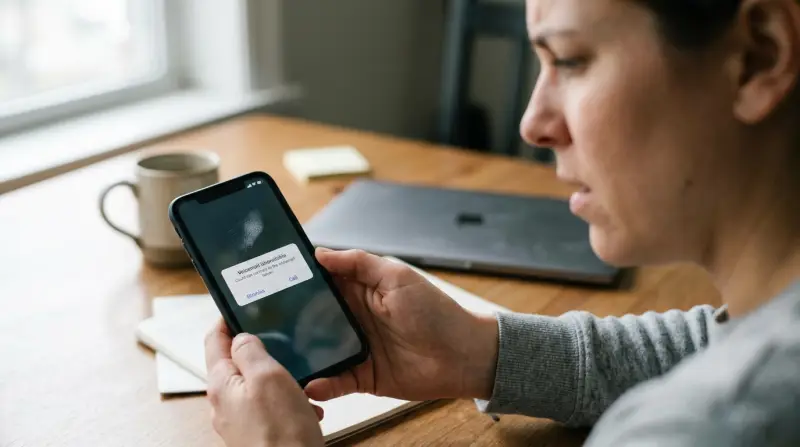
There are a few main reasons why Spectrum Mobile voicemail may stop working. Understanding these can help you find a fix faster.
- Voicemail not set up – If you recently got a new phone or SIM card, your voicemail might not be set up yet.
- Carrier settings out of date – Sometimes, your phone needs updated carrier settings for voicemail to work properly.
- Network issues – If there’s no signal or weak coverage, voicemail may not work.
- Full voicemail box – If your mailbox is full, new messages can’t be saved.
- App glitches – The phone app or voicemail app might crash or freeze.
- Incorrect call forwarding settings – If calls are not forwarded correctly to voicemail, it won’t work.
- Device software bugs – Outdated or buggy operating systems can cause voicemail issues.
Many people overlook things like mailbox storage or simple setup steps. Even something like airplane mode being left on can stop voicemail.
How To Troubleshoot Spectrum Mobile Voicemail Problems
If your voicemail isn’t working, don’t panic. Use these steps to find and fix the problem.
Make Sure Voicemail Is Set Up
First, check if your voicemail was ever set up. On most phones:
- Press and hold 1 on your dial pad.
- If you’re prompted to set up voicemail, follow the steps.
- If you hear your messages or a greeting, setup is complete.
If you’re not sure, visit the official Spectrum Mobile support page for setup details.
Check Your Cellular Connection
Voicemail only works with a mobile signal. If you see “No Service,” try:
- Restarting your phone.
- Moving to a spot with better coverage.
- Turning airplane mode on, then off.
Update Your Carrier Settings
Outdated settings can block voicemail. To update:
- IPhone: Go to Settings > General > About. If an update appears, tap Update.
- Android: Settings can vary. Usually, go to Settings > About phone > Carrier or Network settings.
It’s easy to forget these updates, but they can solve many voicemail problems.
Clear A Full Voicemail Box
If your mailbox is full, callers can’t leave messages. Delete old voicemails:
- Open your voicemail app.
- Delete unnecessary messages.
- Empty the deleted items/trash folder if needed.
Many users miss this step—deleted messages sometimes stay in a “Recently Deleted” folder and still count toward your limit.
Restart Your Phone
A simple restart can fix temporary glitches in the phone app or system.
Check Call Forwarding And Settings
Voicemail needs unanswered calls to forward correctly. On your phone:
- Go to Settings > Phone > Call Forwarding.
- Make sure “Forward when unanswered” is set to your voicemail number.
- Turn off other call forwarding options if you don’t use them.
Reset Network Settings
If nothing works, try resetting your network settings:
- IPhone: Settings > General > Transfer or Reset iPhone > Reset > Reset Network Settings.
- Android: Settings > System > Reset options > Reset Wi-Fi, mobile & Bluetooth.
Remember, this deletes saved Wi-Fi passwords.
Update Your Phone’s Software
Check for OS updates. Old software can have bugs that affect voicemail. Update to the latest version your phone supports.
Spectrum Mobile Voicemail Vs Other Carriers
How does Spectrum Mobile’s voicemail compare with other major US carriers? Here’s a quick look at some features and limits:
| Carrier | Voicemail Storage | Max Message Length | Visual Voicemail |
|---|---|---|---|
| Spectrum Mobile | 40 messages | 3 minutes | Yes, on most devices |
| Verizon | 20 messages | 3 minutes | Yes |
| AT&T | 40 messages | 3 minutes | Yes |
| T-Mobile | 30 messages | 3 minutes | Yes |
Spectrum Mobile offers solid voicemail storage and supports visual voicemail on most modern smartphones. Visual voicemail is a feature that lets you see and listen to messages in any order, instead of calling in and listening one by one.
Visual Voicemail: Common Issues And Fixes
Visual voicemail is convenient but can sometimes fail to load or display new messages. Here are some problems and solutions:
- App not updating: Try closing and reopening the voicemail app.
- No notifications: Check app notification settings. Make sure notifications are allowed for the voicemail app.
- Messages not downloading: Check mobile data. Visual voicemail needs an internet connection.
- Can’t play messages: Update the voicemail app or your phone’s software.
If you use an unlocked phone not bought from Spectrum, visual voicemail may not work. In this case, you can check voicemail by calling your number from the dial pad.
Spectrum Mobile Voicemail Setup For Iphone And Android
Setting up voicemail on different devices can look a bit different. Here’s a quick guide for both major platforms.
Iphone
- Open the Phone app.
- Tap the Voicemail tab.
- Tap Set Up Now.
- Create a voicemail password.
- Record a greeting.
Android
- Open the Phone app.
- Press and hold 1 or tap the voicemail icon.
- Follow the audio prompts to set a password and greeting.
If you don’t see a voicemail option, check your carrier settings or contact Spectrum Mobile support.
Data Table: Spectrum Mobile Voicemail Error Codes
Sometimes, your phone may show an error code related to voicemail. Here are some common ones and their meanings:
| Error Code | Meaning | What to Do |
|---|---|---|
| 9007 | Voicemail not set up | Set up voicemail using setup steps |
| 9999 | Mailbox full | Delete old voicemails |
| 1010 | Network error | Check signal and restart device |
| 9208 | Visual voicemail app error | Update or reinstall voicemail app |
If you see other codes, check the Spectrum Mobile website or contact customer support.
When To Contact Spectrum Mobile Support
If you’ve tried all the common fixes and voicemail still won’t work, it’s time to reach out for help. Here’s when to call:
- You get repeated error codes even after resetting and updating.
- Visual voicemail never loads, even after reinstalling the app.
- Your phone can’t call voicemail, or callers hear a strange message.
- You recently switched phones or numbers and voicemail doesn’t work.
You can reach Spectrum Mobile support by calling from another phone or using their online chat. Support can reset your voicemail box or check if there’s an outage in your area.
Non-obvious Insights Most People Miss
Two things often surprise new users:
- Voicemail messages may not sync between devices. If you switch from iPhone to Android (or the other way), old voicemails may not transfer. Always back up important messages manually before changing phones.
- Voicemail depends on your account status. If your account is suspended for non-payment or other reasons, voicemail stops working—even if your phone seems normal for Wi-Fi use.
These details are easy to miss, but they can save you a lot of time and trouble.
Tips For Avoiding Voicemail Problems In The Future
- Set a monthly reminder to delete old voicemails.
- Always update your phone’s software and carrier settings.
- Use a strong, unique voicemail password for security.
- Test your voicemail every few months by calling from another number.
- If you travel, check voicemail settings—roaming can affect how messages are received.
How Spectrum Mobile Handles Voicemail Security
Your voicemail holds personal and sometimes sensitive information. It’s important to keep it secure. Here’s how Spectrum Mobile helps:
- Password protection: You must set a password when you first set up voicemail.
- Automatic lockouts: Too many wrong password attempts will lock your voicemail box.
- No default passwords: You can’t use “1234” or “0000”—the system requires something more secure.
You should also avoid sharing your password and change it if you think someone else knows it.
Data Table: Spectrum Mobile Customer Satisfaction
Here’s how Spectrum Mobile’s voicemail support compares to other carriers, based on a 2023 US customer survey (out of 5 stars):
| Carrier | Voicemail Setup Ease | Problem Resolution | Support Satisfaction |
|---|---|---|---|
| Spectrum Mobile | 4.4 | 4.2 | 4.3 |
| Verizon | 4.3 | 4.4 | 4.2 |
| AT&T | 4.2 | 4.1 | 4.1 |
| T-Mobile | 4.1 | 4.0 | 4.0 |
As you can see, Spectrum Mobile ranks high for setup and overall satisfaction.
Frequently Asked Questions
Why Can’t I Access My Spectrum Mobile Voicemail?
There are a few reasons: your mailbox might not be set up, your phone’s settings may be wrong, or you may have no signal. Follow the troubleshooting tips above to fix the issue.
How Do I Reset My Spectrum Mobile Voicemail Password?
Call your voicemail and follow the prompts to change your password. If you forgot it, you can reset it using your online Spectrum Mobile account or by contacting support directly.
Does Spectrum Mobile Support Visual Voicemail On All Devices?
Visual voicemail works on most iPhones and many newer Android phones bought through Spectrum Mobile. If you use a different device, you may have to call your voicemail to listen to messages.
What Should I Do If My Voicemail Box Is Always Full?
Delete old messages regularly, including those in your deleted or trash folder. If your box fills up quickly, try saving important messages to another device and deleting them from voicemail.
Can I Get My Old Voicemails Back If I Switch Phones?
Usually, voicemails do not transfer between different phones or operating systems (like iPhone to Android). Back up any important voicemails manually before switching.
If you need more help, Spectrum Mobile’s official support is always a good resource. For more technical details on voicemail technology, you can also check out this Wikipedia article on voicemail.
Having reliable voicemail is essential. With these steps and tips, you should be able to fix most issues and avoid future problems with Spectrum Mobile voicemail. Don’t let a missed message become a missed opportunity—take a few minutes to check your settings and keep your communication running smoothly.