
If you are experiencing a Momcozy M5 Motor Not Working issue, the most likely cause is a lack of charge or a poor connection between the pump and the collection cup. Ensure the battery is fully charged and the motor is snapped firmly into the cup assembly. If issues persist, check the charging port for debris.
Why your Momcozy motor stopped working
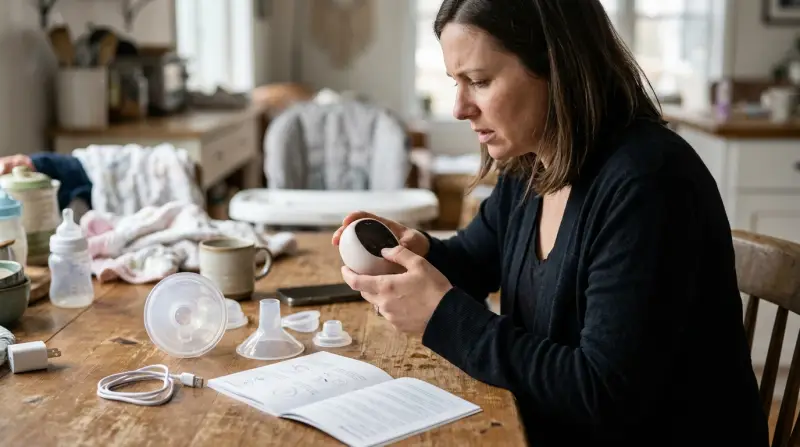
The pump motor often fails to run due to one of three common issues. First, the battery may simply be depleted. These motors use lithium-ion batteries that lose power over time even when not in use. If the battery is completely empty, it may take several minutes of being plugged into a power source before the screen shows any signs of life.
Second, the connection between the motor unit and the breast pump cup must be perfectly aligned. If the motor isn’t clicked into place correctly, the internal sensors may prevent the pump from starting to protect the hardware. This is a safety feature designed to stop the motor from running if the seal isn’t airtight.
Third, debris in the charging port is a frequent culprit. Because these pumps are often used in environments where breast milk or skin oils are present, the charging port can become clogged. If the charging cable can’t make a clean metal-to-metal contact, the motor won’t charge or turn on.
Finally, internal hardware failure can occur if the unit has been dropped or exposed to moisture. If you hear a faint clicking sound but the motor doesn’t turn, the internal gears may be stuck.
Ensure a tight seal
This fix is for users who see the screen light up but feel no suction. You must ensure the motor unit is fully seated in the cup. Take the motor unit out of the breast pump cup entirely. Look at the silicone seal and the flange connection points to ensure there’s no milk residue or moisture trapped in the rim. If you find any residue, wipe it clean with a dry, lint-free cloth.
A common mistake is assuming the motor is seated because it sits flush, even if the locking tabs aren’t engaged. If you can rotate the motor unit while it’s inside the cup, the seal is compromised. A properly seated unit will remain stationary under light pressure.
Once clean, align the motor with the slots on the cup and push down until you hear a distinct click. If the motor feels loose or wobbly, it isn’t attached correctly. This fix works because the M5 relies on an airtight system to create the vacuum pressure needed for pumping. If the motor isn’t flushed against the cup, the air leaks out before suction can build up.
If you find that the motor still won’t start after you have cleaned and re-seated it, don’t attempt to pry the motor housing open. Opening the plastic casing can void your warranty and may expose you to internal battery components that aren’t user-serviceable. If the unit remains unresponsive after three attempts to seat it, you should contact the manufacturer’s customer service team for professional repair or replacement options. Use this rule: if the device makes a whirring sound but produces no pull, the issue is the seal; if the device remains silent, the issue is the motor.
Clean the charging port
This fix is for users whose device doesn’t turn on even after being plugged in for several hours. You need to inspect the small USB-C charging port on the side of the motor. Use a bright flashlight to look inside the port. If you see any white, crusty residue or dark lint, the charging cable can’t complete the circuit.
To clean this safely, use a clean, dry wooden toothpick. Never use a metal needle or paperclip, as this can short out the pins inside the port and permanently destroy the charging board. Gently scrape the interior of the port to remove any obstructions. Once the port is clear, plug your charging cable back in. You should see a charging indicator light or a symbol on the screen.
If you don’t see a light, try a different USB-C cable and a different wall adapter. Some high-power laptop chargers aren’t compatible with these small devices; use a standard five-volt, one-amp wall adapter to be safe. If the device still doesn’t charge after using a known working cable and wall plug, the internal charging port has likely failed. This is a hardware issue that requires professional repair. Don’t force the cable into the port if it feels resistant, as this can damage the internal pins further.
Reset the hardware

This fix is for cases where the motor is charged but the interface is frozen or unresponsive to button presses. This is worth the effort if you have already verified the battery is full. To reset the unit, press and hold the power button for at least fifteen seconds. This forces the internal control board to restart.
If your model has a specific reset sequence, it will be listed in the manual.
If you don’t have a reset hole and the long-press of the power button doesn’t work, the internal chip has likely experienced a failure. If your device is still under the manufacturer’s warranty, don’t attempt any further physical modifications. Reach out to the company directly, as they can track your purchase date and determine if you’re eligible for a replacement unit. If you’re outside the warranty period, the cost of professional repair often exceeds the cost of a new pump. In that case, it’s usually more practical to replace the motor unit than to pay for a technician to open and solder the internal components.
What not to do
Don’t submerge the motor unit in water or cleaning solution. Even a brief rinse will corrode the internal electronics, leading to an immediate, non-repairable failure. If the unit gets wet, wipe it with a dry microfiber cloth only.
Avoid using metal tools to clear debris from the charging port. A metal probe can bridge the contact pins, causing a short circuit that permanently fries the power management board. Use a soft, non-conductive wooden toothpick instead.
Never attempt to pry open the motor housing with a screwdriver. The internal lithium-ion battery is tightly packed; a single puncture creates a significant fire risk. If the motor stops holding a charge, the unit has reached the end of its lifespan.
Don’t force the motor onto the cup if it resists. If it doesn’t snap into place, check the rim for obstructions. Forcing it will crack the plastic housing, destroying the vacuum seal.
How to stop it happening again
Proper maintenance is the best way to prevent your pump from failing during a session.
| If you’re doing this | Do this instead | Why |
|---|---|---|
| Leaving milk on the motor | Wipe the motor after every use | Milk residue causes sticky buttons |
| Using wet parts | Dry all parts before assembly | Moisture in the motor causes shorts |
| Forcing the motor on | Align the grooves first | Prevents damage to the plastic clips |
Most users make the mistake of ignoring faint clicking sounds. If you hear a rhythmic ticking, stop immediately. It usually signals a misaligned diaphragm. Ignoring this costs you a ruined motor housing within weeks.
Stick to the original manufacturer’s brick to ensure longevity.
Frequently asked questions

Can I fix a Momcozy M5 motor that fell in water?
No, you can’t safely fix a motor that has been submerged in water. Liquid inside the housing causes invisible corrosion on the circuit board, leading to random failures or shorts. Stop using the device immediately to prevent electrical hazards.
Why is my pump making a clicking sound?
A clicking sound means the motor can’t find an airtight seal. Check that the silicone diaphragm isn’t torn and is pressed firmly onto the flange. Replace these parts every three months if you pump daily, as they wear out and lose their shape.
Is it safe to charge the motor overnight?
No, you shouldn’t leave the motor on the charger once the battery is full. Keeping lithium-ion batteries connected to power for days can degrade the battery chemistry. Disconnect the cable once the indicator shows the unit is fully charged to maintain battery lifespan.
How long should the motor battery last?
The battery typically lasts between two to three hours of pumping time on a full charge. If the runtime drops significantly, the battery is likely nearing the end of its cycle life.
What happens if I use a damaged charging cable?
A damaged charging cable can cause the motor to start and stop intermittently by preventing a steady flow of electricity. Inspect your cable for exposed wires or bent connectors before use. If the cable is frayed, discard it immediately to avoid damaging the internal control board.
Final Thoughts
If these quick fixes don’t get your device running smoothly again, don’t hesitate to reach out to the customer support team. They’re happy to help you troubleshoot further or arrange a replacement if your unit is still under warranty. You’ll be back to your pumping routine in no time at all.
Related guides