
If you own a Beckett oil burner, you probably depend on it for steady heating during cold months. But sometimes, a simple problem can leave you without heat: the reset button stops working. This button is meant to restart the burner when it shuts down, but when it fails, you face confusion and discomfort. Understanding why the Beckett oil burner reset button is not working, and how to fix it, is essential for homeowners and technicians. In this guide, you’ll learn about common causes, troubleshooting steps, and smart solutions, all explained in clear, easy English.
What Does The Beckett Oil Burner Reset Button Do?
The reset button on a Beckett oil burner is a safety feature. When the burner detects a problem like no flame, blocked nozzle, or fuel issues it shuts down to prevent damage or danger. The button gives you a chance to restart the system after checking for problems. Pressing the reset button sends power to the burner, trying to start the ignition sequence. If everything is normal, the burner starts. If a fault is still there, it will shut down again.
Most Beckett burners allow only one or two resets before locking out. This prevents repeated attempts that could cause more damage or fill your home with unburned oil.
Reasons Why The Reset Button Fails
When the reset button doesn’t work, there are several possible causes. Let’s look at the main reasons:
Persistent Burner Fault
If the burner’s problem is not fixed, the reset button won’t work. Common faults include:
- No fuel supply
- Blocked nozzle
- Dirty filter
- Faulty ignition transformer
- Flame sensor failure
Electrical Issues
Problems with wiring or power supply can stop the reset button from working. Examples:
- Loose wires
- Tripped circuit breaker
- Blown fuse
- Faulty thermostat
Safety Lockout
After several failed resets, Beckett burners lock out for safety. The reset button becomes inactive until a technician resets the system or solves the issue.
Control Board Failure
The primary control board manages burner operations. If it fails, the reset button cannot restart the burner.
Mechanical Wear
Over time, parts like the fuel pump, motor, or solenoid may wear out, making the burner unable to restart even when the button is pressed.
User Error
Sometimes, pressing the reset button too quickly or too many times can cause lockout. Waiting a few minutes between presses is important.
Troubleshooting Steps
When your Beckett oil burner reset button is not working, follow these steps to find the cause:
Step 1: Check Fuel Supply
Make sure your oil tank has enough fuel. If the tank is empty or very low, the burner cannot restart. Also, check for blocked lines or filters.
Step 2: Inspect Electrical Connections
Look for loose wires, tripped breakers, or blown fuses. A simple power issue can stop the reset button from working.
Step 3: Confirm Burner Lockout
If you have pressed the reset button multiple times, the burner may be locked out. Wait 10-15 minutes, then try again.
Step 4: Clean Or Replace Components
Dirty nozzles, filters, or electrodes can prevent ignition. Cleaning or replacing these parts often solves the problem.
Step 5: Test The Control Board
If the burner is still not responding, the control board may be faulty. This is a job for a trained technician.
Step 6: Examine Safety Sensors
Faulty flame sensors or limit switches can cause shutdowns. Check these parts for dirt, wear, or damage.
Step 7: Review Thermostat Settings
Make sure the thermostat is set correctly and functioning. Sometimes, a low setting or broken thermostat stops the burner.
Common Mistakes When Resetting The Burner
Many homeowners make mistakes when trying to fix their oil burner. Avoid these errors:
- Pressing the reset button repeatedly: This can flood your burner with oil, creating a fire hazard.
- Ignoring warning signs: If the burner keeps shutting down, don’t force it to restart. Find the real cause.
- Skipping maintenance: Dirty parts are a frequent cause of burner problems.
- Not waiting after pressing: The system needs time to reset. Press, then wait at least 10 minutes.
- Trying to fix electrical issues without skill: Always call a professional for complex repairs.

Data: Burner Reset Success Rates
Here’s a comparison of success rates for common reset scenarios:
| Reset Scenario | Success Rate (%) | Typical Cause |
|---|---|---|
| First reset after fuel refill | 92 | Empty tank or air in line |
| Reset after filter cleaning | 85 | Dirty filter |
| Reset after electrical fix | 80 | Loose wire, breaker |
| Repeated resets | 30 | Deeper system fault |
As you can see, simple fixes often work, but repeated resets usually signal a bigger problem.
How To Safely Reset Your Beckett Oil Burner
If you’re confident the burner is safe to reset, follow these steps:
- Turn off the burner power at the switch or breaker.
- Wait 5-10 minutes for the system to cool and reset itself.
- Check for obvious issues: Look for leaks, strange smells, or burned wires.
- Press the reset button once, firmly.
- Listen and observe: The burner should start. If it shuts down again, do not press the button a second time.
- Call a technician if the burner does not restart.
This method reduces risk and prevents oil flooding.
Signs You Need Professional Help
Some problems are best handled by a qualified technician. Look for these signs:
- Burner keeps locking out
- Strange noises or smells
- Visible oil leaks
- Electrical sparks
- Repeated reset failures
If you notice any of these, stop trying to reset and contact a heating specialist.
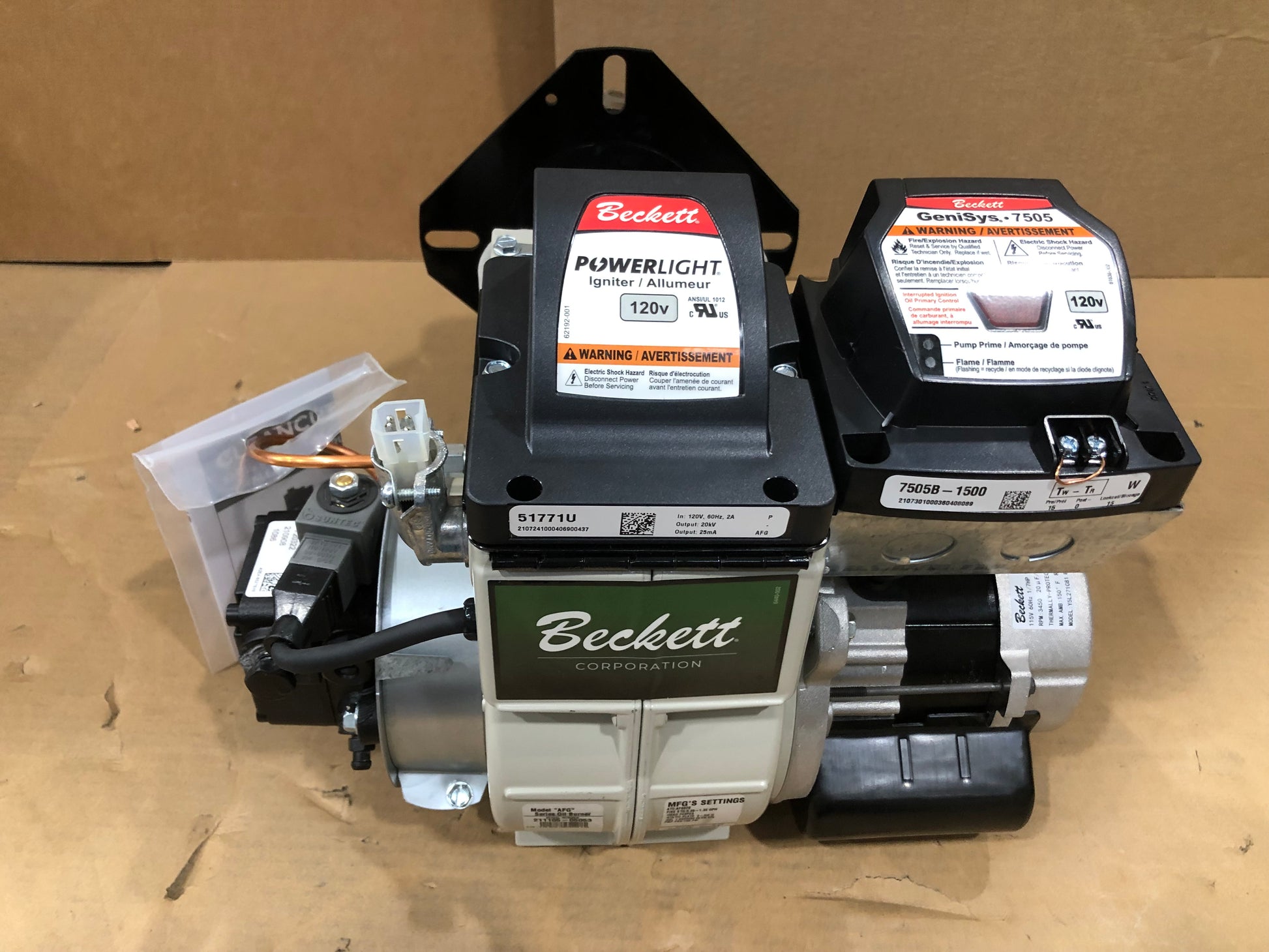
Comparing Beckett Burner Models: Reset Features
Different Beckett burners have unique reset designs. Here’s a quick comparison:
| Model | Reset Button Location | Lockout Feature | Ease of Access |
|---|---|---|---|
| Beckett AFG | Front panel | Yes | Easy |
| Beckett SF | Side panel | Yes | Moderate |
| Beckett NX | Top panel | Yes | Easy |
Knowing your model helps you find the reset button and understand lockout rules.
Preventing Reset Button Problems
Regular care keeps your Beckett oil burner working smoothly. Here are some tips:
- Schedule yearly maintenance: Clean filters, nozzles, and sensors.
- Check oil levels monthly, especially in winter.
- Inspect wiring for wear and tear.
- Test burner operation before the heating season.
- Keep burner area clear of dust, debris, and flammable items.
Many people forget that oil burners need more attention than gas furnaces. Small actions prevent big problems.
Key Insights Most Beginners Miss
- The reset button is not a cure-all. It’s just a safety restart. If problems persist, deeper issues are at play.
- Oil burners can flood if reset too often. This can lead to dangerous conditions and expensive repairs.
- Lockout is a feature, not a bug. It protects your home from fire and oil leaks by stopping repeated restart attempts.
- Professional service is often needed for electrical or control board faults. These are complex and require proper tools.

When To Upgrade Your Burner Or Controls
Sometimes, repeated reset button failures signal that your burner or control board is outdated. Modern Beckett burners offer:
- Improved diagnostics
- More reliable lockout features
- Easier access to reset buttons
- Better energy efficiency
If your burner is over 15 years old or frequently locks out, upgrading may save money and reduce stress. For more details, check the official Beckett site or visit Beckett Corporation.
Frequently Asked Questions
Why Does My Beckett Oil Burner Keep Shutting Off?
Usually, this happens because of fuel issues, dirty filters, or faulty sensors. The burner shuts off to protect itself. Find and fix the root cause before pressing reset.
Is It Safe To Press The Reset Button Multiple Times?
No. Pressing repeatedly can flood the burner with oil. This risks fire and damage. Only press once after checking for problems.
Can I Fix The Reset Button Myself?
Simple issues like low fuel or dirty filters can be fixed by homeowners. For electrical or control board faults, call a technician.
How Long Should I Wait Between Pressing The Reset Button?
Wait at least 10-15 minutes. This gives the system time to reset and prevents lockout.
What Happens If Oil Floods The Burner?
If oil floods the burner, you may smell fuel or see smoke. Do not try to restart. Call a professional immediately to clean and repair the system.
A working Beckett oil burner is key for a warm, safe home. The reset button helps keep the system running, but it’s not always a quick fix. By understanding common causes, troubleshooting smartly, and knowing when to call for help, you can avoid cold nights and costly repairs.
Regular care and attention make your oil burner last longer and work better.