
If your Fios TV remote control suddenly stops working, daily routines can quickly become frustrating. You can’t change channels, adjust volume, or access your favorite programs. Many people think their remote is broken and rush to buy a new one, but most issues are simple and fixable at home. This guide walks you through why a Fios TV remote may not work, how to fix it, and how to avoid common mistakes. You’ll find practical tips, clear steps, and helpful comparisons to make your troubleshooting easier.
Common Reasons Your Fios Tv Remote Isn’t Working
Understanding why your Fios remote fails is the first step to solving the problem. Here are the most frequent causes:
- Dead Or Weak Batteries: Batteries are the most common culprit. Even if the remote lights up, weak batteries may not send a strong signal.
- Obstructions Between Remote And Tv: Objects between your remote and the TV’s sensor can block the signal. Glass, furniture, or even sunlight can interfere.
- Remote Needs Reprogramming: Sometimes, the remote loses its programming, especially after a power outage or device update.
- Signal Interference: Devices like wireless routers or cordless phones nearby can disrupt the remote signal.
- Dirty Or Damaged Sensors: Dust, fingerprints, or scratches on the TV’s sensor or remote can weaken communication.
- Physical Damage: Dropping the remote or spills can damage internal parts.
- Firmware Issues: TV or set-top box firmware bugs may stop the remote from working.
- Pairing Problems: Some Fios remotes require pairing with the TV or set-top box. If unpaired, they won’t work.
Quick Troubleshooting Steps
Before you call customer support or buy a new remote, try these steps:
- Replace Batteries: Use fresh, high-quality batteries. Make sure they’re placed correctly, matching the + and – signs.
- Check For Obstructions: Remove anything between the remote and TV. Stand closer to the TV and aim directly at the sensor.
- Clean The Remote And Tv Sensor: Wipe both with a soft, dry cloth. Avoid using water or cleaning sprays.
- Reprogram Or Pair The Remote: Follow your Fios TV manual to reprogram. Usually, you press certain buttons or enter a code.
- Restart Your Tv And Set-top Box: Unplug both for 30 seconds, then plug them back in. This resets the system.
- Test The Remote On Another Device: If your remote controls other devices (like soundbars), try those. If it works, the problem may be with your TV or box.
- Check For Signal Interference: Move wireless devices away from the TV area.
- Inspect For Physical Damage: Look for cracks, missing buttons, or corrosion in the battery compartment.
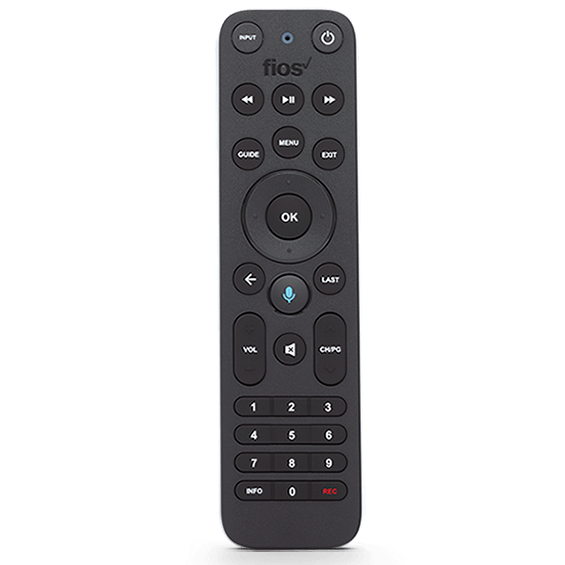
Fios Tv Remote Types And Their Differences
Fios offers several remote models. Knowing which you have can help with troubleshooting.
| Remote Model | Features | Pairing Needed? |
|---|---|---|
| Voice Remote | Voice commands, Bluetooth | Yes |
| Basic Remote | Standard buttons, IR signal | No |
| Multi-Device Remote | Controls TV, soundbar, set-top box | Sometimes |
Voice remotes use Bluetooth, which can get disconnected. Basic remotes use infrared (IR), which needs a clear line of sight. Multi-device remotes may need reprogramming for each device.
Advanced Troubleshooting For Persistent Problems
If basic steps don’t help, try these advanced solutions:
Reset The Remote
Look for a reset button or follow these steps:
- Remove batteries
- Press every button once to discharge electricity
- Insert batteries again
Factory Reset The Set-top Box
This clears any software bugs. Use your Fios menu:
- Press Menu on the remote
- Go to Settings > System > Factory Reset
- Follow instructions on screen
Update Tv And Box Firmware
Go to the settings menu and check for software updates. Outdated software can cause compatibility issues.
Try A Universal Remote
If your Fios remote still doesn’t work, test a universal remote. It helps identify if the issue is with the remote or the TV/set-top box.
| Solution | Success Rate | Time Required |
|---|---|---|
| Battery Change | 60% | 2 min |
| Reprogram Remote | 20% | 5 min |
| Factory Reset | 10% | 10 min |
| Universal Remote Test | 5% | 10 min |
| Firmware Update | 5% | 15 min |
Common Mistakes People Make
Many users waste time or money because they skip simple solutions. Here are mistakes to avoid:
- Not checking batteries first
Always start with battery replacement, even if the remote lights up.
- Ignoring obstructions
Even thin objects or sunlight can block signals.
- Forgetting to reprogram after a power outage
Some remotes lose programming after power loss.
- Buying a new remote too quickly
Most issues are fixable at home.
How To Reprogram Your Fios Remote
Most Fios remotes are easy to reprogram. Here’s a typical method:
- Press and hold the OK and FiOS TV buttons together until the LED flashes.
- Enter the code for your TV brand (found in the manual or online).
- Press Channel Up until the TV turns off.
- Press OK to save the code.
If your remote uses Bluetooth, follow pairing instructions in your Fios TV manual.
Signs You Need A Replacement Remote
Sometimes, a remote is beyond repair. Look for these signs:
- Buttons are stuck or missing
- Battery compartment is corroded
- Remote doesn’t work on any device, even after reset
- Physical damage (cracks, water exposure)
If you need a new remote, order directly from the Verizon Fios website to avoid compatibility issues.
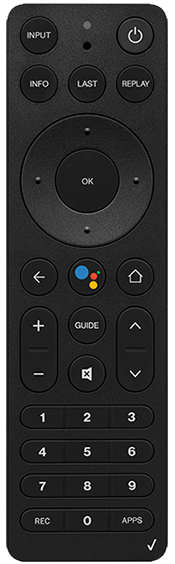
Fios Remote Vs Universal Remote
Some users switch to a universal remote for more features. Here’s a comparison:
| Feature | Fios Remote | Universal Remote |
|---|---|---|
| Compatibility | Fios TV only | Multiple devices |
| Setup | Easy | More complex |
| Price | Usually cheaper | Varies |
| Features | Basic/voice | Advanced (macros, learning) |
| Support | Official Verizon | Third-party |
Universal remotes are great for controlling multiple devices but may require extra setup and can cost more.
Useful Tips To Prevent Remote Problems
- Use alkaline batteries for longer life.
- Store the remote away from direct sunlight or heat.
- Clean the remote monthly with a soft cloth.
- Avoid dropping or exposing the remote to liquids.
- Keep the TV’s sensor area free of dust and obstacles.
Real-world Example: Solving A Remote Issue
Anna, a Fios customer, noticed her remote stopped working after a storm. She tried replacing batteries, but nothing changed. The remote worked on her soundbar but not on the TV. She wiped the TV sensor, unplugged her set-top box for a minute, and reprogrammed the remote using her TV code.
It worked again. Anna avoided buying a new remote or waiting for a technician.
Many people miss the step of cleaning the TV sensor. Even a thin layer of dust or a fingerprint can block the signal. Another insight: after a power outage, always try reprogramming the remote, as settings may reset.

When To Call Customer Support
If all steps fail, reach out to Verizon Fios customer support. They can guide you further, check for hardware faults, or send a replacement. Before calling, have your remote model number and TV brand ready.
For more official troubleshooting advice, visit the Verizon Fios Support page.
Frequently Asked Questions
Why Does My Fios Tv Remote Stop Working After A Power Outage?
Power outages can reset the set-top box or TV settings, causing the remote to lose its programming. Try reprogramming the remote using your model’s instructions.
How Do I Know If My Remote Needs New Batteries?
If the remote is unresponsive, or only some buttons work, it’s likely time to replace the batteries. Use fresh, alkaline batteries for best results.
Can I Use A Universal Remote With Fios Tv?
Yes, most universal remotes work with Fios TV. Check the remote’s manual for setup instructions and compatibility.
What Should I Do If Only Some Buttons On My Remote Work?
This usually means the remote is dirty or the buttons are worn out. Clean the remote carefully. If cleaning doesn’t help, consider replacing the remote.
How Do I Pair My Fios Voice Remote?
Follow the pairing instructions in your Fios TV manual. Usually, you press and hold specific buttons until the LED flashes, then follow on-screen instructions.
Solving your Fios TV remote control not working problem doesn’t have to be complicated. Start with the basics batteries, obstructions, and cleaning. Most issues are easy to fix at home, saving you time and money. For persistent problems, advanced steps like reprogramming or resetting your devices can help. Remember these tips and insights to keep your remote working smoothly and avoid frustration.