
Dyson vacuums are trusted for their powerful suction and smart design. But when your Dyson starts showing a blinking blue light, it can feel confusing. Is it a warning or just a reminder? Many users worry something is wrong, while others ignore it, hoping their vacuum will keep working. The truth is, this blue light is a signal from your Dyson — understanding it can help you fix problems quickly and keep your vacuum running well.
This article explains the meaning behind the Dyson blinking blue light. You’ll learn about the most common causes, how to troubleshoot, and what to do if simple fixes don’t work. Whether you’re using a Dyson V8, V10, V11, or another model, these tips will help you solve blue light issues without stress.
We’ll also cover some real-world examples, share helpful tables for quick comparison, and answer the most frequent questions.
What Does The Dyson Blinking Blue Light Mean?
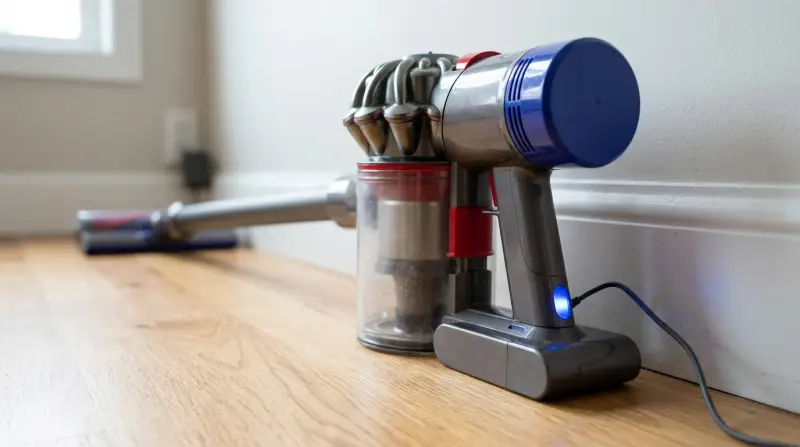
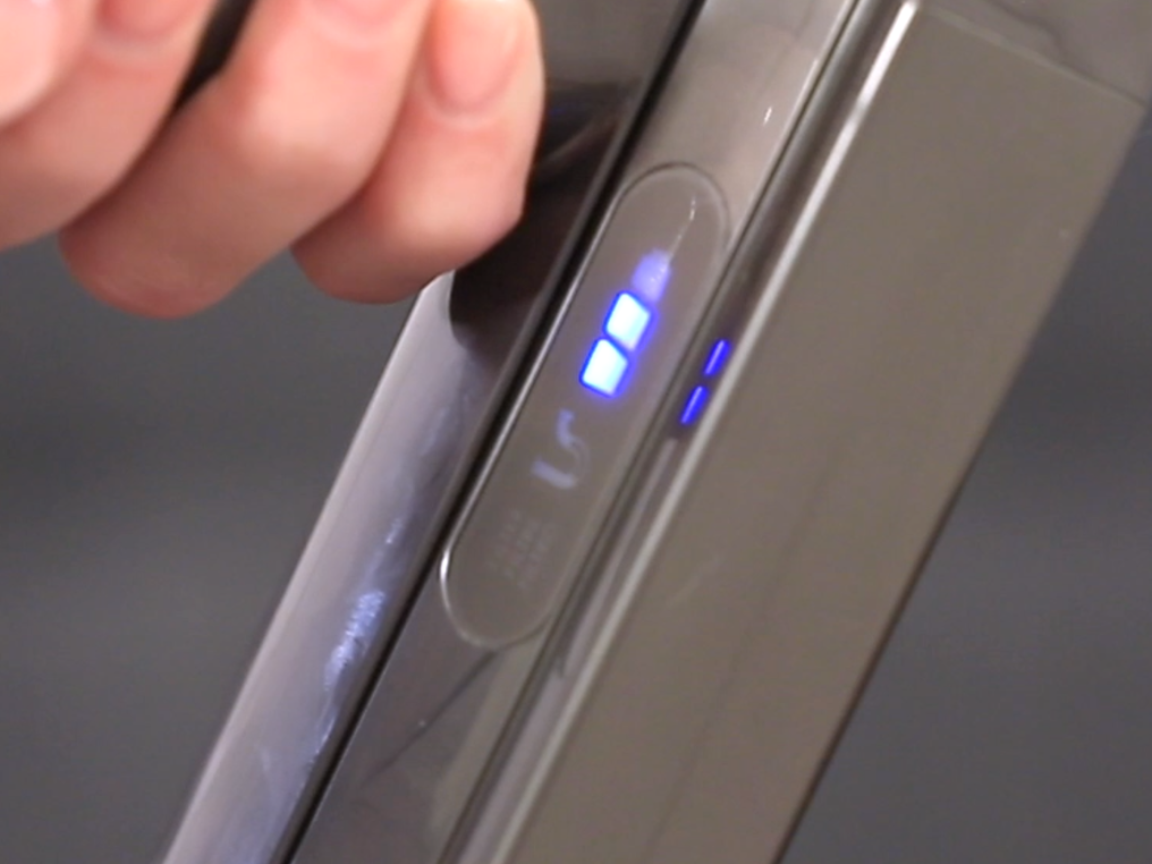
The blinking blue light on a Dyson vacuum usually appears near the battery or on the handle. It’s not just decoration — Dyson uses this light to tell you about the vacuum’s status. Most often, it means the vacuum needs attention, but the reason can vary depending on the model and situation.
For most Dyson cordless vacuums, a blinking blue light means:
- The battery is low or needs charging
- There’s a blockage in the vacuum (airflow problem)
- The filter needs cleaning or is not installed correctly
- The vacuum has a temporary error (such as overheating)
Not every blinking blue light is a problem. Sometimes it’s just a gentle reminder to charge your device or clean a part. But if your vacuum stops working and the blue light keeps blinking, there’s likely a bigger issue.
Common Causes Of A Blinking Blue Light
Understanding why the light blinks is the first step to fixing the problem. Here are the main causes:
- Low Battery or Charging Issues
- When the battery is almost empty, the blue light blinks to warn you. If you plug the vacuum in, the light may blink while charging.
- If the battery is faulty or not connected properly, the blue light may blink but the vacuum won’t charge.
- Blockages in the Airway
- If something is stuck in the vacuum (like hair, dust, or debris), the airflow drops. The vacuum senses this and blinks the blue light.
- Blockages are common in the brush bar, wand, or cyclone.
- Filter Problems
- Dirty or misplaced filters can cause the blue light to blink. Dyson recommends cleaning filters every month.
- If the filter is not installed correctly, the vacuum may not start and the light will blink.
- Overheating or Temporary Error
- Dyson vacuums have sensors to protect the motor. If the vacuum overheats, the blue light will blink and the device may shut off.
- Waiting a few minutes can fix this, but repeated overheating suggests a deeper problem.
- Battery Failure
- Batteries lose strength over time. If your Dyson is old and the blue light blinks even after charging, the battery may need replacement.
Let’s compare these causes for different Dyson models:
| Model | Blue Light Cause | Quick Solution |
|---|---|---|
| Dyson V8 | Low battery, blockage, filter | Charge, clean airway, check filter |
| Dyson V10 | Low battery, overheating, filter | Charge, cool down, clean filter |
| Dyson V11 | Battery, filter, software error | Charge, reset, check filter |
How To Fix Dyson Blinking Blue Light
If your Dyson is showing a blinking blue light, here’s how to solve it step by step:
1. Check The Battery
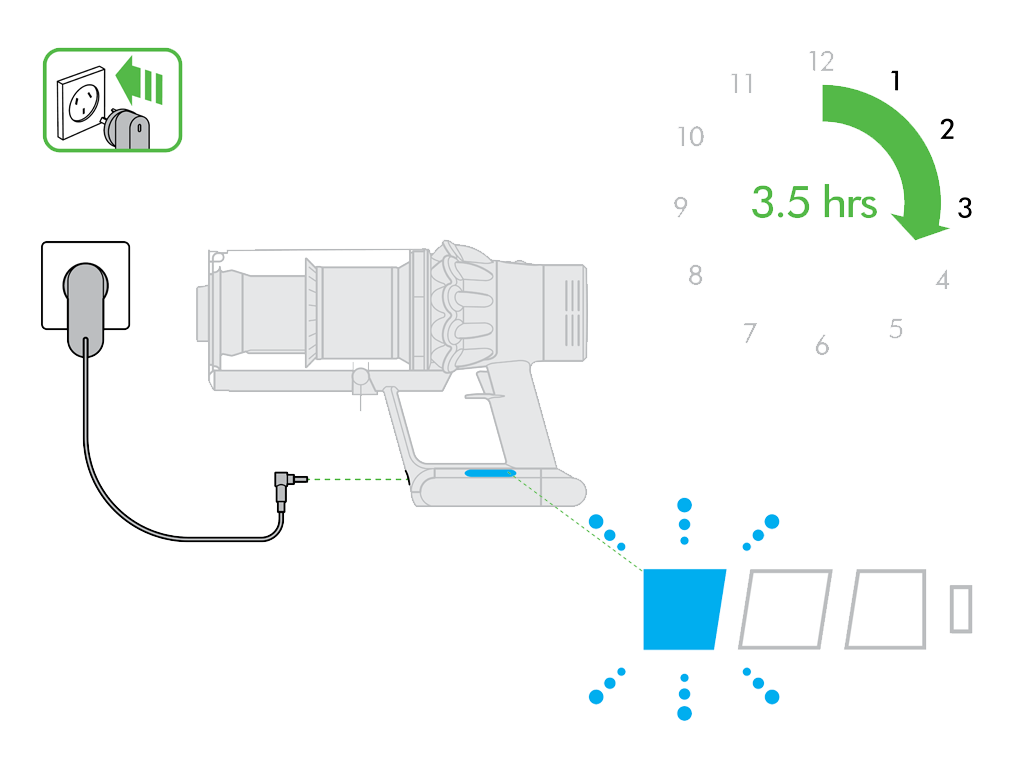
- Plug the vacuum into the charger. Wait at least 3 hours for a full charge.
- If the light blinks while charging but the vacuum doesn’t run after, try a different charger or outlet.
- If the battery still doesn’t work, it may be time to replace it.
2. Clean Blockages
- Turn off and unplug your Dyson.
- Remove the wand, brush bar, and bin. Look for hair, dust, or objects stuck inside.
- Clear all blockages. Use a thin stick or compressed air for hard-to-reach spots.
- Reassemble and test the vacuum.
3. Wash Or Reinstall The Filter
- Remove the filter (usually located near the cyclone).
- Wash it under cold water. Don’t use soap or hot water.
- Let the filter dry for at least 24 hours. Wet filters can damage the vacuum.
- Put the filter back correctly. Make sure it clicks into place.
4. Let The Vacuum Cool Down
- If the vacuum feels hot or stops after heavy use, let it rest for 30 minutes.
- Overheating can cause temporary errors and blinking lights.
- Check for blockages or filter issues — both can make the vacuum work too hard.
5. Reset The Vacuum
Some Dyson models (like the V11) allow a soft reset:
- Hold the trigger for 10 seconds (with the vacuum unplugged).
- Release and wait 5 minutes, then plug in and try again.
If these steps don’t solve the problem, contact Dyson support or visit an authorized repair center.
Real-world Examples
Let’s look at a few situations Dyson users often face:
Example 1: A Dyson V10 user sees a blinking blue light after vacuuming a large rug. The vacuum stops working. After checking, they find hair wrapped around the brush bar. Removing the hair fixes the problem — the blue light disappears.
Example 2: A Dyson V8 owner charges their vacuum, but the blue light blinks and the vacuum won’t turn on. After replacing the battery, the vacuum works again.
Example 3: A Dyson V11 has a blinking blue light, but the filter is clean and the battery is full. The user tries a soft reset, and the vacuum returns to normal.
These examples show that most blinking blue light issues have easy solutions if you know where to look.
When To Replace The Battery
Batteries don’t last forever. If your Dyson is several years old and the blue light keeps blinking even after charging, the battery could be worn out. Here’s how to check:
- Does your vacuum run for less than 5 minutes on a full charge?
- Does it refuse to turn on, even after charging overnight?
- Is the blue light blinking during and after charging?
If you answered yes to these, it’s time to consider a new battery.
Let’s compare signs of a healthy vs. failing battery:
| Battery Condition | Blue Light Behavior | Vacuum Performance |
|---|---|---|
| Healthy | Blinks when low, solid while charging | Runs 30–60 minutes, normal suction |
| Failing | Blinks during charging and after | Runs 1–5 minutes, weak suction |
| Dead | Blinks but never charges | Does not turn on |
Replacing a battery is simple for most Dyson models. Always buy original Dyson batteries for safety and best performance.
Differences Between Dyson Models
Not all Dyson vacuums behave the same way. The blinking blue light can mean slightly different things depending on your model.
- Dyson V8: Usually blinks for low battery or blockages.
- Dyson V10: Also blinks for overheating.
- Dyson V11: Has extra sensors, so the blue light may signal software errors.
Knowing your model helps you troubleshoot faster. Always check your user manual for specific guidance.
Here’s a quick comparison of blue light meanings across models:
| Model | Blue Light Meaning | Extra Features |
|---|---|---|
| V8 | Battery, blockage, filter | Basic LED |
| V10 | Battery, overheating, filter | Advanced motor sensor |
| V11 | Battery, filter, software | LCD screen, error codes |

Credit: www.youtube.com
Non-obvious Insights
Many beginners miss these points:
- Wet filters cause blinking lights. If you wash your filter but don’t let it dry fully, the vacuum will sense moisture and refuse to work. Always dry filters for a full day.
- Blockages aren’t always visible. Sometimes dust gets stuck deep in the cyclone or wand. If the blue light blinks and you see nothing, try cleaning hidden areas with compressed air.
- Charger problems can mimic battery failure. If your vacuum’s battery seems bad, check the charger first. A faulty charger can cause blue light blinking even with a healthy battery.
Practical Tips To Prevent Blue Light Issues
- Clean your filter every month. A dirty filter makes your vacuum work harder and can trigger the blinking blue light.
- Avoid overfilling the bin. When the bin is too full, airflow drops and the vacuum may signal an error.
- Store your Dyson in a dry area. Moisture can damage electronics and cause false signals.
- Use original Dyson parts. Cheap third-party batteries or filters may not fit well, leading to blinking lights and errors.
When To Contact Dyson Support
If you’ve tried all basic fixes and the blue light keeps blinking, it’s time to get expert help. Dyson support can diagnose deeper problems, offer warranty service, or recommend a repair center. Don’t try to fix internal electronics yourself — this can void your warranty and make things worse.
For official support, visit the Dyson website or call their helpline. You can find more guidance at Dyson Support.
Frequently Asked Questions
Why Does My Dyson Blink Blue When Charging?
The blue light usually blinks during charging to show the battery is taking power. If the light turns solid, charging is complete. If it keeps blinking after hours, the battery or charger may be faulty.
Can I Use My Dyson With A Blinking Blue Light?
You can use your Dyson if the blue light blinks briefly and the vacuum works normally. But if the vacuum won’t start or stops after a few seconds, fix the cause before using it again.
How Long Should I Dry The Filter After Washing?
Let the filter dry for at least 24 hours in a warm area. Never use a wet filter, as it can damage your vacuum and trigger the blue light error.
What Should I Do If The Blue Light Blinks But Everything Looks Clean?
Check hidden areas for blockages, try a soft reset, and inspect the battery and charger. Sometimes a small piece of debris or a faulty connection is the cause.
Does The Blue Light Mean My Vacuum Is Broken?
Not always. The blinking blue light is often a warning or reminder. Most problems are easy to fix, like charging the battery or cleaning the filter. If the vacuum doesn’t work after troubleshooting, contact Dyson support.
Dyson vacuums are built to last, but the blinking blue light is a sign you shouldn’t ignore. By understanding what it means and acting quickly, you can keep your vacuum working smoothly and avoid bigger issues. With these tips and real-world examples, you’ll be ready to solve blue light problems confidently.