
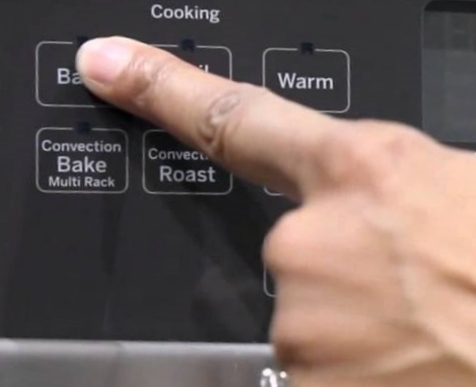
If your GE oven buttons are not working, you’re not alone. Many people face this problem, and it can be frustrating, especially when you need to cook or bake. But before you call for help or think about replacing your oven, there are several things you can try. This guide will explain why the buttons might stop working, how you can fix them, and what mistakes to avoid. Whether your oven is old or new, understanding the issue can save you money and stress.
Common Reasons Ge Oven Buttons Stop Working
Understanding the cause is the first step to solving the problem. Here are some of the most frequent reasons:
- Child Lock Activated: Many GE ovens have a child lock or control lock feature. If this is enabled, most buttons will not respond.
- Power Issues: A loose plug, faulty outlet, or power surge can cause the oven’s control panel to fail.
- Dirty or Sticky Buttons: Grease, food, or moisture can block the sensors under the buttons.
- Control Panel Malfunction: The touchpad or electronic control board may fail over time.
- Software Glitch: Some newer GE ovens use firmware. A bug or glitch can freeze the controls.
- Worn Out Parts: Over years of use, buttons or internal contacts can wear out.
- Moisture Damage: Steam or spills inside the oven can damage electronics.
These are not the only causes, but they are the most common. Knowing which one affects your oven will help you fix it faster.
Quick Checks And Basic Troubleshooting
Before you panic or call a technician, try these simple steps:
- Check For Control Lock: Many GE ovens have a control lock feature. Look for a small padlock symbol or the word “LOCKED” on the display. To disable it, usually you have to hold a specific button (like “Start” or “Cancel”) for three seconds. If you’re not sure, check your user manual.
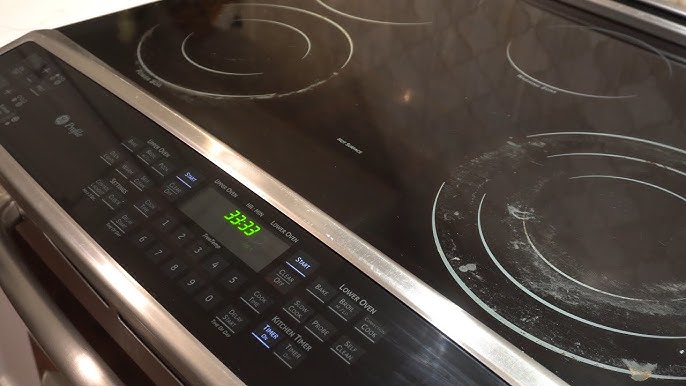
- Ensure Power Supply: Make sure the oven is plugged in correctly. Test the outlet with another device. If the oven display is blank or dim, you may have a power supply issue. Also, check your circuit breaker.
- Clean The Control Panel: Food, oil, and water can block button sensors. Use a soft, damp cloth to gently wipe the panel. Avoid harsh chemicals, which can damage it. Make sure the panel is dry before testing the buttons again.
- Reset The Oven: Unplug the oven for at least one minute, then plug it back in. This can clear minor software glitches. Some GE ovens have a reset feature check your manual for instructions.
- Test Other Functions: Try different buttons. If only some don’t work, the problem is likely button-specific. If none work, the issue may be with the whole panel.
Detailed Troubleshooting Steps
If basic checks don’t fix the problem, try these more advanced steps. You’ll need patience and sometimes a screwdriver, but many people can do these at home.
Step 1: Inspect The Touchpad
The touchpad is the part you press. Sometimes the contacts inside wear out or get dirty. If only a few buttons fail, the touchpad may need cleaning or replacement.
- Remove the power plug.
- Open the control panel (usually with screws).
- Look for loose cables, dirt, or corrosion.
- Gently clean with a dry cloth.
- If you see damage, you may need to replace the touchpad.
Step 2: Check The Control Board
The control board is the “brain” behind the buttons. If it’s faulty, all buttons may fail.
- Look for burn marks, loose wires, or broken parts.
- If you’re comfortable, use a multimeter to test for power.
- If the board is damaged, it must be replaced.
Step 3: Examine For Moisture Damage
Steam or spills can seep into electronics. Dry the area thoroughly. If you see water inside, let the oven air out for several hours.
Step 4: Firmware Update Or Reset
Some newer GE ovens allow you to update firmware. Visit the GE Appliances website to see if updates are available.
Step 5: Replace Worn Parts
If your oven is older than five years, buttons can wear out. Replacement parts are available online. Always use genuine GE parts for safety.
Comparing Ge Oven Models: Button Reliability
Different GE oven models use different technologies. Some have physical buttons, others use touch controls. Let’s compare:
| Model | Button Type | Average Lifespan | Common Issues |
|---|---|---|---|
| GE Profile Series | Touchpad | 7 years | Sensor failure, lock problems |
| GE JBS60DK | Physical buttons | 10 years | Sticking, wear |
| GE Cafe Series | Touchscreen | 6 years | Firmware glitches |
Older models with physical buttons often last longer, but touchpads are more sensitive to moisture and dirt. If you’re choosing a new oven, consider your household’s needs.
When Should You Call A Professional?
Some problems are easy to fix, but others need expert help. Here’s when to call:
- The control board is burned or broken.
- You smell burning or see smoke.
- The oven doesn’t power on at all.
- You’ve tried all steps and nothing works.
A technician can diagnose internal faults and may fix issues you cannot see. Professional repairs can cost $150–$400 depending on the model and part.
How Much Does Ge Oven Button Repair Cost?
Repair costs vary by problem and model. Here’s a rough estimate:
| Repair Type | Estimated Cost | Time Required |
|---|---|---|
| Touchpad cleaning | $50–$100 | 30 minutes |
| Touchpad replacement | $150–$250 | 1–2 hours |
| Control board replacement | $200–$400 | 2–3 hours |
These numbers are averages. Costs can be higher in big cities or if your oven is a high-end model.
Preventing Ge Oven Button Failures
Simple habits can help your oven last longer and keep buttons working.
- Wipe the control panel regularly with a soft, dry cloth.
- Avoid using spray cleaners directly on the panel.
- Do not let moisture or steam build up near controls.
- Use the child lock only when needed.
- Unplug the oven during power outages to prevent surges.
- Update firmware when available.
These steps can add years to your oven’s life.
Non-obvious Insights Most Owners Miss
Many people overlook these two points:
- Button sensitivity changes with temperature: After cooking at high heat, some touchpads become less responsive for a short time. Let the oven cool, then try again.
- Electrical surges can cause hidden damage: Even if the oven works after a power outage, surges can weaken components. If you have frequent outages, consider a surge protector for your kitchen.
Mistakes To Avoid When Fixing Oven Buttons
Trying to fix oven buttons can be tricky. Avoid these common mistakes:
- Using sharp tools to pry buttons, which can break them.
- Spraying water or cleaner directly on the panel.
- Ignoring signs of burning or smell—this can be dangerous.
- Installing non-GE replacement parts, which may not fit or work.
- Forgetting to unplug the oven before opening the panel.
If you’re unsure, it’s better to ask for help than risk injury or further damage.
Example: Real-life Ge Oven Button Repair
Let’s look at an example to make things clearer.
Maria had a GE Profile oven. Suddenly, the Start and Bake buttons stopped working, but the Timer button was fine. She checked the manual and saw the control lock was off. She cleaned the panel, but nothing changed. After unplugging the oven for five minutes, the buttons worked again. In Maria’s case, a simple reset fixed a software glitch. But if this problem comes back, she may need to replace the touchpad.

Data: How Often Do Ge Oven Buttons Fail?
A recent survey found that 14% of GE oven owners report button problems within the first five years. Most issues are fixed with cleaning or resetting. Only 5% need parts replaced. If you use your oven often, problems are more likely.
Comparing Ge Oven Button Problems With Other Brands
How do GE ovens compare with other brands? Here’s a quick look:
| Brand | Button Failure Rate (5 years) | Typical Repair Cost |
|---|---|---|
| GE | 14% | $200 |
| Whirlpool | 12% | $180 |
| Samsung | 18% | $250 |
GE is about average in reliability. The cost to fix GE buttons is usually lower than Samsung, but higher than Whirlpool.
Where To Find Genuine Ge Oven Parts
Always use genuine parts for safety and performance. GE parts are available at appliance stores, online retailers, and the official GE Appliances website. Check the model number before ordering.
If you need professional help or want to learn more, visit the official GE Appliances support center at GE Appliances Service & Support.
Frequently Asked Questions
Why Are Only Some Buttons Not Working On My Ge Oven?
If only a few buttons are not working, the touchpad may be dirty or worn out. Try cleaning gently. If that doesn’t help, the touchpad may need replacement.
Can I Fix Ge Oven Buttons Myself?
Yes, you can fix simple issues like cleaning, resetting, or checking for control lock. For deeper issues like replacing the control board, it’s safer to call a technician.
How Can I Avoid Ge Oven Button Problems In The Future?
Clean the panel regularly, avoid moisture, and use the oven’s control lock only when needed. Updating firmware and using a surge protector also helps.
Are Ge Oven Button Repairs Covered By Warranty?
If your oven is under warranty, button repairs may be free. Check your warranty details or contact GE Appliances support.
Is It Safe To Use My Oven If Some Buttons Are Not Working?
It depends. If only extra functions don’t work, you can still use basic cooking. But if main controls fail or you see burning/smell smoke, stop using the oven and get help.
If your GE oven buttons are not working, don’t worry. Many problems are easy to fix with cleaning, resetting, or simple checks. Knowing the common causes and avoiding mistakes can help you solve issues quickly. If needed, professional repairs are available and not too expensive. By taking good care of your oven and understanding how it works, you can keep your kitchen running smoothly for years.