
If you own an LG TV and it starts flashing on and off, it can be frustrating and even alarming. One moment you’re watching your favorite show, the next, your screen is flickering or going black repeatedly. This kind of problem is common enough to worry many users, but the good news is, most causes are simple to understand and often fixable at home. In this article, you’ll learn why your LG TV might be flashing on and off, how to diagnose the issue, and what solutions actually work. We’ll break down the technical details in clear, easy language—so even if you’re not a tech expert, you’ll feel confident tackling the problem.
Understanding The Problem: What Does “flashing On And Off” Mean?
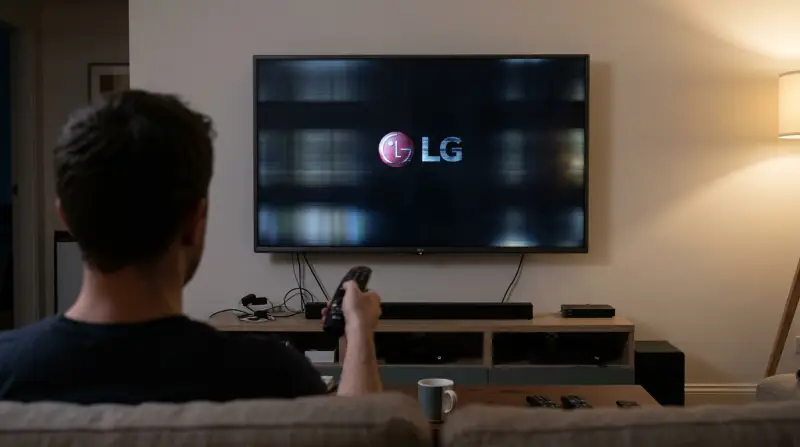
When people say their LG TV is flashing on and off, they usually mean the screen turns black and then comes back to life, sometimes in seconds, sometimes after longer gaps. In some cases, the power light might blink, or the whole TV might reboot. This can happen randomly or follow a pattern. Sometimes the audio keeps working, other times everything cuts out.
Why does this matter? Because the details help you (or a technician) narrow down the cause. A TV flashing on and off could be a simple issue, like a loose cable, or a sign of a bigger hardware problem. Knowing exactly what’s happening is the first step toward a fix.
Common Causes Of Lg Tv Flashing On And Off
Understanding the most frequent causes will help you troubleshoot efficiently. Here are the main reasons your LG TV might flash on and off:
- Power Supply Issues: A weak or unstable power source can make the TV lose and regain power repeatedly. This might happen if you have a faulty outlet, power strip, or surge protector.
- Loose Or Damaged Cables: HDMI, power, or antenna cables that are loose, damaged, or poorly connected can cause the screen to flicker or cut out.
- Software Or Firmware Problems: Outdated or corrupted software can make the TV behave erratically, including flashing on and off.
- Settings Conflicts: Incorrect picture settings, energy-saving modes, or timer settings can sometimes cause the screen to go blank and return.
- Backlight Or Mainboard Failure: Inside the TV, hardware like the backlight or mainboard may be failing. This is more serious and often needs a technician.
- External Device Interference: Devices like streaming sticks, soundbars, or game consoles can sometimes send bad signals, making the TV flash.
- Overheating: If the TV gets too hot, it may shut itself off as a safety measure, then try to restart.
- Environmental Factors: Power surges, lightning, or unstable electricity in your area can cause these symptoms.
What’s important is that most causes have straightforward checks and fixes. But sometimes, the issue is a sign of a failing TV that may need professional repair or replacement.
How To Diagnose: Step-by-step Troubleshooting
Let’s walk through a practical approach to find out why your LG TV is flashing on and off. Each step is designed to rule out common causes before moving to more complex problems.
Step 1: Observe The Pattern
Start by watching exactly what happens. Is the TV turning off completely, or just the screen? Is there audio? Are lights blinking? Does it happen when you use a certain device? Write down what you notice—these details are valuable.
Step 2: Check Power Source And Cables
- Unplug the TV from the wall.
- Check for any visible damage to the power cord.
- Plug the TV directly into a wall outlet (no power strip or surge protector) to rule out problems with external devices.
- Wiggle the cables gently—does the TV flicker or cut out when you move them? If yes, you may have a loose connection.
Step 3: Disconnect All External Devices
- Remove all HDMI, USB, and antenna cables.
- Turn on the TV with only the power cable connected.
- If the flashing stops, the problem may be with an external device.
Step 4: Reset The Tv
- With the TV on, unplug it from the power outlet.
- Wait 1-2 minutes.
- Plug it back in and turn it on.
- This simple reset can clear temporary glitches.
Step 5: Update Software
- Go to Settings > All Settings > General > About This TV > Check for Updates.
- If an update is available, install it and restart the TV.
Step 6: Adjust Tv Settings
- Go to Picture Settings and set everything to default.
- Turn off Energy Saving mode.
- Check if a Sleep Timer or Auto-Off feature is active.
Step 7: Test In A Different Location
- Try plugging the TV into a different outlet, ideally in another room. This rules out problems with your home’s wiring.
Step 8: Check For Overheating
- Feel the back of the TV. Is it hot to the touch?
- Make sure there’s enough space around the TV for ventilation.
- Dust the vents if needed.
Step 9: Advanced: Listen For Unusual Sounds
- Listen for clicking, popping, or buzzing sounds from inside the TV. These can signal hardware failure.
Step 10: Contact Lg Support
If none of these steps work, it’s time to call in a professional or contact LG customer support. Have your model number and warranty information ready.
Power Issues: A Closer Look
Many flashing problems start with power supply issues. Here’s a breakdown of what to check and why it matters.
| Power Problem | What to Check | Why It Matters |
|---|---|---|
| Loose Power Cord | Check both ends of the cord for a tight fit | Loose connections cause intermittent power loss |
| Faulty Outlet | Plug another device in to test | Bad outlets provide unstable power |
| Power Surges | Look for recent storms or outages | Surges can damage internal components |
| Old Surge Protector | Try plugging TV directly into wall | Worn surge protectors may cut power randomly |
A less obvious tip: If your home has frequent flickering lights or brownouts, your whole electrical system may be unstable. In such cases, using a UPS (Uninterruptible Power Supply) can help. This device stabilizes the power to your TV and may stop the flashing.
Cable And Connection Problems
Cables are easy to forget, but they’re often the root of the problem.
- HDMI Cables: A damaged or faulty HDMI cable can cause the screen to flash, especially if you see the issue only when using certain devices (like a game console or streaming box).
- Loose Inputs: If the cable wiggles in the socket, the connection is unstable. Try a different cable or port.
- External Devices: Sometimes, the device plugged in (not the cable) is faulty, sending a bad signal to the TV.
Quick Test For Cables
- Disconnect all cables except the power.
- Turn on the TV. If the flashing stops, reconnect devices one at a time.
- When the problem returns, you’ve found the culprit.
Many beginners miss the step of actually trying new cables. Even if your cables look fine, swap them with ones that work on other devices. Small breaks inside the cable are invisible but can cause big problems.
Software And Firmware: Why Updates Matter
Modern LG TVs run on WebOS, which relies on software for everything from picture settings to power management. If your TV’s software is out of date or corrupted, you may see random flashing, restarts, or black screens.
- Update Regularly: Always check for updates. LG releases fixes for bugs that can cause flashing.
- Factory Reset: If updates don’t help, a factory reset can clear deeper issues. This erases all your settings, so only use it as a last resort.
Many users overlook the importance of updates, assuming their TV works fine “as is. ” But bugs appear over time, and updates can solve issues you didn’t know you had.
Tv Settings That Cause Flashing
Some features on LG TVs can accidentally create a flashing effect if set incorrectly.
- Energy Saving Mode: Tries to save power by dimming or turning off the screen during dark scenes.
- Sleep Timer: If set, the TV turns off after a set time—sometimes it can glitch and turn off and on repeatedly.
- Picture Mode Settings: Extreme brightness or contrast settings can cause the backlight to flicker.
If you recently changed settings and noticed the problem began afterward, try returning everything to default. You can always customize again once the TV is stable.
Hardware Failures: Signs And What To Do
If you’ve tried all the basic fixes and your LG TV is still flashing, it may be a hardware failure. Common hardware problems include:
- Backlight Failure: The LEDs that light the screen may flicker or die, causing the screen to go black but leave audio running.
- Mainboard Issues: The TV’s main circuit board can fail, often after power surges or age.
- Capacitor Problems: These small components store and release energy; if they bulge or leak, your TV may flash or not turn on at all.
Here’s a quick comparison of common hardware symptoms:
| Problem | Symptoms | DIY Fix? |
|---|---|---|
| Backlight failure | Screen flashes or stays black, sound works | No (requires opening TV) |
| Mainboard failure | TV reboots, no picture, sometimes no power light | No (needs professional repair) |
| Capacitor issue | Clicking noises, TV won’t stay on | No (dangerous to open TV) |
If you suspect hardware failure, don’t open the TV yourself unless you’re experienced. Modern TVs hold dangerous voltages even when unplugged. Call a professional or contact LG support.

External Devices: Hidden Causes
Sometimes, the problem isn’t the TV at all. Devices connected via HDMI, USB, or even Bluetooth can send signals that confuse the TV.
- Streaming Sticks (like Roku, Fire TV): If they malfunction, they can send a bad signal that makes the TV flash or reboot.
- Game Consoles: Some consoles have power-saving settings or output resolutions the TV can’t handle.
- Soundbars or Receivers: If connected via HDMI ARC, a fault here can cause the TV to turn off and on.
Try this: run the TV with no external devices for an hour. If the problem disappears, reconnect each device one by one. When the flashing starts again, the last device connected is likely at fault.
Environmental And Power Quality Issues
Your home’s environment can affect how your TV works.
- Frequent Power Outages: Cause internal damage over time.
- Voltage Fluctuations: In areas with unstable electricity, TVs are more likely to flash on and off.
- Lightning Storms: Surges from lightning can damage both visible and hidden parts inside your TV.
If you live in an area with power problems, consider a voltage stabilizer or UPS. These devices can protect your TV and other electronics.
When To Repair Or Replace Your Lg Tv
Sometimes, the cost or difficulty of repair means it’s better to buy a new TV. Here’s how to decide:
- Age of the TV: If your LG TV is over 5-7 years old and has hardware issues, repairs may be more expensive than a replacement.
- Warranty: If your TV is under warranty, contact LG support first. They may repair or replace the TV for free.
- Repair Cost: Get a quote from a certified technician. If the repair costs over 50% of a new TV, replacement is usually smarter.
Here’s a quick table to help decide:
| Situation | Recommended Action |
|---|---|
| TV under 3 years old, in warranty | Contact LG for repair/replacement |
| TV over 5 years old, major hardware issue | Consider replacement |
| Minor issue, repair under $100 | Repair if TV is otherwise good |
| Repair costs over 50% of new TV | Replace the TV |
Some users miss the fact that TV prices have dropped in recent years. Today, a new LG TV with modern features might cost less than a major repair on an older model.
Preventing Future Flashing Problems
Once you’ve solved the problem, it’s smart to prevent it from happening again. Here are the best steps:
- Use a Surge Protector or UPS: This protects against power surges and unstable electricity.
- Dust and Ventilate: Keep the TV’s vents clear and avoid placing it in a tight space.
- Update Software Regularly: Check for updates every few months.
- Avoid Overloading Outlets: Don’t plug too many high-power devices into the same outlet.
- Check Cables Annually: Replace any that look worn or don’t fit snugly.
A key tip most people miss: even if your TV is working fine, regular checks and updates can prevent many problems before they start.
Real-world Example: Diagnosing A Flashing Lg Tv
Let’s look at a typical case:
Maria noticed her LG TV started flashing on and off after a thunderstorm. She tried unplugging and replugging the TV, but the issue continued. She checked the power cable and tried a different outlet no change. When she disconnected all external devices, the flashing stopped.
On closer inspection, she found her streaming stick was damaged by the power surge. Replacing it solved the problem and her TV worked perfectly again.
This example shows why a step-by-step approach works. Sometimes, the issue isn’t inside the TV at all, but with an external device.
What Beginners Often Miss
Here are two insights that even experienced users sometimes overlook:
- Intermittent Problems Can Be Temperature-related: Some hardware faults only appear when the TV heats up. If the flashing starts after the TV has been on for a while, overheating is a likely cause.
- Cables Can Fail Without Visible Damage: Many people don’t believe a cable could be bad if it “looks fine. ” But inside, wires can break or connections can loosen, causing flashing or no signal.

When To Call A Professional
If you’ve tried all the steps above and your LG TV still flashes on and off, it’s time to get help. Here’s when to call:
- You hear clicking or popping noises from inside the TV.
- The screen stays black but the TV tries to turn on.
- You see burning smells or smoke.
- Your TV is still under warranty.
Professional technicians have tools to test and replace internal parts safely. For more details on LG TV support and repairs, check the official LG Support Page.
Frequently Asked Questions
Why Does My Lg Tv Keep Turning On And Off By Itself?
This can be caused by power supply problems, faulty cables, or software glitches. First, check your power connection and try unplugging all external devices. If the issue continues, update your TV’s software. If none of these steps help, you may have a hardware issue that needs professional repair.
Can A Software Update Fix Flashing Issues On An Lg Tv?
Yes, sometimes a software update can fix bugs that cause the screen to flash on and off. Go to Settings > All Settings > General > About This TV > Check for Updates. Install any updates and restart your TV.
Is It Dangerous If My Lg Tv Flashes On And Off?
Flashing itself is not usually dangerous, but if you see burning smells, smoke, or hear loud noises, unplug your TV immediately. These are signs of serious internal problems. Otherwise, flashing is usually a sign of a technical issue that can often be fixed.
How Can I Tell If The Problem Is With My Tv Or An External Device?
Disconnect all external devices (HDMI, USB, antenna). If the TV works fine with nothing connected, the problem is likely with one of your devices or cables. Reconnect devices one at a time to find out which one causes the problem.
Should I Repair Or Replace My Lg Tv If It Keeps Flashing On And Off?
If your TV is under warranty, always try repair first. For older TVs or expensive repairs, compare the cost to a new TV. If the repair costs more than 50% of a new model, replacement is often the better choice.
A flashing LG TV is annoying, but most issues have clear solutions. Start by checking power, cables, and software. Don’t overlook the small things often, a simple cable swap or update is all it takes. If the problem is deeper, don’t risk your safety call a professional.
With the right steps, you’ll get back to smooth viewing in no time.