
If you own a Maytag washer, you expect it to make laundry easy. But sometimes, you may see a code on the display that leaves you confused. One common code is “CL”. This code can be worrying if you don’t know what it means. Luckily, the CL code is not a sign your washer is broken. It’s actually a helpful feature. In this guide, you’ll learn what the Maytag washer CL code means, why it appears, and how to fix or use it. You’ll also get practical tips, common mistakes to avoid, and answers to the most frequent questions.
What Does The Maytag Washer Cl Code Mean?
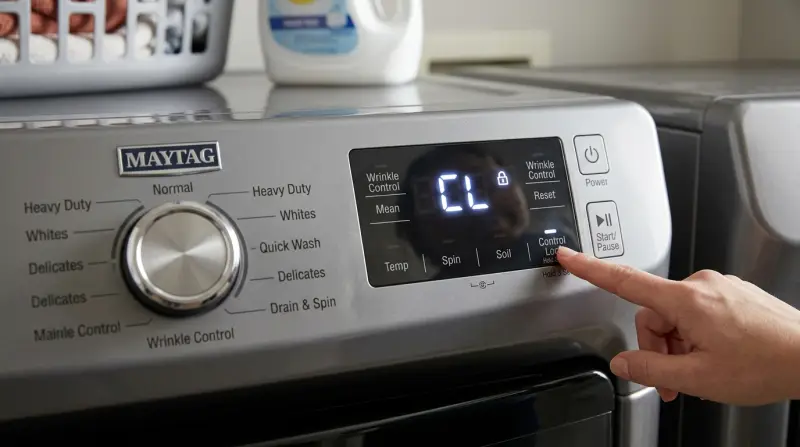
The CL code on a Maytag washer stands for “Control Lock”. When you see this code, it means the control panel is locked. The washer will not respond to most button presses, except for the power button on some models.
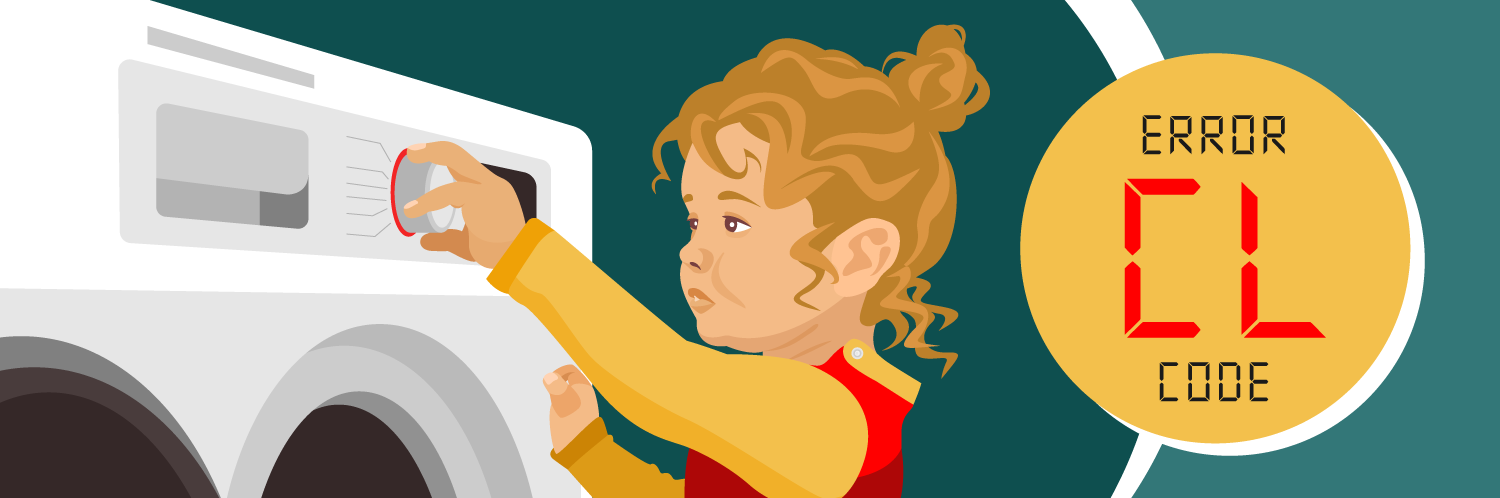
Control Lock is a safety feature. It stops accidental button pushes during a wash cycle. This is especially useful if you have children at home or if you often brush against the washer while it’s running.
When Does The Cl Code Appear?
- Before starting a cycle if the control lock is turned on
- During a cycle if the lock is activated
- After a cycle, if the washer was not unlocked
The code does not mean there is a fault with the washer. It is simply a notification that the controls are locked.
Why Is Control Lock Useful?
The control lock feature is designed for safety and convenience. Here’s why many users find it valuable:
- Prevents accidental changes: If you accidentally bump the panel, your wash settings won’t change.
- Child safety: Kids are naturally curious. With the panel locked, they can’t start or stop the machine.
- Consistent results: Once you choose your wash settings, they stay unchanged for the entire cycle.
According to the Consumer Product Safety Commission, hundreds of accidental appliance activations happen each year. Control lock features help reduce these risks.
How To Turn Off The Cl Code On Maytag Washers
If you want to use your washer or change the settings, you need to turn off the control lock. The steps can vary a little by model, but these are the most common ways:
- Press and hold the Control Lock button: On many models, there is a button labeled “Control Lock” or “Hold 3 Sec for Control Lock.” Press and hold this button for 3 seconds.
- Use a combination of buttons: Some models require you to press and hold two buttons at once, such as “Extra Rinse” and “Cycle Signal,” for 3-5 seconds.
- Check the user manual: If you’re not sure, look for instructions on the inside of the washer lid or in your manual.
After you unlock the controls, the CL code should disappear, and the washer will respond to button presses as normal.
Example: Control Lock Button Location
On most Maytag front-load washers, the Control Lock button is on the right side of the control panel. It may be a small button or a secondary function of another button. On top-load models, it’s often closer to the display screen.
How To Turn On The Cl Code
You can also turn on the control lock to prevent others from changing settings. Here’s how:
- Press and hold the Control Lock button (or the correct button combination) for 3 seconds until you see the CL code appear.
- Now, the panel is locked. Only the power button will work (on some models), and you can start or stop a cycle, but not change the settings.
Maytag Washer Cl Code Vs. Other Common Codes
It’s easy to mix up the CL code with other error or function codes. Here’s a quick comparison to help you understand the difference:
| Code | Meaning | Action Needed |
|---|---|---|
| CL | Control Lock is active | Unlock the control panel to use |
| LOC | Controls are locked (same as CL on some models) | Unlock the panel |
| F9 E1 | Drain pump issue | Check drain hose and pump |
| LF | Long fill – not enough water | Check water supply |
| SD | Too many suds | Reduce detergent use |
Step-by-step: What To Do When You See The Cl Code
If the CL code appears and you want to use the washer, follow these steps:
- Stop and check: Don’t panic. The code is not an error.
- Find the Control Lock button: Look for a button with a lock symbol or labeled “Control Lock.”
- Press and hold: Hold the button (or button combo) for 3 seconds.
- Wait for the code to disappear: The display should go back to normal.
- Test the panel: Press a few buttons to make sure the lock is off.
If the code does not clear, try unplugging the washer for 1 minute and plugging it back in. If this still does not work, check the user manual or call Maytag customer support.

Credit: www.youtube.com
Control Lock Button Locations By Model
Maytag washers come in different styles. The location of the Control Lock feature may be different depending on your model.
| Model Type | Control Lock Button Location | Activation Method |
|---|---|---|
| Front-Load | Right side of panel or as a secondary function | Press & hold 3 seconds |
| Top-Load | Near display screen, often as a dual-function button | Press & hold 3 seconds |
| Older Models | Sometimes behind the door or as a combo | Press & hold two buttons |
Check your model’s manual for exact instructions.
Common Problems And Solutions Related To The Cl Code
While the CL code is not an error, there are a few issues you might face:
- Button not responding: If the Control Lock button does not work, make sure you are pressing the right spot. On some panels, the button is small or part of another button.
- Washer won’t unlock: Unplug the washer for one minute, then try again. This resets the control board.
- Panel stuck in locked mode: If the code stays after several tries, the control panel may be faulty. Contact a qualified technician.
- Confusing codes: Some models show “LOC” instead of “CL.” Both mean the same thing.
Insight: On some models, the control lock will automatically turn off after the washer is unplugged and restarted. But on others, you must unlock it manually.

How To Prevent Cl Code Confusion
You can avoid most problems with the CL code if you follow these tips:
- Label the button: Use a sticker or mark to remember which button activates the lock.
- Teach family members: Show everyone how to use and unlock the control panel.
- Check before each load: Make sure the lock is off before starting a new cycle.
Non-obvious tip: On some newer models, the control lock can be set to activate automatically at the start of each wash. If you want to disable this, check the settings menu in your washer’s manual.
What If The Cl Code Does Not Disappear?
If the CL code stays on the screen, it usually means:
- You didn’t hold the button long enough (try holding for 5 seconds).
- There is a problem with the control panel (may need repair).
- The washer is in a special mode (such as a demo or diagnostic mode).
Do not try to force the buttons or open the washer lid with tools. This can damage the panel and void your warranty.
Maytag Washer Cl Code: Myths And Facts
There are some common misunderstandings about the CL code. Here are a few myths and the real facts:
| Myth | Fact |
|---|---|
| The CL code is a sign of a broken washer. | It only means the control panel is locked. |
| CL means “clean.” | No, it stands for “Control Lock.” |
| Only children can activate Control Lock by accident. | Adults can trigger it too, often by holding a button while cleaning the panel. |
| The lock can damage your washer. | The lock does not harm your appliance in any way. |
Troubleshooting Steps For Persistent Cl Code
If you have tried the normal unlock steps and the CL code remains, follow these troubleshooting steps:
- Unplug the washer for at least 60 seconds.
- Plug it back in, then try the unlock sequence again.
- Check for moisture or residue around the control panel. Wipe it clean and dry.
- Reset the circuit breaker for your laundry room, then try again.
- Consult your model’s manual. Look for special instructions for your specific washer.
If none of these steps work, there may be a hardware problem. Contact Maytag support or a certified repair technician.
How Control Lock Differs From Child Lock
Many people confuse Control Lock and Child Lock. While they are similar, here’s how they differ:
- Control Lock: Locks the full control panel. No settings can be changed.
- Child Lock: May only lock the door or certain functions, depending on the washer.
On some Maytag models, these features are combined into one. On others, they are separate options. Always check your manual to understand your washer’s features.
Is The Cl Code The Same On All Maytag Washers?
While most Maytag washers use CL for control lock, some older or different models use LOC or a padlock symbol. The function is the same, but the display may look different.
Real-world example: In a busy family home, a parent might activate the lock and forget. Later, another family member tries to use the washer and sees the CL code. Knowing the simple unlock process saves time and stops unnecessary worry.
Additional Resources
If you need more help, you can check the official Maytag support page. Their articles and user manuals can guide you through more advanced troubleshooting. For more information about appliance error codes, see this resource from the Consumer Reports.
Frequently Asked Questions
What Does The Cl Code Mean On My Maytag Washer?
The CL code means the washer’s control panel is locked. You can’t change settings or start a new cycle until you unlock it. This is a safety feature, not an error.
How Do I Unlock The Control Panel If The Cl Code Is Showing?
Find the Control Lock button (often labeled or with a lock symbol). Press and hold it for 3 seconds. If it’s a combo, hold both buttons listed in your manual for 3–5 seconds.
Can The Control Lock Activate By Itself?
Yes, it can happen if you accidentally hold the button down for a few seconds. This often occurs while wiping the panel or if children play near the washer.
What Should I Do If Unlocking Doesn’t Work?
Try unplugging the washer for a minute, then plug it back in. If the CL code still shows, check your manual or contact Maytag support. There might be a problem with the control panel.
Is The Cl Code Dangerous Or A Sign Of Washer Failure?
No. The CL code is not dangerous and does not mean your washer is broken. It’s a normal safety feature to prevent accidental changes during a wash cycle.
Getting a CL code on your Maytag washer is nothing to worry about. It’s simply the control lock doing its job. Now that you know how to use and manage this feature, you can keep your laundry routine smooth and safe. If you ever need more help, your user manual and Maytag’s support are always there for you.
1 thought on “Maytag Washer Cl Code: Quick Fixes and Troubleshooting Tips”