
If your Mighty Mule keypad suddenly stops working, it can feel frustrating and inconvenient. Whether you’re locked out or dealing with unreliable gate access, you want a quick, clear solution. Many homeowners use Mighty Mule for driveway gates, and keypad issues are common. This guide offers practical troubleshooting steps, repair advice, and tips to prevent future problems. You’ll learn why your keypad isn’t working, how to fix it, and what to do if repair isn’t possible.
Common Reasons Why Your Mighty Mule Keypad Isn’t Working
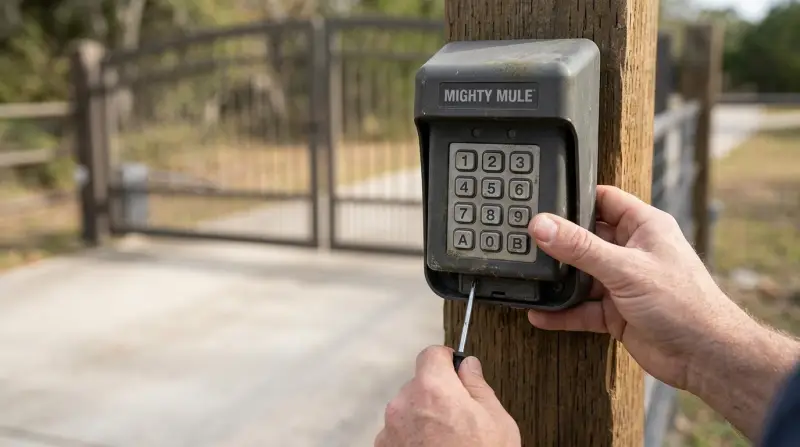
Understanding the cause is the first step. Most keypad failures come from a few main issues:
- Dead batteries: Keypad models often use AA or AAA batteries. If these run out, the keypad won’t respond.
- Wiring problems: Loose or broken wires can disrupt power and signal.
- Weather damage: Rain, snow, or extreme heat can harm electronics.
- Incorrect programming: Mistyped codes or changes in settings can block access.
- Physical damage: Dropped, hit, or vandalized keypads may stop working.
- Signal interference: Nearby devices or metal objects can block wireless signals.
- Worn-out keypad: Over time, buttons may become less responsive.
These issues cover most keypad failures. If you know which problem you have, fixing it becomes much easier.
Step-by-step Troubleshooting Guide
Before you call for help, try these steps. Most users can solve their keypad problems in minutes.
Check The Battery
The battery is a frequent cause of keypad failure. If your keypad is battery-powered:
- Open the keypad using a screwdriver.
- Remove the old batteries.
- Insert new, high-quality batteries (like Duracell or Energizer).
- Close the keypad and test.
If the keypad still doesn’t work, move to the next step.
Inspect Wiring And Connections
For wired keypads:
- Look for loose, frayed, or disconnected wires.
- Re-attach any wires that have come loose.
- Check for corrosion or rust on terminals.
- Tighten connections with a screwdriver.
If you see damaged wires, replace them. For wireless models, skip this step.
Test The Keypad Buttons
Sometimes, buttons get stuck or stop working. Press each button firmly and listen for a click. If some buttons feel soft or don’t respond, the keypad may need cleaning.
- Use a dry cloth to wipe away dirt.
- For sticky keys, use compressed air or a cotton swab.
Reset The Keypad
If the keypad is not responding but has power:
- Find the reset button or sequence in your manual.
- Hold the reset button for 5–10 seconds.
- Reprogram your access code.
This step often solves software glitches.
Check For Signal Interference
Wireless keypads can be affected by:
- Metal gates or fences
- Nearby Wi-Fi routers
- Other electronic devices
Move any interfering objects away from the keypad, or try repositioning the keypad.
Examine For Weather Or Physical Damage
Inspect your keypad for signs of water, dirt, or physical damage:
- Look for cracks, discoloration, or moisture inside the case.
- If you see water, dry the keypad completely before testing.
If the keypad is damaged, replacement may be necessary.
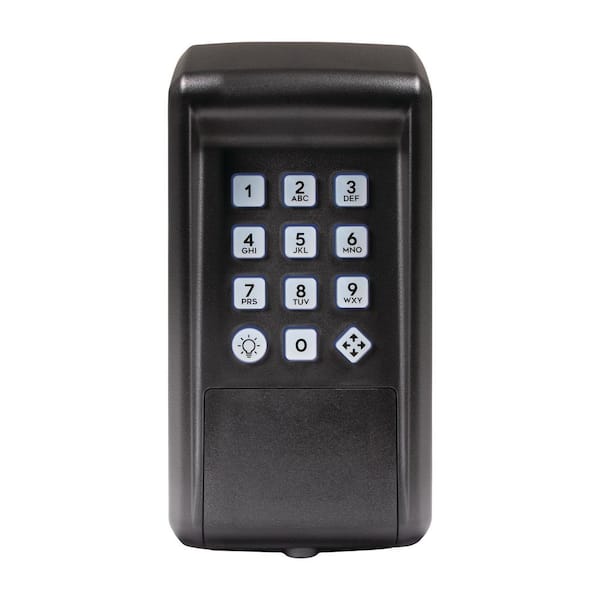
Comparing Mighty Mule Keypad Models
Different Mighty Mule keypads have unique features and durability levels. Here’s a comparison of popular models:
| Model | Power Source | Weather Resistance | Key Features |
|---|---|---|---|
| MMKPD | Battery | IP54 (Rain-resistant) | Wireless, 25 PIN codes |
| FM137 | Battery | IP55 (Waterproof) | Wireless, 50 PIN codes, LED indicator |
| FM139 | Hardwired | IP54 (Rain-resistant) | Wired, unlimited PIN codes |
If you have a model with lower weather resistance, consider installing a protective cover.
When To Replace Your Mighty Mule Keypad
Sometimes, repair isn’t possible. Here are signs you need a new keypad:
- Buttons don’t respond after cleaning and reset.
- Water damage inside the keypad.
- Battery compartment corrosion.
- Display or lights never turn on, even with new batteries.
- Repeated failures after troubleshooting.
Keypad prices range from $40–$80 depending on model. Upgrading to a newer model can improve reliability and security.
Programming And Reprogramming Your Keypad
If your keypad works but won’t accept codes, reprogram it. Follow these general steps:
- Enter the master code (found in the manual).
- Press the programming button.
- Enter new PIN codes for users.
- Test each code to confirm access.
If programming fails, reset the keypad and try again. Common mistakes include forgetting the master code or entering PINs outside the allowed range.
Tips For Preventing Keypad Problems
You can avoid many issues with regular care:
- Use quality batteries and change them every 6–12 months.
- Clean the keypad monthly to remove dirt and moisture.
- Check wiring or battery terminals for corrosion.
- Install a weatherproof cover for extra protection.
- Keep the manual in a safe place for troubleshooting.
Here’s a quick maintenance schedule:
| Task | Frequency | Estimated Time |
|---|---|---|
| Change batteries | Every 6–12 months | 5 minutes |
| Clean keypad | Monthly | 3 minutes |
| Inspect wiring | Every 6 months | 10 minutes |
| Check for physical damage | After storms | 5 minutes |
Regular maintenance can extend your keypad’s life and reduce failures.
Advanced Troubleshooting: Non-obvious Fixes
Sometimes, the problem isn’t obvious. Here are two advanced tips most users miss:
- Check the gate opener’s receiver box: If the receiver has lost power or is faulty, the keypad won’t work even if it appears fine. Open the receiver box and check for lights or error codes.
- Firmware updates: Some newer keypads allow firmware updates. Visit the Mighty Mule website to check for updates. Updating firmware can fix bugs and improve compatibility.
These steps can solve rare but frustrating problems.
Professional Help: When Should You Call An Expert?
If you’ve tried all steps and your keypad still doesn’t work, it’s time for professional support. An expert can:
- Diagnose wiring and circuit board problems.
- Replace damaged parts.
- Ensure correct programming and installation.
Mighty Mule has a support team and many local dealers. You can find help at Mighty Mule Support. If you’re not confident with electrical repairs, professional help is safer.

Data: How Often Do Mighty Mule Keypads Fail?
According to user reviews and forums, about 15–20% of Mighty Mule keypad owners report at least one failure per year. Most failures are due to battery issues or weather damage. With proper care, the average keypad lasts 3–5 years.
Comparing Mighty Mule Keypad Troubleshooting With Other Brands
Let’s see how Mighty Mule compares to other gate keypad brands:
| Brand | Average Lifespan | Common Issues | Ease of Repair |
|---|---|---|---|
| Mighty Mule | 3–5 years | Battery, weather, wiring | Easy (DIY-friendly) |
| LiftMaster | 4–6 years | Wiring, keypad wear | Moderate |
| Ghost Controls | 3–5 years | Battery, programming | Easy |
Mighty Mule keypads are known for simple DIY repair, making them popular with homeowners.
Frequently Asked Questions
Why Does My Mighty Mule Keypad Only Work Sometimes?
Intermittent failures are usually caused by low battery, weather effects, or signal interference. Try changing the batteries, cleaning the keypad, and removing metal objects nearby.
How Do I Reset My Mighty Mule Keypad?
Find the reset button inside the keypad or follow the reset sequence in your manual. Hold the button for several seconds, then reprogram your codes.
Can I Use Rechargeable Batteries In My Mighty Mule Keypad?
Most keypads work with standard AA or AAA batteries. While rechargeable batteries are possible, they may not provide stable voltage. For best results, use high-quality alkaline batteries.
What Should I Do If My Keypad Gets Wet?
Remove the batteries immediately, dry the keypad thoroughly, and allow it to sit for 24 hours. Moisture can cause short circuits, so avoid using the keypad until it’s fully dry.
How Many Codes Can I Program Into My Mighty Mule Keypad?
Depending on the model, you can program 25–50 codes. Check your manual for exact limits and instructions.
Final Thoughts
A Mighty Mule keypad not working is a common but solvable problem. With careful troubleshooting, most users can restore function quickly. Regular maintenance, smart installation, and prompt battery changes will keep your keypad reliable for years. If problems continue, don’t hesitate to seek professional help or consider upgrading. A working keypad means secure, convenient access every day.