
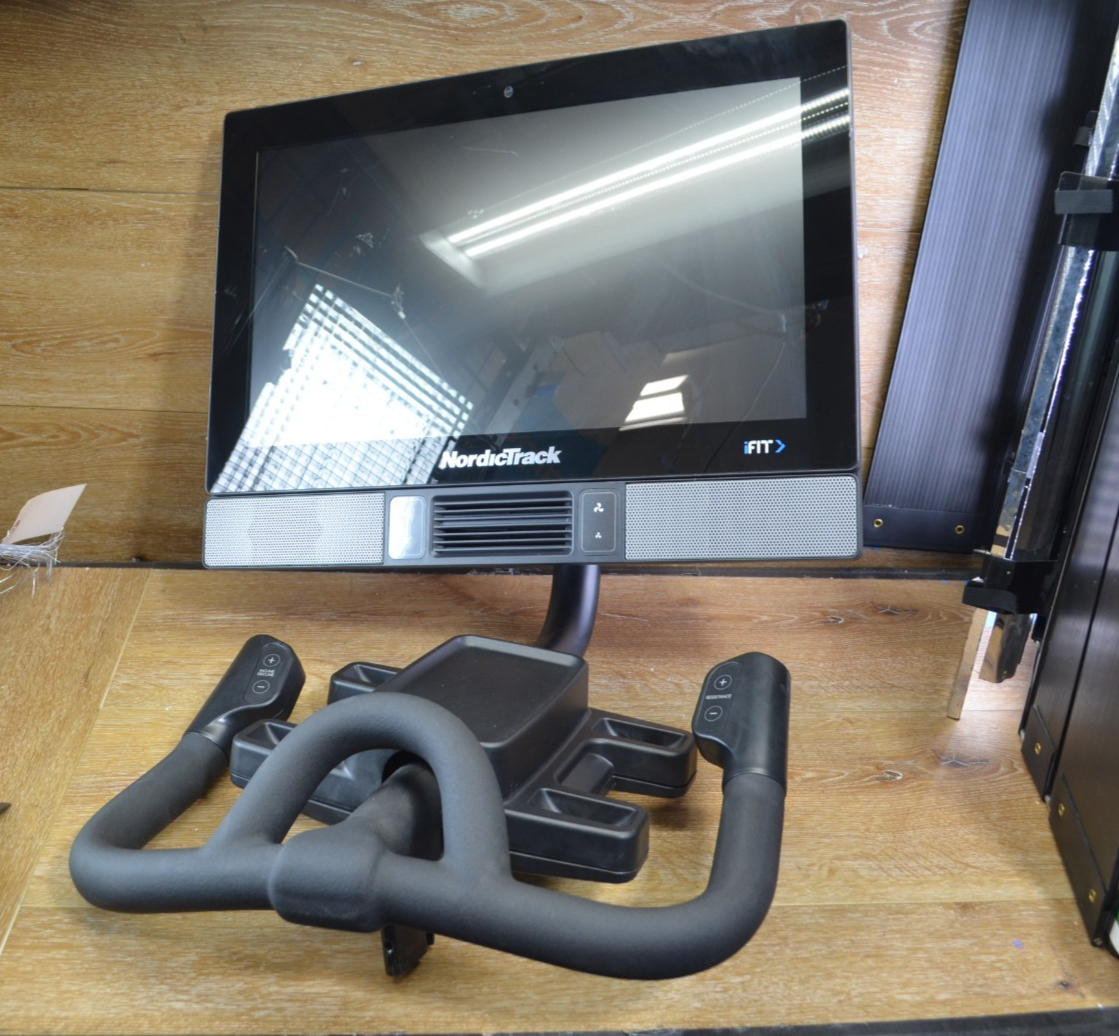
If your Nordictrack bike display is not working, you’re not alone. Many owners face this frustrating issue, especially when they want to enjoy interactive workouts or track their fitness progress. A non-working display can make your bike feel almost useless. But before you panic or rush to buy a new screen, it’s important to understand the possible causes and solutions. This article will guide you through everything you need to know, from basic troubleshooting to advanced fixes, so you can get back to your rides without delay.
The display is the heart of the Nordictrack bike experience. It shows your workout stats, connects you to iFit classes, and lets you control settings. When it fails, you lose much of what makes the bike special. We’ll cover the most common reasons for display failures, how to diagnose the problem, and detailed steps for fixing it. Along the way, you’ll find practical tips, tables comparing different models, and answers to the most frequent questions.
Understanding Nordictrack Bike Displays
The display on a Nordictrack bike does more than just show numbers. It’s a touch screen that connects to the internet, streams classes, and controls resistance. Most models, like the Nordictrack Commercial S22i and S15i, feature high-definition screens ranging from 14 to 22 inches. These displays use Android-based systems with WiFi, Bluetooth, and smart sensors.
Nordictrack bike screens are designed for:
- Tracking your workout: Time, distance, calories, heart rate
- Streaming iFit classes
- Adjusting resistance and incline
- Connecting to Bluetooth devices
A failed display means you lose access to these functions. However, the underlying bike mechanics usually still work, so you can pedal and adjust resistance manually. But for most users, the interactive features are the main attraction.
Types Of Display Issues
Nordictrack bike display problems can be grouped into several types:
- Blank or black screen
- Frozen screen
- Touchscreen not responding
- Error messages
- Flickering or dim screen
- WiFi or connectivity issues
Each issue has its own causes and solutions. Some are simple (like loose cables), others may require technical help.
Common Causes Of Display Failure
Understanding why your Nordictrack bike display isn’t working is the first step to fixing it. Here are the most frequent causes:
- Power supply problems: The display needs stable power. Loose plugs, faulty adapters, or power surges can cause the screen to fail.
- Cable connections: Internal cables may disconnect or loosen due to vibration or assembly.
- Software glitches: The Android OS can freeze, crash, or become outdated.
- Firmware updates: Failed updates can leave the screen unresponsive or stuck on error messages.
- Overheating: Excess heat can damage display circuits.
- Water or moisture: Humidity or spills can short-circuit the display.
- Physical damage: Drops, impacts, or screen scratches can cause failures.
- WiFi issues: Some features need internet access. If WiFi is down, the display may not function fully.
- Component failure: Rarely, the screen or motherboard may fail.
Many beginners miss the importance of checking simple connections before assuming a major failure. Another overlooked insight: even after a display fails, the bike can still work for manual workouts, which is useful until repairs are made.
Troubleshooting Steps
Before you call support or replace parts, try these practical troubleshooting steps. They address both obvious and hidden causes.
Check Power And Cables
- Ensure the bike is plugged in securely.
- Confirm the outlet is working by plugging in another device.
- Inspect the power adapter for damage or loose connections.
- Check if the display’s power cable is firmly attached.
Restart The Bike
- Turn off the bike using the power switch (usually near the base).
- Unplug the bike and wait 1–2 minutes.
- Plug it back in and power on.
This simple restart fixes many display issues caused by software glitches.
Inspect Internal Connections
Some display problems come from loose internal cables. If comfortable, remove the screen’s back panel (usually held by screws) and:
- Check ribbon cables and connectors.
- Ensure everything is seated firmly.
If unsure, contact Nordictrack support or a technician.
Update Firmware And Software
- Go to settings if the screen works partially.
- Check for updates under “Device Info” or “About.”
- Install updates if available.
Failed updates can cause freezes or blank screens. Sometimes, updating fixes these problems.
Reset The Display
Most Nordictrack bikes have a reset button (often hidden near the screen’s edge or on the back). Press and hold it for 10–15 seconds. This can force a restart and clear glitches.
Check For Overheating
- Feel the back of the display. If it’s hot, let the bike cool for 30 minutes.
- Make sure vents are not blocked.
- Move the bike away from heat sources.
Test Wifi Connection
- If the display shows error messages, check your WiFi router.
- Try connecting another device to the same WiFi.
- Restart the router if needed.
Some screens won’t boot properly without internet access for iFit.
Look For Physical Damage
- Inspect the screen for cracks or deep scratches.
- Check the casing for signs of impact.
If damaged, you may need a replacement screen.
Contact Support
If none of the above steps work, contact Nordictrack customer support. They may guide you through advanced troubleshooting or arrange repairs.
Comparison Of Nordictrack Bike Display Models
Nordictrack offers several bikes with different display sizes and features. Understanding your model helps with troubleshooting and repairs. Here’s a comparison of key models:
| Model | Display Size | Resolution | Touchscreen | iFit Support |
|---|---|---|---|---|
| S22i Studio Cycle | 22″ | HD | Yes | Yes |
| S15i Studio Cycle | 15″ | HD | Yes | Yes |
| Commercial VU 19 | 7″ | HD | Yes | Yes |
| GX 4.7 | 5″ | LCD | No | No |
Models with larger screens (S22i, S15i) are more prone to software and connectivity issues, while smaller LCD screens (GX 4. 7) usually face simple hardware problems.
Advanced Fixes For Persistent Display Issues
If basic troubleshooting fails, you may need advanced solutions. These require some technical skills and careful handling.
Factory Reset
If the display boots but freezes or crashes, a factory reset can help. This erases all data and returns settings to default.
Steps:
- Go to settings (if accessible).
- Find “Factory Reset” or “Restore Defaults.”
- Confirm the reset.
If the screen is completely unresponsive, you may need to use a hardware reset button.
Replacing The Display
If the screen is physically damaged or won’t turn on after resets, replacement may be needed.
- Order a replacement screen from Nordictrack or authorized dealers.
- Follow installation guides (usually involves removing screws, disconnecting cables, and swapping the screen).
- Ensure the new screen matches your bike model.
Many users underestimate the complexity of replacing screens—wrong parts or incorrect installation can cause further damage.
Updating Android Os
Some displays run on older Android versions. Updating can fix compatibility issues.
- Download the update from Nordictrack’s website or via iFit.
- Follow instructions carefully.
Repairing Internal Components
If the motherboard or internal circuits fail, professional repair is required. Attempting DIY fixes may void your warranty.
Preventing Display Problems
Prevention is better than cure. Here are practical steps to protect your bike’s display:
- Use a surge protector: Prevents power surges.
- Clean the screen gently: Use a soft cloth, avoid moisture.
- Keep the bike in a dry, cool place: Avoid humidity and heat.
- Update software regularly: Prevents bugs and compatibility issues.
- Handle with care: Avoid impacts or rough handling.
Many users overlook surge protection. Power spikes can damage sensitive electronics, and it’s a common beginner mistake.
Cost Analysis: Repair Vs Replacement
Is it worth repairing the display, or should you replace it? Here’s a practical cost comparison:
| Fix Type | Average Cost | Time Required | Warranty Impact |
|---|---|---|---|
| Basic Troubleshooting | $0 | 30 minutes | None |
| Factory Reset | $0 | 15 minutes | None |
| Display Replacement | $200-$450 | 1-2 hours | May void |
| Professional Repair | $150-$300 | Several days | Covered if under warranty |
| New Bike Purchase | $1200-$2500 | Immediate | New warranty |
Repair is usually cheaper, but replacement may be needed for major failures. Check your warranty status before deciding.
Warranty And Support
Most Nordictrack bikes come with a 1-year warranty for electronics. Some models offer extended coverage. If your display fails within the warranty period, contact Nordictrack for free repairs or replacement.
- Save your purchase receipt.
- Register your bike on the Nordictrack website.
- Describe the issue clearly when contacting support.
Warranty claims can take several days to weeks. If your bike is out of warranty, repairs will be at your expense.
Real User Experiences
Many users share their display problems on forums and review sites. Here are some real examples:
- S22i owner: “My screen went black after a firmware update. Nordictrack sent a replacement screen, but it took two weeks.”
- S15i user: “Touchscreen froze during a workout. Restarting fixed it, but it happens often.”
- GX 4.7 buyer: “LCD screen flickered. Replacing a loose cable solved the issue.”
These experiences show that most problems are fixable, but patience and careful troubleshooting are needed.
Nordictrack Bike Display Vs Competitors
How does Nordictrack’s bike display compare to other brands like Peloton or Echelon? Here’s a quick look:
| Brand | Display Size | Touchscreen | App Integration | Common Issues |
|---|---|---|---|---|
| Nordictrack | 7″–22″ | Yes | iFit | Software updates, power issues |
| Peloton | 21.5″ | Yes | Peloton App | WiFi, screen freezing |
| Echelon | 10″–22″ | Yes | Echelon App | Connectivity, touchscreen lag |
Nordictrack offers strong app integration and large screens, but faces similar display issues as competitors.
When To Seek Professional Help
Some display issues are too complex for DIY fixes. Seek professional help if:
- The screen won’t turn on after all troubleshooting steps.
- There’s visible damage to the screen or internal components.
- You hear strange noises or smell burning.
- The bike is under warranty.
Professional repair ensures safety and preserves warranty coverage. Attempting advanced fixes without experience can cause further damage.
Tips For Smooth Display Operation
To keep your Nordictrack bike display running smoothly:
- Restart regularly: Once a week, turn off and unplug the bike.
- Install updates promptly: Don’t ignore update notifications.
- Clean the screen gently: Avoid harsh cleaners or wet cloths.
- Check cables after moving the bike: Vibration can loosen connections.
- Use reliable WiFi: Place your router close to the bike.
Many beginners forget to restart their bikes, leading to slow performance or frozen screens.
Upgrading Your Bike’s Display
If your display is outdated or too small, you might consider upgrading.
- Check compatibility with your bike model.
- Buy genuine parts from Nordictrack.
- Follow installation instructions carefully.
Upgrading can improve your workout experience, but may void warranties if not done professionally.
Environmental Factors Affecting Displays
Where you place your bike can affect display performance. Factors to consider:
- Humidity: High moisture can cause short circuits.
- Temperature: Extreme heat or cold can damage electronics.
- Dust: Accumulates in vents, causing overheating.
Keep your bike in a climate-controlled, clean environment for best results.
How To Maintain Your Nordictrack Bike Display
Maintenance is simple but often neglected:
- Dust the screen and vents weekly.
- Inspect cables monthly.
- Update software quarterly.
- Check for firmware updates twice a year.
Regular maintenance prevents most display issues and extends the life of your bike.
Display Not Working: What Not To Do
Avoid these mistakes when your Nordictrack bike display fails:
- Don’t force the screen or cables.
- Don’t use water or harsh cleaners.
- Don’t attempt repairs if you lack experience.
- Don’t ignore update notifications.
- Don’t operate the bike if you smell burning or see smoke.
Ignoring these precautions can worsen the problem or cause injury.

Frequently Asked Questions
Why Is My Nordictrack Bike Display Completely Black?
A black screen usually means a power supply issue or a disconnected cable. First, check that the bike is plugged in and the power adapter works. If power is fine, inspect internal cables and try a restart. If the problem persists, there may be a software failure or a damaged screen.
Can I Use My Nordictrack Bike Without The Display?
Yes, you can still pedal and adjust resistance manually. However, you’ll lose tracking features, iFit classes, and touchscreen controls. Some models have manual control buttons, but interactive features require a working display.
How Much Does It Cost To Repair Or Replace The Display?
Repair costs vary. Basic fixes are free, but display replacement can cost $200–$450. Professional repair is often $150–$300. Always check if your bike is under warranty before paying for repairs.
How Do I Reset The Nordictrack Bike Display?
Most bikes have a reset button near the screen or on the back. Press and hold for 10–15 seconds. If accessible, use the software settings to perform a factory reset. Refer to your bike’s manual for model-specific instructions.
Where Can I Find Official Help Or Parts?
Visit the official Nordictrack support site for troubleshooting guides and parts. For further reading, check Nordictrack Support. They offer manuals, replacement screens, and professional repair services.
Final Thoughts
A non-working display on your Nordictrack bike can seem overwhelming, but most issues are fixable with careful troubleshooting. Start with basic checks, move to advanced fixes if needed, and consult professional help for serious problems. Regular maintenance and proper environment make a big difference in preventing display failures. By following these steps, you can restore your bike’s interactive features and get back to enjoying your workouts.
Remember, the display is only one part of your fitness journey. Even when it fails, you can still ride and stay active. With patience and practical solutions, your Nordictrack bike will be ready for many more miles.