
If you listen to satellite radio, you know the comfort of hearing your favorite channels wherever you drive. But what happens when your SiriusXM radio suddenly says “refresh signal” and nothing changes, even after you try to fix it? This problem can be frustrating, especially if you’re in the middle of a long trip or rely on music to make your commute better.
The good news is, most “refresh signal not working” issues can be solved with a few practical steps. This guide will help you understand why the refresh signal sometimes fails, and what you can do to get your SiriusXM radio working again.
Understanding The Siriusxm Refresh Signal
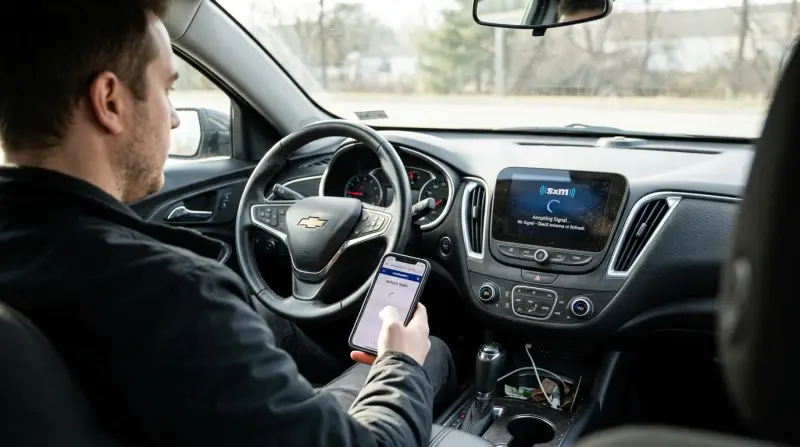
A refresh signal is a command sent from SiriusXM to your radio. It’s like a reset that updates your channel lineup, activates new subscriptions, or fixes minor software bugs. You usually need a refresh when:
- You just subscribed or changed your package
- Your radio says “not authorized” or “subscription updated”
- Some channels are missing
- You transferred your radio to a new car
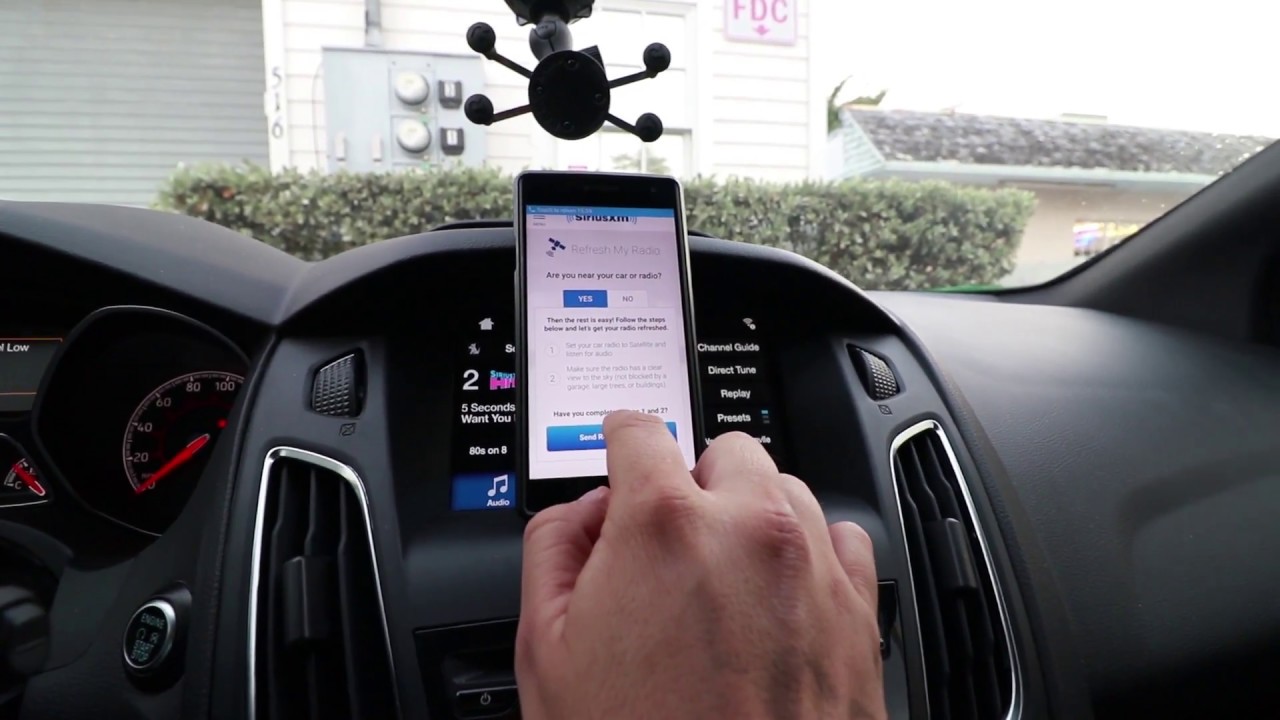
You can request a refresh online or by calling SiriusXM. After the request, your radio should receive the signal and update itself. Most of the time, this works quickly. But sometimes, your radio does not respond, and you’re left without your channels.
Common Reasons The Refresh Signal Isn’t Working
There are several reasons why your refresh signal might not reach your SiriusXM radio. Knowing these can help you fix the problem faster.
Poor Satellite Signal
Your radio needs a clear path to the sky to receive the SiriusXM signal. If you’re in a parking garage, under a bridge, or surrounded by tall buildings, the signal can’t reach your antenna. Trees and heavy rain can also block the signal.
Antenna Problems
A broken or loose antenna connection is a common cause. If your antenna is damaged, disconnected, or not installed correctly, your radio cannot receive updates from SiriusXM.
Radio Not On The Right Channel
For a refresh to work, your radio must be on channel 0 or channel 1. If you are listening to music or talk channels, the refresh signal may not apply.
Incorrect Radio Id
Each SiriusXM radio has a unique ID. If you enter the wrong ID when requesting a refresh, the signal won’t reach your device.
Account Or Subscription Issues
Sometimes, the problem is with your SiriusXM account. If your subscription expired, payment failed, or your device is not listed on your account, you won’t get the refresh.
Hardware Or Software Glitches
Radios, like any electronic device, can freeze or develop bugs. A simple reset often solves these issues.
How To Fix The Siriusxm Refresh Signal Not Working
If your SiriusXM refresh isn’t working, try these steps. They are ordered from simplest to more technical, so start at the top.
Check For Obstructions
Go outside or to an open area where your car has a clear view of the sky. Avoid garages, tunnels, or heavy tree cover. Wait a few minutes and see if your channels return.
Tune To Channel 0 Or 1
Switch your radio to channel 0 or channel 1. These are special channels that display your radio’s ID and help with activation. Stay on this channel while you try the next steps.
Verify Your Radio Id
Check your radio’s ID by tuning to channel 0. Double-check that you entered this exact ID when requesting the refresh. Even a small typo can prevent the signal from working.
Request A Refresh Again
Go to the SiriusXM refresh page or call their activation number. Enter your correct Radio ID and follow the instructions. Make sure your radio is on and tuned to channel 1 during the process.
Inspect Your Antenna
Look for any visible damage to your antenna. Make sure it’s securely connected. If you have a portable or home radio, try moving the antenna near a window. If your car antenna looks broken or loose, you may need a replacement.
Restart Your Radio
Power off your radio, wait 30 seconds, and turn it back on. In many cases, this simple reset helps the radio receive pending updates.
Check Your Siriusxm Account
Log in to your SiriusXM account and verify your subscription status. Make sure your current radio is listed under your account and that your subscription is active.
Try A Different Location
If you travel a lot, try driving a few miles away. Sometimes, local interference or signal dead zones can cause problems.
Reset Your Car’s Infotainment System
Some car radios are part of a larger infotainment system. Look in your car’s manual for instructions on resetting the system. This can clear software glitches that block updates.
Contact Siriusxm Support
If none of these steps work, call SiriusXM customer support. Provide your Radio ID, subscription details, and describe the steps you’ve tried. Sometimes there are backend issues only support can fix.
Comparing Siriusxm Refresh Methods
There are a few ways to refresh your SiriusXM signal. Each method has pros and cons, depending on your situation.
| Refresh Method | How Fast? | Tools Needed | Best For |
|---|---|---|---|
| Online Refresh (Website) | 2-5 minutes | Internet device | Most users |
| Phone Refresh | 5-10 minutes | Phone | When internet is not available |
| Support Chat | 10-20 minutes | Internet device | Complex issues |
Most people get the fastest results using the online refresh tool, but phone support is helpful if you’re not comfortable online or have a more complicated problem.

Practical Tips For Avoiding Refresh Problems
You can prevent many refresh issues with a few simple habits:
- Keep your subscription active. Set up auto-pay or calendar reminders for payments.
- Check your radio ID before requesting a refresh, especially if you have more than one device.
- Keep your antenna clean and secure. If you wash your car, avoid damaging the antenna.
- Test your radio after major car repairs. Sometimes, mechanics disconnect the antenna accidentally.
- Update your SiriusXM account when you get a new radio or car.
Sometimes, a refresh issue is a sign of a deeper problem, like an aging antenna or a failing radio. If you notice frequent problems, it might be time to consider a replacement.
Troubleshooting: Home And Portable Siriusxm Radios
While most advice focuses on car radios, many people use home or portable SiriusXM radios. These devices have unique challenges:
- Indoor placement: Walls and roofs can block the signal. Try placing the antenna near a window or outdoors.
- Shared antennas: Some home setups use shared TV or satellite antennas. Make sure the SiriusXM signal is not being split or weakened.
- Power cycling: Home radios can also freeze. Unplug for a minute, then plug back in.
If you use SiriusXM through a smart speaker or app, signal refresh is less relevant. Instead, check your internet connection, app updates, or login status.
Data: How Often Do Siriusxm Refresh Issues Occur?
Data from user forums and SiriusXM’s own reports show that signal refresh problems are among the top 5 customer issues. According to a 2022 customer service summary:
| Issue Type | Percentage of Calls |
|---|---|
| Missing Channels / Refresh Problems | 28% |
| Billing Issues | 24% |
| Activation Problems | 18% |
| Radio Hardware Problems | 15% |
| Other | 15% |
This shows that nearly 1 in 3 support calls are related to refresh or missing channel problems, making it a common issue.
Two Insights Beginners Often Miss
- Not all missing channels need a refresh. If only certain channels are gone, check your subscription. Some channels are only in premium packages. A refresh won’t restore channels not included in your plan.
- Vehicle changes matter. If you switch your radio to a new car, the antenna or electrical system might be different. Even if your radio worked before, a new car setup can cause fresh refresh signal issues.
When It’s Time To Replace Your Equipment
Sometimes, no amount of troubleshooting fixes the problem. Here’s how to know if it’s time to upgrade:
- Your radio is more than 10 years old and frequently loses signal
- The antenna is cracked, frayed, or broken
- Your device won’t power on reliably
- Support confirms your radio cannot receive new updates
Upgrading to a new SiriusXM radio or antenna is often a quick fix. Plus, newer radios offer better sound and more features.
Comparing Siriusxm To Streaming Alternatives
If you’re tired of signal issues, you may wonder if streaming is better. Here’s a quick comparison:
| Feature | SiriusXM Radio | Streaming Apps |
|---|---|---|
| Coverage | Nationwide, even remote areas | Needs cell or Wi-Fi signal |
| Sound Quality | Consistent, but not lossless | Can be higher, depends on service |
| Ease of Use | Built into car radios | Requires smartphone or smart device |
| Refresh Issues | Possible, as described | Rare, mostly login or app issues |
Satellite radio still has the edge for long drives in remote areas, while streaming works best where internet is reliable.
Frequently Asked Questions
What Is A Siriusxm Refresh Signal?
A refresh signal is a special update sent from SiriusXM to your radio. It helps activate your subscription, restore missing channels, or update your device after you change your service.
How Do I Request A Refresh Signal For My Siriusxm Radio?
You can request a refresh by visiting the official SiriusXM refresh page or by calling their activation number. Make sure your radio is powered on and tuned to channel 1 during the process.
Why Does My Siriusxm Radio Say “refresh Signal” But Nothing Happens?
This can happen if your radio is in a location with a weak satellite signal, if your antenna is damaged, or if you entered the wrong radio ID when requesting the refresh.
Can Weather Affect My Siriusxm Signal Refresh?
Yes, heavy rain, snow, or thick clouds can weaken satellite signals. If possible, wait for better weather or move your car to a more open area before trying again.
Where Can I Get Official Help For Siriusxm Refresh Issues?
The best place for up-to-date troubleshooting is the SiriusXM Help Center, which has guides, chat support, and account tools.
If your SiriusXM radio still isn’t working after trying these steps, don’t give up. Sometimes, a small detail like a wrong radio ID or a loose antenna is all that stands between you and your favorite music. With a little patience and the right information, you’ll soon have your channels back.