
Stealth Cam trail cameras are popular tools for hunters, wildlife watchers, and property owners. They help capture images and videos of animals, trespassers, or any activity in remote areas. But many users face Stealth Cam problems that can turn a simple setup into a frustrating experience. Camera not turning on, blurry images, or missed triggers—these are just a few examples. Understanding these issues and how to fix them can save time, money, and missed opportunities. This guide explores the most common Stealth Cam problems, practical solutions, and prevention tips, so your camera works smoothly season after season.
Common Stealth Cam Problems
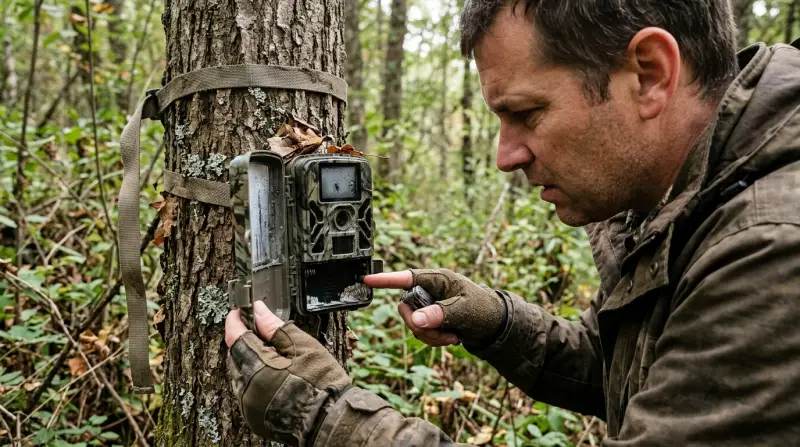
Stealth Cam devices are designed for outdoor use, but even the best models can have issues. Here are the most frequent problems users report:
1. Camera Not Powering On
Many users find their camera won’t turn on, even with new batteries. This is often due to:
- Low-quality batteries: Stealth Cams require high-drain batteries. Cheap brands may not provide enough power.
- Incorrect battery placement: Ensure all batteries are facing the right direction.
- Corroded battery terminals: Moisture can cause corrosion, stopping power flow.
Clean terminals with a cotton swab and a bit of vinegar. Use name-brand batteries for best results.
2. Sd Card Errors
SD card problems are common and can prevent the camera from saving photos or videos.
- Wrong SD card type: Most Stealth Cams need SDHC cards, not SDXC.
- Card not formatted: Always format the SD card inside the camera before use.
- Dirty or damaged card contacts: Dust or scratches can cause errors.
Buy SD cards from reputable brands. Format regularly and avoid removing the card while the camera is powered on.
3. Poor Image Quality
Stealth Cams promise clear images, but users sometimes get blurry, dark, or overexposed photos.
- Dirty lens: A smudged lens affects clarity.
- Wrong settings: Low resolution or incorrect exposure settings can ruin photos.
- Movement or low light: If animals move fast or lighting is poor, images blur.
Wipe the lens gently with a microfiber cloth. Adjust resolution and exposure for your environment.
4. Missed Triggers Or False Triggers
Sometimes the camera fails to capture events, or it takes too many photos with nothing in them.
- Slow trigger speed: Older models have slower response times.
- Wrong placement: Facing sunlight or moving branches can cause false triggers.
- Sensor issues: Dust or water on sensors reduces sensitivity.
Place the camera away from direct sun and clear the area in front of it.
5. Battery Drain Too Fast
Many users complain that batteries die within days.
- Cold weather: Batteries drain faster in low temperatures.
- Too many triggers: High activity areas can drain power quickly.
- LED flash overuse: Night photos with flash use more energy.
Use lithium batteries for cold climates. Adjust sensitivity and trigger interval to reduce unnecessary photos.
6. Time And Date Errors
Incorrect timestamps make it hard to track activity.
- Battery removal: Removing batteries resets clock.
- Firmware bugs: Some models have software glitches.
Set date and time each time you install batteries. Check for firmware updates on the Stealth Cam site.
Troubleshooting Steps
If your Stealth Cam isn’t working as expected, follow these steps:
Check Battery Quality And Placement
- Use fresh, high-quality batteries (preferably lithium).
- Insert batteries according to the marked polarity.
- Inspect for corrosion and clean if needed.
Inspect And Format Sd Card
- Use SDHC cards (up to 32GB for most models).
- Format the card in the camera, not on a computer.
- Replace old or damaged cards.
Reset Camera Settings
- Reset to factory defaults using the menu.
- Update firmware if available.
- Re-enter date, time, and custom settings.
Clean Lens And Sensors
- Use a soft, lint-free cloth for the lens.
- Gently wipe sensors to remove dust and debris.
Test Trigger And Placement
- Walk in front of the camera to see if it triggers.
- Move the camera to avoid direct sunlight, wind, or moving foliage.
- Adjust sensitivity and detection range.
Review Storage And Power Usage
- Check if the SD card is full.
- Change trigger interval to reduce battery drain.
- Turn off unnecessary features (like video or burst mode).
Credit: www.minitool.com
Prevention Tips
Avoiding Stealth Cam problems starts with setup and maintenance.
- Choose the right location: Place your camera where it is protected from extreme weather and direct sunlight.
- Regular checks: Visit your camera every few weeks to clean, check batteries, and review images.
- Use weatherproof accessories: Consider using a housing or cover for extra protection.
- Label your SD cards: Keep track of which cards belong to which cameras and format them often.
- Update firmware: Stealth Cam releases updates to fix bugs and improve performance.
Comparing Stealth Cam Models And Common Issues
Some models are more prone to certain problems. Here’s a comparison of three popular Stealth Cam models and their known issues:
| Model | Trigger Speed | Battery Life | Common Problems |
|---|---|---|---|
| Stealth Cam G42NG | 0.5 seconds | Up to 6 months | SD card errors, missed triggers |
| Stealth Cam DS4K | 0.4 seconds | Up to 4 months | Poor image quality, fast battery drain |
| Stealth Cam Fusion | 0.8 seconds | Up to 3 months | False triggers, time/date errors |
Credit: www.stealthcam.com
Sd Card Compatibility Guide
Choosing the right SD card is essential for avoiding errors and data loss. Here’s a quick compatibility chart:
| Camera Model | Max SD Card Size | Recommended Card Type |
|---|---|---|
| G42NG | 32GB | SDHC |
| DS4K | 64GB | SDXC |
| Fusion | 32GB | SDHC |
Insight: SDHC cards are usually safer and more compatible for most Stealth Cam models. SDXC cards can work with newer models but may cause errors in older cameras.
Battery Performance Data
Battery choice affects camera performance and reliability. Here’s a comparison:
| Battery Type | Average Life (Normal Use) | Performance in Cold |
|---|---|---|
| Alkaline | 2–3 months | Poor |
| Lithium | 4–6 months | Excellent |
| Rechargeable NiMH | 1–2 months | Average |
Lithium batteries cost more but give longer life and better performance, especially in winter.
Real-world Examples
Some users report their Stealth Cam G42NG lasted all season, capturing hundreds of photos, while others had frequent SD card errors. One hunter shared that using lithium batteries and formatting SD cards in the camera solved most problems. Another noticed false triggers stopped after moving the camera away from a windy tree. These examples show that small changes in setup and maintenance can make a big difference.
Advanced Troubleshooting
If basic fixes don’t work, try these advanced steps:
- Firmware update: Go to Stealth Cam’s official site and download the latest firmware. Update via SD card.
- Factory reset: Hold the reset button (if available) for 10–15 seconds.
- Test with different SD cards: Sometimes, a card is incompatible even if it looks fine.
- Check for moisture: Open the battery compartment and SD card slot; let the camera dry out if you see condensation.
- Contact support: If your camera is under warranty, reach out to Stealth Cam for repairs or replacement. For more detailed troubleshooting, visit Stealth Cam Support.

Preventing Future Stealth Cam Problems
Most issues can be prevented with proper care:
- Always use recommended batteries and SD cards.
- Protect the camera from rain and extreme temperatures.
- Clean lens and sensors regularly.
- Avoid high-activity areas that drain battery fast.
- Set realistic trigger sensitivity for your environment.
Hidden Insight: Many beginners overlook firmware updates, but these can fix bugs and improve performance. Checking for updates every season is a smart habit.
Frequently Asked Questions
What Is The Best Battery Type For Stealth Cam Trail Cameras?
The best battery type is lithium. They last longer and perform well in cold weather. Alkaline batteries are cheaper but often drain quickly, especially in winter.
Why Does My Stealth Cam Miss Animals Even When They Walk Right In Front?
This can happen due to slow trigger speed, incorrect placement, or dirty sensors. Try moving the camera closer to the trail and clean the sensor area.
How Can I Fix Sd Card Errors On My Stealth Cam?
First, format the SD card in the camera, not on your computer. Use SDHC cards from trusted brands. Avoid removing the card while the camera is turned on.
Does Weather Affect Stealth Cam Performance?
Yes. Cold weather drains batteries faster, and rain or humidity can cause corrosion. Use weatherproof accessories and lithium batteries for best results.
How Do I Update Firmware On My Stealth Cam?
Go to the Stealth Cam website, download the latest firmware for your model, and follow instructions to update via SD card. Updating firmware can fix bugs and improve performance.
Stealth Cam problems can seem complicated, but most issues are easy to fix or prevent with good practices. Choose quality batteries and SD cards, keep your camera clean, and check settings regularly. Small changes can make your trail camera reliable and effective, so you never miss the moment you’re waiting for.