
Streaming TV has changed how people watch shows and movies. Many viewers look for ways to enjoy great content without paying for cable or expensive streaming services. Vizio Watch Free Plus is one of the most popular free options in the US, especially for Vizio TV owners. But what exactly is it, how does it work, and is it really worth using? This guide will answer all your questions, including hidden features and common mistakes to avoid.
What Is Vizio Watch Free Plus?
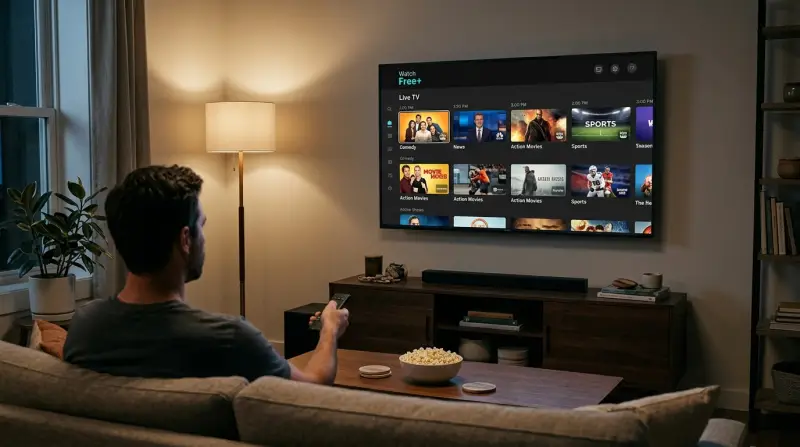
Vizio Watch Free Plus (often called WatchFree+) is a free streaming service built into most Vizio Smart TVs. It offers live TV channels and on-demand content without any subscription, credit card, or sign-up required. Think of it as a cable-like experience, but all channels are streamed over the internet.
WatchFree+ is supported by ads, so you do see commercials, but you don’t pay a monthly fee. The content includes movies, TV shows, news, sports, kids’ programming, and more. For many users, it’s a simple way to get more out of their Vizio TV with just an internet connection.
Key Features Of Vizio Watch Free Plus
Vizio Watch Free Plus is packed with features that make it stand out compared to some other free streaming options.
- No Login or Subscription Needed: Anyone with a compatible Vizio TV can start watching immediately.
- Live TV Channels: Over 260 channels, including news, sports, movies, and entertainment.
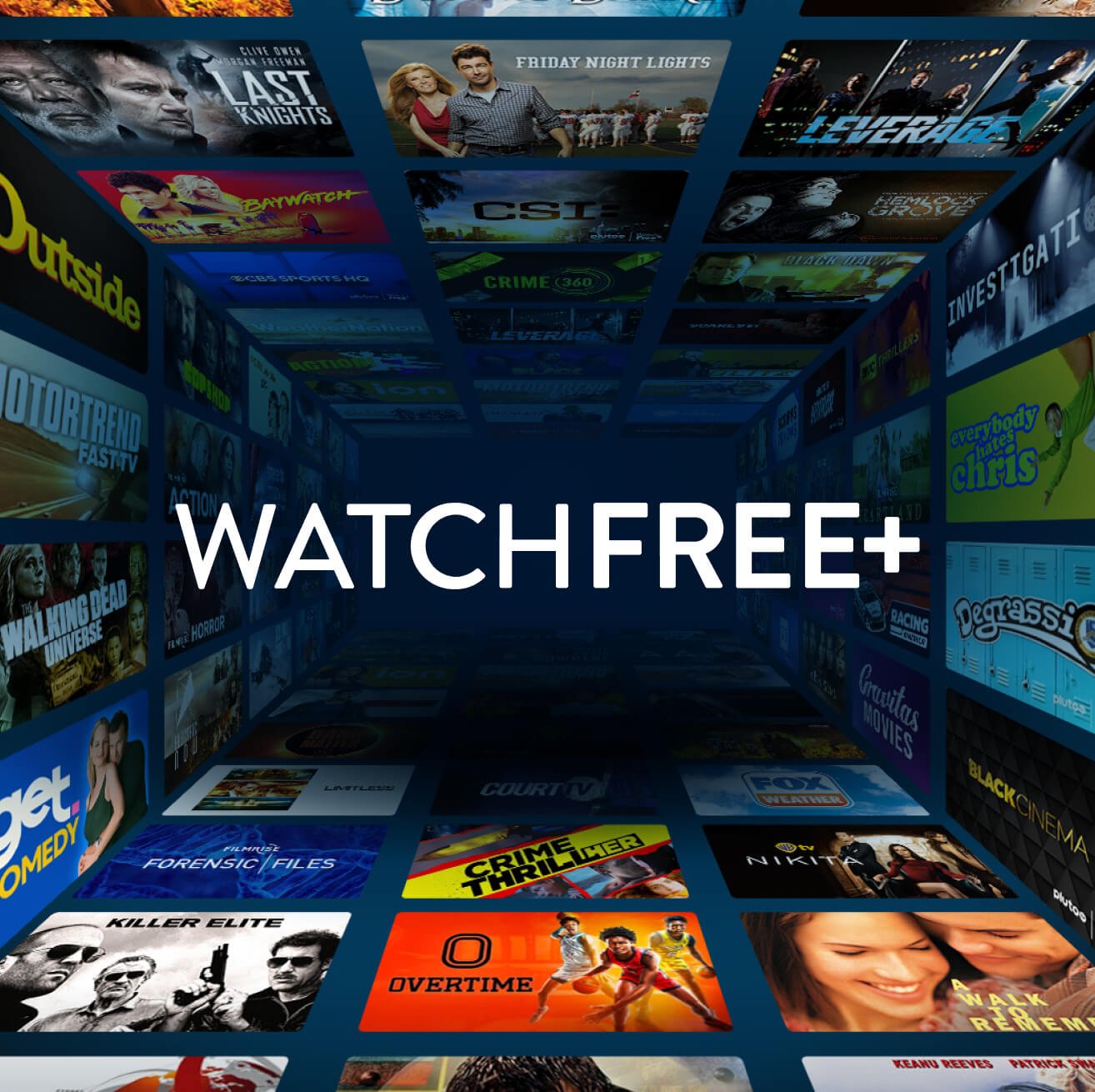
- On-Demand Library: Thousands of movies and TV shows to watch whenever you want.
- Program Guide: Easy-to-use guide, similar to cable TV, for browsing what’s on now and coming up next.
- Personalized Recommendations: Suggestions based on your viewing history (only if you enable data collection).
- HD Streaming: Many channels and on-demand titles stream in high-definition quality.
- Parental Controls: Helps parents block content they don’t want their kids to see.
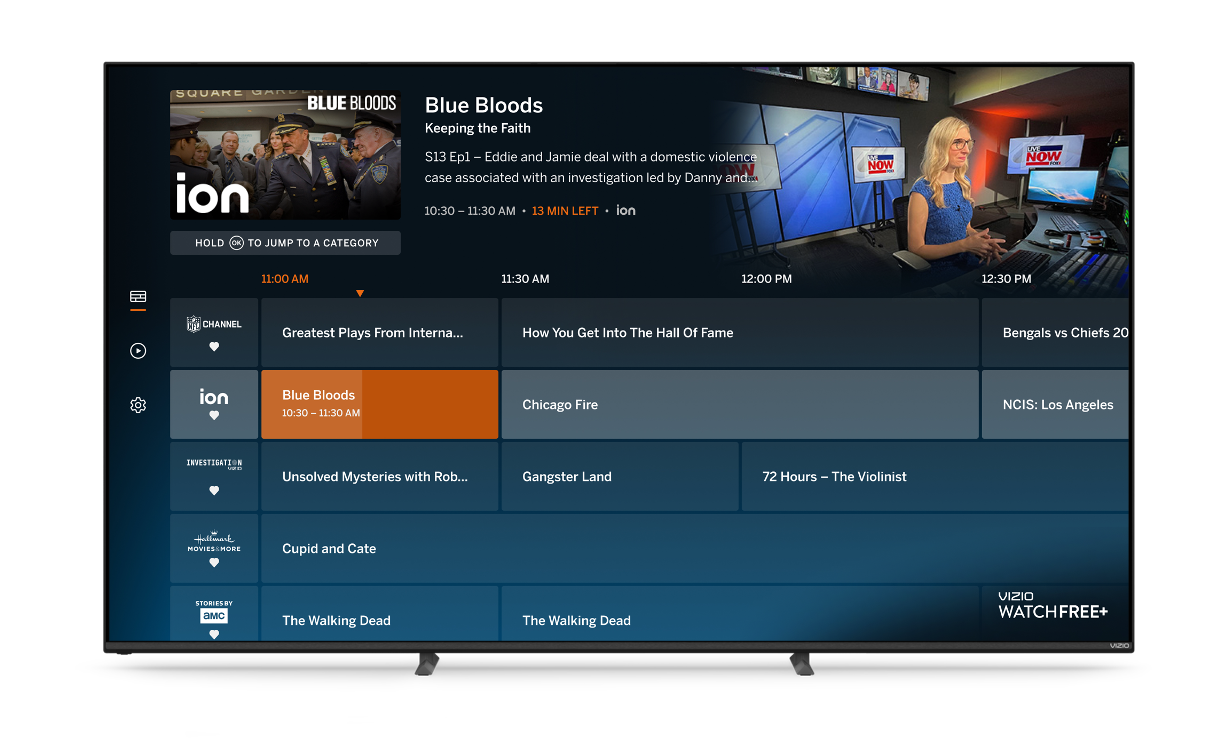
Credit: platformplus.vizio.com
How To Access And Use Watch Free Plus
Getting started with WatchFree+ is simple, but a few steps will make your experience smoother.
Setting Up
- Connect your Vizio TV to the internet using Wi-Fi or Ethernet.
- Press the ‘WatchFree+’ button on your remote, or find the WatchFree+ app on your TV’s main menu.
- Browse the program guide to see live channels and what’s on now.
- Select a channel or show to start watching instantly.
Supported Devices
WatchFree+ is designed for Vizio SmartCast TVs made in 2016 or later. If you have an older Vizio TV, you won’t find WatchFree+ in your apps. There is no official app for non-Vizio TVs, phones, or streaming sticks.
Navigation Tips
- Use the directional arrows and OK button on your remote to move through the program guide.
- Press the ‘Info’ button for more details about a show or movie.
- Use the ‘Back’ button to return to the previous screen.
Non-obvious tip: The fastest way to jump between categories (like News, Sports, Movies) is to use the color-coded buttons on Vizio’s newer remotes. Many users overlook this shortcut.
Types Of Content Available
Vizio Watch Free Plus offers a wide range of content, much more than most people expect from a free service.
Live Channels
You get access to over 260 live streaming channels. These include:
- News: CNN, NBC News Now, Bloomberg, and local news channels.
- Sports: SportsGrid, beIN Sports Xtra, and select college sports.
- Movies: MovieSphere, Cinevault, and genre-specific movie channels.
- Entertainment: Comedy Dynamics, Gusto TV, and lifestyle channels.
- Music: Vevo music video channels.
- Kids: Pocket.watch, HappyKids.tv, and Toon Goggles.
On-demand Library
Beyond live TV, WatchFree+ also has an on-demand section. Here you can find thousands of movies, TV episodes, and specials. Content rotates regularly, so check back often for new options.
Regional And Special Interest Channels
WatchFree+ includes some local news stations and unique channels dedicated to topics like true crime, classic TV, and documentaries. This variety is a key reason users stick with the platform.
Watch Free Plus Vs. Other Free Streaming Services
It’s natural to wonder how WatchFree+ compares to other popular free platforms like Pluto TV, Tubi, or Xumo.
Here’s a side-by-side comparison for clarity:
| Feature | WatchFree+ | Pluto TV | Tubi | Xumo |
|---|---|---|---|---|
| Live TV Channels | 260+ | 250+ | Limited | 200+ |
| On-Demand Library | Yes | Yes | Yes | Yes |
| Sign-Up Required | No | No | No | No |
| Device Support | Vizio TVs only | Most devices | Most devices | Most devices |
Key insight: WatchFree+ is best for people who already own a Vizio TV. Other services offer more flexibility across devices, but WatchFree+ is tightly integrated and often delivers a smoother, TV-like experience.
Benefits Of Using Watch Free Plus
There are several reasons why WatchFree+ is popular among Vizio TV owners:
- Completely Free: No hidden fees or sign-ups. Even kids and guests can use it without accounts.
- No Extra Devices Needed: Everything is built into your TV. No need for sticks or boxes.
- Cable-Like Experience: The program guide and remote navigation feel familiar for former cable users.
- Good Variety: News, sports, movies, and kids’ channels all in one place.
- Regular Content Updates: New channels and shows appear every month.
- Minimal Setup: No confusing logins or password resets.
Non-obvious Advantages
- Seamless switching: You can jump from regular TV inputs to WatchFree+ without closing apps or restarting your TV.
- Data privacy: If you don’t enable personalized recommendations, your viewing data isn’t used for targeted ads, which is rare among streaming services.
Limitations And Downsides
No service is perfect. Here are some common drawbacks of WatchFree+:
- Vizio TVs Only: You can’t use it on your phone, tablet, or non-Vizio device.
- Ad Breaks: Like regular TV, you’ll watch ads, sometimes several per hour.
- Limited Premium Content: Don’t expect the latest blockbuster movies or hit series.
- No Offline Viewing: Must be connected to the internet at all times.
- Some Channels May Buffer: If your internet is slow, video quality can drop or stall.
Data Table: Watchfree+ Strengths Vs Weaknesses
| Strengths | Weaknesses |
|---|---|
| 100% free with no sign-up | Only works on Vizio TVs |
| Simple, familiar interface | Ads cannot be skipped |
| Large channel variety | No app for mobile or web |
| On-demand and live content | No offline downloads |
Some users report occasional glitches after a TV software update. If WatchFree+ stops working, try restarting your TV or checking for new updates.
Is Watch Free Plus Really Free? How Does It Make Money?
Yes, WatchFree+ is truly free for users. You don’t need to pay for access. The service earns money by showing ads during programs. Advertisers pay Vizio for these spots, which covers the cost of licensing content and running the platform.
Unlike some “free” trials or limited-time offers, you’ll never be asked for payment. However, ads are not optional—you cannot skip or fast-forward through them. This is similar to how traditional TV worked for decades.

Credit: www.youtube.com
Who Should Use Vizio Watch Free Plus?
WatchFree+ isn’t for everyone, but it’s a great fit for:
- Cord-cutters who want extra channels without paying.
- Families who want safe kids’ programming.
- Older viewers who prefer a traditional TV feel.
- New Vizio TV owners looking to explore all features.
- People with good internet who don’t want another device or app.
It’s less useful for people who want the latest Hollywood releases, or who prefer watching on their phone or laptop.
How To Get The Most Out Of Watch Free Plus
Here are tips to improve your experience:
- Use the Favorites feature: Add favorite channels for quick access.
- Explore On-Demand: Check this section weekly—content changes often.
- Try Parental Controls: Set a PIN to block channels or shows you don’t want children to watch.
- Check for Software Updates: Vizio releases updates that sometimes add new features or fix bugs.
- Test Your Internet Speed: For the best quality, aim for at least 10 Mbps download speed.
Common Mistakes To Avoid
- Ignoring the On-Demand section: Many users only watch live channels and miss out on movies and shows available on-demand.
- Not updating TV software: Skipping updates can lead to glitches or missing features.
- Assuming it works on all TVs: WatchFree+ is only for Vizio SmartCast TVs from 2016 or newer.
Privacy And Data Concerns
Many users worry about privacy with free streaming services. WatchFree+ does collect some viewing data, but you can limit this in your TV’s settings. If you turn off “Viewing Data” collection, you’ll get fewer personalized recommendations, but your activity will not be used for targeted advertising.
Vizio’s privacy policy is clear, and you can read more about it on the company’s official site or on the Vizio Wikipedia page.
Future Of Watch Free Plus
Vizio continues to improve WatchFree+ with:
- New channels: More live and on-demand options added regularly.
- Better recommendations: Smarter, more relevant suggestions.
- Improved interface: Faster, smoother, and easier to use.
Industry experts expect WatchFree+ and similar platforms to become even more important as viewers look for ways to save money and avoid subscription overload.
Frequently Asked Questions
Is Vizio Watch Free Plus Really Free?
Yes, WatchFree+ is 100% free for Vizio Smart TV owners. You don’t need to pay, sign up, or provide a credit card. The service is supported by ads, similar to regular TV.
Can I Use Watch Free Plus On Other Devices?
No, WatchFree+ is only available on Vizio SmartCast TVs made in 2016 or later. There’s no official app for Roku, Fire TV, Apple TV, or mobile devices.
How Many Channels Does Watch Free Plus Have?
WatchFree+ offers over 260 live streaming channels, plus thousands of on-demand movies and shows. The channel lineup changes often as new content is added.
Does Watch Free Plus Offer Parental Controls?
Yes, parents can set up PIN-protected controls to block certain channels or content. This feature is found in your TV’s system settings.
What Should I Do If Watch Free Plus Stops Working?
First, check your internet connection. Then, restart your TV and look for software updates. If problems continue, visit Vizio’s support website for troubleshooting tips.
Vizio Watch Free Plus is a smart way to enjoy free streaming TV if you own a compatible Vizio television. With no sign-ups, hundreds of channels, and a familiar TV experience, it’s worth trying for anyone who wants more content without extra cost.