
A Vizio sound bar can transform your living room, making movies, music, and TV shows sound much better. But what happens when your Vizio sound bar remote suddenly stops working? It’s a common frustration, and it can make your sound bar feel useless. Many people experience this issue, and often, simple solutions exist that can get your remote working again. In this article, you’ll learn why your remote stopped working, how to fix it, and what to do if nothing seems to help. We’ll also compare common remote problems, show you how to avoid mistakes, and answer the most asked questions. Let’s make your sound bar remote work again.
Why Your Vizio Sound Bar Remote Stopped Working
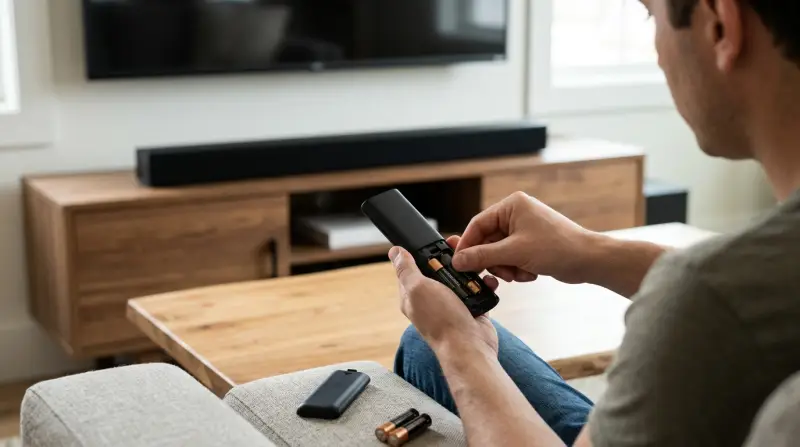
A remote not working can feel like a disaster, but most causes are simple. Here are the main reasons your Vizio sound bar remote might have stopped working:
- Dead or weak batteries – The most frequent cause. Remotes use very little power, but batteries do eventually die.
- Blocked signal – Remotes use infrared (IR) signals. If something blocks the path, or the sensor is dirty, the sound bar won’t “see” the remote.
- Remote pairing lost – Some Vizio remotes need to be “paired” with the sound bar. If the connection breaks, the remote won’t work.
- Interference – Strong lights, other remotes, or devices can interfere with the IR signal.
- Remote or sensor damage – Dropping the remote or sound bar can break the IR sensor or remote circuit.
- Firmware bugs – Rarely, outdated sound bar software can cause remote issues.
Many beginners overlook simple causes, like battery orientation. Even if you replaced the batteries, if they’re backward, the remote won’t work. Another common mistake: not checking the IR sensor on the sound bar for dust or smudges.
How To Fix Your Vizio Sound Bar Remote
Solving remote problems is often straightforward. Try these steps, in order, to maximize your chance of success:
Check And Replace Batteries
Even new batteries can be faulty or weak. Remove the old batteries and insert new ones, making sure they’re placed correctly. Watch for the positive (+) and negative (-) ends. Use brand-name batteries for reliability.
Clean The Ir Sensor
The IR sensor is usually a small, round window on your sound bar. Wipe it gently with a dry, soft cloth. Avoid using water or harsh cleaners. Also, clean the front of your remote.
Remove Obstructions
Make sure nothing blocks the path between the remote and the sound bar. Items like books, decorations, or even sunlight can block the IR signal.
Try A Power Cycle
Turn off your sound bar and unplug it from the wall for 60 seconds. Plug it back in and turn it on. This resets the sound bar’s software.
Test The Remote’s Ir Output
Point the remote at a smartphone camera and press a button. If you see a flashing light on the camera screen, the remote is working. If not, the remote may be broken.
Re-pair The Remote
Some Vizio sound bars need pairing. Refer to your manual or try holding both the Bluetooth and Volume Down buttons for 5–10 seconds.
Update Sound Bar Firmware
If your model supports firmware updates, check Vizio’s website. An update can fix bugs that cause remote problems.
Try A Universal Remote
If your remote is dead, a universal remote may work. Make sure it supports Vizio sound bars.
Many users miss the step of testing the remote with a smartphone camera. This is a quick way to see if the remote itself works, not just the sound bar. Also, beginners often forget to check for firmware updates, which can solve rare but tricky bugs.
Comparing Common Vizio Remote Problems
Different remote problems need different solutions. Here’s a comparison of the most frequent issues:
| Problem | Symptoms | Fix |
|---|---|---|
| Dead batteries | No response, no lights | Replace batteries |
| Blocked IR sensor | No response, intermittent | Remove obstructions, clean sensor |
| Remote damage | No response, visible damage | Replace remote |
| Lost pairing | No response, after reset | Re-pair remote |
| Firmware bug | Random failures | Update firmware |
This table helps you quickly identify your problem and the best fix.
When To Replace Your Vizio Sound Bar Remote
Sometimes, fixes won’t help. Here’s when you should consider a replacement:
- The remote shows no IR signal (test with a smartphone camera)
- Buttons are stuck, cracked, or missing
- The remote was exposed to water or dropped frequently
- Your sound bar works with another remote, but not your original
Official Vizio remotes are available online, but universal remotes often work and cost less. When buying, check compatibility and reviews.
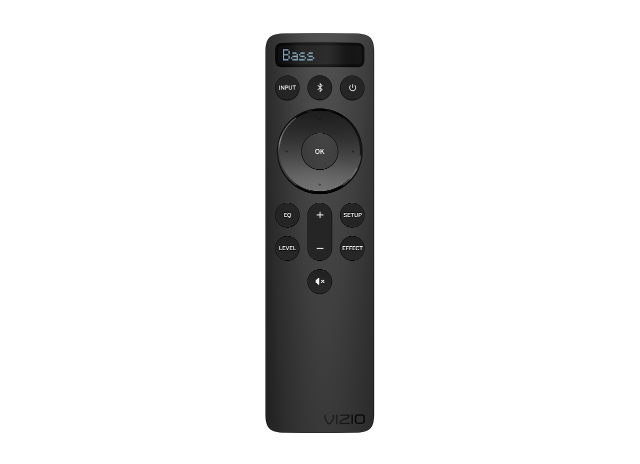
Using A Universal Remote With A Vizio Sound Bar
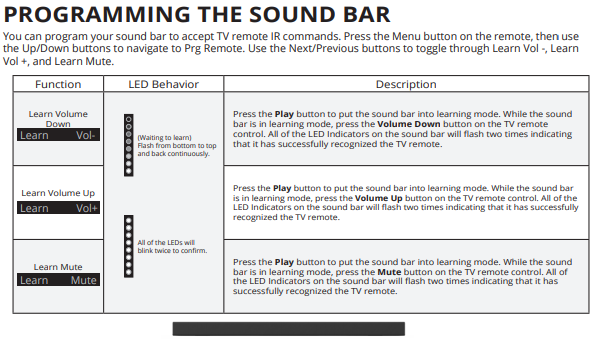
Universal remotes are a practical option if your original is lost or broken. Most universal remotes support Vizio sound bars, but setup varies.
Steps to use a universal remote:
- Buy a universal remote that lists Vizio sound bar compatibility.
- Follow instructions to “program” the remote. This usually involves entering a code.
- Test volume, power, and input functions.
- If some features don’t work, try a different code or remote model.
Some universal remotes lack advanced functions (like Bluetooth pairing). If you use these features often, check the remote’s specs first.
Preventing Vizio Remote Problems
A few simple habits can keep your remote working longer:
- Store remote safely – Avoid dropping or spilling liquids.
- Change batteries regularly – Every 6–12 months, even if the remote works.
- Clean the sensor – Dust builds up over time. Clean it monthly.
- Avoid strong sunlight – Sunlight can confuse the IR sensor.
- Check for firmware updates – Especially after buying the sound bar.
Many people forget about cleaning. Dust on the sensor or remote can block signals. Also, using cheap batteries can lead to leaks and damage.
Vizio Sound Bar Remote Vs Other Brands
Are Vizio remotes more troublesome than others? Let’s compare:
| Brand | Remote Type | Average Lifespan | Common Issues |
|---|---|---|---|
| Vizio | IR | 2–3 years | Battery, pairing, sensor |
| Samsung | IR/Bluetooth | 3–4 years | Battery, Bluetooth loss |
| Sony | IR | 2–3 years | Battery, button wear |
| Bose | RF/IR | 3–5 years | RF interference |
Vizio remotes last about as long as most brands. Most problems are similar: batteries, sensor issues, and sometimes pairing. Bose remotes use RF (radio frequency), which avoids IR interference but can suffer from other issues.
Troubleshooting Vizio Sound Bar Remote: Real-life Examples
Here are some real-life examples:
- Alex from Texas found his remote stopped working after moving his sound bar. He discovered a stack of books blocking the IR sensor. Removing them solved the problem.
- Sam in Florida replaced batteries but still had no luck. He used his phone camera to check the IR signal and saw no light. He bought a universal remote, which worked perfectly.
- Maria in California updated her sound bar’s firmware, which fixed her remote after months of random failures.
These examples show that simple fixes solve most problems. However, sometimes replacing the remote or updating firmware is necessary.
Advanced Troubleshooting Steps
If basic fixes don’t help, try these advanced steps:
- Factory reset the sound bar (see your manual for steps)
- Use the remote closer to the sound bar (sometimes IR strength drops)
- Try the remote in a dark room (to avoid sunlight interference)
- Contact Vizio support for model-specific help
Some users skip factory resets, fearing they’ll lose settings. While true, a reset can solve deep software bugs. It’s worth trying if nothing else works.
When To Contact Vizio Support
If you’ve tried all steps and your remote still doesn’t work, it’s time to contact Vizio support. Have your sound bar model number ready. They may offer warranty service or replacement options. You can find help and contact info at the official Vizio Support page.
Frequently Asked Questions
What Should I Do If My Vizio Sound Bar Remote Still Doesn’t Work After Changing Batteries?
First, check the battery orientation. Next, use a smartphone camera to test for an IR signal. If no light appears, the remote may be dead. Try a universal remote or contact Vizio support.
Can I Use Any Universal Remote With My Vizio Sound Bar?
Not all universal remotes work. Choose one that lists Vizio sound bar compatibility. Follow programming instructions and test all main features.
Why Does My Remote Only Work When I’m Very Close To The Sound Bar?
This usually means the IR signal is weak. Clean the sensor, check for obstructions, and replace batteries with high-quality ones. Sunlight or other devices may also interfere.
How Often Should I Change Batteries In My Vizio Remote?
Change batteries every 6–12 months, even if the remote works. Cheap batteries can leak and damage the remote. Use brand-name batteries for best results.
Is There A Way To Update My Vizio Sound Bar Firmware?
Some models allow firmware updates. Visit the official Vizio website and search for your model. Follow instructions carefully to avoid errors.
Fixing a Vizio sound bar remote is often easy, but sometimes it takes a bit more effort. Most issues come from batteries, sensor problems, or pairing loss. With the steps above, you can solve most problems yourself. If not, a universal remote or Vizio support can help. Remember to keep your remote clean, change batteries regularly, and avoid sunlight. These habits will keep your sound bar working smoothly for years.
2 thoughts on “Vizio Sound Bar Remote Stopped Working? Easy Fixes and Tips”