
A Samsung microwave is a kitchen staple for many homes. When the door won’t latch, it can be frustrating and even dangerous. Microwaves need the door to be fully closed to work safely. If your Samsung microwave door is not latching, you might feel stuck: food goes uncooked, and you worry about repair costs. But before you call a technician, it’s important to understand why this happens and what you can do.
Microwave door problems are common, but fixing them is often easier than people think. In this article, you’ll learn the main causes of a Samsung microwave door not latching, steps to diagnose the issue, and solutions you can try at home.
You’ll also see comparisons, practical tips, and answers to common questions. Whether you’re a beginner or have some experience, you’ll find clear guidance to help you solve the problem.
Why Does A Samsung Microwave Door Fail To Latch?
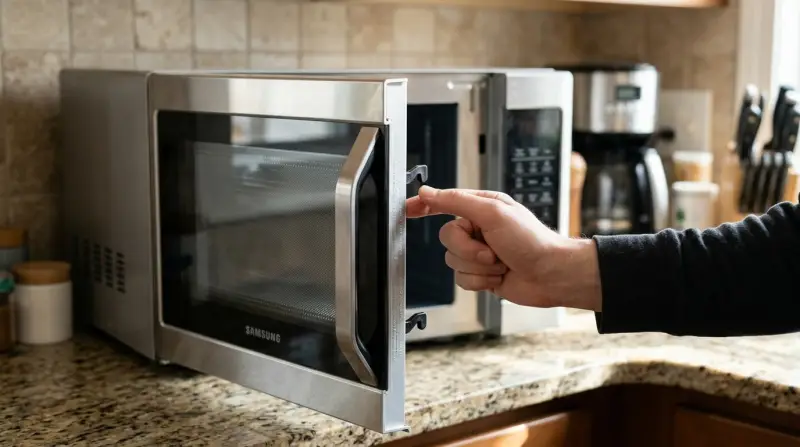
When a microwave door doesn’t latch, the unit won’t work. Most Samsung microwaves have a safety mechanism that prevents operation if the door is open or not fully locked. Here are the main reasons why the door may fail to latch:
- Broken Door Latch Assembly: The latch is usually plastic and can break over time, especially if the door is slammed.
- Misaligned Door: Sometimes, the door becomes bent or misaligned, making it hard for the latch to fit.
- Faulty Door Switch: Microwaves have multiple switches to detect if the door is closed. If these fail, the door may not latch or the unit won’t work.
- Obstructions: Dirt, food, or debris can block the latch or the frame.
- Worn Hinges: Hinges can loosen or wear out, making the door sag and miss the latch.
- Damaged Spring or Hook: Internal springs and hooks help the latch work. Damage here can cause failure.
Many of these issues are simple, but some require careful handling. Knowing the cause is the first step to fixing the problem.
Diagnosing The Latch Problem
Before you attempt any fix, you should diagnose the issue. Here’s a step-by-step guide to help you find out what’s wrong:
- Visual Inspection: Check the door and the frame for visible damage, cracks, or dirt.
- Manual Test: Try closing the door gently. Does it make a clicking sound? Does it stay closed or pop open?
- Check Alignment: Look at the door from different angles. Is it straight or sagging?
- Inspect Hinges: Open and close the door slowly. Do the hinges feel loose or rough?
- Test the Latch Mechanism: With the microwave unplugged, press the latch button or catch. Does it move smoothly?
- Check for Obstructions: Examine the latch area for crumbs, food, or sticky residue.
- Listen for Door Switch Activation: When you close the door, you should hear a click. If not, the switch may be faulty.
You don’t need special tools for basic diagnosis. Just your eyes, hands, and patience.
Common Fixes For Samsung Microwave Door Not Latching
Once you’ve diagnosed the issue, you can try some practical fixes. Here are solutions for the most frequent problems:
Cleaning The Latch And Frame
If dirt or debris is blocking the latch, cleaning can solve the problem. Use a soft cloth, mild soap, and warm water. Avoid harsh chemicals, as they can damage plastic parts.
- Wipe the latch area
- Clean the door frame
- Dry all surfaces before testing
Realigning The Door
A misaligned door needs careful adjustment. Sometimes, simply tightening the hinges can help. If the door is bent, gently push it back into place.
- Find the screws holding the hinges
- Tighten or loosen as needed
- Test after each adjustment
Replacing The Door Latch Assembly
If the latch is broken, you may need a new part. Samsung door latch kits are available online or through appliance stores.
- Unplug the microwave
- Remove the screws holding the inner door panel
- Replace the broken latch with a new one
- Reassemble and test
Fixing Or Replacing The Door Switch
A faulty door switch can prevent latching. Switches are usually inexpensive and easy to replace.
- Unplug the microwave
- Remove the outer cover (you may need a screwdriver)
- Locate the door switches (usually near the latch)
- Replace with new switches if needed
Repairing Hinges And Springs
Loose hinges or broken springs can cause the door to sag. Hinges can be tightened, and springs replaced.
- Check hinge screws and tighten
- Inspect springs and replace if worn
Removing Obstructions
Sometimes, a small piece of plastic or metal can block the latch. Remove any foreign objects carefully.
- Use tweezers or a small brush
- Avoid forcing the latch
When To Call A Technician
If the problem is inside the microwave’s electronics, or if you’re unsure, it’s best to call a professional. Microwaves use high voltage, and working inside can be dangerous.
Data: Samsung Microwave Door Problems Compared
Here’s a comparison of common causes and how often they occur, based on repair reports:
| Cause | Frequency (%) | Ease of Fix |
|---|---|---|
| Broken Latch Assembly | 35 | Medium |
| Misaligned Door | 25 | Easy |
| Faulty Door Switch | 20 | Medium |
| Obstructions | 10 | Easy |
| Worn Hinges/Springs | 10 | Medium |
This data shows that broken latch assemblies are the most common issue, followed by misalignment and door switch failure.
Step-by-step Guide: Fixing The Door Latch Yourself
If you want to fix your Samsung microwave door latch at home, follow these steps. Always unplug the microwave before starting.
Tools You May Need
- Screwdriver (Phillips)
- Soft cloth
- Replacement parts (latch, switches, hinges)
- Tweezers or small brush
Step 1: Inspect And Clean
Open the door and check for debris. Clean the latch and frame with a soft cloth.
Step 2: Check Alignment
If the door is sagging, tighten the hinges. If bent, gently adjust the door’s position.
Step 3: Remove The Inner Door Panel
Most latches are inside the door. Remove screws and gently pry open the panel.
Step 4: Replace The Latch
Remove the broken latch and insert the new one. Secure it with screws.
Step 5: Test The Door
Reassemble the door and check if it latches. Listen for the click.
Step 6: Replace Door Switch (if Needed)
Remove the outer cover, locate the switch, and replace if faulty.
Step 7: Final Test
Plug the microwave in and test the door. If it latches and the unit starts, the fix worked.
Tips For Preventing Door Latch Problems
Many latch problems can be prevented with good habits:
- Close the door gently—avoid slamming
- Clean the latch area regularly
- Check for loose hinges every few months
- Don’t hang heavy items on the door
- Avoid using the microwave with a damaged door
These small steps can extend the life of your microwave.

Comparing Samsung Microwave Models: Door Design
Samsung microwaves come in different models, each with unique door designs. Here’s a quick comparison:
| Model | Door Type | Latching Mechanism | Ease of Repair |
|---|---|---|---|
| ME21M706BA | Push Button | Plastic Latch | Medium |
| MS14K6000AS | Handle Pull | Metal Hook | Easy |
| MG14H3020CM | Touch Release | Dual Switch | Medium |
Some models are easier to repair than others. For example, the handle pull type is generally easier to fix.
Cost And Time: Repair Vs Replacement
Should you repair your microwave or buy a new one? Here’s a quick comparison:
| Option | Average Cost ($) | Time Required | Longevity |
|---|---|---|---|
| Repair Door Latch | 20–60 | 30–90 mins | 2–5 years |
| Replace Door Switch | 10–40 | 15–45 mins | 2–4 years |
| Buy New Microwave | 100–400 | 1–2 hours (setup) | 5–10 years |
Most latch repairs are quick and affordable. Replacing the microwave is more costly but may be needed for old units.

Non-obvious Insights
Many beginners overlook these key points:
- Door switches can fail even if the latch is fine. Sometimes, the latch works mechanically but the microwave doesn’t start. This is often a switch issue.
- Misalignment often starts small. If you notice the door becoming harder to close, fix it early. Waiting can lead to more damage.
- Cleaning isn’t just about hygiene—it keeps the latch clear. Even tiny crumbs can block the latch mechanism.
When To Replace Instead Of Repair
If your microwave is more than 7–8 years old, or if multiple parts are failing, replacement may be smarter. Newer models have improved safety features and energy efficiency. If the repair cost is more than half the price of a new unit, it’s better to upgrade.
For official guidance and parts, you can visit the Samsung Support.

Frequently Asked Questions
Why Won’t My Samsung Microwave Door Latch Even After Cleaning?
If cleaning doesn’t fix the latch, the problem may be with the door latch assembly or door switch. Sometimes, physical damage or worn parts need replacement.
Is It Safe To Use The Microwave If The Door Won’t Latch?
No. A microwave should never be used if the door won’t latch. This can cause radiation leaks and is a serious safety risk.
Can I Fix The Latch Myself, Or Do I Need A Technician?
Many latch problems can be fixed at home with basic tools and patience. However, if you need to access the internal electronics or if you’re unsure, it’s safer to call a technician.
What Tools Do I Need To Repair A Samsung Microwave Door Latch?
Usually, you’ll need a Phillips screwdriver, a soft cloth, and replacement parts. Tweezers or a small brush may help with cleaning.
How Much Does It Cost To Repair A Samsung Microwave Door Latch?
Repairing a door latch typically costs between $20 and $60 for parts. Labor costs may add $50–$100 if you hire a technician.
Final Thoughts
A Samsung microwave door not latching is a common issue, but one that’s often simple to fix. By diagnosing the cause, cleaning, and making repairs, you can restore your microwave and avoid expensive replacements. Remember, most problems start small—so act early.
Use gentle handling, regular cleaning, and quick repairs to keep your microwave working safely. If you’re unsure or the problem is inside the electronics, don’t risk injury—get professional help. With these practical steps, your Samsung microwave will be back in action, saving time and money in your kitchen.