
If you press a button on your Breezeline remote and nothing happens, it can feel frustrating. Whether you want to catch your favorite show or just change the volume, a non-working remote can quickly ruin your TV time. The good news is that most Breezeline remote problems have simple solutions. With the right steps, you can often fix the issue at home—without waiting for technical support.
This article will walk you through the most common reasons a Breezeline remote stops working. You’ll learn how to troubleshoot, reset, and even pair your remote again. Along the way, you’ll see practical tips, real examples, and useful comparison tables.
By the end, you’ll know how to get your Breezeline remote working—and avoid common mistakes others make.
Common Reasons Your Breezeline Remote Is Not Working
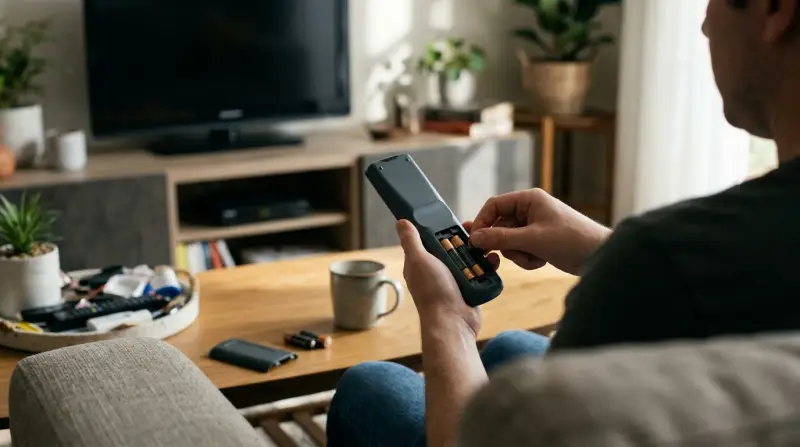
When a Breezeline remote fails, the root cause is usually one of a few main issues. Knowing these can help you solve the problem faster.
- Dead or Weak Batteries: Old batteries are the top reason remotes fail. Even if the light flashes, weak batteries might not send a strong signal.
- Obstructions: Objects blocking the line between your remote and the cable box or TV can stop signals from reaching.
- Programming Issues: Sometimes, the remote loses its pairing with the device.
- Physical Damage: Drops or spills can break internal parts.
- Software Glitches: Updates or cable box problems can interfere with remote signals.
Example: Quick Battery Test
A customer replaced their remote twice. The real problem? One battery in each set was slightly corroded. A fresh pair fixed everything. Always check both batteries and the contacts for dirt or corrosion.
Troubleshooting Steps For A Breezeline Remote
Let’s look at step-by-step actions you can take before calling support.
Check And Replace Batteries
- Remove both batteries from the remote.
- Inspect for leaks or corrosion. Clean contacts with a dry cloth if needed.
- Insert new, matching batteries (never mix old and new).
- Test the remote again.
Even if lights flash, swap batteries—some functions need more power than others.
Remove Obstructions
- Make sure nothing blocks the path between the remote and your device.
- Move objects like game consoles, books, or decorations.
- Try standing closer to the cable box to test the signal.
Reboot Your Cable Box
- Unplug your Breezeline cable box from power.
- Wait 30 seconds.
- Plug it back in and let it restart fully.
- Try the remote again.
Sometimes, the cable box freezes and stops accepting remote commands.
Reset The Remote
If the remote is still not working, try a reset:
- Hold down the A and D buttons at the same time until the LED changes color.
- Enter code 981 on the remote.
- The LED will blink, meaning the remote has reset.
- Try to use the remote again.
Re-pair The Remote
If the reset did not work, you may need to pair the remote again:
- Press the Menu button.
- Use the arrow keys to go to Remote Control Setup.
- Follow the on-screen steps to pair the remote.
Not all Breezeline remotes pair the same way. Check your model for exact steps.
Test The Remote On Another Device
If possible, try using the remote with a different Breezeline box or TV. If it still fails, the remote itself may need replacement.
When To Call Support
If none of these steps solve the problem, contact Breezeline support. They can check for deeper issues or send a replacement remote.

Breezeline Remote Models: Features And Differences
Breezeline offers several remote types. Knowing your model helps with troubleshooting.
Here’s a comparison of the most common models:
| Model | Main Features | Pairing Method | Works With Voice? |
|---|---|---|---|
| XR11 | Basic, IR only | Manual code entry | No |
| XR15 | Voice remote, backlit keys | Simple pairing button | Yes |
| URC2020 | Universal, controls TV/Audio | Manual code entry | No |
Always check the model number on the back or inside the battery compartment.
How To Pair And Program A Breezeline Remote
If you’ve replaced your TV or cable box, or your remote was reset, you may need to pair it again.
Pairing Steps For Xr15 Voice Remote
- Turn on your TV and Breezeline box.
- Press and hold the Xfinity and Info buttons together for 5 seconds.
- When the light turns green, follow the on-screen instructions.
- Enter the code displayed on your TV.
- Test the remote with both the box and your TV.
Programming For Tv Power And Volume
- Press and hold the Setup button until the LED changes color.
- Enter the code for your TV brand (find this online or in the remote’s manual).
- If unsure, use the auto-search feature by following on-screen instructions.
Troubleshooting Pairing Issues
If pairing fails:
- Move closer to the box.
- Use fresh batteries.
- Restart the box and try again.

Common Mistakes People Make With Breezeline Remotes
Some errors can make a simple problem harder to solve. Here’s what to avoid:
- Mixing battery types: Always use two of the same kind and brand.
- Ignoring the manual: Each model has unique steps and codes.
- Skipping the box reboot: Many think only the remote is the issue, but the box can freeze too.
- Blocking signals with decor: Even small objects can block the infrared beam.
- Forgetting to re-pair after box updates: Software updates may require new pairing.
When To Replace Your Breezeline Remote
If your remote is physically damaged or none of the troubleshooting steps work, it may be time for a replacement.
Signs You Need A New Remote
- Buttons stick or don’t respond.
- The remote rattles if shaken (internal damage).
- No lights or response even with new batteries.
- The casing is cracked or wet inside.
You can request a replacement from Breezeline support or visit a local service center.
How Breezeline Remotes Compare To Other Cable Remotes
If you’ve used other cable providers, you might wonder how Breezeline remotes stack up.
Here’s a quick comparison:
| Provider | Voice Remote | Universal Control | Mobile App Support |
|---|---|---|---|
| Breezeline | Some models | Yes | No |
| Xfinity | Yes | Yes | Yes |
| Spectrum | No | Yes | No |
Breezeline remotes are simple and reliable but may lack advanced app support found with other providers.
Non-obvious Fixes And Advanced Tips
Many users miss these less obvious but effective solutions:
- Check For Firmware Updates: Cable boxes sometimes receive updates that change how they work with remotes. If your remote suddenly stops working after an update, re-pairing is usually needed.
- Power Cycle Everything: Unplug both your TV and Breezeline box for 1 minute. This can clear memory glitches in both devices.
- Use A Smartphone Camera To Test Infrared: Point your remote at your phone’s camera (selfie mode) and press a button. If you see a blinking light on the camera, the remote is sending a signal. If not, the remote’s sensor may be broken.
- Try A Universal Remote: If you suspect your Breezeline remote is faulty, you can use a universal remote as a temporary fix. Just program it with Breezeline codes.

How To Care For Your Remote And Prevent Future Issues
A few simple habits can make your remote last longer:
- Keep food and drinks away to avoid spills.
- Replace batteries every 6-12 months, even if the remote still works.
- Clean the remote with a dry, soft cloth—never use water or cleaners.
- Store the remote in a safe spot to prevent drops.
If you have pets or small children, consider a remote cover for extra protection.
Where To Find More Help
If you’ve tried everything and your remote still does not work, Breezeline offers online support. Their official support page provides guides, troubleshooting videos, and a chat option for live help.
For deeper technical details, you can also check the Breezeline Support Page.
Frequently Asked Questions
Why Does My Breezeline Remote Only Work For Some Buttons?
If certain buttons work but others don’t, the remote’s internal contacts may be dirty or worn out. Try cleaning the remote or replacing it if cleaning does not help.
How Do I Reset My Breezeline Remote To Factory Settings?
Hold the A and D buttons together until the LED changes color, then enter 981. The remote will reset. You may need to re-pair it with your devices afterward.
Can I Use A Universal Remote With Breezeline Cable Boxes?
Yes, most Breezeline boxes support popular universal remotes. Make sure to use the correct codes listed in your universal remote’s manual.
What If My Breezeline Remote Works With The Cable Box But Not My Tv?
You may need to reprogram the TV control function. Refer to your remote’s manual for the correct TV codes and programming steps.
Where Can I Get A Replacement Breezeline Remote?
Contact Breezeline support or visit a local service center. They can send you a new remote or help with advanced troubleshooting.
Getting your Breezeline remote working again is often just a matter of following the right steps. Most problems are simple like batteries or pairing. If you try the tips above, you’ll likely solve the issue yourself. For stubborn problems, Breezeline support is ready to help. With a working remote, you can get back to enjoying your favorite shows without interruption.