
Every office and home with sensitive documents probably owns a paper shredder. These machines are simple but powerful tools for protecting your privacy. But if you have ever wondered, how long can you run a paper shredder before it needs a break, you are not alone. Many people are surprised to find out that shredders have specific limits. Pushing them too far can shorten their life or even cause them to fail. This guide will explain everything you need to know about shredder run times, why they matter, and how to use your shredder for maximum efficiency and lifespan.
Understanding Paper Shredder Run Time
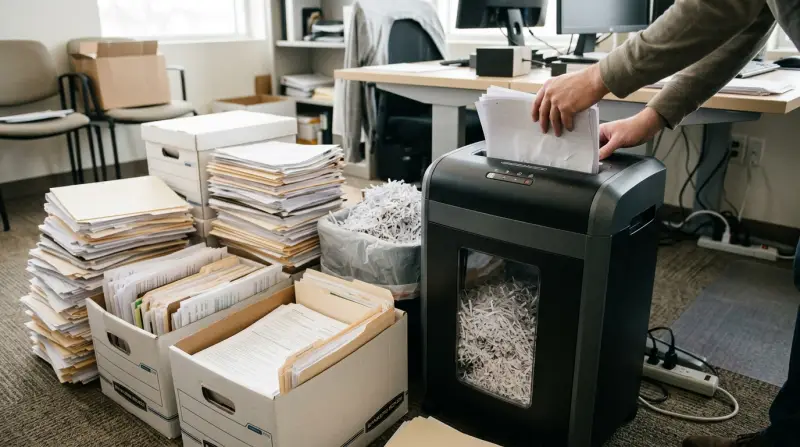
Every paper shredder has a maximum run time—the longest period it can operate before it needs to cool down. This limit exists because shredding creates heat inside the motor and cutting blades. If you ignore the run time and keep shredding, you risk overheating and permanent damage.
Most manufacturers list two numbers in the product manual:
- Continuous run time: How many minutes the shredder can work before a break is needed.
- Cool down time: How long the machine must rest before shredding again.
Not all shredders are created equal. Some consumer models can only run for a few minutes, while heavy-duty office machines can keep going for much longer.
Typical Run Times By Shredder Type
To help you compare, here is a simple breakdown of common shredder types and their average run times:
| Shredder Type | Average Run Time | Average Cool Down |
|---|---|---|
| Personal/Home | 2–5 minutes | 20–40 minutes |
| Small Office | 5–10 minutes | 20–30 minutes |
| Commercial/Heavy-Duty | 30+ minutes or continuous | 5–15 minutes (if any) |
As you can see, personal shredders are designed for short, occasional use. Office shredders offer longer work periods, but still need breaks. Only commercial shredders are built for non-stop shredding.
Why Paper Shredders Need Rest
You might wonder why a simple machine needs to rest at all. The answer is heat. Shredding paper creates friction in the blades and stress on the motor. As the machine works, it heats up, and internal parts can reach high temperatures very quickly.
If the shredder gets too hot, several problems can happen:
- The motor can burn out and stop working.
- Plastic parts can warp or melt.
- The blades may lose sharpness or become misaligned.
Thermal sensors inside most shredders will shut the machine off if it gets too hot. However, relying on this automatic protection can reduce the shredder’s lifespan. It’s always better to follow the manufacturer’s run time guidelines.
Key Factors Affecting Run Time
Not every shredder even within the same class will have the same run time. Several factors influence how long you can run your shredder safely.
Sheet Capacity
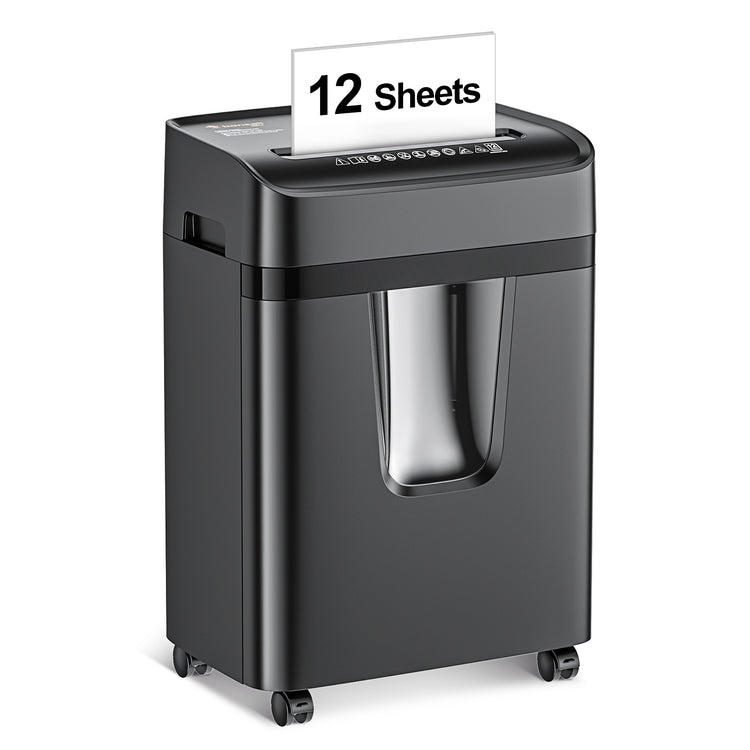
The number of sheets you feed at once has a major impact. A shredder rated for 8 sheets may overheat faster if you regularly feed thick stacks. Pushing the limit forces the motor to work harder, creating more heat.
Shred Type
There are three main shred types:
- Strip-cut: Faster, less secure, and usually longer run times.
- Cross-cut: More secure, but creates more work for the blades and motor.
- Micro-cut: Highest security, slowest and most demanding on the machine.
A micro-cut shredder generally has a shorter run time than a strip-cut model of the same size.
Paper Type And Condition
Shredding thick card stock, old paper, or even staples can increase strain. Damp or crumpled paper also makes the motor work harder. Always use only the materials your shredder is rated to handle.
Machine Age And Maintenance
Older shredders with worn blades or dust buildup may heat up faster than new, well-maintained machines. Regular cleaning and oiling can help maintain optimal run time.
Ambient Temperature
Hot working environments can cause the shredder to overheat more quickly. Using your shredder in a cool, well-ventilated room can extend its run time.
How To Maximize Your Shredder’s Run Time
Getting the most from your shredder means using it smartly. Here are practical tips to help you shred more without overheating:
- Stick to the recommended sheet limit. Don’t force more paper in than the shredder can handle.
- Shred in short bursts. Feed a few sheets, pause briefly, and repeat instead of running non-stop.
- Empty the bin regularly. A full bin can jam the blades and make the motor work harder.
- Oil the blades often. Most shredders need oiling every 30 minutes of use or after emptying the bin. This reduces friction and heat.
- Allow proper cool down. Always let the machine rest for the full cool down time if you hit the run time limit.
- Clean out paper dust. Dust buildup inside the shredder traps heat.
- Use in a cool area. Avoid placing your shredder in direct sunlight or near heaters.
These simple habits can extend your shredder’s run time and overall lifespan.

Signs Your Shredder Needs A Break
It’s important to know when your shredder is close to overheating. Pay attention to these signs:
- Slower shredding speed: The motor is struggling and needs to rest.
- Strange smells: A hot, burning smell means the motor is too hot.
- Unusual noises: Grinding or whining sounds mean the machine is under stress.
- Automatic shut-off: Most shredders have thermal protection and will turn off if they get too hot.
If you notice any of these warning signs, stop shredding immediately and let the machine cool down.
Comparing Popular Shredder Models
To give you a sense of real-world run times, here’s a comparison of several best-selling paper shredders:
| Model | Type | Sheet Capacity | Max Run Time | Cool Down Time |
|---|---|---|---|---|
| Fellowes 79Ci | Cross-cut | 16 | 20 minutes | 30 minutes |
| AmazonBasics 8-Sheet | Cross-cut | 8 | 3 minutes | 30 minutes |
| Royal 1840MX | Micro-cut | 18 | 40 minutes | 15 minutes |
| Bonsaii EverShred C149-C | Cross-cut | 18 | 60 minutes | 10 minutes |
| HSM Shredstar X17 | Cross-cut | 17 | 15 minutes | 30 minutes |
As you can see, run times vary widely even among similar-looking machines. Always check the product specs before buying, especially if you plan to shred large amounts at once.
When Do You Need A Continuous-run Shredder?
Most home and small office shredders are not designed for hours of use. However, some situations require continuous shredding—for example, destroying old files in bulk or working in a busy office.
If you need to shred for more than 10–15 minutes at a time, look for these features:
- Continuous-duty motor: Rated for non-stop use.
- Large waste bin: So you don’t have to empty it often.
- Advanced cooling system: Fans or heat sinks to keep the motor cool.
These machines cost more, but they save time and reduce the risk of overheating.
Common Mistakes That Shorten Shredder Life
Even the best shredder can fail early if used incorrectly. Here are mistakes to avoid:
- Ignoring run time limits. This is the fastest way to burn out a shredder motor.
- Feeding in thick stacks. Always respect the sheet count limit.
- Shredding materials not supported. Credit cards, CDs, or thick cardboard can ruin standard shredders.
- Not oiling the blades. Dry, dirty blades overheat quickly.
- Letting the waste bin overfill. This strains the motor and can cause jams.
Avoiding these mistakes will keep your shredder working longer and more efficiently.
Maintenance Tips To Improve Run Time
Routine care helps maintain the maximum run time of your shredder. Here’s what you should do:
- Oil the blades regularly. Use shredder oil, not cooking oil or WD-40. Simply run a sheet of oiled paper through the machine or apply oil as directed.
- Clean out paper dust from the blades and bin area using a soft brush or vacuum.
- Check for jams often. If paper gets stuck, clear it before continuing.
- Let the machine cool down fully before the next use if you reach the run time limit.
With these simple steps, your shredder will stay efficient and safe.
How To Choose A Paper Shredder With The Right Run Time
Selecting a shredder that matches your needs is the best way to avoid frustration. Here’s what matters most:
Estimate Your Shredding Volume
How many sheets do you need to destroy at once? If you only shred a few pages a day, a basic model with a 2–5 minute run time is fine. If you regularly shred piles of documents, look for models with 10 minutes or more.
Consider Sheet Capacity
A higher sheet capacity lets you shred more at once, reducing total run time. But remember, higher capacity can mean a more expensive and larger machine.
Check For Continuous-run Models
If you have high-volume needs, invest in a model labeled as “continuous duty” or “heavy duty. ” These are built for long sessions.
Read Real-world Reviews
User reviews often mention real run times, which can be shorter than the advertised maximum.
Prioritize Safety And Maintenance
Look for models with overheat protection, easy oiling, and clear bin windows.
For more information about different shredder types and their features, you can visit the Wikipedia page on paper shredders.

Frequently Asked Questions
How Long Can I Run My Paper Shredder Continuously?
Most home shredders can run for 2–10 minutes before they need to cool down. Office and heavy-duty models can run from 15 minutes up to an hour, and some commercial models can run continuously. Always check your shredder’s manual for the specific run time.
What Happens If I Exceed The Run Time?
If you run the shredder too long, it may overheat. Most modern shredders have thermal protection and will shut down automatically. However, repeatedly overheating the machine can damage the motor and reduce its life.
Can I Shred Credit Cards And Cds For As Long As Paper?
No, shredding harder materials like credit cards and CDs puts more stress on the motor and blades, generating more heat. Only use these features occasionally, and never exceed the recommended run time.
How Do I Know When The Shredder Is Overheating?
Warning signs include a burning smell, slower operation, strange noises, or automatic shut-off. Stop using the shredder immediately and allow it to cool for the full recommended time before restarting.
Does Oiling The Shredder Really Help Run Time?
Yes, oiling the blades reduces friction, heat, and wear. Regular oiling can extend both the run time and the overall life of your shredder.
A good paper shredder is a valuable tool for privacy and security, but it’s important to use it wisely. By understanding and respecting your shredder’s run time, following simple maintenance steps, and choosing the right model for your needs, you can ensure years of reliable service. Remember: a little care today saves you from costly repairs or replacements tomorrow.