
You can perform a Frigidaire Refrigerator Control Panel Board Reset Procedure by disconnecting the unit from its power source for at least five minutes to allow the capacitors to discharge and the memory to clear. This method is the standard way to resolve minor software glitches or unresponsive touch interfaces without needing professional repair. If the display remains blank or non-responsive after this time, the issue likely resides in the hardware rather than a temporary software hang.
Why your Frigidaire refrigerator control panel freezes
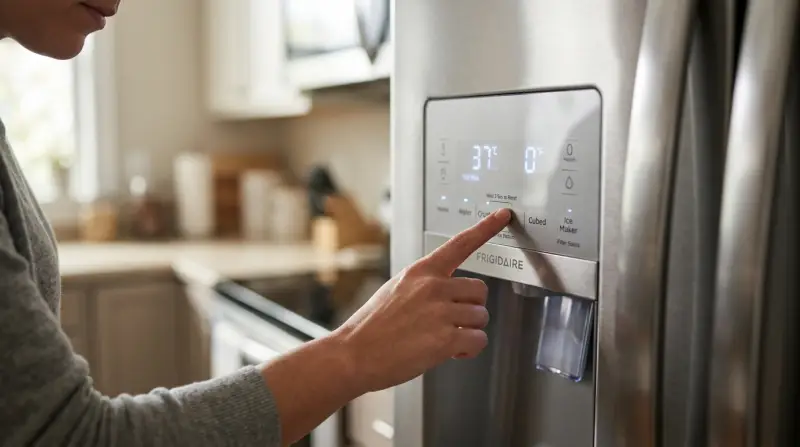
Control panels act as the brain of your refrigerator, managing temperature sensors, compressor cycles, and ice dispenser functions. When these electronic boards encounter a surge in power or a minor voltage fluctuation, the microprocessor can enter an error state. This state makes the panel appear “frozen” or locked.
The primary cause for this behavior is electrical noise or a momentary drop in voltage from the home’s power supply. Because these boards use volatile memory to track operational status, an interruption in power forces the system to reboot, much like restarting a computer.
Another cause is moisture buildup behind the interface. If the seal around the buttons is compromised, condensation can create a short circuit that prevents the board from registering touches. If you notice the lights on the display flickering or cycling through random icons, it’s possible that internal components have reached the end of their design life. Always consult the official Frigidaire product support manual for your specific model number, as newer smart-enabled units may require a different sequence involving the door light switch or specific key combinations.
Power cycle the unit
This fix is for users whose control panel is frozen, showing an error code, or ignoring button presses. You need no special tools, just access to the wall outlet behind the refrigerator.
- Locate the power cord behind the refrigerator.
- Pull the plug from the wall outlet.
- Wait a few minutes to ensure the system has fully powered down.
- Plug the unit back into the wall outlet.
- Wait for the control panel to perform its self-test. This usually takes between 30 and 60 seconds.
If the panel lights up and responds to your touch, the board has successfully reset. If you hear a series of beeps or see a flashing “PF” or “E” code, the system is performing a diagnostic check. Don’t press any buttons while the display is flashing during this startup phase. If the panel remains dark, check your home’s circuit breaker to ensure the outlet has power. If the outlet works but the fridge remains dead, you’re dealing with a failed control board or a blown internal fuse. Replacing these components involves handling high-voltage capacitors that can hold a lethal charge even when unplugged; this is strictly a task for a certified appliance technician.
Check the door switch
Sometimes the control panel isn’t the problem; the refrigerator believes a door is open and disables the display as a safety feature. This is common if the door switch is stuck.
- Open the refrigerator door and locate the small plunger switch near the hinge or the top of the frame.
- Press the switch in and out with your finger. It should move freely and make a clicking sound.
- If the switch feels sticky or stays depressed, clean the surrounding area with a dry cloth to remove food residue.
- If the switch stays stuck, use a damp cloth with a tiny amount of mild dish soap to wipe the edges, then dry it immediately.
- Once the switch moves freely, close the door and wait for the display to react.
If the display wakes up after you manipulate the switch, the board was simply operating in “door open” mode. This fix works for most side-by-side and French door models. If the switch is broken or missing a spring, the refrigerator may think the door is permanently open, which prevents the ice maker from working and keeps the control panel in a restricted state. If you can’t get the switch to pop back out, contact a service center to order a replacement part specific to your model.
Inspect the wiring harness
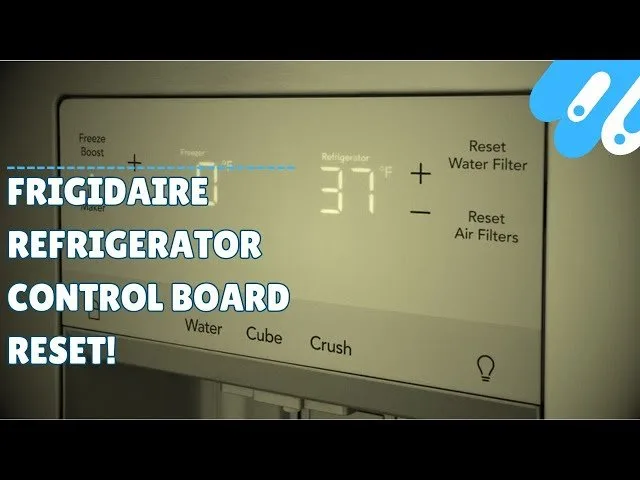
This fix is for cases where the control panel is intermittent—it works sometimes but fails when you open or close the door. This suggests a loose connection.
- Inspect the top hinge cover where the wiring harness passes from the cabinet into the door.
- Gently press on the plastic cover to see if the display flickers.
- If the display reacts to pressure, the internal wires in the harness may be pinched or frayed.
- Carefully remove the plastic hinge cover screws using a Phillips-head screwdriver to reveal the connector.
- Ensure the plastic plug is pushed firmly into the socket.
If the wires are visibly broken or the insulation is stripped, don’t attempt to solder them yourself. These wires carry low-voltage signals that are critical for the board’s operation; improper repairs can cause a permanent short that ruins the entire control board. This fix isn’t for everyone; if you don’t feel comfortable working with delicate plastic clips or screws, stop and call a professional. A technician will have the proper tools to test the continuity of the harness and replace the entire cable assembly if necessary. This is a common point of failure for models that have seen years of frequent door movement, and it’s almost always cheaper to replace the harness than the entire control panel board.
What not to do
Don’t spray water or cleaning agents directly onto the control panel. Liquid seeps behind buttons, causing permanent internal corrosion that often manifests as phantom button presses or a completely unresponsive interface. Always spray your cloth first, then wipe.
Avoid using knives or sharp tools to pry the panel off the door. This almost always scratches the finish or cracks the fragile plastic overlay. If you need access, use a thin plastic putty knife to gently release the tension clips.
Never open the control board housing to repair internal circuits. Capacitors inside retain a lethal electrical charge even after you disconnect the unit from the wall. If the board is faulty, replace the entire module rather than attempting component-level repairs.
Don’t ignore persistent error codes. These often signal a failing temperature sensor, which forces the compressor to run continuously or shut down entirely. If you see a code, check your manual’s troubleshooting table immediately to determine if the issue is a simple reset or a hardware failure.
Finally, don’t leave the refrigerator unplugged for more than four hours. The internal temperature will rise above the safety threshold, significantly increasing the risk of rapid bacterial growth in perishable items.
How to stop it happening again
A stable environment prevents most electronic issues. Use this table to maintain your unit’s health.
| If you’re doing this | Do this instead | Why |
|---|---|---|
| Leaving the door slightly ajar | Ensure the door gasket is clean | Prevents frost buildup on sensors |
| Using a cheap power strip | Plug directly into the wall | Prevents voltage fluctuations |
| Cleaning with wet cloths | Use a barely damp microfiber | Keeps moisture out of electronics |
| Slamming the doors shut | Close them gently | Protects the wiring harness |
Most users fail by ignoring the gasket’s magnetic seal. If a piece of paper slides out easily when the door is closed, your seal has failed. This gap forces the compressor to run 20% longer, leading to premature motor burnout.
If you hear a persistent clicking sound, check your power source immediately. A dedicated circuit is required for high-draw appliances to prevent electrical interference.
Frequently asked questions
Can I reset my Frigidaire fridge by holding the lock button?
Yes, holding the “Lock” or “Dispenser Lock” button for three to five seconds can reset the interface. This action toggles the board out of a locked state or refreshes the inputs if the panel is frozen. If the panel remains unresponsive, you must perform a manual power cycle instead.
Why is my Frigidaire control panel flashing?
A flashing control panel indicates a communication error between the main board and the display board, often caused by power surges. This signal means the system is attempting a diagnostic test or needs re-synchronization. If flashing persists beyond ten minutes, perform a power cycle to attempt to clear the error state.
How long does a Frigidaire control board last?
Most control boards last seven to ten years, though lifespan varies based on electrical stability and environmental conditions. Boards in humid or greasy kitchens often fail faster due to component oxidation. If your unit is older than ten years, compare the repair cost against the price of a new appliance.
Is it safe to use a hair dryer to dry the panel?
No, never use a hair dryer or heat source on the control panel, as high heat can melt plastic and warp the overlay. If moisture is present, allow the unit to air dry for 24 hours while powered off. If the problem persists, the internal circuit board has likely suffered permanent corrosion.
What happens if I unplug the fridge and the display is still blank?
If the display remains blank after a power cycle, the control board or power supply has failed. A blank screen indicates the microprocessor can’t boot or isn’t receiving power. If your wall outlet is functional, the fault lies within the refrigerator and requires professional repair or replacement.
Final Thoughts
If your display still doesn’t light up, don’t worry. It’s possible a damaged wire or a faulty control board is to blame. You shouldn’t hesitate to reach out to a certified technician to inspect the internal components. They’ll help you get your kitchen back to normal so you don’t lose any more groceries.
1 thought on “Frigidaire Refrigerator Control Panel Board Reset Procedure”