
If your Ativa shredder suddenly stops working, it can feel frustrating and confusing. Paper shredders are important for protecting personal information and keeping offices organized. But like all machines, shredders can develop problems. Many people don’t know where to start when their shredder won’t turn on or jams repeatedly. This guide will show you how to diagnose and fix common Ativa shredder issues, so you can get back to shredding with confidence. Even if you’re not a technical expert, you’ll find clear steps, practical tips, and examples to help you get your shredder working again.
Common Reasons Ativa Shredders Stop Working
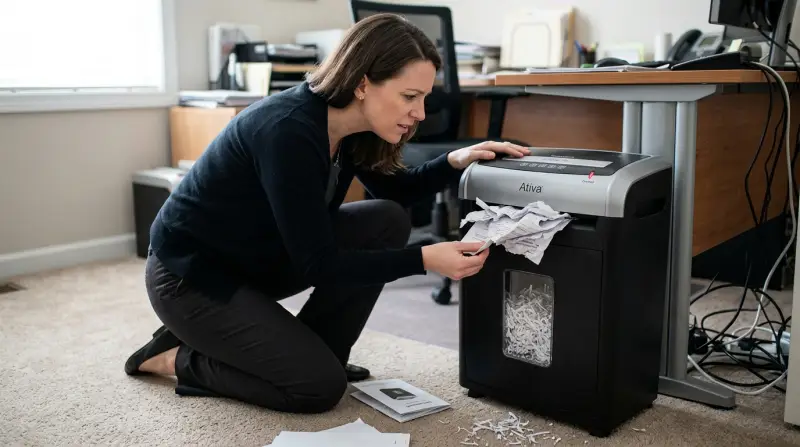
Understanding the main causes helps you solve problems faster. Most Ativa shredder issues fall into a few categories:
- Power problems: The shredder won’t turn on, or loses power unexpectedly.
- Paper jams: Paper gets stuck, and the shredder cannot clear itself.
- Overheating: The shredder stops after heavy use and won’t restart immediately.
- Sensor faults: The shredder doesn’t recognize paper or the bin is not detected.
- Mechanical failures: Parts like gears, blades, or motors break or wear out.
Let’s look at each issue and how to fix it.
Diagnosing Power Issues
If your Ativa shredder won’t turn on, start by checking the basics. Surprisingly, many users overlook simple steps.
Check Power Source
- Make sure the power cord is firmly plugged into both the shredder and a working outlet.
- Test the outlet with another device, like a lamp or phone charger. If it doesn’t work, try another outlet.
- Examine the cord for visible damage. If you see frayed wires or bent prongs, replace the cord.
Inspect The Power Switch
- Some Ativa shredders have a main power switch at the back or bottom. Ensure it’s in the “ON” position.
- There may be a reset button or circuit breaker near the power switch. Press it gently to reset the machine.
Internal Fuse
- Many shredders have a built-in fuse to protect against overloads. If the fuse blows, the shredder won’t start.
- Check your manual for fuse location. If accessible, replace it with the same type.
Quick tip: If you hear a faint click or see lights but the shredder does not run, the motor may be stuck or overheated (covered below).
Handling Paper Jams
Paper jams are the most frequent problem for Ativa shredders. Even though Ativa models are designed to handle multiple sheets, they can jam if used incorrectly.
Clearing A Jam
- Turn off and unplug the shredder for safety.
- Gently pull out any visible paper from the feed slot. Use tweezers for small pieces.
- If the jam is deep, switch the shredder to reverse mode. This often pushes the stuck paper out.
- Repeat switching between forward and reverse until the jam clears.
Preventing Jams
- Don’t exceed sheet limit: Check your shredder’s maximum capacity (e.g., 10 sheets). Overloading causes jams.
- Avoid thick items: Don’t shred credit cards, CDs, or thick envelopes unless your model supports them.
- Remove staples and paper clips: These can damage blades and cause jams.
Jam Data Table
Here’s a comparison of jam frequency for different Ativa models:
| Ativa Model | Max Sheets | Average Jam Frequency (per 100 uses) |
|---|---|---|
| Ativa AX12 | 12 | 2 |
| Ativa DSB10 | 10 | 3 |
| Ativa M12C | 12 | 1 |
Insight: Models with higher sheet capacity jam less often, but only if users follow the recommended limits.
Overheating And Cooldown
Shredders need breaks after heavy use. Ativa models typically run for 10–20 minutes before requiring a cooldown.
Symptoms Of Overheating
- The shredder stops in the middle of operation.
- The motor feels warm or hot to touch.
- The shredder does not restart immediately after stopping.
Solutions
- Turn off and unplug the shredder.
- Wait for 20–30 minutes to allow cooling.
- Restart and test with a single sheet.
Example: If you shred 50 sheets in one session, your Ativa shredder may shut down to prevent damage. Waiting restores normal operation.
Overheat Comparison Table
This shows typical run times and cooldown periods for Ativa shredders:
| Model | Run Time (min) | Cooldown Time (min) |
|---|---|---|
| Ativa AX12 | 12 | 20 |
| Ativa DSB10 | 10 | 25 |
| Ativa M12C | 15 | 15 |
Sensor And Bin Issues
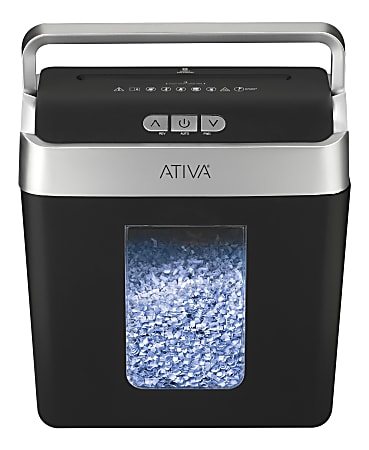
Ativa shredders use sensors to detect paper and the waste bin. If these sensors fail, the shredder won’t operate.
Paper Detection Sensor
- Some models use infrared sensors to detect paper in the feed slot.
- Dirt, dust, or bits of paper can block the sensor. Clean the slot with a dry cloth.
- If the sensor is faulty, the shredder may run continuously, or not at all.
Bin Detection Sensor
- The shredder will not operate if the bin is not positioned correctly.
- Remove the bin and reinstall it firmly. Listen for a click or check for indicator lights.
Sensor Troubleshooting Steps
- Turn off and unplug the shredder.
- Clean all feed slots and sensors.
- Reassemble and test.
Non-obvious insight: Some Ativa models have a hidden sensor tab near the bin. If broken or bent, the sensor won’t detect the bin, and the shredder stays off.
Mechanical Failures
Mechanical issues are less common but can cause the shredder to stop working suddenly.
Common Mechanical Problems
- Broken gears: The motor runs, but blades do not turn.
- Dull blades: The shredder jams frequently or shreds slowly.
- Motor failure: No sound or movement at all.
Solutions
- For broken gears or motors, contact Ativa support or a professional repair center.
- If blades are dull, some models allow blade sharpening with special sheets (check manual).
- Regular maintenance (oiling, cleaning) prolongs shredder life.
Maintenance Data Table
Maintenance frequency affects shredder performance:
| Maintenance Type | Recommended Interval | Impact on Performance |
|---|---|---|
| Oiling blades | Every 2 months | Reduces jams, increases speed |
| Cleaning sensors | Monthly | Improves detection |
| Emptying bin | As needed | Prevents shutdown |
Practical Tips For Fixing Ativa Shredders
Here are actionable steps to solve most issues:
- Unplug before troubleshooting: Safety first.
- Read the manual: Each Ativa model has unique features and troubleshooting steps.
- Use proper oil: Only use shredder oil, not WD-40 or cooking oil.
- Don’t force stuck paper: Forcing can break gears or blades.
- Check warranty: Some repairs are covered by Ativa’s warranty.
Extra tip: If your shredder makes strange noises, stop using it immediately. Unusual sounds often mean mechanical damage, and continued use can make things worse.
When To Call For Professional Help
Sometimes, DIY fixes aren’t enough. Seek expert help if:
- The shredder smokes or smells like burning.
- You see broken parts inside the machine.
- The power cord or motor feels hot even after cooling.
- The machine is under warranty and needs complex repairs.
Professional repairs can cost between $50–$150 depending on the issue. Compare this with the cost of buying a new shredder if repairs are expensive.

Non-obvious Insights Most Beginners Miss
- Sensor tabs and hidden switches: Many Ativa shredders have small tabs or switches that detect the bin or door. If these are broken or misaligned, the shredder will not work, even if power is fine.
- Shredder oil sheets: Using special oil sheets helps lubricate blades and prevent jams. Many users skip this, leading to frequent problems.
These simple steps can save you hours of frustration and costly repairs.
Frequently Asked Questions
Why Does My Ativa Shredder Only Work In Reverse?
This usually means the forward sensor is blocked or faulty. Clean the feed slot and check for paper debris. If the problem persists, the forward switch or sensor may need replacement.
Can I Use Regular Oil To Lubricate My Ativa Shredder?
No. Only use shredder oil or special oil sheets. Other oils can damage the blades, cause jams, or void your warranty.
How Often Should I Clean My Ativa Shredder?
Clean the sensors and feed slot at least once a month. Empty the bin regularly and oil the blades every two months for best performance.
What Should I Do If My Ativa Shredder Overheats?
Turn off and unplug the shredder. Wait 20–30 minutes, then restart. Avoid shredding large batches in one session to prevent overheating.
Where Can I Find Ativa Shredder Manuals And Support?
Visit the official Ativa website or check Office Depot Support for manuals, troubleshooting guides, and customer service.
Restoring your Ativa shredder is often a matter of careful troubleshooting and simple maintenance. With these tips and practical steps, you can solve most problems without stress or expensive repairs. Remember, regular care and attention prevent most issues before they start.
If you ever face a stubborn problem, professional help is just a call away. Take action today, and keep your sensitive documents safe and your office running smoothly.