
A red flashing light on your Panasonic TV can feel worrying, especially if your screen suddenly goes black or won’t turn on. But before you call for repairs, know that this blinking red light is actually your TV’s way of telling you something specific. It’s like a built-in code that helps identify the problem. By understanding what these flashes mean, you can often solve the issue yourself—saving time, money, and stress.
Let’s explore why your Panasonic TV flashes a red light, what each flash count means, and how you can fix common problems. Whether you are a tech beginner or have some experience, this guide will give you clear steps and practical tips to get your TV working again.
What Does The Red Flashing Light Mean?
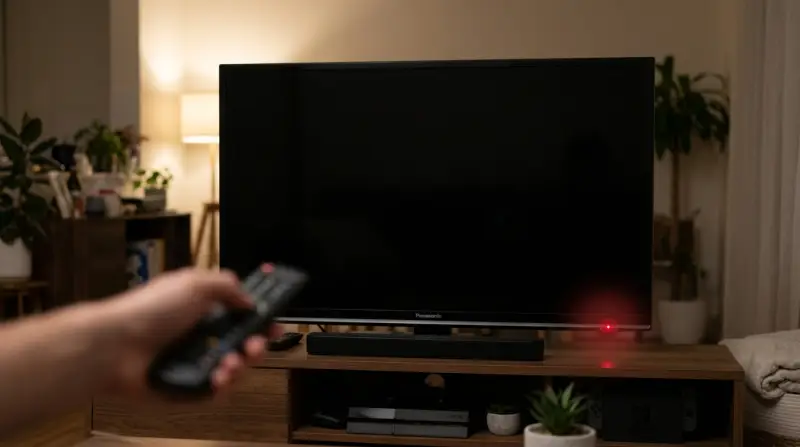
The red flashing light on Panasonic TVs is a part of the built-in self-diagnosis system. When something goes wrong inside the TV, it often won’t power on, and the power light starts blinking in a set pattern. Each pattern, or number of flashes, points to a specific problem area.
For example:
- 2 red flashes might mean a faulty power supply
- 7 flashes could signal a problem with the main board
Instead of guessing, counting these flashes gives you a strong clue about what’s wrong.
Common Causes Of Panasonic Tv Red Light Blinking
Power Supply Problems
Most often, a power supply failure is behind the red blinking light. This could be caused by:
- Surge or spike in electricity
- Worn out or damaged internal capacitors
- Faulty power board
If your TV is older or has faced power surges, this is a likely cause.
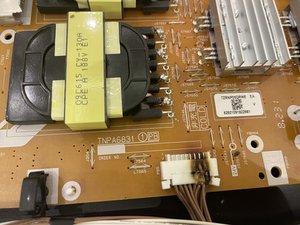
Main Board Failure
The main board is like the TV’s brain. If it fails, the TV can’t process signals or display an image. This often causes the TV to blink a certain number of times (commonly 7 or 8).
Backlight Issues
Many Panasonic TVs use LED or LCD backlights. If the backlight fails, the screen goes dark but the TV may still power up, causing a blinking error.
Overheating
If the TV’s internal temperature rises too high, it may shut down for safety and flash the red light. Blocked vents or heavy dust build-up are common culprits.
Loose Or Damaged Connections
Sometimes, a simple loose cable or a damaged HDMI port can cause errors. Internal connections can also come loose after moving the TV.
Panasonic Red Light Flash Codes: What Do They Mean?
Each flash count is a code. Here are the most common ones for Panasonic TVs:
| Flashes | Likely Problem | Typical Solution |
|---|---|---|
| 1 | Power Board Failure | Check/replace power board |
| 2 | Power Supply Issue | Check power supply/capacitors |
| 3 | Main Board Failure | Inspect/replace main board |
| 5 | Communication Error | Check internal cables/boards |
| 7 | LED/Backlight Issue | Check/replace backlight or board |
| 10+ | Panel or Major Fault | Professional repair needed |
Always count the flashes carefully, as this is key to finding the right fix.
Step-by-step Troubleshooting: How To Fix Panasonic Tv Flashing Red Light
When your Panasonic TV starts flashing red, follow these steps:
Step 1: Power Cycle The Tv
Unplug the TV from the wall. Wait at least 60 seconds—longer is better. Press and hold the TV’s power button for 30 seconds (not the remote). Plug the TV back in and try to turn it on.
This resets the TV and often clears minor glitches.
Step 2: Check For Overheating
Feel the back and sides of your TV. If it’s very hot, give it time to cool down. Make sure there’s good airflow around the TV and no vents are blocked by dust or objects.
Step 3: Inspect Cables And Connections
Check all cables, including the power cord, HDMI, and antenna. Make sure they are firmly connected and not damaged. Try using a different wall outlet.
Step 4: Count The Red Flashes
Turn the TV on and watch the power light. Count how many times the red light blinks before it pauses and repeats. Write down the number.
Step 5: Match The Flash Code To The Problem
Refer to the table above. For example, if you see 3 flashes, focus on checking the main board.
Step 6: Try A Different Remote
Sometimes, a stuck or broken remote button can send wrong signals. Remove the batteries from your remote and see if the TV still flashes.
Step 7: Disconnect External Devices
Unplug all devices (game consoles, streaming boxes, etc. ) From your TV. If the TV starts normally, one of the devices or its cable could be faulty.
Step 8: Update Firmware (if Possible)
If your TV turns on after power cycling, check for firmware updates in the settings menu. Outdated firmware can cause errors and blinking lights.
Step 9: Seek Professional Repair
If none of the above works, or if your flash code points to a serious internal fault (like the main board or panel), it’s best to call a professional repair service. Sometimes, the cost of repair may be close to buying a new TV—especially with older models.
When To Repair And When To Replace
Repairing a Panasonic TV can cost between $100 and $400 depending on the issue. For example, a new power board might cost $120, while a panel replacement could cost $350 or more.
Here’s a simple comparison to help you decide:
| Repair | Replace |
|---|---|
| TV is under warranty | TV is more than 5 years old |
| Cost to repair is less than 40% of new TV price | Major panel/main board issue |
| Minor issue (power supply, cable, etc.) | Multiple repairs needed |
Non-obvious insight: Sometimes, the real cause is a bad surge protector or wall outlet, not the TV itself. Try plugging into a different outlet before calling for repair.
How To Prevent The Red Light Problem
You can lower the chance of seeing the red flashing light by taking a few simple actions:
- Use a good surge protector to protect your TV from power spikes.
- Keep your TV in a cool, well-ventilated spot.
- Dust the vents and back of the TV every few months.
- Avoid moving the TV often, as this can loosen internal connections.
- Update your TV’s firmware when new updates become available.
Real-world Example: Fixing A 7-flash Error
One Panasonic owner noticed the TV would blink 7 times and not turn on. After some research, they learned this meant a backlight problem. They unplugged the TV, checked all cables, and tried a power cycle. When that did not work, they opened the TV (with power off) and saw a loose LED strip.
After reconnecting the strip, the TV worked again.
Opening your TV will void the warranty and can be dangerous if you are not experienced. Only try this if you know what you are doing.
What Not To Do
- Don’t ignore the flash code. Guessing can lead to wasted time and money.
- Don’t keep trying to power on the TV if it smells like burning or is very hot.
- Don’t open the TV unless you have experience with electronics and it is out of warranty.
Panasonic Tv Red Light Vs Other Brands
Panasonic is not the only brand with a flashing light error system. Here’s how it compares to other major brands:
| Brand | Red Flash Codes | Self-Diagnosis |
|---|---|---|
| Panasonic | Yes, multiple codes | Detailed, user-friendly |
| Sony | Yes, but fewer codes | Good, but not as detailed |
| Samsung | Mostly single blink | Less code variety |
| LG | Some codes, not always red | Similar to Samsung |
Another insight: Panasonic’s error codes are more detailed than most brands, which means you have a better chance of fixing the problem yourself.
Frequently Asked Questions
What Should I Do First If My Panasonic Tv Flashes A Red Light?
Start by unplugging the TV from the wall and waiting for at least 60 seconds. Then plug it back in and try to turn it on. This simple step often fixes minor errors.
Can I Fix A Panasonic Tv Red Light Issue Myself?
Yes, if the problem is basic—like a loose cable or a power glitch. For anything related to the main board or backlight, it’s safer to contact a qualified technician.
How Do I Know If My Tv Is Under Warranty?
Check your purchase receipt or the Panasonic website. Most TVs have a 1-year warranty. If you bought an extended plan, it might be longer.
Is It Worth Repairing A Panasonic Tv With A Flashing Red Light?
If the repair cost is less than 40% of a new TV, and the TV is not very old, repair is often a good choice. For older TVs or expensive faults, replacement can make more sense.
Where Can I Find More Information On Panasonic Tv Error Codes?
The official Panasonic Support page has detailed guides and error code information.
A flashing red light on your Panasonic TV is not the end of the world. With careful steps, you can often solve the problem yourself or make a smart decision about repair or replacement. Remember to use the flash code to guide your next move and don’t rush—taking a few minutes to check everything can save you hours later.