
When your Chevy Equinox screen stops working, it can quickly turn a comfortable drive into a frustrating experience. The infotainment screen is more than entertainment; it’s your access to navigation, vehicle settings, and even backup camera views. If you can’t see or control these features, daily driving becomes harder and less safe. Many Equinox owners run into this issue, especially with models from 2018 and newer. Understanding why your screen fails—and how to fix it—is key to keeping your SUV reliable and enjoyable. This guide explains common causes, troubleshooting steps, repair options, and tips for preventing future problems. Whether you’re a beginner or someone with basic car knowledge, you’ll find clear answers here.
Why Does The Chevy Equinox Screen Stop Working?
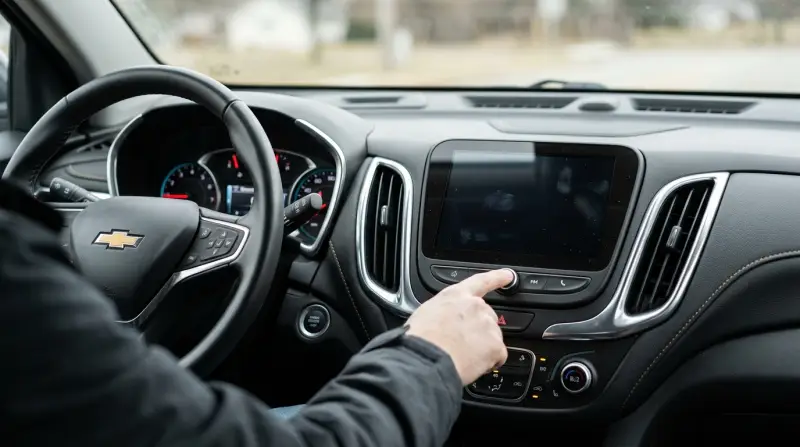
The Chevy Equinox touchscreen is a modern piece of tech, but it can fail for several reasons. Knowing the root cause helps you decide whether a quick reset will solve the problem—or if you need professional help.
Common Reasons For Screen Failure
1. Electrical Issues
The screen relies on a steady power supply. Loose wires, blown fuses, or low battery voltage can cause the display to go dark or flicker.
2. Software Glitches
Like smartphones, your Equinox infotainment runs on software. Updates, bugs, or corrupted files can freeze the system or stop it from starting.
3. Physical Damage
Moisture, dust, or accidental impacts can damage the screen or internal components. This is more common if you’ve spilled drinks or frequently clean the dashboard with liquid.
4. Faulty Components
Defective screens, malfunctioning control modules, or failed connectors are sometimes to blame. Many Equinox owners report screen failures after just a few years.
5. Temperature Extremes
Very hot or cold weather can cause the screen to respond slowly, flicker, or shut off. Electronics work best in moderate temperatures.
Real Owner Data
A survey from Consumer Reports showed that about 9% of Chevy Equinox owners had infotainment problems in the first three years. Most complaints were about screen freezing, blank displays, or slow touch response.
Quick Troubleshooting Steps
Before heading to a mechanic, you can try a few simple fixes. Many screen problems are temporary and can be fixed with basic steps.
Step-by-step Guide
1. Restart The Car
Turn off the engine and wait at least 60 seconds. Restart and check if the screen comes back.
2. Check The Fuse Box
Locate the fuse panel (usually under the dashboard or in the engine compartment). Look for the fuse labeled “Infotainment” or “Display. ” Replace it if blown.
3. Disconnect And Reconnect The Battery
Remove the negative battery cable for 2–3 minutes. Reconnect and start the vehicle. This resets many electronic systems.
4. Look For Updates
If the screen works sometimes, try updating the software. Go to the settings menu and search for system updates.
5. Inspect For Physical Damage
Check the screen and surrounding area for cracks, moisture, or loose connections.
When To Try Diy And When To Get Help
You can handle basic checks yourself. If the screen is still blank or frozen after these steps, seek professional help. Do not try to open the dashboard or screen if you lack experience; you could cause more damage.
Repair Options For Chevy Equinox Screen
If the troubleshooting steps fail, repair or replacement may be necessary. Costs and time depend on the cause of the problem.
Common Repairs
- Fuse or Wiring Replacement
Costs $30–$100 if done by a mechanic. Takes less than an hour.
- Software Reset or Update
Dealerships may do this for free during warranty or charge $50–$150 out of warranty.
- Screen Replacement
Costs $500–$1,200 for parts and labor. Takes 2–4 hours.
- Control Module Repair
Modules controlling the screen may fail. Replacement costs $300–$700.
Warranty Coverage
Most new Equinox models have a 3-year/36,000-mile basic warranty. If your screen fails within this period, repairs are usually free. Always check your warranty status before paying for repairs.
Repair Time Comparison
Here’s a quick look at how long each repair usually takes:
| Repair Type | Approximate Time | Typical Cost |
|---|---|---|
| Fuse Replacement | 30 minutes | $30–$100 |
| Software Update | 1 hour | $50–$150 |
| Screen Replacement | 2–4 hours | $500–$1,200 |
| Module Repair | 2–3 hours | $300–$700 |
Comparing Common Causes Of Screen Failure
Knowing what causes screen problems helps you avoid wasting time and money. Here’s a comparison of the most common causes:
| Cause | Symptoms | DIY Fix? | Professional Needed? |
|---|---|---|---|
| Electrical Issue | Blank screen, flicker | Yes (fuse, battery) | If wiring is damaged |
| Software Glitch | Frozen screen, slow response | Yes (restart, update) | For deep resets |
| Physical Damage | Cracked screen, water marks | No | Yes |
| Component Failure | Random shutdowns | No | Yes |
| Temperature Extreme | Slow or no response | Yes (let car cool/warm) | No, unless permanent |
Preventing Chevy Equinox Screen Problems
You can avoid most screen failures with good habits and a little attention.
Practical Tips
1. Keep The Dashboard Dry
Avoid spilling drinks or using wet cleaners near the screen. Moisture can cause short circuits.
2. Update Software Regularly
Check for infotainment updates every 6–12 months. Updates fix bugs and improve reliability.
3. Park In Moderate Temperatures
Extreme heat or cold stresses electronics. If possible, use covered parking or shade.
4. Avoid Heavy Impacts
Don’t press hard on the screen or hit the dashboard. Use gentle touch only.
5. Check Battery Health
Weak batteries cause power drops. Replace your battery every 3–5 years or as needed.
Non-obvious Insights
- Aftermarket Accessories
Installing aftermarket dash cams or chargers near the infotainment system can cause interference. Always use accessories designed for your vehicle.
- Hidden Factory Resets
Some Equinox models have a hidden reset button or menu. Check your owner’s manual for details. This can fix screen freezes without visiting a dealer.
What To Do If Your Screen Fails While Driving
A failed screen can distract you or make it hard to use backup cameras or navigation. Here’s what to do:
- Stay Calm
Most functions are still accessible by voice or physical buttons.
- Don’t Try to Fix While Driving
Wait until you stop to check fuses or restart the system.
- Use Your Phone as Backup
For navigation, use your smartphone if the screen is down.
- Call for Help If Needed
If the screen controls safety features (like backup camera), pull over and call a mechanic.

Credit: www.youtube.com
Chevy Equinox Screen And Technology Trends
Modern vehicles have more screens and connected features. The Chevy Equinox infotainment system is based on GM’s MyLink or Chevrolet Infotainment 3 platform. These systems offer:
- Touch navigation
- Apple CarPlay and Android Auto
- Voice controls
- Backup camera display
But more features also mean more things can go wrong. In 2023, GM reported that infotainment issues were the top complaint for owners of their SUVs, including the Equinox. As technology advances, regular updates and careful maintenance are more important than ever.
Professional Repair Vs. Diy: Which Is Better?
Some owners try to fix screen issues themselves. Others prefer the dealership or a certified mechanic. Here’s a quick comparison:
| Repair Approach | Pros | Cons | Best For |
|---|---|---|---|
| DIY | Low cost, fast | Risk of damage, limited fixes | Simple problems (fuse, battery) |
| Dealership | Expertise, warranty | Higher cost, longer wait | Complex issues, warranty repairs |
| Independent Mechanic | Flexible, often cheaper | Varied skill, no GM warranty | Out-of-warranty repairs |

When To Replace Vs. Repair The Screen
If your screen has physical damage, replacement is usually needed. If it’s a software or wiring issue, repair is often cheaper. Here’s how to decide:
- Replace if:
- The screen is cracked or unresponsive
- The touch function no longer works
- You see lines, spots, or black areas
- Repair if:
- The screen freezes sometimes
- The display goes blank but returns after restart
- Problems started after a software update
Chevy Equinox Screen Not Working: Real Case Example
A 2020 Equinox owner in California reported their screen went blank during a summer road trip. After checking fuses and battery, the display returned only after a full software reset at the dealership. The repair was covered by warranty. The mechanic explained that high heat and a recent software update caused the problem.
This shows that both environmental factors and updates can trigger screen failures.

Helpful Resources
For more detailed information, visit the official Chevrolet Owner Center at
Chevrolet Owner Center. Here you’ll find manuals, update guides, and support for infotainment issues.
Frequently Asked Questions
Why Did My Chevy Equinox Screen Suddenly Go Blank?
A sudden blank screen is usually caused by a blown fuse, loose wire, or software glitch. First, check your fuse box and try restarting the car. If these don’t work, you might need a software update or professional repair.
Can I Fix The Screen Myself, Or Do I Need A Mechanic?
You can handle basic fixes like fuse checks, battery resets, and software updates. If the screen is cracked or doesn’t respond after troubleshooting, a mechanic or dealership is needed.
How Much Does It Cost To Replace A Chevy Equinox Screen?
Screen replacement usually costs $500–$1,200, including parts and labor. Prices vary by model year and location. If your vehicle is under warranty, the repair may be free.
Will A Failed Screen Affect My Safety Features?
Some safety features, like the backup camera, rely on the infotainment screen. If the screen fails, use extra caution when parking or backing up. Physical controls for lights and wipers still work as normal.
How Can I Prevent Screen Problems In The Future?
Keep the dashboard dry, update software regularly, avoid extreme temperatures, and check battery health. Avoid aftermarket accessories that aren’t designed for your Equinox.
If your Chevy Equinox screen stops working, don’t panic. Most issues are easy to diagnose with the right steps, and many repairs are affordable or covered by warranty. Staying informed about common causes and solutions makes your driving experience safer and more enjoyable. Take care of your infotainment system, and your Equinox will continue to deliver comfort and convenience on every drive.