
If you own a Sony TV, you expect it to turn on smoothly and provide a great picture. But sometimes, instead of your favorite show, you see a flashing red light on the front panel. This can be confusing and a bit worrying. What does the red light mean? Is your TV broken? The good news: a blinking red light is often your TV’s way of telling you there’s a problem—and many times, it’s something you can fix yourself. This guide will help you understand why your Sony TV is flashing a red light, what the different blinking patterns mean, and what steps to take to solve the issue.
What Does The Flashing Red Light Mean?
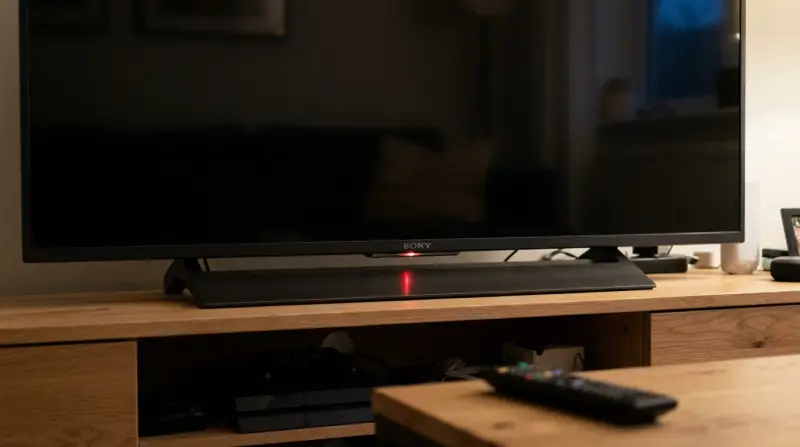
When your Sony TV flashes a red light, it is signaling an error or malfunction. This is called a “self-diagnosis” indicator. Sony TVs are designed to check themselves for problems. If something goes wrong inside, the TV turns off and flashes a red light to alert you.
Key points:
- The number of blinks is important. It helps you find out what type of problem your TV has.
- Most Sony TVs will not turn on when the red light is flashing.
- The blinking will repeat in cycles, like 3 blinks, pause, 3 blinks, pause, and so on.
Common Reasons For Sony Tv Flashing Red Light
Understanding the cause is the first step to fixing it. Here are some of the most common issues:
- Power Supply Problems: The TV might not get enough power or the power supply board inside could be faulty.
- Backlight Failure: Modern TVs use LED backlights. If these fail, the TV will not display a picture and may flash an error.
- Overheating: Dust, poor ventilation, or blocked vents can cause the TV to overheat.
- Mainboard Issues: The main circuit board (mainboard) manages all the TV functions. If it fails, the red light can start blinking.
- Firmware Errors: A failed update or corrupted software can stop the TV from starting correctly.
- Loose Or Damaged Cables: If a cable inside the TV or one you connected is loose or damaged, it can trigger an error.
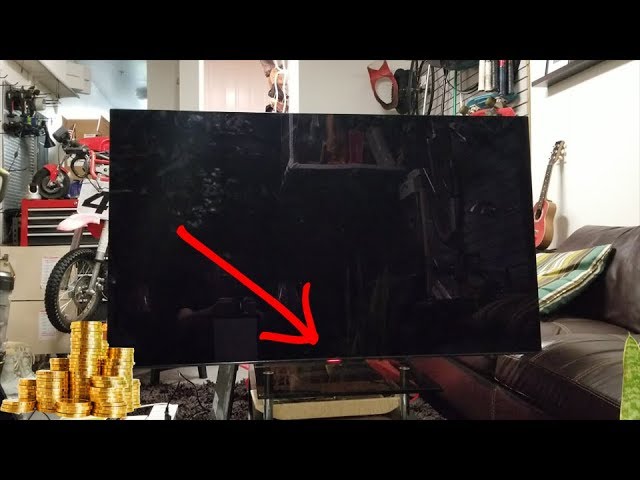
Credit: www.youtube.com
Understanding Sony Tv Red Light Blink Codes
The number of blinks tells you what kind of problem the TV has detected. Sony uses different blink codes for different faults.
Here’s a helpful reference:
| Blink Code | Possible Issue | Notes |
|---|---|---|
| 2 blinks | Power Board Problem | Usually means power supply error |
| 3 blinks | Mainboard Failure | Often related to main logic circuits |
| 4 blinks | Backlight or Inverter Error | Common in LED TVs |
| 5 blinks | T-CON Board Issue | Affects picture display |
| 6 blinks | LED Driver or Panel Error | Panel or driver circuit problem |
| 7+ blinks | Various Hardware Faults | Usually needs professional repair |
Insight: Many people ignore the blink pattern and try random fixes. Always count the blinks first—this gives you the best chance to solve the real problem.
How To Fix A Sony Tv Flashing Red Light
Before you call for help, try these steps. Many times, you can solve the problem at home.
1. Power Cycle Your Tv
This simple step fixes many issues:
- Unplug your TV from the wall socket.
- Wait at least 60 seconds.
- Press and hold the TV’s power button for 30 seconds (if possible).
- Plug the TV back in and try turning it on.
Why it works:
This resets the TV’s internal circuits and clears temporary errors.
2. Check For Overheating
- Make sure there’s enough space around your TV for air to move.
- Clean any dust from the vents with a soft brush or vacuum cleaner.
- Avoid placing the TV near heaters or in direct sunlight.
If the TV feels hot or you hear the fan running loudly, let it cool down for 30 minutes before trying again.
3. Inspect Cables And Connections
- Unplug all devices from the TV (HDMI, USB, antenna).
- Check power cord for damage.
- Reconnect everything firmly.
Loose cables can sometimes cause error signals.
4. Update Or Reset Firmware
- If your TV stays on long enough, go to Settings > System > Software Update.
- If you cannot access menus, look for a reset button (usually a small pinhole at the back).
- Press and hold the reset button for 10 seconds.
A full reset will erase your settings and channels, but it can clear software glitches.
5. Count The Blinks And Check The Manual
- Count the number of red light blinks.
- Look up your model’s user manual for what the code means.
- Sony’s official support page also lists blink codes for different models. sony Support
6. Try A Different Power Outlet
Sometimes, the problem is with the wall socket, not the TV.
- Plug the TV into a different outlet.
- Avoid using extension cords or power strips.
7. Remove External Devices
Disconnect all connected devices (game consoles, soundbars, streaming sticks).
Turn the TV on with nothing attached.
If it works, add devices one by one to find the faulty one.
When To Contact Sony Support Or A Technician
Not every problem can be fixed at home. Here are situations where you should get help:
- The TV keeps flashing after trying all basic steps.
- Blink codes point to hardware failures (like 4, 5, or 6 blinks).
- You hear strange noises or smell burning from the TV.
- The TV is still under warranty.
Professional repair may be needed for backlight, mainboard, or panel problems. Attempting to open the TV yourself can void your warranty and is dangerous.
Real-world Example: Fixing A 6-blink Error
Let’s look at an example. A user has a Sony Bravia TV. The TV flashes the red light 6 times and won’t turn on. Here’s what they did:
- Power cycled the TV – No change.
- Checked cables – All looked fine.
- Searched online – Found 6 blinks means an LED panel or driver problem.
- Called Sony support – The TV was just out of warranty.
- Local repair shop – They replaced a faulty LED strip inside the TV.
Outcome: The TV worked again for less than the price of a new one.
Non-obvious insight: Sometimes, a repair shop can fix a hardware issue for less than you think, especially if it’s just an LED strip or power board.

Credit: www.wikihow.com
How Much Does It Cost To Fix A Flashing Red Light?
The price depends on the problem. Here’s a typical range:
| Problem | Estimated Cost (USD) | Repair Type |
|---|---|---|
| Power supply board | $80 – $150 | Parts + labor |
| LED backlight | $100 – $250 | Parts + labor |
| Mainboard | $120 – $300 | Parts + labor |
| Firmware reset | Free – $50 | Software |
| Panel replacement | $300 – $600 | Parts + labor |
If the repair cost is more than half the price of a new TV, it’s often better to buy a new one.
How To Prevent Sony Tv Red Light Errors
Taking care of your TV can help avoid future problems.
- Keep vents clear: Dust and heat are common causes of failure.
- Use a surge protector: Power surges can damage TV electronics.
- Install software updates: These can fix bugs and improve performance.
- Turn off the TV when not in use: Reduces wear and risk of overheating.
Extra insight: Many people leave their TV on standby for months. Turning it off fully (using the main power button or unplugging) occasionally can help reset internal circuits.
Differences Between Sony And Other Brands
Sony TVs have their own blink codes and error systems. Here’s how they compare to others:
| Brand | Blink Code System | Typical Fix |
|---|---|---|
| Sony | Number of red blinks | Power cycle, check blink code, reset |
| Samsung | Red or blue light, sometimes with screen codes | Power cycle, check PSU/backlight |
| LG | Blinking power light, often without code | Power cycle, mainboard check |
| Vizio | Blinking white or amber light | Power reset, board replacement |
Sony’s system is more helpful because it tells you more about the specific problem.
Frequently Asked Questions
Why Is My Sony Tv Blinking Red 4 Times?
A 4-blink code usually means a backlight or inverter board problem. This is common in LED TVs. The TV cannot light up the screen, so it shuts down and flashes the warning. Sometimes, a power cycle or firmware reset helps, but often, you need a repair technician to replace the faulty parts.
Can I Fix A Sony Tv Red Light Blinking Error Myself?
For simple issues like power cycling, checking cables, or updating firmware, yes—you can do it yourself. But for hardware failures (like a faulty mainboard or backlight), it’s best to contact a professional. Opening the TV can be dangerous due to high voltages inside.
Does A Flashing Red Light Mean My Sony Tv Is Broken For Good?
Not always. The red light is a protection feature to prevent further damage. Many TVs recover after a simple reset or minor repair. Only severe hardware problems, like a damaged panel, mean the TV may not be worth fixing.
How Do I Find The Meaning Of My Sony Tv’s Blink Code?
Count the number of red flashes, then check your user manual or visit the Sony Support page. You’ll find a list of codes and their meanings there. If you’re not sure, contact Sony customer service with your model number.
Should I Repair Or Replace My Sony Tv If The Red Light Keeps Blinking?
Compare the cost of repair with the price of a new TV. If the repair is less than half the cost of replacement and your TV is fairly new, repair can be a good choice. If the TV is old or the panel is damaged, buying a new TV is often smarter.
If your Sony TV is flashing a red light, don’t panic. Most problems can be diagnosed by counting the blinks and following some simple steps. Many issues have quick fixes—especially if you know what the blink codes mean. However, some problems need a professional’s help. By acting quickly and carefully, you can often get your TV working again without too much stress or cost. And remember: a little maintenance goes a long way in preventing future red light errors.