
If your Dyson hair dryer suddenly stopped working and now flashes red lights, you’re likely feeling stressed and frustrated. These premium devices are known for their quality and price, so it’s worrying when something goes wrong. But don’t panic—most issues with Dyson hair dryers can be fixed at home, or at least clearly understood, without needing advanced technical skills. This article will guide you through why the red lights flash, how to troubleshoot common causes, and what your next steps should be.
What Do The Red Lights On A Dyson Hair Dryer Mean?
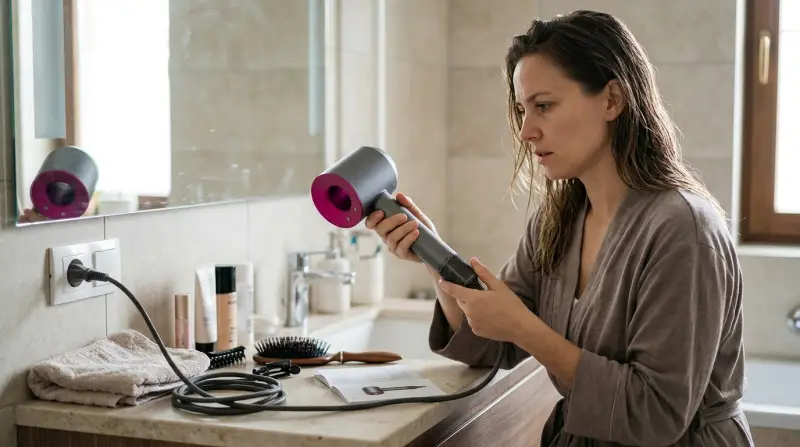
The red flashing lights on a Dyson hair dryer are a built-in alert system. They’re designed to warn you about specific problems, not just a random error. In most cases, the red lights mean the device has detected an issue that needs attention before it can safely operate.
There are typically two main reasons for red lights:
- Overheating: The dryer’s internal temperature is too high, often caused by a blocked filter or airflow issue.
- Internal Fault: A problem with the electronics, motor, or another internal component.
Some users see one red light, others see two or three—Dyson models may differ. However, if your hair dryer has stopped working and flashes red, the troubleshooting steps are similar.
Common Causes: Why Your Dyson Hair Dryer Stopped Working
Let’s break down the most frequent reasons for this problem:
Dirty Or Blocked Filter
The filter is the most common source of trouble. Dyson hair dryers use a fine mesh to keep dust and hair out of the motor. Over time, this filter can clog, restricting airflow and causing overheating. When this happens, the dryer shuts down for safety, and the red lights start flashing.
Power Supply Issues
A loose plug, damaged power cord, or faulty outlet can interrupt power. If the hair dryer doesn’t get consistent electricity, it may not turn on, or it might flash red to signal a problem.
Overheating Protection Triggered
Dyson hair dryers have a thermal cut-off. If the internal temperature gets too high, the device shuts off and flashes red. This is often linked to blocked filters, but can also happen if you run the dryer for a long time without a break.
Internal Motor Or Electronics Fault
Less commonly, the motor or electronics inside the dryer might fail. This could be due to wear, manufacturing defect, or a short circuit.
Moisture Or Water Ingress
If water gets inside the dryer (for example, if used with wet hands or in a steamy bathroom), the red lights can flash to indicate a safety shutdown. This protects the user from electric shock.
How To Troubleshoot A Dyson Hair Dryer With Red Flashing Lights
Before you consider professional repair or replacement, follow these steps to diagnose the problem yourself.
Step 1: Unplug And Cool Down
- Safety first: Unplug the hair dryer from the wall.
- Let it rest for at least 10 minutes. This resets the internal sensors and allows any overheated parts to cool.
Step 2: Clean The Filter Thoroughly
A dirty filter is the cause in most cases. Here’s how to do a deep clean:
- Slide off the filter cage at the base of the handle.
- Use a soft, dry brush or a clean, dry toothbrush to gently scrub the mesh filter.
- Dyson recommends soaking the cage in warm, soapy water for 30 minutes, then rinsing and drying completely.
- Make sure the filter and cage are totally dry before reassembling.
Many users only brush off surface dust. Make sure to clean both the outside and inside of the filter mesh, and check for hair strands or debris wrapped around the base.
Step 3: Check The Power Source
- Plug the dryer into a different, working outlet.
- Inspect the power cord for any cuts, bends, or damage.
- If you use a power strip, try plugging the dryer directly into the wall.
Step 4: Reset The Hair Dryer
Some Dyson models have a small reset button on the plug (especially in North America). Press the button and try turning the dryer on again.
Step 5: Test The Device
After cleaning and checking everything, plug the hair dryer back in and turn it on. If it works, the problem was likely a clogged filter or minor overheating.
Step 6: Contact Dyson Support If The Problem Persists
If the hair dryer still flashes red and doesn’t work, it may have a deeper internal problem. Don’t try to open the dryer yourself—this can void your warranty and be dangerous. Instead, contact Dyson customer service for further guidance.
Comparing Dyson Hair Dryer Error Lights
To help clarify, here’s a quick reference for common Dyson Supersonic error lights and what they mean:
| Light Color | Meaning | Action Needed |
|---|---|---|
| Red (flashing) | Overheating or fault | Clean filter, cool down, reset, or call support |
| White (flashing) | Filter needs cleaning | Clean filter, reset |
| No lights, no power | Power issue | Check plug, outlet, cord |
How Often Should You Clean The Dyson Hair Dryer Filter?
Regular maintenance is key to keeping your dryer working well. Dyson recommends cleaning the filter at least once a month if you use it daily. But if you have long hair, pets, or a dusty environment, clean it every two weeks.
Here’s a simple schedule comparison:
| Usage Level | Recommended Filter Cleaning |
|---|---|
| Daily use | Once every 2–4 weeks |
| Occasional use | Every 1–2 months |
| Salon/Heavy use | Weekly |
Non-obvious tip: Even if your hair dryer seems to work fine, a slightly dirty filter can cause it to run hotter, wear out faster, and eventually lead to red light errors. Regular cleaning extends the life of your device.
When To Seek Professional Repair Or Replacement
Not every problem can be fixed at home. Here’s when you should stop troubleshooting and call in an expert:
- The dryer still flashes red after cleaning and cooling.
- You hear unusual noises (clicking, grinding, or buzzing) from inside.
- There’s a burning smell or smoke.
- The power cord is damaged or feels hot.
- The device is still under warranty.
Dyson hair dryers typically come with a 2-year warranty. If yours is still covered, contact Dyson support—they may repair or replace the unit for free. For out-of-warranty devices, ask for a repair estimate before deciding to buy a new one.
Cost Comparison: Repair Vs Replacement
If your Dyson hair dryer needs repair, here’s what you can expect:
| Service | Estimated Cost (USD) | Comments |
|---|---|---|
| Filter replacement | $10–$20 | Easy DIY, often not needed |
| Professional repair | $80–$150 | For motor, electronics, or warranty work |
| New Dyson Supersonic | $430–$500 | Latest model, full warranty |
In many cases, if your hair dryer is older and out of warranty, repair costs can approach the price of a new model. Carefully weigh repair vs replacement—sometimes investing in a new device is more cost-effective.
Two Insights Most People Miss
- Filter cleaning is not optional. Many users assume that because their dryer is expensive, it’s “maintenance-free.” But the filter is the most sensitive part—regular cleaning prevents 90% of red light errors and extends the lifespan of your device.
- Humidity and bathrooms can cause hidden problems. Even if you don’t get the dryer wet, using it in a very humid bathroom can cause condensation inside. This moisture may trigger the safety system and red lights. Always store your Dyson in a dry place after use.

Preventing Future Red Light Errors
Here’s how to keep your Dyson hair dryer running smoothly:
- Clean the filter regularly, as described above.
- Keep the dryer away from sinks, tubs, and showers.
- Don’t wrap the cord tightly around the handle—this can damage the wire.
- Allow the dryer to cool between uses, especially during long sessions.
- Store the device in a dry, dust-free area.
Extra tip: If you use styling products (like sprays or oils), these can build up on the filter faster. Clean more often if you notice residue.
Are Dyson Hair Dryers Reliable?
Dyson hair dryers are known for their long life and advanced technology. Most users report years of trouble-free use with only simple filter cleaning. According to Dyson, the Supersonic motor is tested to last for at least 10 years with normal use. Problems are rare, but when they happen, they’re usually related to maintenance or power issues not the design.
For more technical details on Dyson’s engineering, you can visit the official Dyson website.
Frequently Asked Questions
Why Does My Dyson Hair Dryer Keep Flashing Red Even After Cleaning The Filter?
If you’ve cleaned the filter but still see red lights, there may be an internal fault or overheating issue. Check if the dryer is plugged into a working outlet. If the problem continues, contact Dyson support.
Can I Use My Dyson Hair Dryer With A Damaged Power Cord?
No, you should never use any device with a damaged cord. This can cause short circuits, electric shock, or even fire. Replace the cord or have it repaired by Dyson.
How Do I Know If My Dyson Hair Dryer Is Still Under Warranty?
You can check the warranty status by visiting Dyson’s official website and entering your device’s serial number. Most hair dryers come with a 2-year warranty.
Is It Safe To Open The Dyson Hair Dryer And Try To Fix It Myself?
It is not safe. The device uses high-speed motors and complex electronics. Opening it can damage the device, void your warranty, and cause injury. Leave repairs to professionals.
Can Humidity Or Steam Damage My Dyson Hair Dryer?
Yes, using or storing your Dyson in a very humid bathroom can let moisture get inside, triggering safety shutdowns or red lights. Always keep the device dry and store it away from water sources.
A Dyson hair dryer is a smart investment, but it needs basic care to perform well for years. Most red flashing light errors can be fixed with regular filter cleaning, careful use, and quick troubleshooting. If you follow the steps above, you’ll likely avoid most problems and enjoy your Dyson device for a long time.
If issues persist, don’t hesitate to reach out to Dyson for expert support.