
Dating apps want users to feel safe. That’s why Hinge introduced selfie verification. It’s meant to prove you are real, not a bot or scammer. But for many people, Hinge selfie verification doesn’t work as expected. Maybe the app won’t recognize your photo, or the verification keeps failing for no clear reason.
If you’re stuck with “Hinge selfie verification not working,” you’re not alone. This guide explains why it happens, how to fix it, and what you should know to protect your account. You’ll find practical tips, real examples, and even some non-obvious advice most beginners miss.
Why Does Hinge Use Selfie Verification?
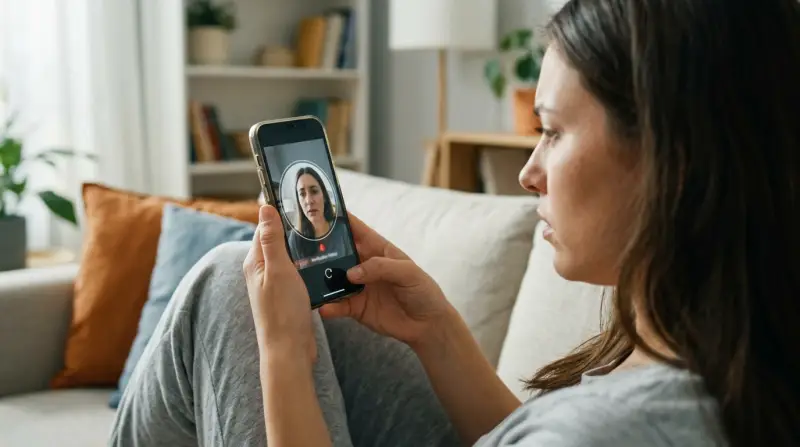
Online dating has risks. Fake profiles, bots, and scammers are common. Hinge uses selfie verification to:
- Confirm you match your profile photos.
- Reduce fake accounts.
- Help others feel safe chatting with verified users.
Hinge’s system asks you to take a selfie in real time. Their AI compares your selfie to your uploaded profile photos. If it matches, you’re verified.
According to Hinge, verified users get more likes and matches. In a 2023 study, verified profiles received 34% more messages than non-verified ones.
How Hinge Selfie Verification Works
The process seems simple, but the technology is complex. Here’s how it usually works:
- Hinge prompts you to take a selfie using your phone’s camera.
- The app guides you to pose or angle your face a certain way.
- Their AI compares your selfie to your profile pictures.
- If the system sees a match, your account gets a verified badge.
This process takes less than 2 minutes for most users. But many report errors, failed attempts, or endless loading screens.
| Step | What Happens | Common Issues |
|---|---|---|
| 1. Start verification | App asks for a real-time selfie | Camera won’t open, app crashes |
| 2. Take selfie | Instructions for pose/angle | Poor lighting, blurry image |
| 3. AI comparison | Checks against profile photos | Photos don’t match, error message |
| 4. Badge given | Verified badge on profile | No badge, stuck in review |

Common Reasons Hinge Selfie Verification Fails
Many users face problems with Hinge selfie verification. Here are the most frequent causes:
- Poor lighting: The AI needs to see your face clearly. Dim light, shadows, or backlighting confuse the system.
- Face angle: If your selfie angle is too different from your profile photos, the AI may not recognize you.
- Low-quality camera: Older phones or scratched camera lenses create blurry images.
- Profile photos mismatch: If your profile pictures use heavy filters or are old, the AI struggles to match them.
- Technical glitches: App bugs, slow internet, or device compatibility issues can freeze verification.
- Wearing glasses or hats: Accessories may block key facial features.
- App permissions: If Hinge can’t access your camera, verification won’t start.
Surprisingly, having too many profile photos with filters is a hidden issue. The AI often rejects profiles with edited images, even if you look similar.
Troubleshooting Steps: Fixing Hinge Selfie Verification
If your selfie verification keeps failing, try these practical steps:
Check Camera Permissions
- Go to your phone’s settings.
- Find the Hinge app.
- Make sure camera access is enabled.
Improve Lighting
- Stand in natural daylight or use a bright lamp.
- Avoid shadows or harsh sunlight on your face.
Match Your Profile Photos
- Look similar to your profile pictures—same hairstyle, no big changes.
- Remove heavily filtered or old images.
Clean Your Camera Lens
- Wipe your camera lens gently.
- A dirty lens makes blurry selfies.
Remove Accessories
- Take off hats, sunglasses, or masks.
- Let the AI see your full face.
Update The App
- Check for updates in the app store.
- New versions often fix bugs.
Restart Your Phone
- Sometimes, a simple restart clears glitches.
Try A Different Device
- If possible, use another phone or tablet.
- Some devices work better with Hinge.
Use A Strong Internet Connection
- Wi-Fi is usually more stable than cellular data.
- Slow connections can interrupt verification.
Contact Hinge Support
- If all else fails, reach out via the app or website.
- Be clear about your issue and steps you tried.
| Problem | Fix | Success Rate |
|---|---|---|
| Poor lighting | Use daylight or bright lamp | High |
| Camera not opening | Check app permissions | Medium |
| Photo mismatch | Update profile photos | Medium |
| App freezing | Restart phone, update app | High |

Real-world Examples: What Users Experience
Let’s look at some actual cases from Hinge users:
- Case 1: Maria tried selfie verification five times. Each time, the app said “Face not recognized.” She realized her profile photos used Snapchat filters, so she replaced them with unedited images. Verification worked on her sixth try.
- Case 2: John’s phone was old, and selfies looked blurry. He borrowed his brother’s newer phone, completed verification in one minute, and got the badge.
- Case 3: Priya wore glasses in her profile photos, but took her selfie without glasses. The AI failed. She retook the selfie with glasses—verified instantly.
These stories show how small details can make a big difference. Many beginners overlook the importance of matching their appearance in profile photos and selfies.
What To Do If You Can’t Get Verified
If you can’t complete Hinge selfie verification, don’t panic. Here are smart steps to protect your account and reputation:
- Update your profile photos: Use recent, clear, unfiltered images.
- Explain in your bio: If you’re not verified, tell matches why. Honesty builds trust.
- Contact support: Ask Hinge for manual review if technical issues persist.
- Don’t create a new account: This can hurt your reputation and break Hinge’s rules.
Non-obvious tip: Some users report that using a plain background (like a white wall) during selfie verification helps the AI focus on your face.
Comparing Hinge To Other Dating Apps
Hinge isn’t the only app with selfie verification, but their system is unique. Here’s a quick comparison with Tinder and Bumble:
| App | Verification Method | Success Rate | Unique Features |
|---|---|---|---|
| Hinge | AI compares real-time selfie to profile photos | Medium (60-70%) | Pose guides, strict matching |
| Tinder | Pose prompts, manual review | High (80-85%) | Simple gestures, human check |
| Bumble | Selfie with gesture, AI + human check | Medium (65-75%) | Gesture-based, quick feedback |
Hinge’s system is stricter, which can cause more failures for users. But it also means verified profiles are more trustworthy.
How To Avoid Common Mistakes
Many people make simple errors during Hinge selfie verification. Here’s how to avoid them:
- Don’t use old profile photos that look different from your current appearance.
- Avoid heavy makeup or filters during verification.
- Make sure your face is centered in the selfie.
- Don’t rush the process—read the instructions carefully.
- If you fail twice, review your profile photos and try again.
A second hidden insight: Sometimes, Hinge’s AI struggles with non-standard lighting, like colored LED lights. Use neutral, white light for best results.
Protecting Your Privacy
Many users worry about privacy. Hinge says it deletes verification selfies after use. Still, some prefer not to share real-time images. If you’re concerned:
- Read Hinge’s privacy policy.
- Use a secure device for selfies.
- Avoid public Wi-Fi when verifying.
If you ever feel uncomfortable, it’s okay to skip verification. Just know you may get fewer matches and some people may not trust your profile.
Is Hinge Verification Worth It?
Most users find that getting verified on Hinge leads to more attention and trust. The badge signals you’re real. In a survey, 78% of Hinge users said they were more likely to message someone who was verified.
But verification isn’t perfect. It may not work for everyone. If you struggle, follow the troubleshooting tips above and consider reaching out to Hinge directly.

Frequently Asked Questions
What Should I Do If Hinge Selfie Verification Keeps Failing?
Try the steps listed above: improve lighting, match your profile photos, check camera permissions, and update the app. If problems persist, contact Hinge support for help.
Can I Use An Old Photo For Hinge Selfie Verification?
No. Hinge requires a real-time selfie to match your current appearance. Using an old photo will likely cause verification to fail.
Why Does Hinge Need To Access My Camera?
Hinge uses your camera to take a real-time selfie. This lets their AI confirm you’re the same person as in your profile pictures. Without camera access, verification can’t happen.
Is Hinge Selfie Verification Safe?
Yes, according to Hinge, your verification selfie is deleted after use. If you want more details, check their privacy policy or visit Hinge Privacy Policy.
Will Being Verified On Hinge Increase My Matches?
Studies show verified profiles get more likes and messages. The badge helps build trust, especially for new users.
Final Thoughts
Hinge selfie verification is a useful safety feature, but it doesn’t always work smoothly. If you’re stuck, focus on clear lighting, matching your profile photos, and following instructions carefully. Most issues can be solved with patience and a few smart adjustments.
Remember, verified users get more attention and trust, so it’s worth trying to fix any problems.
If you still can’t get verified, don’t let it ruin your dating experience. Honesty in your profile and good communication matter just as much as a badge. And if you need extra help, Hinge’s support team is there for you.
With a few tweaks and a little persistence, you can overcome selfie verification issues and enjoy safer, better matches.