
Humidity plays a key role in home comfort and health. Many people trust the Vicks humidifier to add moisture to dry air, relieve congestion, and make breathing easier. But sometimes, these devices stop working as they should. A simple reset often fixes issues like blinking lights, no mist, or strange noises. If you’re struggling with your Vicks humidifier, this guide will help you reset it step by step and explain extra tips to keep it running smoothly.
Why Reset A Vicks Humidifier?
Resetting a Vicks humidifier is a common solution for many problems. You might need to reset your device if:
- The mist output stops or becomes weak
- The indicator lights flash or stay on
- You notice odd sounds or smells
- The device doesn’t turn on even after refilling
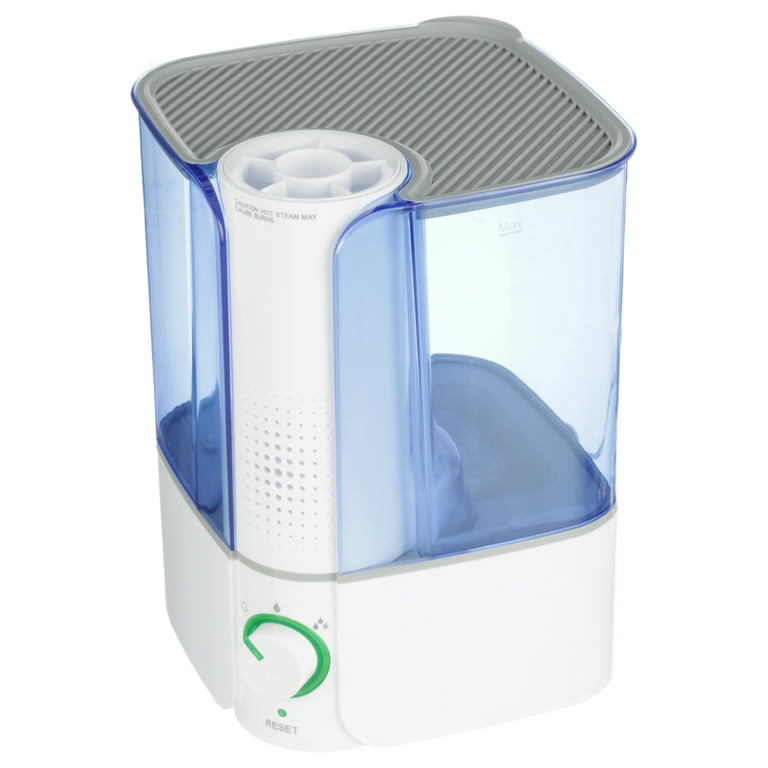
Most Vicks humidifiers have a reset light or button that signals maintenance or a problem. Resetting clears error codes, restores normal operation, and can save you from buying a new unit.
Common Vicks Humidifier Models And Reset Features
Understanding your humidifier model helps you reset it correctly. Some popular Vicks models include:
| Model Name | Reset Method | Special Features |
|---|---|---|
| Vicks Filter-Free Cool Mist (V4600) | Button or unplug/replug | Auto shut-off, no filter |
| Vicks Warm Mist (V745A) | Button or unplug/replug | Removable tank, medicine cup |
| Vicks Ultrasonic (VUL520) | Button or unplug/replug | Silent operation, night light |
| Vicks Mini (VUL575) | Button or unplug/replug | Small size, filter-free |
Most Vicks humidifiers reset in similar ways, but always check your manual for model-specific steps. If you lost the manual, you can find it on the official Vicks website.
Step-by-step: How To Reset Your Vicks Humidifier
Follow these steps to reset your humidifier safely and effectively:
Turn Off And Unplug
Always start by turning off the humidifier and unplugging it from the wall. This protects you from electrical shock and prevents damage during cleaning or reset.
Remove And Clean The Water Tank
Lift out the water tank and empty any leftover water. Rinse the tank with cool water—avoid using soap, as residue can affect mist quality. Clean any mineral buildup with a soft brush or cloth.
Check And Clean The Base
Mineral deposits often collect in the base, especially if you use tap water. Use a vinegar solution (1 part white vinegar to 2 parts water) to dissolve buildup. Let the solution sit for 15–20 minutes, then rinse thoroughly.
Refill And Reassemble
Fill the tank with distilled water if possible. Distilled water reduces mineral deposits and helps the humidifier last longer. Reattach the tank securely to the base.
Reset The Humidifier
Now, reset the device:
- For most models, press and hold the reset button for 3–5 seconds.
- If there’s no button, unplug the unit, wait 1–2 minutes, then plug it back in.
- Watch for indicator lights to turn off or return to normal.
Some models need you to turn the power dial off and on after plugging in. If your humidifier has a reset light, it should turn off once the reset is successful.
Power Up And Test
Turn the humidifier on. Check for normal mist output, quiet operation, and no flashing lights. If problems continue, repeat the reset process or check the manual for troubleshooting.
Practical Tips For A Successful Reset
Resetting is easy, but a few extra steps can prevent future problems:
- Use distilled water to avoid mineral buildup
- Clean the tank and base weekly
- Never run the humidifier with an empty tank
- Let the unit cool before resetting (especially warm mist models)
- Keep the device away from heat sources and direct sunlight
Most beginners forget to let the humidifier dry fully before reassembling. Moisture in the base can cause electrical errors and may stop the device from resetting.
Signs You Need To Reset (and When You Don’t)
Not every issue needs a reset. Here’s a quick comparison of situations:
| Reset Needed | Other Fixes |
|---|---|
| Red or blinking reset light | Low mist (check water) |
| No mist after refill | Odd smell (clean tank/base) |
| Device won’t turn on | Noisy operation (check placement) |
| Indicator lights stuck | Water leaks (check seals) |
If your humidifier leaks or smells bad, a reset won’t help. Clean or replace parts instead.
Troubleshooting After A Reset
Sometimes, the reset doesn’t fix everything. Here’s what to do next:
Device Still Not Working
- Double-check the power outlet with another device
- Inspect the cord for damage
- Confirm the tank is seated correctly
Weak Mist Output
- Clean the ultrasonic membrane (for ultrasonic models)
- Make sure the water level isn’t too low or too high
- Try distilled water to avoid mineral clogs
Persistent Indicator Lights
- Repeat the reset steps, waiting longer before plugging in
- Contact Vicks customer support for help
Many users don’t realize that running the humidifier with hard water can damage the internal parts, making resets less effective. Switching to distilled water can extend the device’s life and improve performance.

Maintenance To Avoid Frequent Resets
Regular care prevents most humidifier problems. Here are proven tips:
- Clean weekly: Remove mineral deposits, bacteria, and mold.
- Change water daily: Fresh water stops bacteria from growing.
- Deep clean monthly: Use vinegar to clean the base and tank.
- Check filter (if present): Replace or clean as needed.
- Store dry: When not in use, empty and dry all parts.
Neglecting maintenance is a common mistake. If you use tap water, minerals can build up quickly and cause frequent reset alerts.
How To Clean Vicks Humidifier For Best Results
Here’s a quick cleaning guide:
- Unplug and empty the tank.
- Rinse with water and wipe with a soft cloth.
- For tough buildup, use a mix of vinegar and water.
- Clean all removable parts, including the medicine cup.
- Dry fully before reassembling.
If your humidifier has a filter, check the manual for replacement instructions. Filters usually last 1–3 months depending on water quality.
Extra Tips For Long-term Use
- Place the humidifier on a flat, stable surface
- Keep away from electronics and wood furniture
- Use it in rooms with closed doors/windows for best humidity
- Monitor room humidity with a hygrometer (ideal range: 30–50%)
Many people forget to check humidity levels. Too much moisture can cause mold and allergies. A simple hygrometer is cheap and helps you keep air healthy.
Safety Precautions
Always follow safety rules:
- Unplug before cleaning or resetting
- Never submerge the base in water
- Keep out of reach of children and pets
- Use only recommended cleaning solutions
Ignoring safety can damage your humidifier and risk injury. If you have doubts, check the official Vicks website or contact their support.

Comparing Vicks Humidifier Reset To Other Brands
How does resetting a Vicks humidifier compare to other brands? Here’s a quick view:
| Brand | Reset Method | Common Issues |
|---|---|---|
| Vicks | Button or unplug/replug | Mineral buildup, reset light |
| Honeywell | Unplug/replug | Filter alerts, mist blockage |
| Levoit | Touch screen reset | Sensor errors, mist issues |
| PureGuardian | Button reset | Low mist, tank errors |
Vicks humidifiers are simple to reset, making them easy for beginners. Other brands sometimes require more steps or have touchscreen controls.
Where To Find Help And Manuals
If you need more help, visit the official Vicks site for manuals, guides, and customer support. You can also check Vicks Support for official troubleshooting and answers.
Frequently Asked Questions
How Often Should I Reset My Vicks Humidifier?
You should only reset your humidifier when you see a reset alert, indicator light, or after cleaning. Regular resets aren’t needed unless you notice a problem.
Can I Use Tap Water In My Vicks Humidifier?
Tap water works, but distilled water is better. It prevents mineral buildup, which can cause the device to malfunction or need frequent resets.
What Does The Reset Light Mean?
The reset light signals a problem, usually low water or mineral buildup. It tells you to check, clean, or refill the humidifier, then reset it to clear the alert.
Why Isn’t My Humidifier Misting After A Reset?
Possible reasons include mineral buildup, incorrect tank placement, or not enough water. Clean the device, check the tank, and use distilled water for best results.
Is It Safe To Clean The Humidifier With Vinegar?
Yes, white vinegar is safe and effective for removing mineral deposits and bacteria. Rinse well after cleaning so no vinegar smell remains.
Taking care of your Vicks humidifier helps you breathe easier and keeps your device working for years. Resetting is simple, but regular cleaning and careful use are just as important. If you follow these steps and tips, you’ll enjoy healthy air and fewer problems, making your investment in home comfort worthwhile.