
When your LG washer shows the IE code, it can feel confusing and frustrating. Many users worry that it means a big repair or costly fix. But often, the IE error is a simple issue you can handle yourself. Understanding this code, its causes, and how to solve it will help you keep your laundry routine running smoothly. Whether you’re new to LG washers or have owned one for years, this guide will walk you through everything you need to know about the IE code, using clear explanations and practical advice.
What Does The Lg Washer Ie Code Mean?
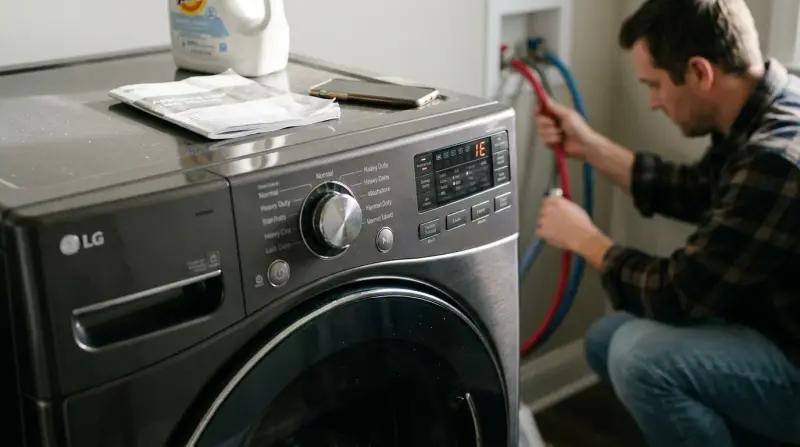
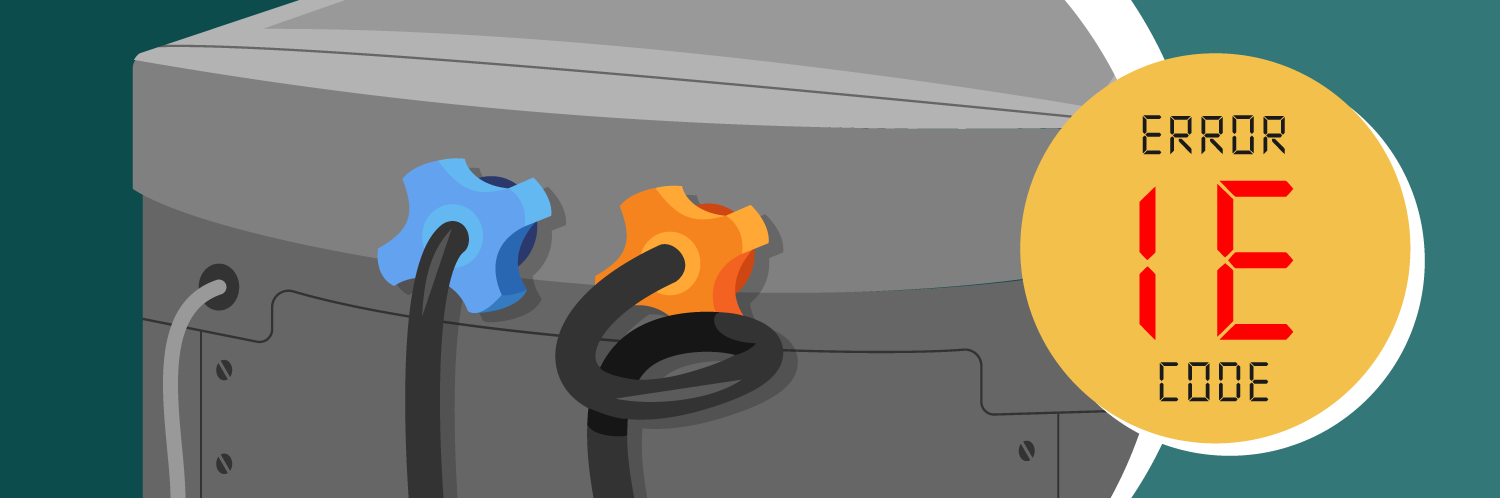
The IE code stands for “Inlet Error.” Your LG washer uses this code when it cannot fill with water properly. Usually, this happens at the start of a wash cycle or during the rinse phase. If the washer does not detect enough water entering within a set time, the machine stops and shows the IE code.
This error is not unique to LG washers, but LG models are known for their clear display of codes. The IE code is designed to protect your washer and prevent damage from running dry. It also helps you spot problems early, before they get worse.
Main Causes Of The Ie Error
The IE error can happen for several reasons. Some are easy to fix, while others may need expert help. Here are the most common causes:
- Water supply is off: If the valves are closed, water cannot enter the washer.
- Low water pressure: If your home water pressure drops below 20 psi, the washer may not fill fast enough.
- Clogged inlet filters: Dirt and minerals can block the filters where water enters the washer.
- Kinked or blocked hoses: If the hoses bend, twist, or have something inside them, water flow stops.
- Faulty inlet valve: The part that opens to let water in may break or get stuck.
- Control board error: Rare, but the electronic board can sometimes fail to send the right signals.
Let’s look at these causes in more detail.
Water Supply Problems
If your washer can’t get enough water, it will show the IE code. Always check if the water supply valves are fully open. Sometimes, during cleaning or repairs, people turn off the valves and forget to turn them back on. Also, check if water supply to your house is normal. If your neighborhood has low water pressure, the washer may not work right.
Hose And Filter Blockages
LG washers have inlet filters at the ends of the hoses. These filters catch dirt and minerals. Over time, they get clogged. A blocked filter can slow water flow and trigger the IE code. Also, hoses can kink or bend behind the washer, especially after moving the machine. Even a small kink can cause trouble.
Mechanical Or Electrical Faults
Sometimes, the inlet valve inside the washer breaks down. If it does not open, water can’t enter. This is harder to spot without opening the washer. In rare cases, the control board or wiring may fail, stopping the valve from working.
How To Fix The Lg Washer Ie Code
Most IE errors can be fixed without special tools. Here’s a step-by-step guide to solve the problem:
Step 1: Check Water Supply
- Make sure both hot and cold water valves are fully open.
- Check other taps in the house to confirm water pressure is normal.
- If you have a water softener or filter, see if it’s working right.
Step 2: Inspect Hoses
- Look behind the washer to see if hoses are bent or twisted.
- Straighten any kinks or bends.
- If hoses look old or damaged, consider replacing them.
Step 3: Clean Inlet Filters
- Turn off the water supply and unplug the washer.
- Unscrew hoses from the washer.
- At each inlet, you’ll see a small filter screen.
- Use a soft brush or cloth to clean these filters gently.
- Avoid using sharp tools, as they can damage the filter.
Step 4: Test The Washer
- Reattach hoses.
- Turn water supply back on.
- Plug in the washer and run a short cycle.
- If the IE code disappears, you’ve solved the problem.
Step 5: Advanced Checks
If the IE code still appears:
- Try running a cycle with only cold water or only hot water to see if one inlet is faulty.
- Listen for the sound of water entering the washer. If you don’t hear anything, the inlet valve may be broken.
- If you suspect a control board issue, you may need professional help.
Many users forget to check both hoses and filters. Even if only one side is blocked, the washer can show the IE code. Also, cleaning the filters every six months helps prevent this error.
Comparing Lg Washer Models And Ie Error Frequency
Different LG washer models handle the IE error in slightly different ways. Here’s a look at how often the IE code appears on popular models:
| LG Washer Model | IE Error Frequency | Average Repair Time |
|---|---|---|
| WM3500CW | Low | 15 minutes |
| WM4000HWA | Medium | 20 minutes |
| WM8100HVA | Medium | 25 minutes |
| WM9000HVA | High | 30 minutes |
Older models may show the IE code more often because their inlet filters get clogged faster. Newer models have better filters and smarter control boards.
Key Differences: Ie Code Vs Other Lg Washer Errors
The IE error is just one of many codes your LG washer can display. Understanding the difference can help you diagnose issues faster.
| Error Code | Meaning | Common Causes |
|---|---|---|
| IE | Inlet Error | Water supply, hose, filter |
| OE | Drain Error | Blocked drain, pump issue |
| FE | Overflow Error | Faulty valve, sensor |
| LE | Motor Error | Wiring, motor failure |
The IE code is always about water coming into the washer. OE is about water going out, and FE means too much water. LE deals with the motor. Knowing these helps you avoid confusion.
Prevention Tips For The Ie Code
You can avoid the IE code with simple habits:
- Clean filters every 6 months: This keeps water flowing smoothly.
- Check hoses after moving the washer: Small kinks can cause big problems.
- Use quality hoses: Some cheap hoses clog or kink easily.
- Monitor water pressure: If your area has low water pressure, use a booster pump.
- Avoid harsh chemicals: Bleach and strong cleaners can damage internal parts.
One insight many beginners miss: even soft water can cause filter blockages. Minerals from city water or old pipes collect in the filters. Also, many users only check the cold water hose, but both hoses matter.
Common Mistakes When Dealing With Ie Errors
People often make these mistakes:
- Ignoring the filter screens: They’re small but crucial.
- Replacing hoses without checking the filter: Sometimes, the filter is the real problem.
- Restarting the washer without fixing the cause: This can damage the washer over time.
- Using tools that harm the filter: Only soft brushes or cloths are safe.
If you keep seeing the IE code, don’t ignore it. Small problems can become expensive repairs.
Cost To Fix Ie Error
Fixing the IE code is often cheap. If you do it yourself, cleaning filters and hoses costs nothing. New hoses usually cost $10–$25. If you need a new inlet valve, the part can cost $40–$80, plus labor. Hiring a technician may cost $100–$150, depending on your area.
Here’s a quick cost comparison:
| Fix | DIY Cost | Professional Cost |
|---|---|---|
| Clean filters | $0 | $50–$75 |
| Replace hoses | $10–$25 | $50–$100 |
| Replace valve | $40–$80 | $100–$150 |
Most users can solve the IE error without calling a technician. The most expensive fix is a new valve or control board, but this is rare.
When To Call A Professional
If you’ve tried all the steps and the IE code keeps appearing, it’s time to call a technician. Signs you need expert help:
- Water does not enter at all.
- You hear strange noises or smell burning.
- The washer shows other codes with IE.
- The control board does not respond.
Professional repair is also best if your washer is still under warranty. DIY fixes may void the warranty, so check your user manual first.
Lg Washer Ie Code: Real-life Example
Let’s look at a real-life story. Maria bought an LG WM4000HWA washer. After six months, she saw the IE code. She checked the hoses—no kinks. Then, she cleaned the filter screens. She found a lot of sand and dirt. After cleaning, the washer worked again.
Maria learned to clean the filters every six months. This simple habit saved her time and money.
Another example: Jake ignored the IE code, thinking it was a glitch. After a few weeks, his washer stopped working. The technician found a broken inlet valve, which could have been prevented by cleaning the filters.
These stories show that regular care prevents bigger problems.

Frequently Asked Questions
What Does The Ie Code Mean On My Lg Washer?
The IE code means your washer cannot fill with water. It usually happens because of blocked filters, closed valves, or low water pressure.
Can I Fix The Ie Code Myself?
Yes, most users can fix the IE code by checking water supply, hoses, and cleaning the inlet filters. Only rare cases need professional repair.
How Often Should I Clean The Inlet Filters?
Clean the inlet filters every 6 months, or sooner if you live in an area with hard water or old pipes.
Will The Ie Code Damage My Washer?
If you keep running the washer without fixing the cause, it can damage the inlet valve or control board. Fixing it quickly prevents serious problems.
Where Can I Find More Information?
For official guidance and more details, visit the LG Support website.
Taking care of your LG washer and understanding the IE code will help you avoid stress and save money. Most fixes are simple and quick. With regular care, your washer will keep working well for years.