
If you own a Ninestars trash can, you know how convenient a touchless lid can be. You wave your hand, and the lid opens like magic. But what happens when your Ninestars trash can lid stops working? Suddenly, a small issue turns daily tasks into a hassle. Many users face this problem after months or even weeks of use. The good news is, most Ninestars lid problems can be fixed at home with a little patience.
This guide explores why your Ninestars trash can lid might not work, how to fix common issues, and when you should seek professional help. Whether your lid won’t open, stays open, or responds slowly, you’ll find practical tips and solutions here.
Understanding How Ninestars Trash Can Lids Work
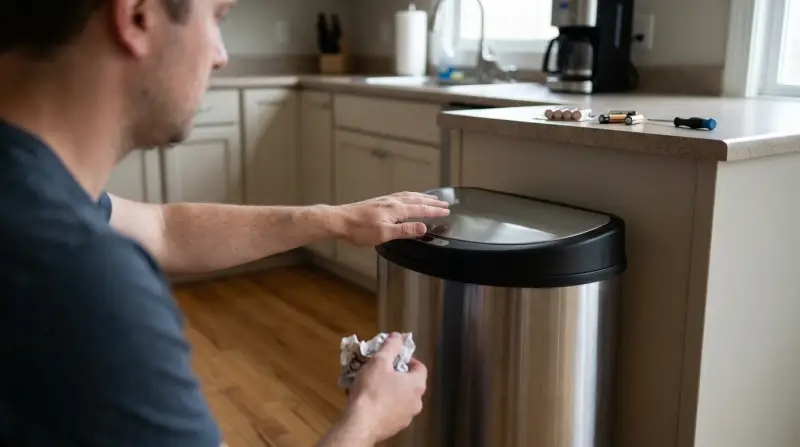
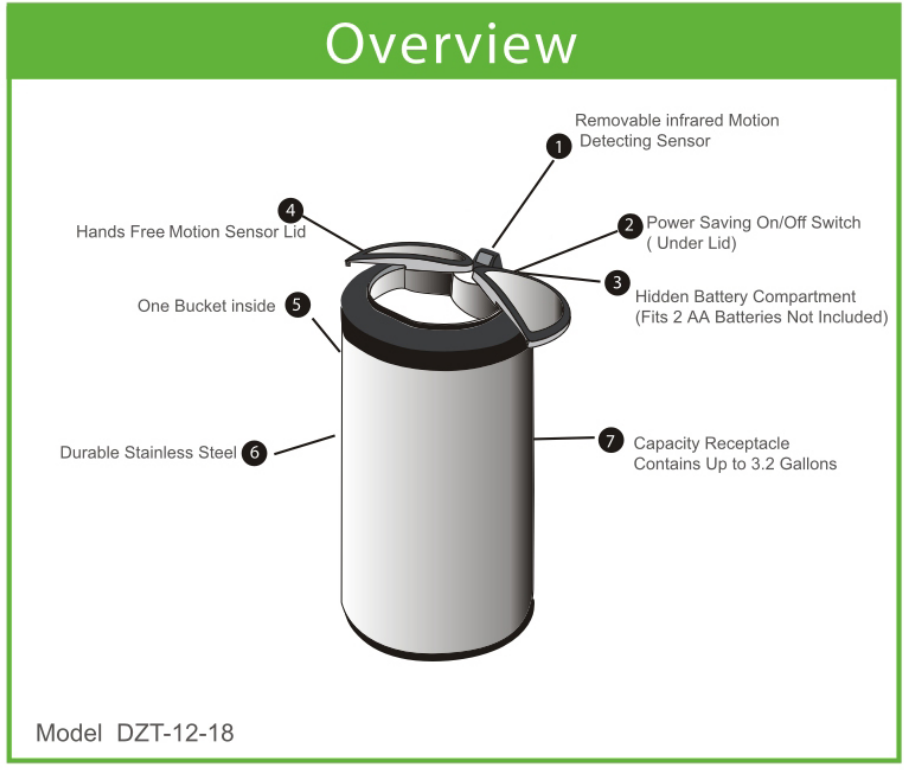
Before diving into fixes, it helps to know how these smart lids function. Most Ninestars models use an infrared motion sensor. When you move your hand near the sensor, it sends a signal to a small motor. This motor lifts the lid. The system is powered by batteries or, on some models, a plug-in adapter.
Key parts include:
- Sensor: Detects motion.
- Motor: Opens and closes the lid.
- Hinge mechanism: Connects lid to body.
- Control board: Acts as the “brain” of the system.
A problem with any of these parts can stop the lid from working. Understanding these basics helps you troubleshoot like a pro.
Common Reasons Your Ninestars Trash Can Lid Is Not Working
Let’s look at the most frequent causes. Each issue has its own symptoms and solutions.
| Problem | Typical Cause | Quick Solution |
|---|---|---|
| Lid won’t open at all | Dead batteries, dirty sensor, misaligned lid | Replace batteries, clean sensor, realign lid |
| Lid opens but doesn’t close | Obstruction, jammed hinge | Remove blockage, check hinge |
| Lid opens/closes randomly | Interference, faulty sensor | Clear area, reset can, check for sensor issues |
| Lid operates slowly | Weak batteries, sticky mechanism | Replace batteries, lubricate moving parts |
How To Troubleshoot A Ninestars Trash Can Lid
You don’t need advanced skills to fix most Ninestars lid issues. Here’s a step-by-step approach for common problems.
Check The Power Source
Most Ninestars cans use 3–4 D-size or AA batteries. Some have an AC adapter.
- Remove the battery cover.
- Replace with fresh, high-quality batteries. Cheap or old batteries often don’t provide enough power.
- If using an adapter, make sure it’s securely plugged in.
Non-obvious tip: Batteries that seem “new” can be weak if they’ve sat unused for months. Always try a known-fresh set.
Clean The Sensor Area
A dirty sensor is a top reason for lids not responding. Even a thin layer of dust can block signals.
- Use a soft, dry cloth to gently wipe the sensor window.
- Avoid harsh chemicals or wet wipes. Moisture may damage electronics.
- Check for fingerprints, splatters, or grease.
Non-obvious insight: Some kitchen cleaners leave a film that confuses the sensor. If you must clean, use plain water and dry thoroughly.
Inspect The Lid And Hinge
A jammed or misaligned lid can stop movement.
- Open the lid manually (if possible) and check for food scraps or trash blocking the hinge.
- If the lid is crooked, gently realign it.
- Listen for any grinding or clicking noises—they suggest a mechanical jam.
Reset The Trash Can
Sometimes, the electronics need a quick reset.
- Remove all batteries (or unplug the adapter).
- Wait 1 minute.
- Reinstall power and test the sensor again.
This simple step can fix many minor glitches.
Test The Sensor
If the lid still won’t move:
- Move your hand slowly in front of the sensor from about 6–8 inches away.
- Try from different angles. Avoid direct sunlight or strong overhead lights, which can interfere.
If the can works only in dim light, the sensor may be failing.
Listen For Motor Noise
- If you hear the motor running but the lid doesn’t move, the motor or gears may be stripped.
- If you hear nothing at all, the motor or control board might be dead.
Advanced Fixes For Stubborn Issues
If the basic steps didn’t help, try these more advanced solutions.
Replace The Sensor Or Motor
If you’re handy with electronics, you can replace the sensor or motor assembly. Ninestars sometimes sells these parts. You’ll need:
- A small screwdriver
- Patience and care
Take photos as you go, so you can put everything back together. If you’re not comfortable, it’s safer to call support.
Lubricate The Hinge Mechanism
Over time, the hinge can become stiff.
- Use a drop of silicone spray (not oil) on the hinge.
- Wipe away any excess to avoid attracting dirt.
Check For Water Damage
If your can sits near the sink, moisture can get inside.
- Look for rust or white powdery buildup on battery contacts.
- Clean with a pencil eraser or cotton swab dipped in vinegar (make sure it’s dry before use).
Update Or Replace The Control Board
Rarely, the control board fails. Replacement is possible but tricky. Most users are better off contacting Ninestars support or considering a new unit.
When To Contact Ninestars Customer Support
If you’ve tried all the above and your lid still won’t work, it’s time to reach out to the experts.
- Gather your model number and purchase details.
- Take photos or a short video of the problem.
- Contact Ninestars via their official website or support email.
Many cans come with a 1-year warranty. If your problem is covered, they may send replacement parts or even a new lid.
Comparing Common Ninestars Trash Can Models
Some Ninestars cans are more prone to lid issues than others. Here’s how popular models compare:
| Model | Sensor Type | Power Source | Known Lid Issues |
|---|---|---|---|
| DZT-50-9 | Infrared | 3 C Batteries/Adapter | Sensor sensitivity, hinge jams |
| DLR-089-1 | Infrared | 4 D Batteries | Slow lid, battery drain |
| CB-SOT-30-9 | Infrared | 3 AA Batteries | Random opening/closing |
Knowing your model can help you find the right parts and troubleshooting steps.
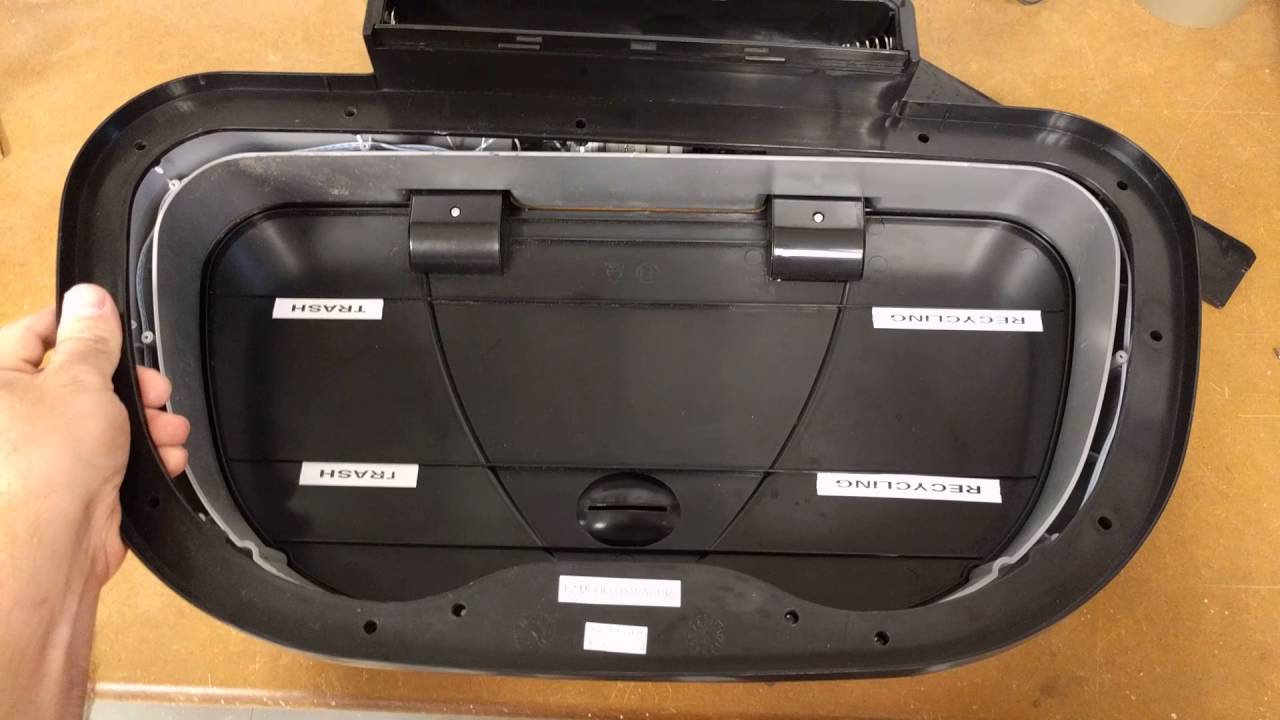
Practical Tips To Prevent Future Lid Problems
Prevention is often easier than repair. Here’s how to keep your Ninestars lid working smoothly:
- Replace batteries every 4–6 months. Frequent lid use drains power faster.
- Keep the sensor clean. Wipe weekly, especially in kitchens or bathrooms.
- Avoid overfilling the trash can. Trash pushing against the lid can strain the motor.
- Place the can away from direct sunlight. Bright light confuses sensors.
- Don’t block the sensor area. Keep the lid’s “eye” clear of decorations or objects.
- Use gentle cleaning products. Harsh chemicals can damage plastic parts and sensors.
If you have pets or small children, they may trigger the sensor accidentally. Place the can where it’s less likely to be bumped.
When To Replace Instead Of Repair
Sometimes, a new can is the best solution. Consider replacing your Ninestars trash can if:
- The motor or control board is dead and out of warranty.
- Repairs cost more than half the price of a new can.
- The lid is cracked or warped.
- You’ve had repeated sensor or motor failures.
Modern models are often more reliable and energy-efficient. Upgrading may save you time and frustration.
Real-world Example: Fixing A Stuck Ninestars Lid
Let’s walk through a real example. Anna’s Ninestars DZT-50-9 lid stopped opening after two years. She tried new batteries, but nothing happened. Here’s what she did:
- Wiped the sensor with a dry microfiber cloth—no luck.
- Removed the lid and found sticky syrup on the hinge.
- Cleaned the hinge with a damp cloth and dried it well.
- Applied a drop of silicone spray.
- Reassembled the lid.
Result: The lid opened smoothly again! The problem wasn’t the sensor or motor, but a sticky hinge. This shows why it’s important to check all parts before assuming the electronics are at fault.
Comparing Ninestars Warranty Vs. Diy Repair
Which is better: using your warranty or fixing it yourself? Here’s a quick comparison.
| Option | Pros | Cons |
|---|---|---|
| Warranty | Free parts/labor, expert help | Wait time, may need proof of purchase |
| DIY Repair | Fast, no shipping, learn new skills | Risk of voiding warranty, may buy parts |
If your can is under warranty, it’s usually best to contact Ninestars first. For older cans, DIY repair is often faster.

Frequently Asked Questions
Why Does My Ninestars Trash Can Lid Keep Opening And Closing On Its Own?
This usually means there’s interference with the sensor. Check for moving objects nearby, reflective surfaces, or strong sunlight. Clean the sensor and move the can to a new spot if needed.
How Long Do Ninestars Trash Can Batteries Last?
Most users get 4–6 months of use from quality batteries, depending on how often the lid opens. If batteries drain in weeks, the motor or sensor may be faulty.
Can I Buy Replacement Parts For My Ninestars Lid?
Yes, some parts like sensors, lids, and motors are available. Check the official Ninestars website or contact support. Not all parts are sold separately for every model.
Is There A Way To Manually Open A Ninestars Trash Can Lid If The Sensor Fails?
Most models allow manual lifting of the lid. If it feels stuck, check for jams before forcing it. Forcing may break the hinge or motor.
Where Can I Find Official Ninestars Support?
Visit the Ninestars official support page for help, warranty claims, and spare parts.
A Ninestars trash can makes life easier—until the lid stops working. With the right troubleshooting, most issues can be fixed at home. Regular cleaning, careful use, and quick action when problems start will keep your smart trash can serving you well for years.
If your efforts don’t fix the issue, don’t hesitate to contact Ninestars support for expert help.